
Produk verbyview
The JTEMAN 360 Rotating Cell Phone Stand with Wireless Bluetooth Speaker with Light is a versatile device designed to enhance your mobile experience. It integrates a rotatable phone stand, a Bluetooth speaker, and an atmosphere light into a single unit. This manual provides detailed instructions for its setup, operation, and maintenance.
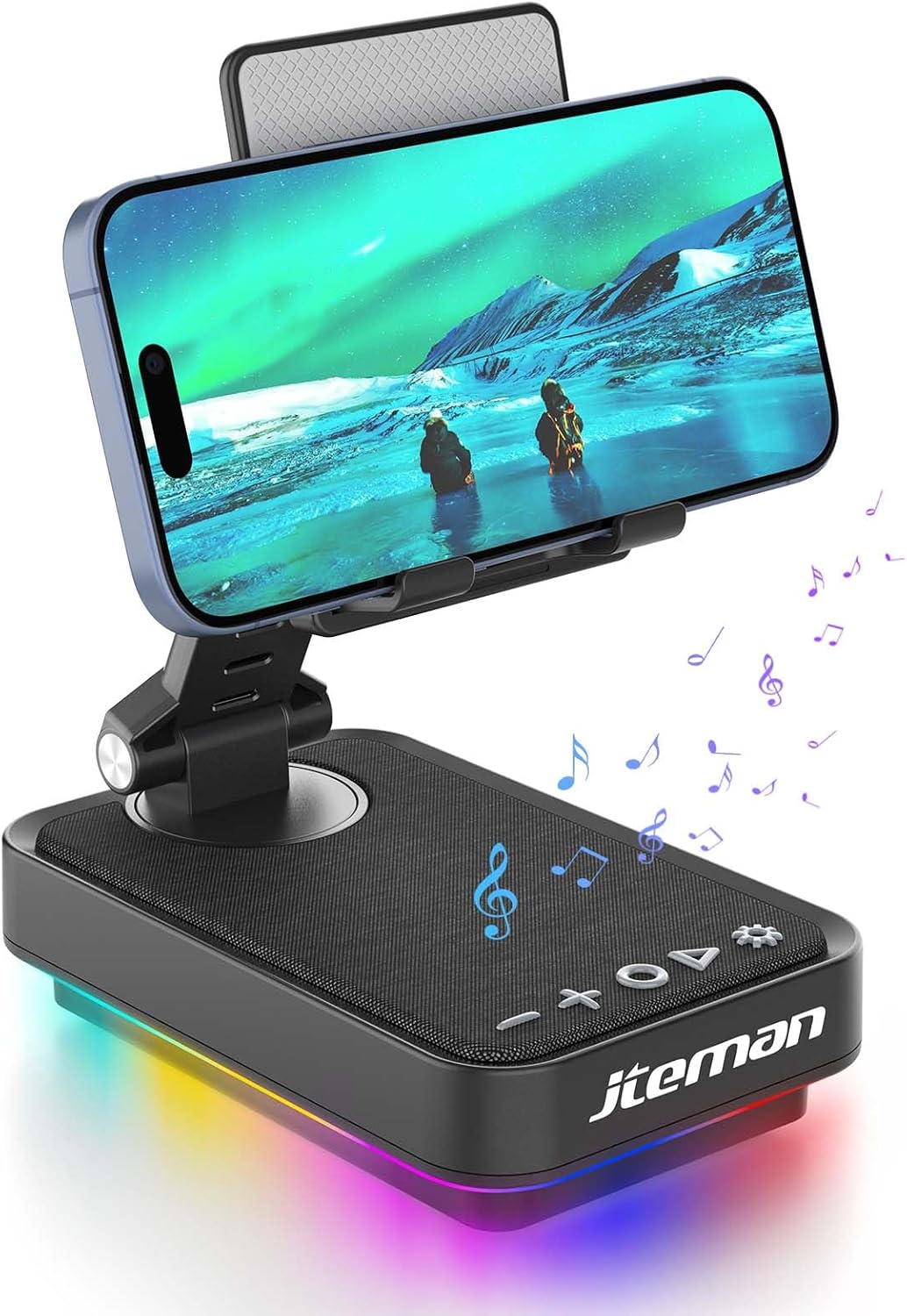
Figure 1: JTEMAN 360 Rotating Cell Phone Stand with Wireless Bluetooth Speaker with Light.
Ingesluit komponente:
- Bluetooth Speaker (with integrated phone stand and light)
- Tipe C-kabel
- Instruksie Handleiding
Opstelgids
1. Uitpak en Aanvanklike Inspeksie:
Carefully remove all components from the packaging. Inspect the device and accessories for any signs of damage. Ensure all listed components are present.
Video 1: Unboxing and initial setup of the JTEMAN phone stand and Bluetooth speaker.
2. Preparing the Phone Stand:
Before first use, locate and remove the silicone protective patch from the device's base. This patch protects the surface during shipping.
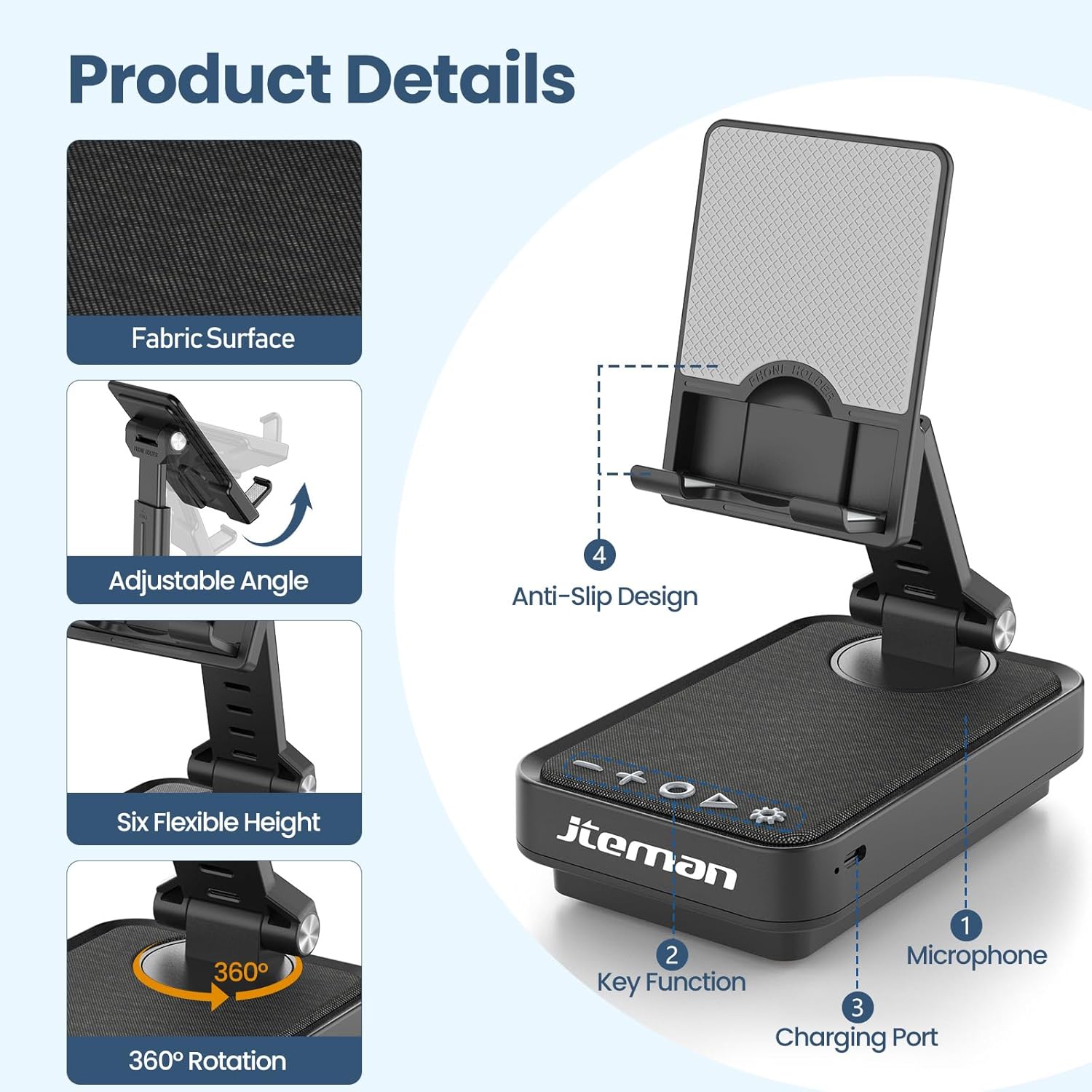
Figure 2: Product details and components. Note the anti-slip design and key functions.
3. Laai die toestel:
Connect the provided Type-C cable to the charging port on the device and the other end to a compatible USB power adapter (not included). The power indicator light will show red during charging and turn green when fully charged.
- Rooi lig: Battery is besig om te laai.
- Groen Lig: Battery is ten volle gelaai.

Figuur 3: Batterykapasiteit en beraamde gebruikstye.
4. Bluetooth -koppeling:
- Long press the Power ON/OFF button (3) for 3 seconds to turn on the speaker. The speaker will enter pairing mode, indicated by a flashing blue light.
- On your smartphone or tablet, navigate to Bluetooth settings.
- Select "L39-1" from the list of available devices.
- Once connected, the blue light will become solid.

Figure 4: Bluetooth connection with a laptop, demonstrating wireless audio playback.
Bedryfsinstruksies
Beheerpaneel oorview:

Figuur 5: Gedetailleerd view van die beheerpaneel en sy funksies.
- VOL- (1): Druk om die volume te verminder.
- VOL+ (2): Druk om die volume te verhoog.
- Answer/Hang up/Play/Pause/Next (4):
- Druk kort om musiek te speel/onderbreek.
- Short press to answer/hang up calls.
- Druk lank om na die volgende snit oor te gaan.
- Power ON/OFF (3):
- Druk lank vir 3 sekondes om die luidspreker aan/af te skakel.
- Double press to switch between Bluetooth and AUX modes.
- Short press to adjust the brightness of the atmosphere lights (4 levels).
- Atmosphere Light (5):
- Long press for 3 seconds to turn on/off the light.
- Short press to switch lighting mode (11 modes available, 3 modes sync with music).
- Mikrofoon (6): Vir handvrye oproepe.
- Laaipoort (7): Type-C input for charging.
- Power Indicator Light (8): Shows charging status and Bluetooth connection status.
Phone Stand Adjustment:
The phone stand features 360° rotation and adjustable height and angle to suit various viewing needs. The anti-slip silicone pads ensure device stability.

Figure 6: The phone stand supports a wide range of devices, including smartphones and tablets (4-13 inches).
The stand is foldable for easy portability.

Figure 7: The foldable design allows for easy storage and transport.
Onderhoud
Skoonmaak:
Wipe the device with a soft, dry cloth. Do not use abrasive cleaners, solvents, or harsh chemicals, as these may damage the surface or internal components. Avoid exposing the device to excessive moisture.
Berging:
When not in use for extended periods, store the device in a cool, dry place away from direct sunlight and extreme temperatures. Ensure the device is fully charged before storing to prolong battery life.
Batterysorg:
To maximize battery lifespan, avoid fully discharging the battery frequently. Charge the device regularly, even if not in constant use. Do not expose the battery to high temperatures.
Probleemoplossing
| Probleem | Moontlike oorsaak | Oplossing |
|---|---|---|
| Toestel skakel nie aan nie. | Lae battery. | Laai die toestel met die meegeleverde Tipe-C-kabel. |
| Kan nie via Bluetooth koppel nie. | Bluetooth not enabled on device; speaker not in pairing mode; too far from speaker. | Ensure Bluetooth is enabled on your phone/tablet. Long press Power ON/OFF button to enter pairing mode (flashing blue light). Move device closer to the speaker. |
| Geen geluid van die luidspreker nie. | Volume too low; device not connected; AUX mode active. | Increase volume on both the speaker and your connected device. Verify Bluetooth connection. Double press Power ON/OFF button to switch to Bluetooth mode if in AUX mode. |
| Atmosphere lights not working. | Lights turned off; low battery. | Long press the Atmosphere Light button (5) to turn on. Charge the device. |
Spesifikasies
| Kenmerk | Detail |
|---|---|
| Model Naam | L39-1 |
| Montage tipe | Tafelblad Mount |
| Tipe luidspreker | Omringklank |
| Spesiale kenmerk | LED lig |
| Aanbevole gebruike | Vir slimfone of tablette |
| Versoenbare toestelle | Smartphone, Tablet (4-13 inches) |
| Tipe beheerder | Knoppie, raak |
| Surround Sound Channel | 2.0 |
| Produk afmetings | 5.3" D x 3.5" B x 2.3" H |
| Is waterdig | ONWAAR |
| Kragbron | Battery aangedrewe |
| Battery Tipe | 1 litiumioon (ingesluit) |
| Tipe oudiobestuurder | Dinamiese bestuurder |
| Draadlose konneksie | Bluetooth 5.3 |
| Luidspreker Maksimum uitsetkrag | 5 Watt |
| Frekwensierespons | 1 KHz |
| Item gewig | 15.5 onse |
Waarborg inligting
This JTEMAN product comes with a Een jaar waarborg vanaf die aankoopdatum. Hierdie waarborg dek vervaardigingsdefekte en wanfunksies onder normale gebruik. Dit dek nie skade wat veroorsaak word deur misbruik, ongelukke, ongemagtigde wysigings of normale slytasie nie.
Please retain your proof of purchase for warranty claims. For detailed warranty terms and conditions, refer to the official JTEMAN webwebwerf of kontak kliëntediens.
Kliënte ondersteuning
If you encounter any issues or have questions not covered in this manual, please contact JTEMAN customer support. Provide your product model number (L39-1) and a detailed description of the issue to assist our support team.
For the most up-to-date contact information, please visit the official JTEMAN webwebwerf: JTEMAN Store on Amazon