
1. Inleiding
Welcome to the user manual for your Green Lion Transparent Pen Pro. This advanced stylus is designed to enhance your digital interaction, offering precision, comfort, and a seamless experience for writing, drawing, and navigating on compatible devices. Please read this manual carefully to ensure proper setup, operation, and maintenance of your device.
2. Produk verbyview
Sleutel kenmerke
- Vol lading: The 125 mAh battery provides up to 8 hours of continuous operation on a full charge.
- Smooth Tip: A smooth, movable tip ensures a fluid and precise writing and drawing experience.
- Palm Verwerping: Advanced palm rejection technology prevents unintended input when resting your hand on the screen.
- Kantelgevoeligheid: Offers tilt sensitivity for natural shading and realistic control, ideal for digital art and sketching.
- Lang lewensduur: Provides up to 8 hours of active use and a standby time of up to one year.
Pakketinhoud
- Green Lion Transparent Pen Pro Stylus
- Gebruikershandleiding

Figure 2.1: The Green Lion Transparent Pen Pro stylus, highlighting its transparent casing and internal technology.
3. Opstelling
3.1 Charging the Stylus
The Green Lion Transparent Pen Pro supports adsorption charging. Simply attach the stylus magnetically to the designated charging area on your compatible tablet. The stylus will begin charging automatically. A full charge provides approximately 8 hours of active use.
3.2 Koppeling met jou toestel
The stylus utilizes adsorption pairing for seamless connection. Once attached to your device, it should automatically pair. You can monitor the battery level through the Bluetooth power display function on your device.

Figure 3.1: The Transparent Pen Pro magnetically charging on a compatible tablet.
4. Bedryfsinstruksies
4.1 Basiese Gebruik
Once paired and charged, the stylus is ready for use. Simply touch the tip to your device's screen to begin writing, drawing, or navigating. The smooth tip ensures a natural and responsive interaction.
4.2 Palmverwerping
The integrated palm rejection feature allows you to comfortably rest your hand on the screen while using the stylus, without causing unwanted marks or interference. This provides a more natural and comfortable writing or drawing posture.
4.3 Kantelgevoeligheid
For digital artists and note-takers, the tilt sensitivity feature allows you to vary line thickness and shading by simply tilting the stylus, mimicking the effect of a traditional pencil or brush. Experiment with different angles to achieve desired artistic effects.
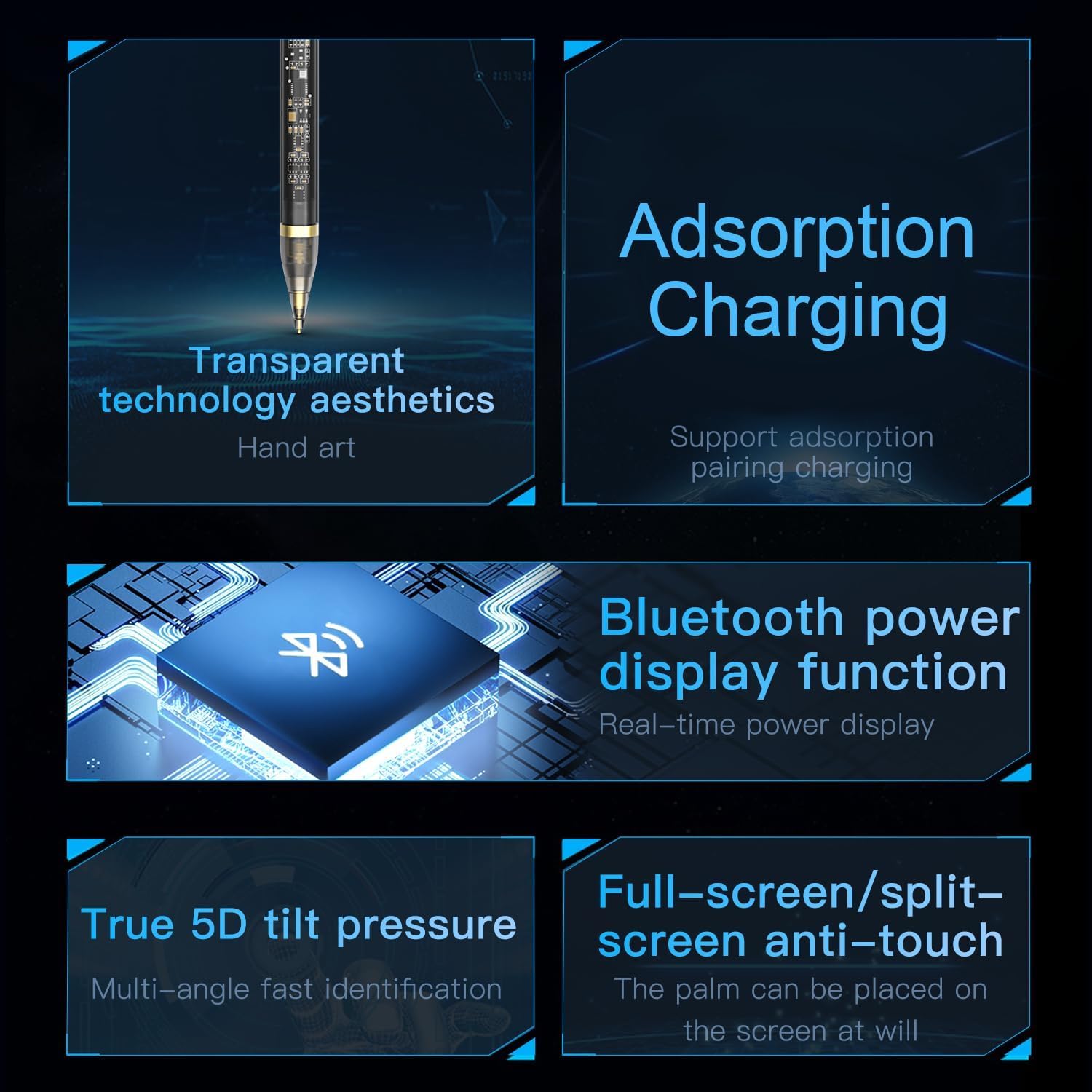
Figure 4.1: Visual representation of the stylus's key functionalities, including charging, power display, tilt, and palm rejection.
5. Onderhoud
5.1 Skoonmaak
To clean your stylus, gently wipe it with a soft, dry, lint-free cloth. Do not use abrasive cleaners, solvents, or aerosol sprays, as these can damage the device. Ensure the tip is free from debris for optimal performance.
5.2 Berging
When not in use, store the stylus in a cool, dry place, away from direct sunlight and extreme temperatures. Keeping it magnetically attached to your tablet can help prevent loss and ensure it's charged when needed.
6. Probleemoplossing
6.1 Stylus Not Responding
- Ensure the stylus is sufficiently charged.
- Check if the stylus is properly paired with your device. Try re-attaching it to initiate pairing.
- Restart your tablet or device.
- Maak seker dat jou toestel se bedryfstelsel op datum is.
6.2 Laaikwessies
- Verify that the stylus is correctly aligned and magnetically attached to the charging area of your device.
- Ensure your tablet is powered on or has sufficient battery itself.
- Clean the charging contacts on both the stylus and the tablet.
6.3 Inaccurate or Lagging Performance
- Ensure the stylus tip is clean and undamaged.
- Check for any screen protectors or cases that might interfere with stylus performance.
- Close any unnecessary applications running on your device to free up resources.
7. Spesifikasies
| Kenmerk | Detail |
|---|---|
| Vervaardiger | Groen Leeu |
| Handelsmerk | Groen Leeu |
| Produk afmetings | 10 x 5 x 5 cm |
| Kleur | Deursigtig |
| Materiaal tipe | Polikarbonaat |
| Vervaardiger se deelnommer | GNTRAPENP |
| Eerste Beskikbare Datum | 31 Mei 2024 |
| Spesiale kenmerk | Palmverwerping |
| Aantal eenhede | 1 Tel |
| Model Naam | Slim pen |
| Itemafmetings L x B x H | 10 x 5 x 5 cm |
| Liggaamsvorm | Ronde |

Figure 7.1: The Green Lion Transparent Pen Pro product packaging.
8. Waarborg en Ondersteuning
For warranty information and customer support, please refer to the documentation included with your product or visit the official Green Lion webwebwerf. Bewaar u bewys van aankoop vir enige waarborgeise.