
1. Inleiding
Thank you for choosing the NXGKET Walkie Talkies. This 6-pack set is designed for reliable long-range communication, featuring NOAA weather alerts, 22 FRS channels, and a built-in 1800mAh Li-ion battery for extended use. This manual provides detailed instructions for setup, operation, maintenance, and troubleshooting to ensure optimal performance and safety.
2. Wat is in die boks
- Walkie Talkies x 6
- Battery (ingeboude)
- Gordelklem
- 3-in-1 USB Cable x 2
- Lader

Figure 2.1: Package Contents of the NXGKET Walkie Talkies.
3. Produkkenmerke
- Powerful Long Range Coverage: Up to 5-mile communication range, depending on terrain and conditions. FRS 22 channels and 121 privacy codes (2,662 combinations) for easy channel finding.
- NOAA Weather Scan and Alert: Scans 10 NOAA radio channels for weather alerts. Features an upgraded speaker for clear audio, 150% increased maximum volume, Vibrate Alert, and 9 levels of VOX.
- Herlaaibare 1800mAh Li-ioon battery: Built-in 1800mAh lithium battery, eliminating the need for disposable batteries. Charge 3 walkie talkies simultaneously with the included 3-in-1 USB-C cable.
- Easy to Use with Multi-features: Bright color finish for visibility, large LCD screen, volume adjustment, Voice-activated (iVOX), Auto squelch, Auto memory, Auto scan, Low battery alert, Keypad lock (Channel-lock), Adjustable power, Drop-protection, and built-in flashlight.
- Veelsydige gebruik: Suitable for men, women, kids, and elders. Ideal for skiing, hiking, bicycling, camping, road trips, cruises, commercial use, and job sites.

Figure 3.1: Key Components and Controls of the Walkie Talkie.
4. Opstelling
4.1 Aanvanklike laai
Before first use, fully charge all walkie talkies. The built-in 1800mAh Li-ion battery is not removable. Use the provided 3-in-1 USB-C cables and chargers to charge up to three units simultaneously.

Figure 4.1: Charging the Walkie Talkie via USB-C.
4.2 Skakel aan/af
To turn the radio on or off, rotate the Volume/Power knob clockwise or counter-clockwise until you hear a click and the display illuminates or turns off.
5. Bedryfsinstruksies
5.1 Kanaalkeuse
The NXGKET Walkie Talkies operate on 22 FRS channels. To select a channel:
- Druk die SPYSKAART button. The channel number will flash on the LCD.
- Gebruik die Op (▲) or Af (▼) knoppies om die verlangde kanaal te kies.
- Druk die PTT knoppie om jou keuse te bevestig en die kieslys te verlaat.
5.2 Privaatheidskodes (CTCSS/DCS)
To ensure private communication and minimize interference, you can set privacy codes (121 available). All radios in your group must be on the same channel and privacy code to communicate.
- Druk die SPYSKAART button twice to enter the privacy code setting.
- Gebruik die Op (▲) or Af (▼) buttons to select a privacy code.
- Druk die PTT knoppie om te bevestig en te verlaat.
5.3 Versend en Ontvangs
Om te oordra, druk en hou die PTT (Push-to-Talk) button located on the side of the radio. Speak clearly into the microphone. Release the PTT button to receive. Ensure the microphone is close to your mouth for clear transmission.
5.4 NOAA Weerwaarskuwings
The walkie talkies can scan 10 NOAA radio channels to provide real-time weather alerts.
- Druk die MAAN button (or dedicated NOAA button if available) to activate NOAA weather scan.
- The radio will automatically scan for active weather channels.
- An alert will sound if a weather warning is detected.

Figure 5.1: NOAA Weather Scan and Alert Feature.
5.5 VOX (Voice-Activated Transmission)
VOX allows hands-free operation. The radio transmits when it detects your voice.
- Druk die SPYSKAART button until the VOX icon appears on the display.
- Gebruik die Op (▲) or Af (▼) buttons to select a VOX sensitivity level (1-9, with 9 being most sensitive).
- Druk die PTT knoppie om te bevestig en te verlaat.

Figure 5.2: VOX Talk and Long Range Capability.
5.6 Flitslig
The walkie talkie includes a built-in LED flashlight for convenience in low-light conditions.
- To turn on/off the flashlight, press the dedicated flashlight button (usually located below the PTT button).
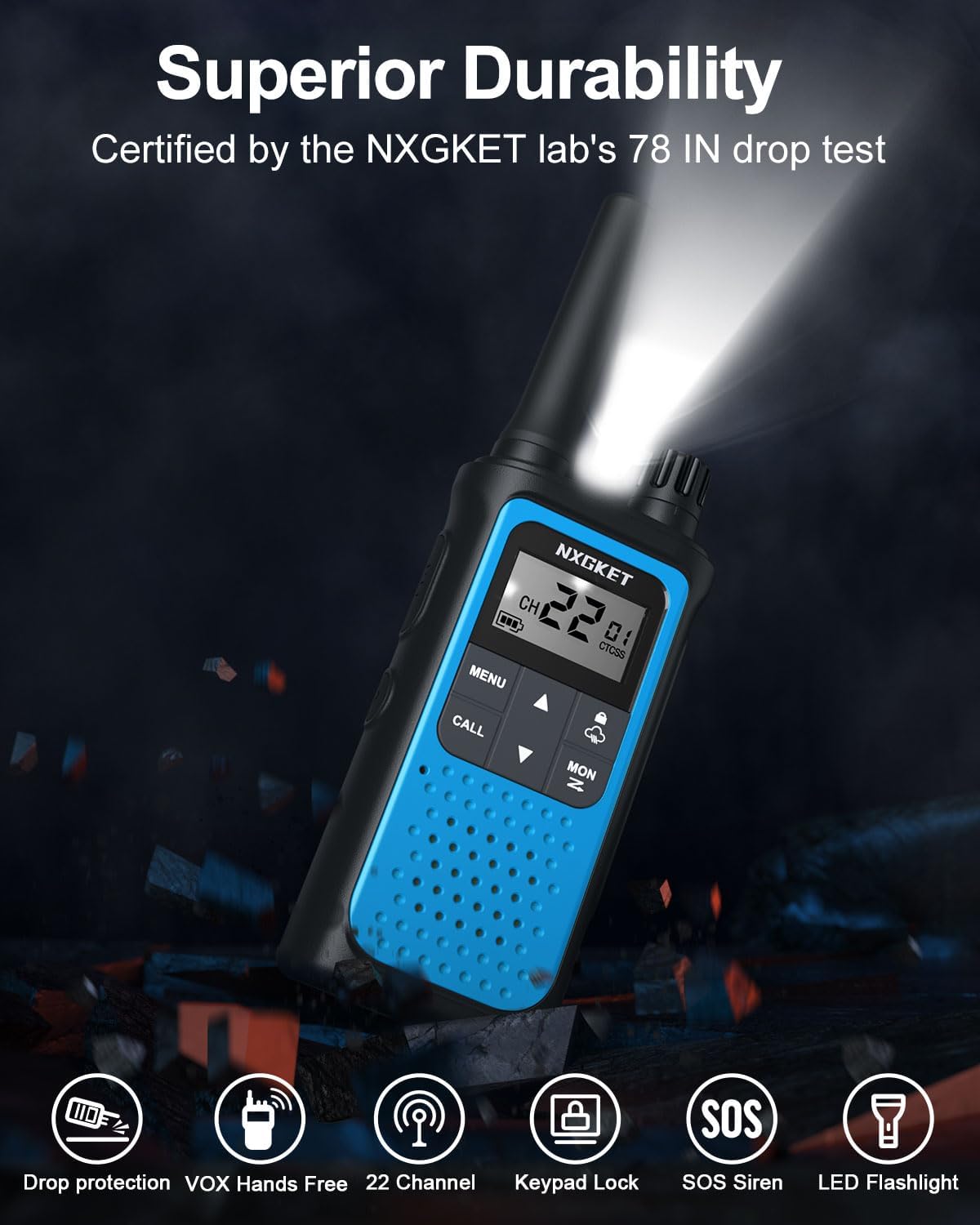
Figure 5.3: Walkie Talkie with LED Flashlight Activated.
5.7 Sleutelbordslot
The keypad lock prevents accidental changes to your settings.
- To lock/unlock the keypad, press and hold the Sluit button (often indicated by a padlock icon) until the lock icon appears/disappears on the display.
6. Onderhoud
6.1 Skoonmaak
Maak die radio skoon met 'n sagte, damp cloth. Do not use abrasive cleaners or solvents. Ensure the USB-C port cover is securely closed to prevent dust and moisture ingress.
6.2 Batterysorg
To prolong battery life, avoid fully discharging the battery frequently. Charge the walkie talkies regularly, especially if they will not be used for an extended period.
7. Probleemoplossing
| Probleem | Moontlike oorsaak | Oplossing |
|---|---|---|
| Geen krag nie | Battery is laag of uitgeput. | Charge the walkie talkie. |
| Kan nie met ander radio's kommunikeer nie | Different channel or privacy code. | Ensure all radios are on the same channel and privacy code. |
| Swak of geen sein | Out of range or obstructions. | Move closer to other radios or to an open area. Avoid large obstacles like buildings or dense foliage. |
| Staties of interferensie | Interference from other devices or channels. | Change to a different channel or privacy code. Ensure no other electronic devices are too close. |
| Toetsenbord is gesluit | Die sleutelbordslot is geaktiveer. | Press and hold the Lock button to unlock the keypad. |
8. Spesifikasies
| Kenmerk | Spesifikasie |
|---|---|
| Handelsmerk | NXGKET |
| Modelnommer | ZX-808 |
| Aantal kanale | 22 FRS-kanale |
| Privaatheidskodes | 121 (CTCSS/DCS) |
| Battery | 1800mAh Li-ion (included, non-removable) |
| Laaipoort | USB-C |
| Maksimum praatbereik | 5 Miles (terrain and conditions dependent) |
| Frekwensiereeks | 300 MHz - 3 GHz |
| Spesiale kenmerke | Digital Display, Emergency Alarm, Long Range, Rechargeable, Voice Operated Transmission (VOX), NOAA Weather Alerts, Flashlight, Keypad Lock |
| Item gewig | 4.8 onse |
| Produk afmetings | 0.9 x 2 x 7.6 duim |
| Waterweerstandvlak | Waterdig |
9. Waarborg en ondersteuning
9.1 Waarborginligting
The NXGKET Walkie Talkies come with a 1 jaar waarborg and free replacement for manufacturing defects. Please retain your proof of purchase for warranty claims.
9.2 Kliëntediens
For any questions, technical assistance, or warranty claims, please contact NXGKET customer support through the retailer's platform or visit the official NXGKET store page on Amazon: NXGKET Store.