
1. Inleiding
Dankie vir die aankoopasing the eKids Marvel Deadpool Wireless Earbuds. These earbuds are designed to provide a high-quality audio experience with the convenience of wireless connectivity. This manual will guide you through the setup, operation, and maintenance of your new earbuds.
Lees asseblief hierdie handleiding sorgvuldig deur voordat u die produk gebruik en bewaar dit vir toekomstige verwysing.
2. Produk verbyview
The eKids Marvel Deadpool Wireless Earbuds feature a distinctive Deadpool design and offer wireless stereo sound streaming with a built-in microphone for calls. They come with a portable charging case and multiple ear cushion sizes for comfort.
Sleutel kenmerke:
- Wireless stereo sound streaming
- Ingeboude mikrofoon vir oproepe
- Three sizes of rubber ear cushions (small, medium, large) for personalized comfort
- USB-C-laaiverbinding
- Bluetooth-verbinding
- Up to 22 hours total music playtime with charging case
- Ergonomic shape for comfort
- Liggewig konstruksie
- Compatible with iPhone, Android, smartphones, tablets, and computers
- Suitable for gaming, audiobooks, video calls, and various entertainment/educational content
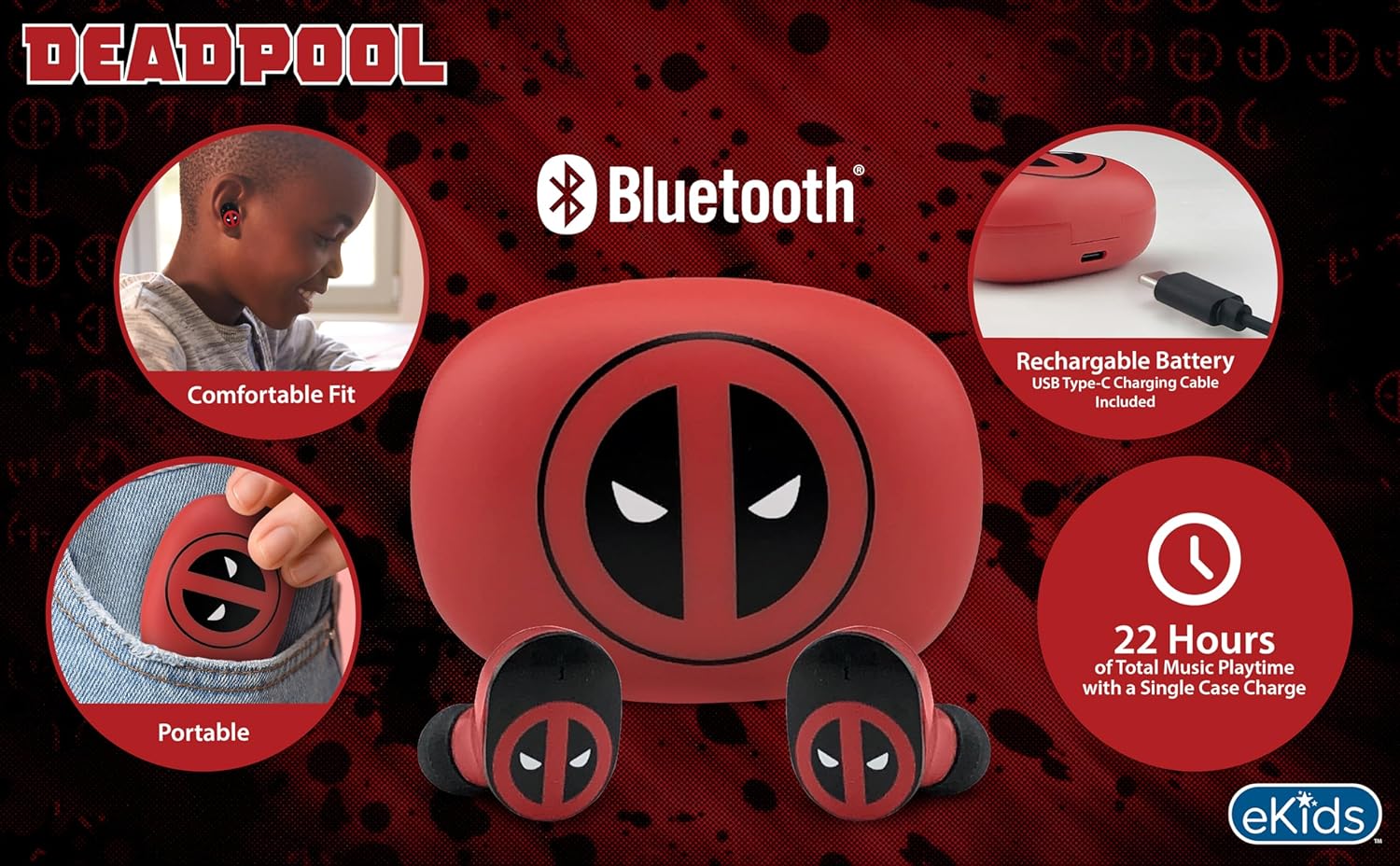
Image 2.1: The eKids Marvel Deadpool Wireless Earbuds and their charging case, showcasing the distinctive Deadpool logo.
3. Opstelling
3.1 Laai die oordopjes en houer
- Open the charging case and place both earbuds inside, ensuring they are correctly seated.
- Connect the provided USB-C charging cable to the charging port on the case.
- Connect the other end of the USB-C cable to a compatible USB power source (e.g., computer, wall adapter).
- The indicator light on the charging case will illuminate to show charging status. Once fully charged, the light may change color or turn off.
A full charge provides up to 22 hours of total music playtime, with the case offering 2.5 times extra charge for the earbuds.

Image 3.1: The Deadpool-themed charging case with the USB-C charging cable connected, illustrating the charging process.
3.2 Koppeling met 'n Bluetooth-toestel
- Maak seker dat die oorfone gelaai is en in die laaikas geplaas is.
- Maak die laaikas oop. Die oorfone sal outomaties aanskakel en probeer om aan die laaste gekoppelde toestel te koppel.
- Gaan na die Bluetooth-instellings op jou toestel (slimfoon, tablet, rekenaar).
- Soek vir available devices and select "eKids Deadpool Earbuds" (or similar name).
- Once connected, the LED light on the earbuds will stop flashing or change to a solid color.
The earbuds are compatible with iPhone, Android, and other Bluetooth-enabled devices.
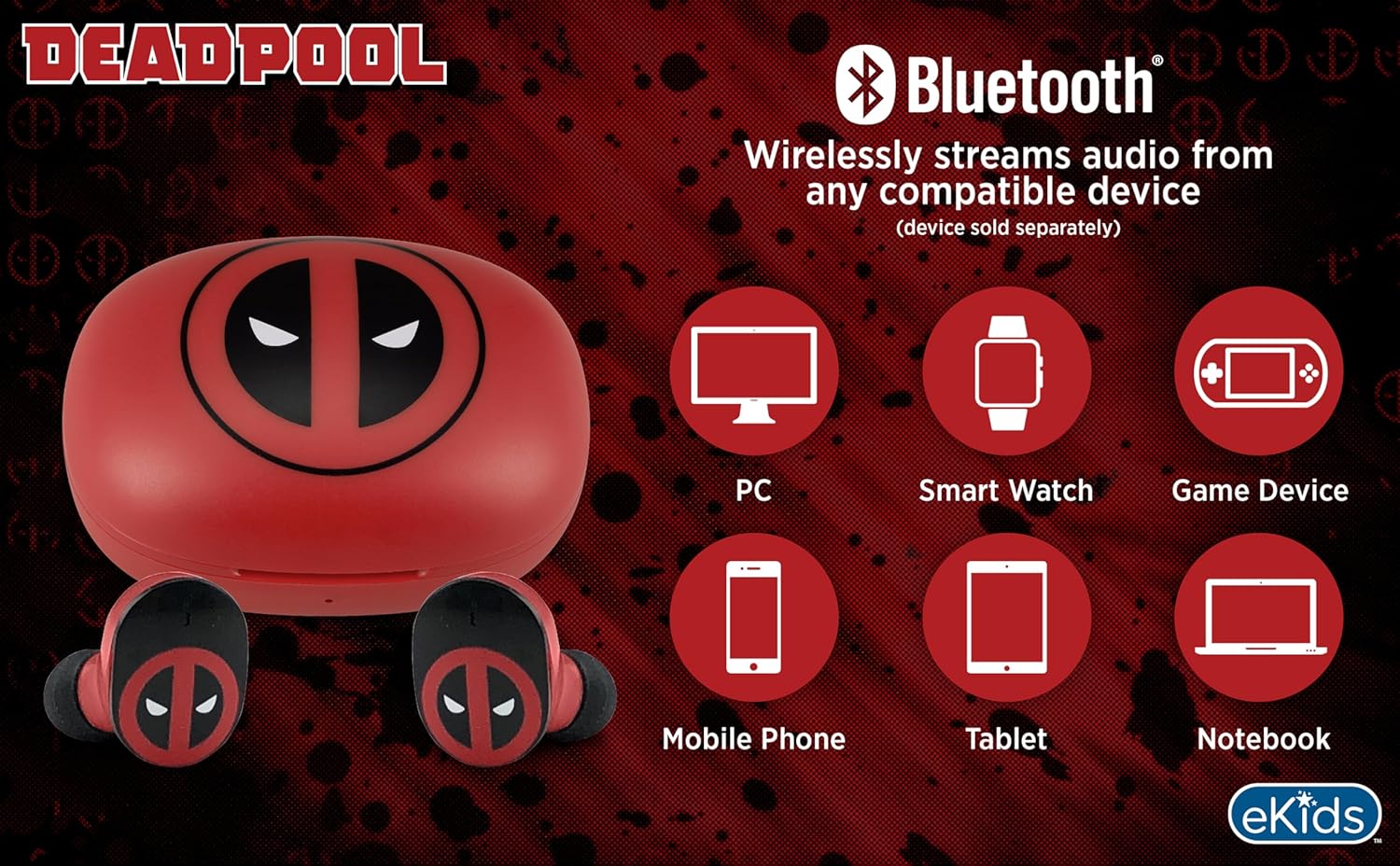
Image 3.2: An illustration showing the Bluetooth connectivity of the earbuds with various devices such as PCs, smartwatches, game devices, mobile phones, tablets, and notebooks.
3.3 Selecting Ear Cushions for Comfort
The earbuds come with three sizes of rubber ear cushions (small, medium, large) to ensure a comfortable and secure fit. Experiment with different sizes to find the best fit for your ears. A proper fit enhances sound quality and comfort.
- Gently remove the pre-installed ear cushions from the earbuds.
- Select a different size ear cushion.
- Carefully attach the new ear cushion to the earbud, ensuring it is securely fastened.

Image 3.3: The Deadpool earbuds shown with the three different sizes of ear cushions included for a customized fit.
4. Bediening van die oordopjes
4.1 Krag aan/af
- Krag aan: Maak die laaikas oop, en die oordopjes sal outomaties aanskakel en probeer om aan die laaste gekoppelde toestel te koppel.
- Skakel af: Plaas die oorfone terug in die laaikas en maak die deksel toe. Hulle sal outomaties afskakel en begin laai.
4.2 Musiekweergawe
- Speel/pouse: Tik een keer op enige oordopjes.
- Volgende snit: Dubbeltik op die regteroorknoppie.
- Vorige snit: Tik twee keer op die linker oordop.
- Volumebeheer: Verstel die volume direk vanaf jou gekoppelde toestel.
4.3 Telefoonoproepe
Die ingeboude mikrofoon maak handvrye oproepe moontlik.
- Beantwoord/beëindig oproep: Tik een keer op enige oordopjes.
- Verwerp oproep: Druk en hou enige oordopjes vir 2 sekondes.
5. Onderhoud
- Skoonmaak: Gebruik 'n sagte, droë lap om die oorfone en laaikas skoon te maak. Moenie skuurmiddels of oplosmiddels gebruik nie.
- Berging: Wanneer dit nie gebruik word nie, bêre die oordopjes in hul laaikassie om hulle te beskerm en gelaai te hou.
- Vermy water: These earbuds are not waterproof. Avoid exposure to water or excessive moisture.
- Temperatuur: Do not expose the earbuds or case to extreme temperatures.
6. Probleemoplossing
| Probleem | Oplossing |
|---|---|
| Oorfone koppel nie. | Ensure earbuds are charged. Turn off Bluetooth on your device and turn it back on. Forget the device in your Bluetooth settings and re-pair. |
| Geen klank van een oorfoon nie. | Plaas albei oorfone terug in die laaikas, maak die deksel toe en maak dit dan weer oop. Kontroleer die toestel se klankbalansinstellings. |
| Laaikas laai nie. | Check the USB-C cable and power adapter. Ensure the cable is securely connected to both the case and the power source. |
| Swak klankgehalte. | Ensure earbuds are properly seated in your ears with the correct size ear cushions. Move closer to your connected device to avoid interference. |
7. Spesifikasies
- Handelsmerk: eKids
- Model: B0D1CS61NB
- Kleur: Deadpool (Red/Black)
- Oorplasing: In Oor
- Vormfaktor: In Oor
- Impedansie: 32 ohm
- Bluetooth-afstand: ≥ 10M / 32ft
- Sensitiwiteit: 100dB ± 3dB at 1kHz spl
- Batterylewe: Up to 22 hours total playtime with charging case
- Laaipoort: USB-C
- Afmetings (kas): Approximately 2.4 in / 6.2 cm (width) x 1.8 in / 4.6 cm (height) x 1.2 in / 3.1 cm (depth)
- Dimensions (Earbud): Approximately 0.9 in / 2.5 cm (height) x 0.7 in / 1.8 cm (width)

Image 7.1: A detailed diagram illustrating the dimensions and key specifications of the Deadpool wireless earbuds and their charging case.
8. Waarborg en Ondersteuning
For warranty information and customer support, please refer to the documentation included with your purchase or visit the official eKids webwebwerf. Bewaar u bewys van aankoop vir enige waarborgeise.
For additional assistance, you may contact eKids customer service directly.
9. Amptelike Produkvideo
Video 9.1: 'n Amptelike produkvideovertoningasing the eKids Marvel Deadpool Wireless Earbuds, highlighting their features and design. This video provides a visual overview of the product's functionality and appearance.