
VTech ES2051
VTech ES2051 DECT Koordlose Telefoon Gebruikershandleiding
Twin Handset with Answering Machine, Call Block, and Handsfree Speakerphone
1. Inleiding
This user manual provides comprehensive instructions for the VTech ES2051 DECT Cordless Phone system. It covers setup, operation, maintenance, and troubleshooting for your twin handset phone, featuring an integrated answering machine, nuisance call blocker, and handsfree speakerphone capabilities. Please read this manual thoroughly to ensure proper use and to take full advantage van alle kenmerke.
2. Wat is in die boks
Kontroleer asseblief dat u pakket die volgende items bevat:
- 2 Base Units
- 2 koordlose selfone
- 2 laaiers
- 2 batterypakke
- Telefoon lyn koord
- Vinnige begingids
3. Opstelling
3.1 Installeer batterye
Each handset requires 2 AAA rechargeable batteries (included). Open the battery compartment cover on the back of the handset and insert the batteries, observing the correct polarity (+ and -). Close the cover securely.
3.2 Die basiseenheid koppel
Connect one end of the telephone line cord to the LINE socket on the base unit and the other end to your telephone wall socket. Connect the small end of the power adapter to the POWER socket on the base unit and plug the large end into a mains power outlet. For the second handset, connect its charger to a mains power outlet.
3.3 Laai die handtoestelle
Place each handset on its respective base unit or charger. The charging indicator on the handset will illuminate. For optimal battery performance, charge the handsets for at least 16 hours before initial use.

Image: The VTech ES2051 DECT Cordless Phone system, showing the main base unit with one handset docked, and a second handset with its charging cradle. This illustrates the twin handset setup.
4. Bedryfsinstruksies
4.1 Basiese oproepfunksies
- Maak 'n oproep: Skakel die nommer en druk die Bel knoppie.
- Ontvang 'n oproep: Wanneer die telefoon lui, druk die Bel knoppie.
- Beëindig 'n oproep: Druk die Einde knoppie of plaas die handset terug op die basis/laaier.

Image: Two VTech ES2051 DECT cordless handsets and the main base unit are displayed in a modern living room setting, highlighting the twin handset feature.
4.2 Handvrye Luidsprekerfoon
Druk tydens 'n oproep op die Luidspreker button to activate handsfree mode. Press it again to switch back to handset mode.
4.3 Oproepblokkering
The nuisance call blocker allows you to stop unwanted calls. You can save up to 100 names and numbers in the call block list. Refer to the quick start guide for specific steps on how to add numbers to the block list.

Image: The VTech ES2051 DECT Cordless Phone base unit and handset are shown with a graphic indicating the 'Call Blocker' feature, emphasizing its ability to block nuisance and unwanted calls.
4.4 Digitale Antwoordstelsel
The integrated digital answering system can record up to 30 minutes of messages. You can set up your outgoing message, play back messages, and delete them directly from the base unit or a handset. The base unit features a digital message counter.

Image: The VTech ES2051 DECT Cordless Phone base unit and handset are displayed, with a speech bubble suggesting a message, illustrating the digital answering system's function.
4.5 Easy, One-touch Features
The phone includes features like Mute/Alarm, adjustable ring volume and melodies, and a high-quality handsfree speakerphone, all accessible with ease.

Image: The VTech ES2051 DECT Cordless Phone is shown with icons representing its easy, one-touch features, including Mute/Alarm, adjustable ring volume, and handsfree speakerphone.
4.6 Volume Booster
Activate the Volume Booster function to amplify incoming sound, enhancing clarity and loudness, particularly useful for those with weakened hearing.

Image: A VTech ES2051 DECT Cordless Handset is shown with a graphic illustrating sound waves, indicating the Volume Booster feature that amplifies incoming audio.
4.7 Backlit Display and Keypad
The handset features a backlit LCD screen and keypad, illuminating the entire keypad for easier viewing and operation in dim light conditions.

Image: The VTech ES2051 DECT Cordless Phone base unit and handset are displayed, highlighting the illuminated LCD screen and keypad for improved visibility in low light.
4.8 Intercom Between Base and Handset
Utilize the handset-to-handset intercom function to communicate between the two handsets without using the telephone line. This is useful for internal communication within your home.
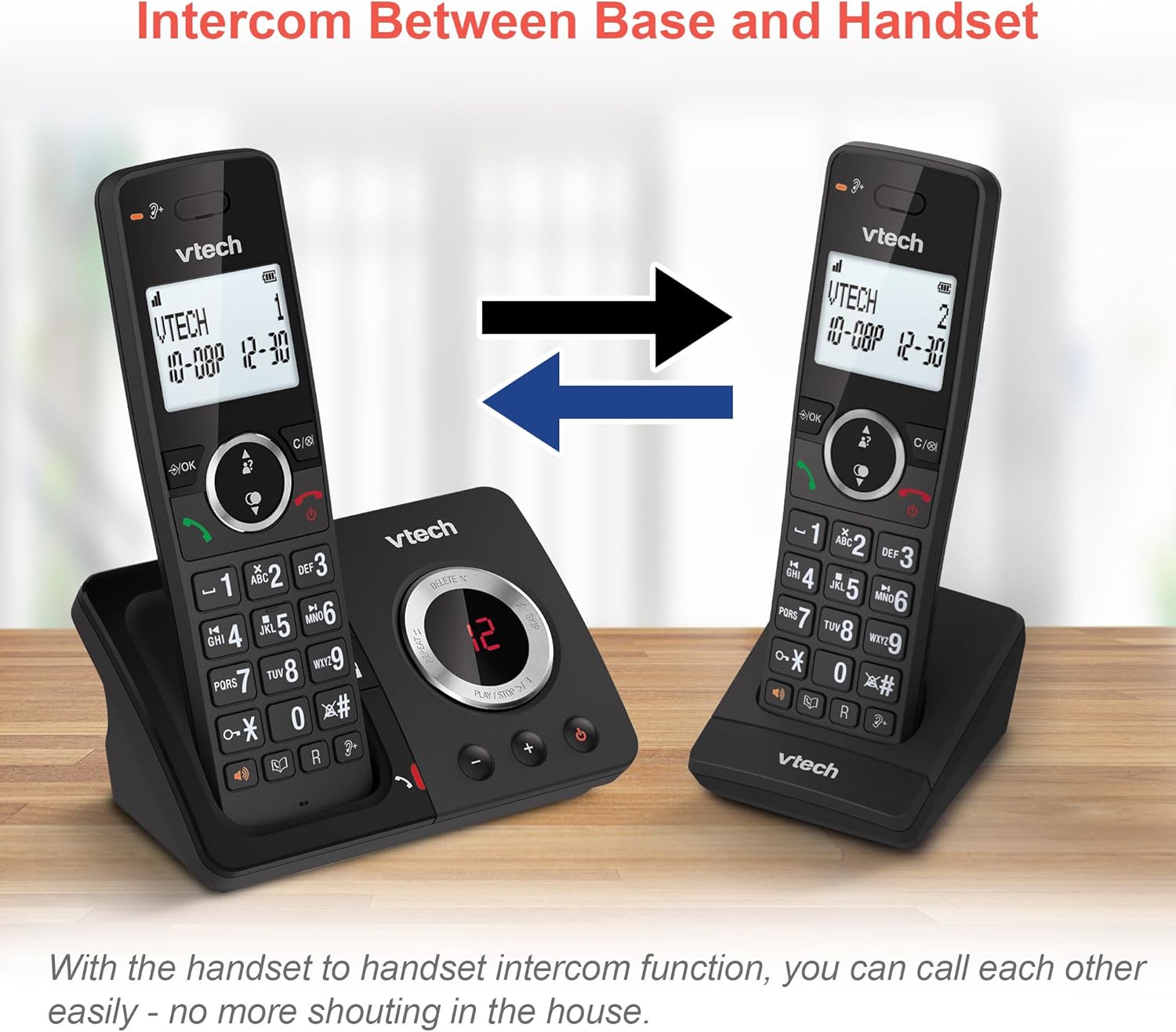
Image: Two VTech ES2051 DECT Cordless Handsets are shown with arrows indicating communication between them, illustrating the intercom function.
4.9 3-Way Conference
The 3-way calling feature allows you to conference a call with two internal callers (handsets) and one external caller into a single conversation.

Image: Three individuals are depicted using phones, visually representing the 3-way conference call capability of the VTech ES2051 system.
5. Onderhoud
5.1 Skoonmaak
Clean the phone and base unit with a soft, slightly damp lap. Moenie skuurmiddels of oplosmiddels gebruik nie. Maak seker dat geen vloeistof die eenheid binnedring nie.
5.2 Batterysorg
Om die batterylewe te verleng, vermy oorlaai deur nie die handtoestelle vir lang tye op die laaier te los sodra dit volledig gelaai is nie. Indien die foon nie vir 'n lang tyd gebruik gaan word nie, verwyder die batterye.
6. Probleemoplossing
Indien u probleme met u VTech ES2051 ondervind, verwys asseblief na die volgende algemene probleme en oplossings:
- Geen kiestoon: Ensure the telephone line cord is securely connected to both the base unit and the wall socket. Check that the power adapter is plugged in correctly.
- Kan nie oproepe maak/ontvang nie: Verify that the phone line is active. Check battery charge level on the handset.
- Swak klankgehalte/Staties: Move the handset closer to the base unit. Avoid placing the base unit near other electrical appliances that may cause interference.
- Handset laai nie: Ensure the handset is correctly seated in the charging cradle and that the charging contacts are clean.
- Antwoordmasjien neem nie op nie: Check if the answering machine memory is full. Ensure the answering machine is turned on.
7. Spesifikasies
| Kenmerk | Detail |
|---|---|
| Handelsmerk | VTech |
| Model | ES2051 |
| Telefoon tipe | Koordlose DECT |
| Tipe antwoordstelsel | Digitaal |
| Oproeperidentifikasie | Ja |
| Batterye benodig | 4 AAA (ingesluit) |
| Item gewig | 0.78 kilogram |
| Pakket afmetings | 18.5 x 14 x 11 cm |
| Kleur | Swart |
| UPC | 796575179615 |
8. Waarborg en Ondersteuning
For warranty information and technical support, please refer to the documentation provided with your purchase or visit the official VTech webwebwerf. Bewaar u bewys van aankoop vir enige waarborgeise.
Ask a question about this manual
Ask about setup, troubleshooting, compatibility, parts, safety, or missing instructions. Manuals+ will review the question and use this page’s manual context to help answer it.