
1. Veiligheidsinligting
Read all instructions carefully before using the appliance. Keep this manual for future reference. Failure to follow these instructions may result in electric shock, fire, or damage to the appliance.
- Maak seker dat die toestel behoorlik geaard is.
- Moenie toelaat dat kinders met die wasmasjien speel of dit gebruik nie.
- Moenie items was wat skoongemaak, gewas, geweek of met brandbare of plofbare stowwe bevlek is nie.
- Trek die stekker altyd uit voordat u dit skoonmaak of instandhou.
- Moenie die wasmiddelhouer tydens die wassiklus oopmaak nie.
- Moenie die kragprop met nat hande raak nie.
2. Installasie en Opstelling
2.1 Uitpak
Carefully remove all packaging materials. Inspect the washing machine for any damage. Keep packaging materials out of reach of children.
2.2 Posisionering
Place the washing machine on a firm, level surface. Ensure there is adequate space around the appliance for ventilation and maintenance. Avoid direct sunlight or extreme temperatures.
2.3 Maak die toestel gelyk
Verstel die nivelleringsvoetjies aan die onderkant van die wasmasjien om te verseker dat dit stabiel en gelyk is. 'n Ongelyke masjien kan oormatige vibrasie en geraas tydens werking veroorsaak.
2.4 Wateraansluiting
Connect the water inlet hose to a cold water tap. Ensure all connections are tight to prevent leaks. The appliance requires a water pressure between 0.1 MPa and 1 MPa.
2.5 Dreinslanginstallasie
Securely attach the drain hose to a standpipe or laundry tub. Ensure the drain hose is not kinked or blocked. The end of the drain hose should be positioned at a height between 60 cm and 100 cm from the floor.
2.6 Elektriese aansluiting
Plug the power cord into a grounded electrical outlet. The power supply should match the voltage and frequency specified on the rating label of the appliance (240 Volt).
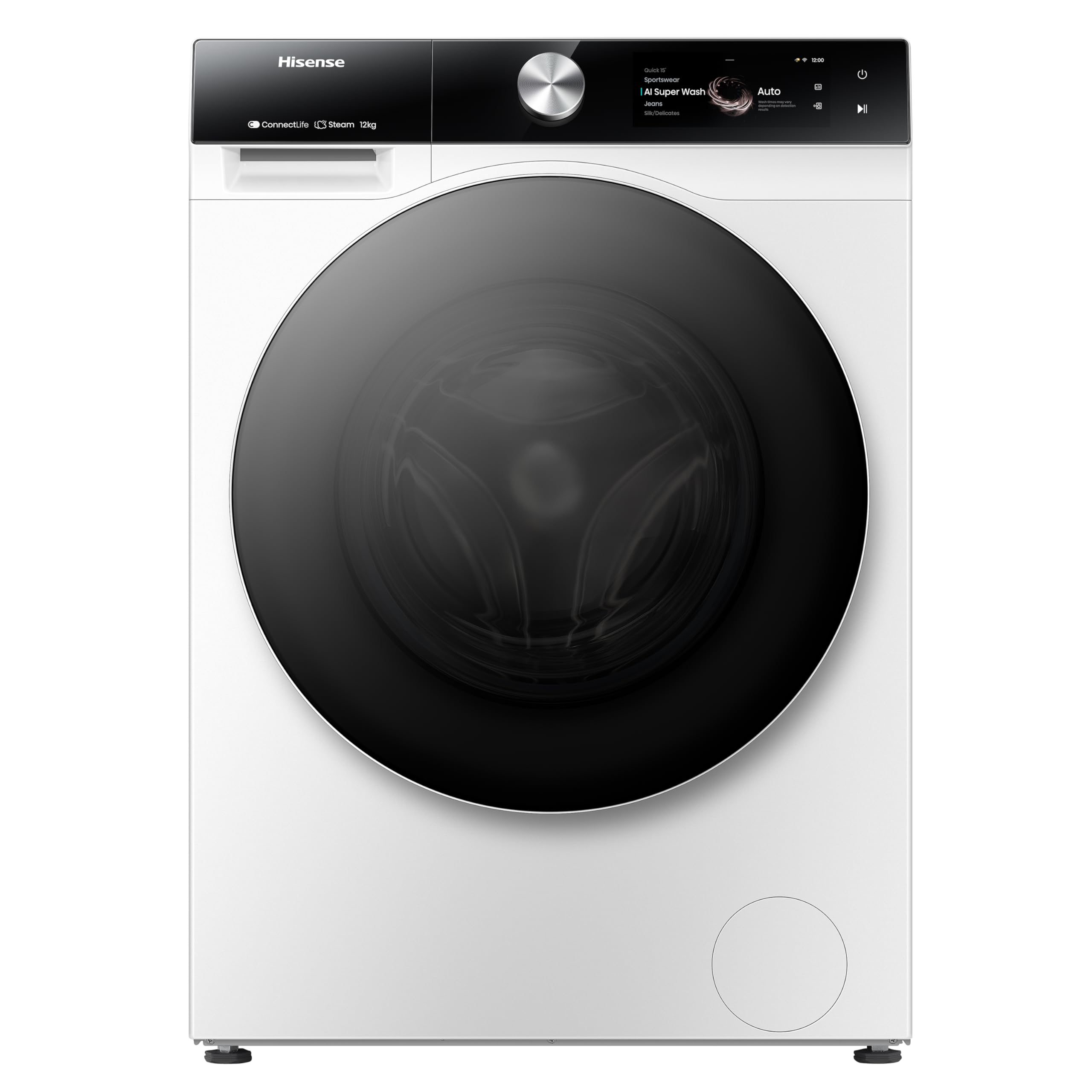
Figuur 1: Voorkant view of the Hisense WF7S1247BW Washing Machine. This image shows the main unit with its door, control panel, and detergent drawer.
3. Bedryfsinstruksies
3.1 Beheerpaneel verbyview
The Hisense WF7S1247BW features a touchscreen control panel for easy program selection and setting adjustments.
3.2 Laai Wasgoed
Open the door and load laundry into the drum. Do not overload the machine; ensure there is enough space for clothes to tumble freely. The maximum capacity is 12 kg.
3.3 Detergent Dispensing (Self-Dosing)
This washing machine features an automatic self-dosing system. Fill the detergent compartment with liquid detergent. The machine will accurately dispense the required amount for each wash cycle. One fill can last for approximately one month, depending on usage.
3.4 Programkeuse
Use the touchscreen to select the desired wash program. Available cycle options include Active Steam, Eco, and Quick Clean. Refer to the program guide in the full manual for detailed descriptions of each program.
3.5 Spesiale kenmerke
- Wi-Fi konneksie: Connect the washing machine to your home Wi-Fi network to use the Smart Connect Life app. This app allows for remote control and consumption monitoring.
- Verbruiksmonitering: Through the Smart Connect Life app, monitor water and electricity usage and receive personalized recommendations for efficiency.
- Steam Function (99.9%): This function refreshes clothes, reduces wrinkles, and removes 99.9% of bacteria and allergens.
- Higiënewag: An innovative rubber seal prevents mold and bacteria formation on the door, ensuring a clean washing environment.
- Smart Pair (with compatible dryer): If paired with a compatible Hisense dryer, the washing machine can communicate to automatically select the most suitable drying program.
3.6 Begin van 'n wassiklus
After loading laundry, adding detergent (if not using auto-dosing), and selecting a program, press the Start button on the touchscreen. The machine will begin the cycle.
3.7 Delayed Finish
Utilize the delayed finish option to set the machine to complete a wash cycle at a later time, up to 24 hours in advance.
4. Onderhoud
Gereelde onderhoud verseker optimale werkverrigting en verleng die lewensduur van jou wasmasjien.
4.1 Skoonmaak van die buitekant
Vee die buite-oppervlaktes af met 'n sagte, damp lap. Moenie skuur skoonmaakmiddels of oplosmiddels gebruik nie.
4.2 Skoonmaak van die wasmiddelhouer
Verwyder en maak die wasmiddellaai gereeld skoon om oorskotopbou te voorkom. Spoel dit onder lopende water af en droog dit deeglik af voordat dit weer teruggeplaas word.
4.3 Skoonmaak van die drom
Run a drum cleaning cycle regularly (if available) or a hot wash cycle with no laundry and a washing machine cleaner to remove any odors or residue.
4.4 Skoonmaak van die dreinfilter
Locate the drain filter (usually at the bottom front of the machine). Open the cover, place a shallow tray underneath to catch water, and carefully unscrew the filter. Remove any lint or debris, then clean and reinsert the filter securely.
4.5 Hygiene Guard Maintenance
Regularly wipe the rubber seal around the door with a damp cloth to prevent mold and bacteria growth, complementing the Hygiene Guard feature.
5. Probleemoplossing
Voordat u kliëntediens kontak, raadpleeg die volgende tabel vir algemene probleme en oplossings.
| Probleem | Moontlike oorsaak | Oplossing |
|---|---|---|
| Masjien begin nie | Kragkabel ontkoppel; Deur nie behoorlik toe nie; Program nie gekies nie. | Kontroleer die kragaansluiting; Maak seker dat die deur stewig gesluit is; Kies 'n wasprogram en druk Start. |
| Oormatige vibrasie/geraas | Machine not level; Transit bolts not removed; Overloaded drum. | Adjust leveling feet; Remove all transit bolts (refer to installation guide); Reduce laundry load. |
| Water lekkasie | Hoses not properly connected; Drain filter loose or clogged. | Check and tighten all hose connections; Clean and securely fasten the drain filter. |
| Wasmiddelresidu in dispenser | Dispenser clogged; Too much detergent used (if not using auto-dosing). | Clean the detergent dispenser thoroughly; Use appropriate amount of detergent. |
| Wi-Fi-verbindingsprobleme | Verkeerde Wi-Fi-wagwoord; Router te ver; Toepassing nie opgedateer nie. | Verify Wi-Fi password; Move router closer or use a repeater; Update Smart Connect Life app. |
6. Spesifikasies
| Kenmerk | Detail |
|---|---|
| Modelnommer | WF7S1247BW |
| Handelsmerk | Hisense |
| Kapasiteit | 12 kilogram |
| Produk Afmetings (D x B x H) | 64D x 59.5W x 84.5H sentimeter |
| Gewig | 71 kg |
| Tipe beheer | Raakskerm |
| Toegang tot ligging | Voorlaaier |
| Drom materiaal | Vlekvrye staal |
| Voltage | 240 Volt |
| Geraasvlak | 70 Desibel |
| Installasie tipe | Vrye staande |
| Spesiale kenmerke | Touchscreen, Automatic Dosing, Wi-Fi Connectivity, Consumption Monitoring, Steam Function, Hygiene Guard |
| Siklus Opsies | Active Steam, Eco, Quick Clean |
7. Waarborg en Ondersteuning
For warranty information and customer support, please refer to the warranty card included with your purchase or visit the official Hisense webwebwerf. Bewaar u bewys van aankoop vir waarborgeise.
Aanlyn ondersteuning: www.hisense.com/support