
1. Opstelling
1.1. Ontkoppel
Upon opening the EarFun Wave Pro packaging, you will find the following items:
- EarFun Wave Pro ANC draadlose koptelefoon
- Travel Carry Case
- 3.5 mm oudio kabel
- USB-C-laaikabel
- Gebruikershandleiding
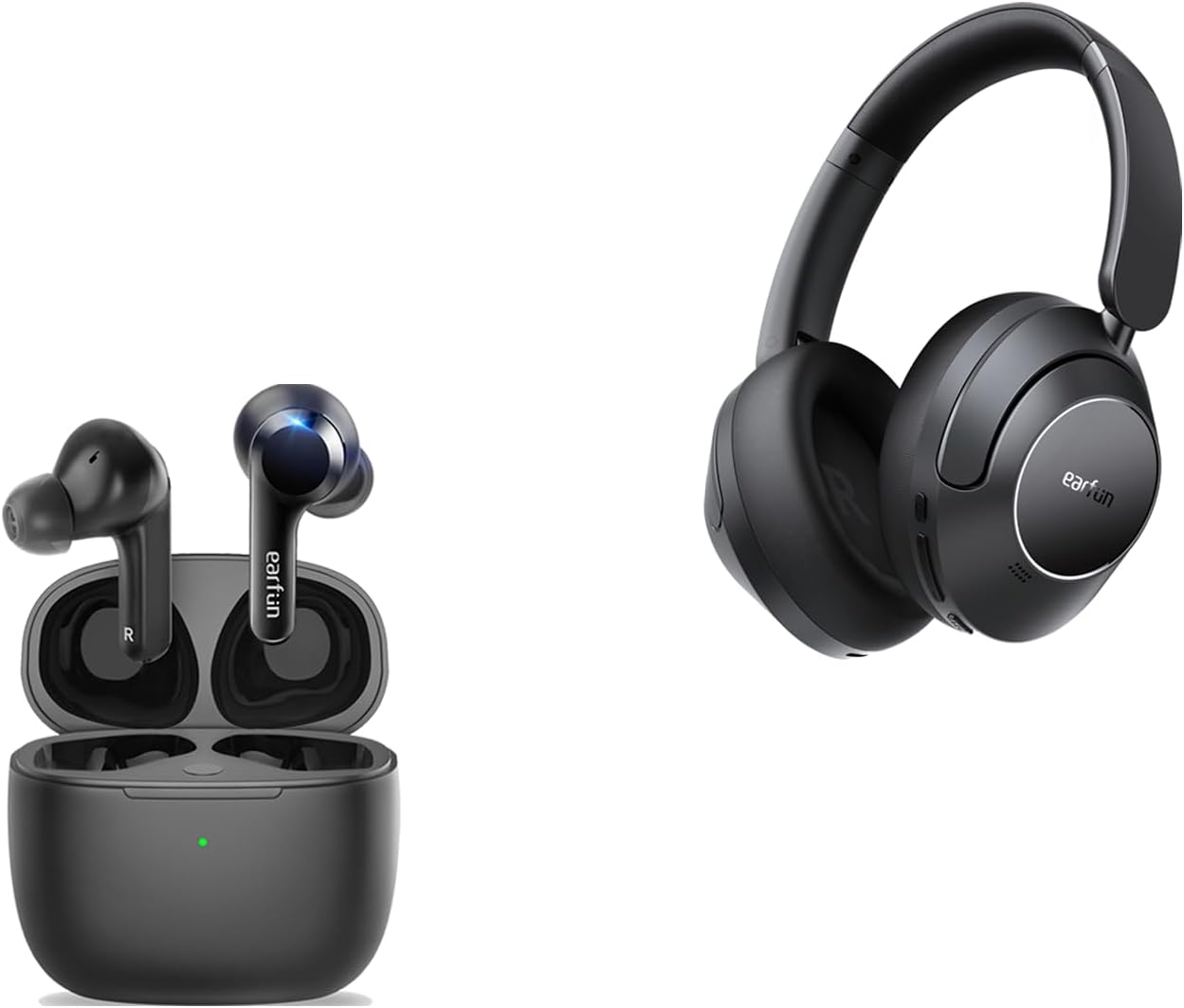
Image: EarFun Wave Pro headphones and their charging case, as found in the box.
1.2. Laai
Before initial use, fully charge your EarFun Wave Pro headphones. Connect the provided USB-C charging cable to the charging port on the left earcup and a compatible power source. A full charge takes approximately 2 hours. For quick power, a 10-minute charge provides up to 10 hours of playback.
1.3. Paring
To pair your EarFun Wave Pro headphones with a Bluetooth device:
- Maak seker dat die oorfone gelaai en afgeskakel is.
- Druk en hou die aan/af-knoppie in totdat die LED-aanwyser flikker, wat paringsmodus aandui.
- On your device, enable Bluetooth and search for 'EarFun Wave Pro' in the list of available devices.
- Select 'EarFun Wave Pro' to complete the pairing process. The LED indicator will turn solid blue once connected.
2. Bedryf
2.1. Kontroles
The EarFun Wave Pro headphones feature intuitive physical buttons on the right earcup for easy control:
- ANC-knoppie: Toggles between Active Noise Cancellation (ANC) modes.
- Volume knoppies: Pas die terugspeelvolume aan.
- Aan/Af-knoppie: Powers the headphones on or off.
Additionally, the headphones support customizable touch controls via the EarFun App for functions like answering/rejecting calls, adjusting volume, and track navigation.

Beeld: Sykant view of the EarFun Wave Pro headphones, highlighting the physical control buttons.
2.2. Aktiewe Geraaskansellasie (ANC) Modusse
The EarFun Wave Pro headphones utilize QuietSmart 2.0 Active Noise Canceling Technology, offering up to 45dB of noise reduction. You can switch between various ANC modes to suit your environment:
- Normale modus: Standard audio playback without active noise cancellation.
- Omringende klankmodus: Laat jou toe om jou omgewing te hoor terwyl jy na oudio luister.
- Wind Noise Cancelling: Specifically reduces wind interference for clearer audio and calls.
- Gerief ANC: Provides a balanced noise cancellation suitable for everyday use.
- Sterk ANC: Maximizes noise reduction for immersive listening in noisy environments.

Image: A visual representation of the 45dB active noise cancellation capability of the headphones.
2.3. EarFun-app vir personalisering
Enhance your listening experience by downloading the EarFun Audio App. The app allows you to:
- Adjust multi-EQ settings for personalized sound.
- Pasmaak aanraakkontroles vir verskeie funksies.
- Check battery levels of your headphones.
- Activate Game Mode for lower latency.
- Perform firmware updates for improved performance.

Image: Screenshots illustrating the customization options available within the EarFun Audio App.
2.4. Sound Signature
The EarFun Wave Pro headphones deliver Hi-Res Sound with LDAC support, powered by 40mm DLC composite dynamic drivers. This ensures a rich, immersive audio experience with clear details.
- Sub-bas: Provides a strong and impactful low-end.
- Mid-bass: Delivers a punchy and well-defined mid-range bass.
- koor: Clear and present, ensuring excellent call quality with 4-microphone noise-canceling technology.
- Hoogtepunte: Crisp and detailed, contributing to the overall clarity of the sound.
When using the headphones in wired mode with Hi-Res audio, the sound is bright and sparkling, though the bass may be flatter compared to Bluetooth mode. For optimal bass performance, Bluetooth mode is recommended.

Beeld: 'n Gedetailleerde view of the composite speaker technology, designed for exceptional sound quality.

Image: Close-up of the 40mm DLC Dynamic Driver, emphasizing its role in delivering diamond-like clarity.
2.5. Speelmodus
The EarFun Wave Pro features a dedicated Game Mode, accessible via the EarFun App, which reduces audio latency to approximately 55 milliseconds. This low latency ensures a highly synchronized audio-visual experience, making it ideal for gaming and watching videos on platforms like Netflix or YouTube.
3. Onderhoud
To ensure the longevity and optimal performance of your EarFun Wave Pro headphones, follow these maintenance guidelines:
- Skoonmaak: Regularly wipe the earcups and headband with a soft, dry cloth. For stubborn dirt, a slightly damp cloth can be used, but ensure no moisture enters the speaker grilles or charging port.
- Berging: When not in use, store the headphones in their provided travel carry case to protect them from dust, scratches, and impacts.
- Temperatuur: Avoid exposing the headphones to extreme temperatures (hot or cold) or high humidity, as this can damage internal components.
- Waterweerstand: While the product description mentions 'Water Resistant', there is no official IPX rating provided for the headphones themselves. Avoid direct exposure to water or excessive moisture.
4. Probleemoplossing
If you encounter issues with your EarFun Wave Pro headphones, try the following solutions:
- Geen krag: Maak seker dat die oorfone volledig gelaai is. Koppel hulle aan 'n kragbron en kyk na die laai-aanwyser.
- Koppelprobleme: Turn off Bluetooth on your device and then turn it back on. Forget the 'EarFun Wave Pro' from your device's Bluetooth list and attempt to re-pair. Ensure the headphones are in pairing mode.
- Geen klank: Check the volume levels on both the headphones and your connected device. Ensure the headphones are properly paired and selected as the audio output.
- ANC werk nie: Toggle through the ANC modes using the dedicated button or the EarFun App. Ensure the earcups are properly sealed around your ears.
- Verwronge klank: Move closer to your connected device to ensure a stable Bluetooth connection. Try playing audio from a different source or device.
- Firmware-opdateringskwessies: Ensure the headphones are connected to your phone and have at least 30% battery. Do not exit the app or run other applications during the update process.
If problems persist, consult the EarFun Audio App for further assistance or contact EarFun customer support.
5. Spesifikasies
| Kenmerk | Spesifikasie |
|---|---|
| Model Naam | EarFun Air (Note: Product is Wave Pro, but JSON lists Air as model name) |
| Verbindingstegnologie | Draadloos (Bluetooth) |
| Bluetooth weergawe | 5.2 |
| Geraasbeheer | Aktiewe geraasonderdrukking (tot 45dB) |
| Tipe oudiobestuurder | Dynamic Driver (40mm DLC) |
| Batterylewe (ANC af) | Tot 80 uur |
| Batterylewe (ANC Aan) | Tot 55 uur |
| Vinnige laai | 10 minute laai vir 10 uur speeltyd |
| Laaipoort | USB-C |
| Klankaansluiting | 3.5 mm-aansluiting |
| Ondersteunde kodecs | LDAC, AAC, SBC |
| Hi-Res oudio | Gesertifiseerde Hi-Res Audio |
| Mikrofone | 5-microphone AI algorithm for clarity calls |
| Low Latency (Game Mode) | ~55 ms |
| Meerpuntverbinding | Connects to 2 devices simultaneously |
| Oorstukvorm | Oor Oor |
| Materiaal | Plastic, Silicone, Thermoplastic Elastomer (TPE) |
6. Waarborg en Ondersteuning
EarFun products are designed for reliability and performance. For information regarding your product's warranty, please refer to the warranty card included in the packaging or visit the official EarFun webwebwerf.
For technical support, troubleshooting assistance, or any product-related inquiries, please contact EarFun customer service through their official channels. Keep your purchase receipt or order details handy for faster service.