
1. Inleiding
Thank you for choosing Baseus Bowie MA10S and AirNora 2 Wireless Earbuds. These earbuds are designed to provide a superior audio experience with advanced features such as Hybrid Active Noise Cancellation, immersive Spatial Audio, and robust bass performance. The AirNora 2 model also features a lightweight design tailored for comfort and an integrated make-up mirror in its charging case.
This manual will guide you through the setup, operation, and maintenance of your new earbuds, ensuring you get the most out of their capabilities.

Image: Baseus Bowie MA10S (black) and AirNora 2 (orange) wireless earbuds with their respective charging cases. The Bowie MA10S case shows a digital battery display, while the AirNora 2 case features an integrated mirror.
2. Pakketinhoud en opstelling
2.1 Wat is in die boks
- Baseus Bowie MA10S or AirNora 2 Wireless Earbuds (L/R)
- Laaikas
- USB-C-laaikabel
- Verskeie groottes van oorpunte
- Gebruikershandleiding (hierdie dokument)

Image: The AirNora 2 earbuds, their charging case with mirror, USB-C charging cable, and various sizes of ear tips, displayed within their decorative packaging.
2.2 Laai die oordopjes en houer
- Plaas die oordopjes in die laaikas en maak seker dat hulle korrek geplaas is.
- Koppel die USB-C-laaikabel aan die laaipoort op die omhulsel en koppel die ander kant aan 'n USB-kragadapter (nie ingesluit nie).
- The indicator lights on the case will show charging status. For Bowie MA10S, the digital display will show battery percentage.
- Fully charge the case and earbuds before first use.
2.3 Bluetooth -koppeling
- Maak die laaikas oop. Die oorfone sal outomaties in paringsmodus gaan (aanwyserliggies sal flikker).
- Aktiveer Bluetooth op jou toestel (slimfoon, tablet, ens.).
- Soek vir available Bluetooth devices and select "Baseus Bowie MA10S" or "Baseus AirNora 2" from the list.
- Once connected, the indicator lights on the earbuds will turn off or show a steady light, and your device will confirm the connection.
2.4 Dra van die oordopjes
Choose the ear tips that provide the best seal and comfort. Gently insert each earbud into your ear canal and twist slightly to secure a snug fit. A proper fit is crucial for optimal sound quality and noise cancellation.
3. Bedryfsinstruksies
3.1 Raak kontroles
The earbuds feature touch-sensitive areas for control. Specific functions may vary slightly between models, but common controls include:
- Enkele tik: Speel/onderbreek musiek, beantwoord/beëindig oproep.
- Dubbeltik (links/regs): Next/Previous track (configurable).
- Drievoudige tik: Aktiveer stemassistent.
- Lang pers: Switch between ANC/Transparency/Normal modes, Reject call.
3.2 Aktiewe Geraaskansellasie (ANC) en Deursigtigheidsmodus
The Bowie MA10S and AirNora 2 earbuds feature Hybrid Active Noise Cancellation, reducing external noise by up to -48dB (MA10S) or -42dB (AirNora 2). Transparency mode allows you to hear your surroundings without removing the earbuds.

Image: A man wearing Baseus Bowie MA10S earbuds, illustrating the Hybrid Active Noise Cancellation feature with a graphic indicating -48dB ANC.

Image: A close-up of an AirNora 2 earbud, highlighting its -42dB Active Noise Canceling capability with sound wave graphics.
3.3 Audio Modes (Bowie MA10S)
The Bowie MA10S offers tailored audio modes:
- Basmodus: Enhanced bass for sports or energetic music.
- Musiekmodus: Balanced audio for daily immersive listening.
- Spelmodus: Low latency audio and video synchronization for gaming.

Beeld: 'n Ontplofte view diagram illustrating the Titanium-plated PU composite diaphragm, emphasizing 50% punchier bass and 100% clearer treble.
3.4 Immersive Spatial Audio
Both models feature 360° immersive spatial audio. A built-in gyroscope and spatial audio algorithm track your head movements, keeping you at the center of the sound experience.
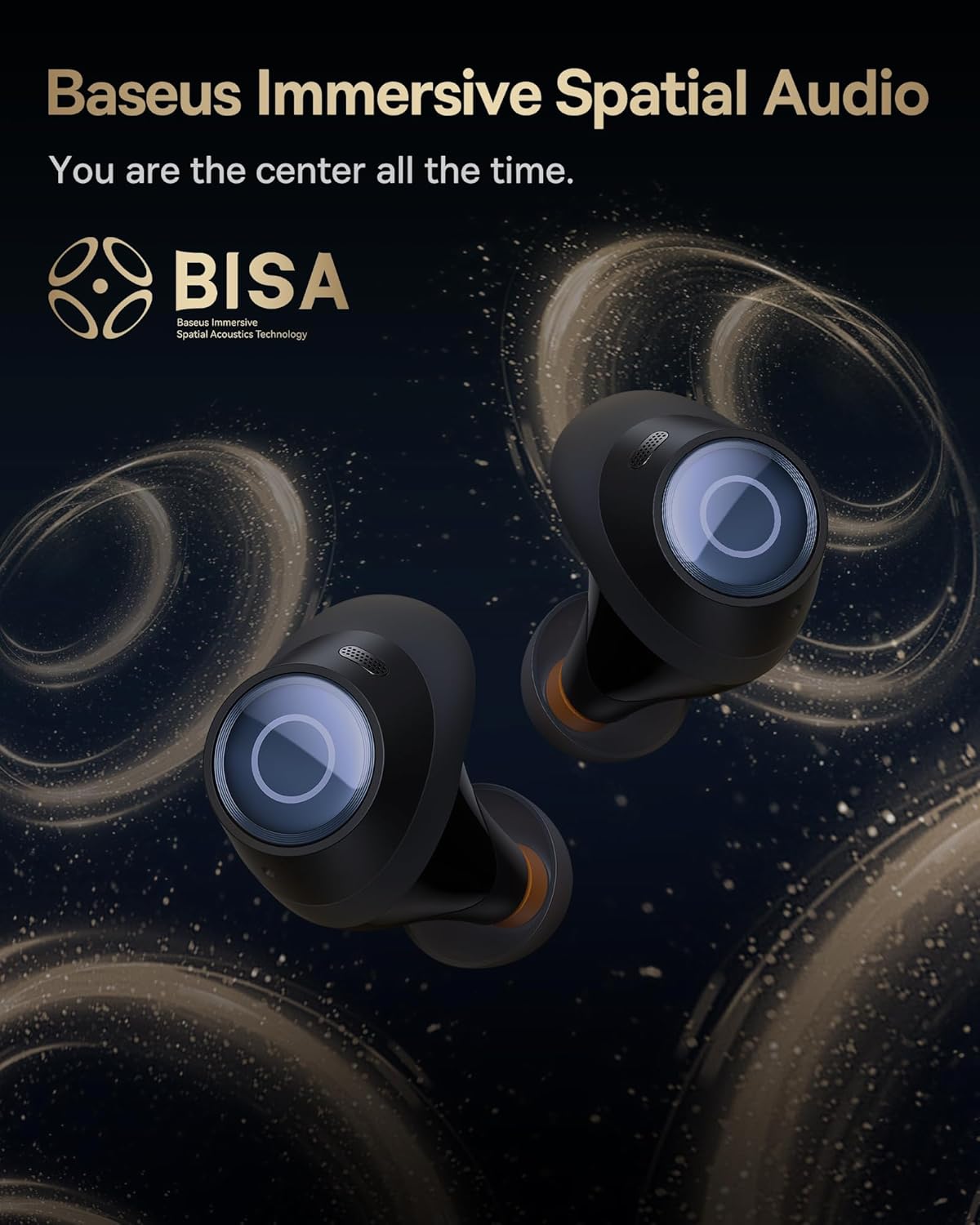
Image: A pair of Baseus Bowie MA10S earbuds with the 'BISA' (Baseus Immersive Spatial Acoustics) technology logo, indicating 360° immersive spatial audio.
4. Onderhoud en versorging
4.1 Skoonmaak
- Maak die oordopjes gereeld skoon, veral die oorpunte en laaikontakte, met 'n sagte, droë, pluisvrye lap.
- Verwyder die oordoppe en maak dit skoon met sagte seep en water indien nodig, en maak seker dat hulle heeltemal droog is voordat jy dit weer vasmaak.
- Maak die laaikas skoon met 'n sagte, droë lap. Vermy die gebruik van skuurmiddels of harde chemikalieë.
4.2 Waterbestandheid (IPX4)
The earbuds are IPX4 water-resistant, meaning they are protected against splashing water from any direction. This makes them suitable for workouts and light rain. However, they are not designed for swimming or submersion in water.

Image: Baseus Bowie MA10S earbuds shown with water splashing around them, illustrating their IPX4 water resistance rating.
4.3 Storage and Battery Care
- Bêre die oordopjes in hul laaikas wanneer dit nie gebruik word nie om hulle te beskerm en gelaai te hou.
- Avoid exposing the earbuds or case to extreme temperatures, direct sunlight, or high humidity.
- For long-term storage, charge the case and earbuds to about 50% every few months to preserve battery health.
4.4 AirNora 2 Make-up Mirror
The AirNora 2 charging case includes an integrated make-up mirror. Keep the mirror clean with a soft, dry cloth. Avoid scratching the surface.

Image: The AirNora 2 charging case opened, showcasing the earbuds inside and the integrated vanity mirror on the lid.
5. Probleemoplossing
5.1 Oordopjes koppel/verbind nie
- Ensure earbuds are charged and in pairing mode (lights flashing).
- Skakel Bluetooth op jou toestel af en aan.
- Vergeet die toestel in jou foon se Bluetooth-instellings en probeer weer koppel.
- Plaas die oorfone terug in die houer, maak die deksel toe, wag 'n paar sekondes en maak dit dan weer oop.
5.2 Geen geluid of lae volume
- Kontroleer die volumevlak op beide jou toestel en die oordopjes.
- Maak seker dat die oorfone behoorlik aan jou toestel gekoppel is.
- Maak enige puin van die oorfone se luidsprekermaas skoon.
5.3 Laaikwessies
- Maak seker dat die laaikabel stewig aan beide die kas en die kragbron gekoppel is.
- Verifieer dat die kragadapter korrek funksioneer.
- Maak die laaikontakte op beide die oordopjes en binne-in die houer skoon.
5.4 ANC werk nie effektief nie
- Ensure the earbuds are properly seated in your ears and you have chosen the correct size ear tips for a good seal.
- Verify that ANC mode is activated via touch controls.
6. Spesifikasies
| Kenmerk | Spesifikasie |
|---|---|
| Model Naam | Baseus Bowie MA10S / AirNora 2 |
| Verbindingstegnologie | Draadloos (Bluetooth) |
| Bluetooth weergawe | 5.0 |
| Geraasbeheer | Active Noise Cancellation (Hybrid ANC) |
| Waterweerstandvlak | IPX4 |
| Materiaal | Rubber, Silikoon |
| Frekwensiereeks | 20 Hz - 20 000 Hz |
| Beheer metode | Raak |
| Oorplasing | In Oor |
| Vormfaktor | In Oor |
| Vervaardiger | Baseus |
| Eerste Beskikbare Datum | 25 Maart 2024 |
7. Waarborg en Ondersteuning
For warranty information and detailed support, please refer to the official Baseus website or the warranty card included with your product. You may also contact Baseus customer service directly for assistance with product issues or inquiries.
Baseus Amptelik Webwebwerf: www.baseus.com