
1. Inleiding
Thank you for choosing the CHiQ 22F650 22-inch FHD Monitor. This manual provides essential information for setting up, operating, and maintaining your monitor. Please read it thoroughly before use to ensure optimal performance and safety.
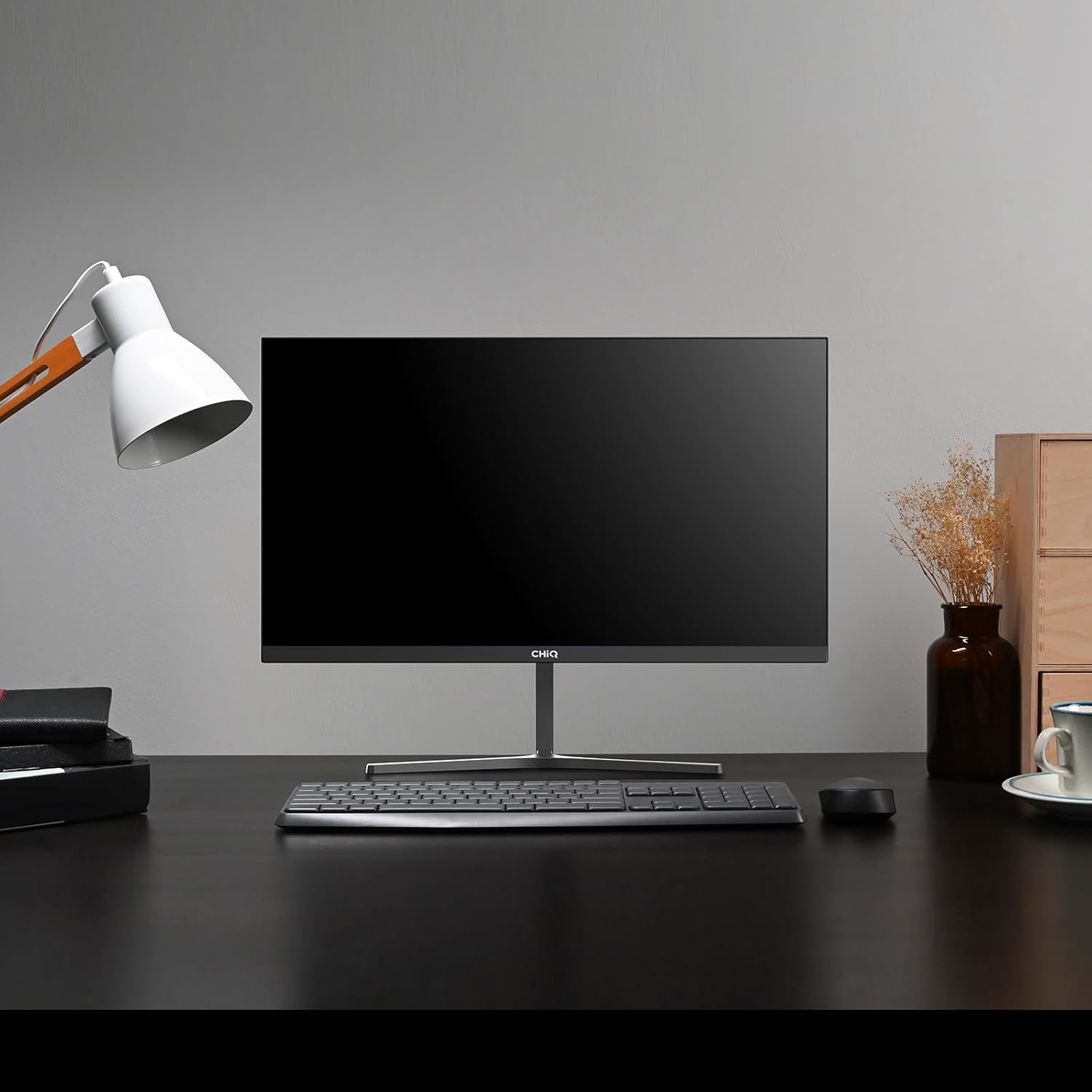
Image 1.1: The CHiQ 22F650 monitor set up on a desk.
The CHiQ 22F650 monitor features a 22-inch Full HD (1920 x 1080) display with a 100Hz refresh rate and AMD FreeSync technology for smooth visuals. Its ultra-thin, borderless design offers an immersive viewing experience, complemented by 100% sRGB color gamut and DC dimming for eye comfort.
2. Veiligheidsinligting
Please observe the following safety precautions to prevent damage to the monitor and ensure your safety:
- Moenie die monitor aan reën, vog of uiterste temperature blootstel nie.
- Verseker behoorlike ventilasie rondom die monitor. Moenie ventilasie-openinge blokkeer nie.
- Gebruik slegs die kragadapter en kabels wat deur die vervaardiger voorsien of aanbeveel word.
- Vermy om swaar voorwerpe op die kragkabel te plaas.
- Ontkoppel die kragprop van die stopcontact as die monitor nie vir 'n lang tydperk gebruik gaan word nie.
- Moenie probeer om die monitor self te herstel nie. Verwys alle diens na gekwalifiseerde personeel.
3. Pakketinhoud
Verifieer dat alle items in jou pakket teenwoordig is:
- CHiQ 22F650 Monitor
- Monitorstaander (basis en nek)
- Kragadapter en kabel
- HDMI kabel
- Gebruikershandleiding (hierdie dokument)
4. Montering en Opstelling
4.1 Montering van die Staanplek
- Verwyder die monitor versigtig uit sy verpakking en hou die skerm beskerm.
- Heg die staandernek aan die monitorpaneel vas.
- Bevestig die staanderbasis aan die staandernek met die meegeleverde skroef.
The monitor features a quick detachable Y-shaped metal stand for easy assembly.
4.2 Koppel die monitor
Connect the monitor to your computer or other devices using the available ports:
- HDMI: Koppel 'n HDMI-kabel vanaf jou rekenaar se HDMI-uitvoer na die monitor se HDMI-invoer.
- VGA: Connect a VGA cable from your computer's VGA output to the monitor's VGA input.
- Oudio: Connect headphones or external speakers to the 3.5mm headphone output jack.
- Krag: Connect the power adapter to the monitor's DC input and then plug it into a power outlet.

Image 4.1: Monitor connectivity ports (HDMI, VGA, Headphone Output).
4.3 Adjusting the Monitor Angle
The monitor's stand allows for tilt adjustment from +5° to -15° to achieve an optimal viewing hoek.

Image 4.2: Monitor tilt adjustment and VESA mount points.
4.4 VESA Wall Mounting
The monitor is compatible with VESA 75x75mm wall mounts. To mount the monitor on a wall, remove the stand and attach a compatible VESA bracket (sold separately) to the mounting holes on the back of the monitor.
5. Bedryfsinstruksies
5.1 Krag aan/af
Druk die aan/af-knoppie agter op die monitor om dit aan of af te skakel.
5.2 Skermvertoning (OSD) Kieslys
The monitor features joystick-type buttons on the rear for navigating the OSD menu. Use these buttons to adjust various display settings:
- Helderheid/kontras: Pas die algehele helderheid en die verskil tussen ligte en donker areas aan.
- Kleurinstellings: Modify color temperature, gamma, and individual RGB values.
- Invoerbron: Kies handmatig tussen HDMI- en VGA-insette.
- Prentmodus: Choose from preset display modes (e.g., Standard, Game, Movie).
- Oudio: Adjust volume for the headphone output.

Image 5.1: Visual features of the CHiQ 22F650 monitor, including 100% sRGB and DC Dimming.
5.3 FreeSync Technology
The CHiQ 22F650 monitor supports AMD FreeSync technology, which synchronizes the monitor's refresh rate with your graphics card's frame rate. This helps eliminate screen tearing and stuttering, providing a smoother gaming and viewing experience. FreeSync is typically enabled automatically when connected to a compatible AMD graphics card.
Video 5.1: This video demonstrates the smooth performance of the CHiQ 22F650 monitor, highlighting features like 100Hz refresh rate and FreeSync technology, and its ultra-thin design.
6. Onderhoud
6.1 Skoonmaak van die monitor
- Ontkoppel altyd die monitor van die kragtoevoer voordat u dit skoonmaak.
- Gebruik 'n sagte, pluisvrye lap liggies dampmet water of 'n sagte, nie-skurende skermreiniger afgevee.
- Moenie skoonmaakmiddel direk op die skerm spuit nie.
- Vee die skerm liggies af om stof en vlekke te verwyder.
- Vir die monitor casing, gebruik 'n sagte, droë lap.
6.2 Berging
If storing the monitor for an extended period, place it in its original packaging in a dry, cool environment to protect it from dust and damage.
7. Probleemoplossing
As jy probleme met jou monitor ondervind, raadpleeg die volgende algemene probleme en oplossings:
| Probleem | Moontlike oorsaak | Oplossing |
|---|---|---|
| Geen beeld op die skerm nie | Power cable disconnected, video cable loose/disconnected, incorrect input source selected. | Check power and video cable connections. Ensure the correct input source (HDMI/VGA) is selected in the OSD menu. |
| Beeld is vaag of verwring | Verkeerde resolusie, foutiewe videokabel. | Set the display resolution to 1920 x 1080. Try a different video cable. |
| Kleure is verkeerd | Color settings in OSD, faulty video cable. | Pas kleurinstellings in die OSD-kieslys aan. Probeer 'n ander videokabel. |
| Skerm flikker | Refresh rate mismatch, FreeSync issue, faulty cable. | Ensure your graphics card output matches the monitor's 100Hz refresh rate. Check FreeSync settings. Try a different video cable. |
| No audio from headphone output | Volume too low, incorrect audio output selected on computer. | Adjust volume in OSD. Ensure the monitor is selected as the audio output device on your computer. |
8. Spesifikasies
Detailed technical specifications for the CHiQ 22F650 monitor:
| Kenmerk | Spesifikasie |
|---|---|
| Handelsmerk | CHiQ |
| Modelnommer | 22F650 |
| Vervaardiger | Changhong |
| Skerm grootte | 22 duim |
| Resolusie | FHD 1080p (1920 x 1080 piksels) |
| Aspekverhouding | 16:9 |
| Skermoppervlak | Anti-glare / Anti-slip |
| Kontrasverhouding | 3000:1 |
| Reaksie Tyd | 6 millisekondes |
| Herlaaitempo | 100 Hz |
| Aanpasbare sinkronisering | FreeSync |
| Tipe vertoon | LCD |
| Viewing Hoek | 178 grade |
| Helderheid | 250 candelas per square meter |
| Beeldverbetering | DC Dimming, Anti-glare coating |
| Afmetings (D x B x H) | 13.9 x 49.3 x 37.7 cm |
| Gewig | 1.92 kilogram |
| Konnektiwiteit | 1x HDMI, 1x VGA, 1x Headphone Output |
| VESA Mount | Wall mount (75x75mm) |
| Voltage | 220 Volt |
| Kleur | Swart |
Image 8.1: Product Information Sheet with technical data. For more details, visit the EPREL-databasis.
Image 8.2: EU Energy Label for the CHiQ 22F650 monitor. For more details, visit the EPREL-databasis.
9. Waarborg en Ondersteuning
9.1 Waarborginligting
CHiQ monitors are protected by a 3 jaar waarborgBewaar asseblief u bewys van aankoop vir waarborgeise.
9.2 Kliëntediens
If you encounter any problems or have questions regarding your CHiQ 22F650 monitor, please do not hesitate to contact CHiQ customer service. An online hotline managed by professional staff is available on weekdays to assist you.
Vir verdere hulp, besoek asseblief die amptelike CHiQ webwebwerf of verwys na die kontakinligting wat saam met u produkdokumentasie verskaf word.