
HOCO TWS EW34
HOCO EW34 True Wireless Earphones User Manual
Model: TWS EW34 | Brand: HOCO
Inleiding
Thank you for choosing the HOCO EW34 True Wireless Earphones. This manual provides essential information on how to set up, operate, maintain, and troubleshoot your earphones to ensure optimal performance and longevity. Please read this manual carefully before using the product.
Pakketinhoud
Voordat jy begin, maak asseblief seker dat alle items in die pakket teenwoordig is:
- HOCO EW34 True Wireless Earphones (Left and Right)
- Laaikas
- Laai kabel
- Gebruikershandleiding (hierdie dokument)
Opstelling
1. Aanvanklike laai
Before first use, fully charge the charging case and earphones. Place both earphones into the charging case. Connect the charging cable to the charging port on the case and to a USB power source.

Image: HOCO EW34 earphones placed inside their open charging case, showing the charging indicators.
The indicator light on the charging case will show the charging status. Ensure the case is fully charged before using the earphones for the first time.

Image: The HOCO EW34 charging case, closed, displaying the USB charging port on the side.
2. Bluetooth-koppeling
- Maak seker dat die oorfone gelaai is en binne-in die laaikas is.
- Open the charging case. The earphones will automatically enter pairing mode, indicated by a flashing light (if applicable).
- Aktiveer Bluetooth op jou toestel (slimfoon, tablet, ens.).
- Soek vir "HOCO EW34" in the list of available Bluetooth devices.
- Select "HOCO EW34" to connect. Once connected, a voice prompt will confirm the successful pairing.
- Die oorfone sal outomaties weer aan die laaste gekoppelde toestel koppel wanneer dit uit die houer gehaal word, indien Bluetooth op die toestel geaktiveer is.
Bedryfsinstruksies
Dra die oorfone
Gently insert the earphones into your ears, ensuring a comfortable and secure fit. Adjust them slightly until the sound quality is optimal and they feel stable.
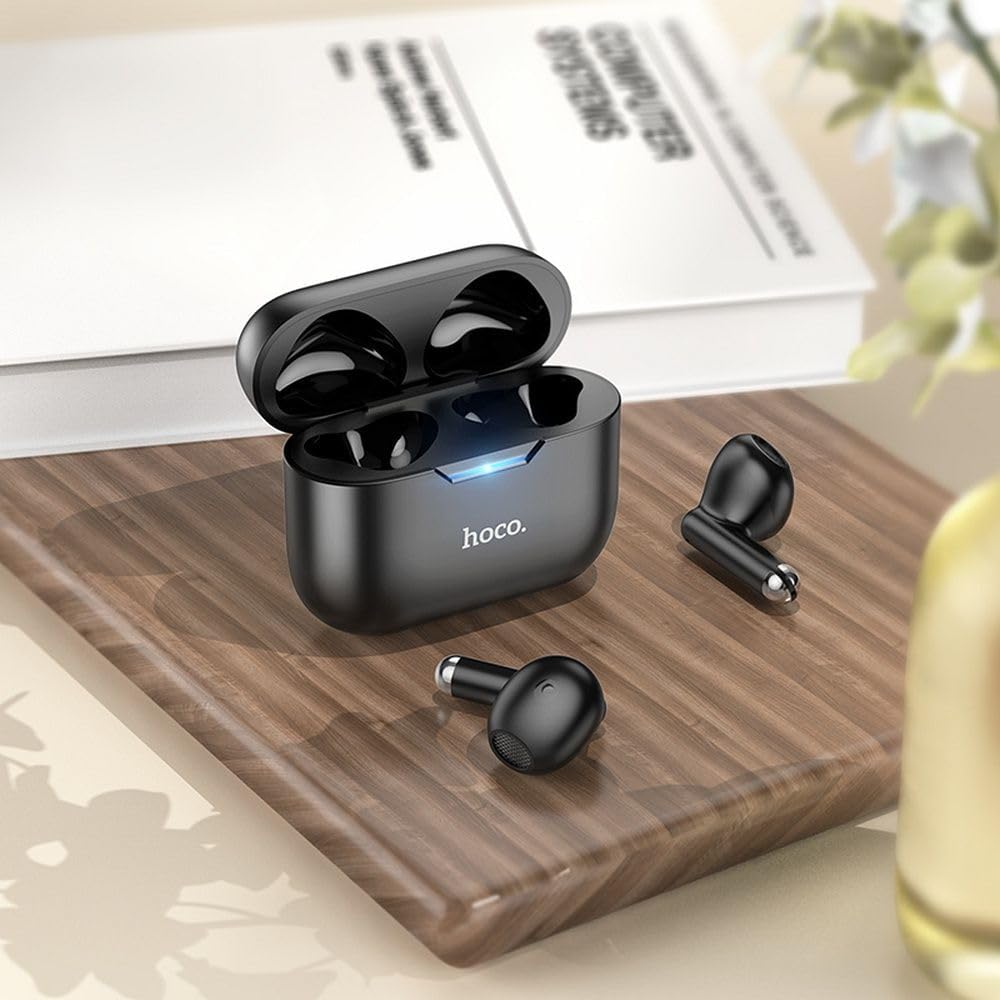
Image: The HOCO EW34 earphones and their charging case resting on a wooden surface next to a book, illustrating their compact size.
Basiese Beheer (Aanraakgevoelig)
The HOCO EW34 earphones feature touch-sensitive controls. Specific functions may vary slightly based on your device and application.
- Speel/pouse: Enkeltik op enige oorfone.
- Volgende snit: Dubbeltik op die regter oorfone.
- Vorige snit: Dubbeltik op die linker oorfone.
- Beantwoord/beëindig oproep: Enkeltik op enige oorfone tydens 'n inkomende oproep.
- Verwerp oproep: Druk en hou enige oorfone vir 2 sekondes in tydens 'n inkomende oproep.
- Aktiveer stemassistent: Tik drie keer op enige oorfone.
Onderhoud
Proper maintenance ensures the longevity and performance of your HOCO EW34 earphones.
- Skoonmaak: Gebruik 'n sagte, droë, pluisvrye lap om die oorfone en laaikas skoon te maak. Moenie harde chemikalieë of skuurmiddels gebruik nie.
- Berging: Wanneer dit nie gebruik word nie, bêre die oorfone in hul laaikassie om hulle teen stof en skade te beskerm.
- Batterysorg: Avoid fully discharging the battery frequently. Charge the earphones and case regularly, even if not in constant use, to maintain battery health.
- Vermy water: Die oorfone is nie waterdig nie. Vermy blootstelling aan water, sweet of hoë humiditeit.
Probleemoplossing
If you encounter issues with your HOCO EW34 earphones, try the following solutions:
| Probleem | Moontlike Oplossing |
|---|---|
| Oorfone koppel nie met toestel nie. |
|
| Geen geluid uit een of albei oorfone nie. |
|
| Laaikas laai nie. |
|
| Swak klankgehalte. |
|
Spesifikasies
Here are the technical specifications for the HOCO EW34 True Wireless Earphones:
- Bluetooth weergawe: 5.3
- Chip: JL AC6983
- Laaibak Batterykapasiteit: 250 mAh
- Oorfoon se batterykapasiteit: 30 mAh (elk)
- Gesels-/musiektyd: 4 uur
- Bystandtyd: 150 uur
- Afmetings (kas): 57 × 46 × 23.5 mm
- Totale gewig: 42 g
- Model Naam: TWS EW34
- Kleur: Swart
Waarborg en Ondersteuning
For warranty information, please refer to the warranty card included with your purchase or visit the official HOCO webwebwerf. Waarborgbepalings en -voorwaardes kan per streek verskil.
If you require further assistance or encounter issues not covered in this manual, please contact HOCO customer support through their official website or the retailer from whom you purchased the product. Please have your product model number (TWS EW34) and proof of purchase ready when contacting support.
Ask a question about this manual
Ask about setup, troubleshooting, compatibility, parts, safety, or missing instructions. Manuals+ will review the question and use this page’s manual context to help answer it.