
1. Inleiding
Thank you for choosing the Timex Unisex Digital 43mm Watch. This manual provides essential information for the proper setup, operation, and care of your new timepiece. Please read these instructions carefully to ensure optimal performance and longevity of your watch.
2. Waak oorview
Familiarize yourself with the buttons and display of your Timex Digital 43mm Watch.

Figuur 2.1: Kant view of the watch, highlighting the function buttons. The top left button is typically for INDIGLO, and the top right button is for START/STOP functions.
Your watch features a clear digital display and multiple function buttons for easy access to time, date, stopwatch, and alarm features. The specific button functions are detailed in the operating instructions.
3. Aanvanklike Opstelling
Upon first use or after a battery change, you may need to set the time and date.
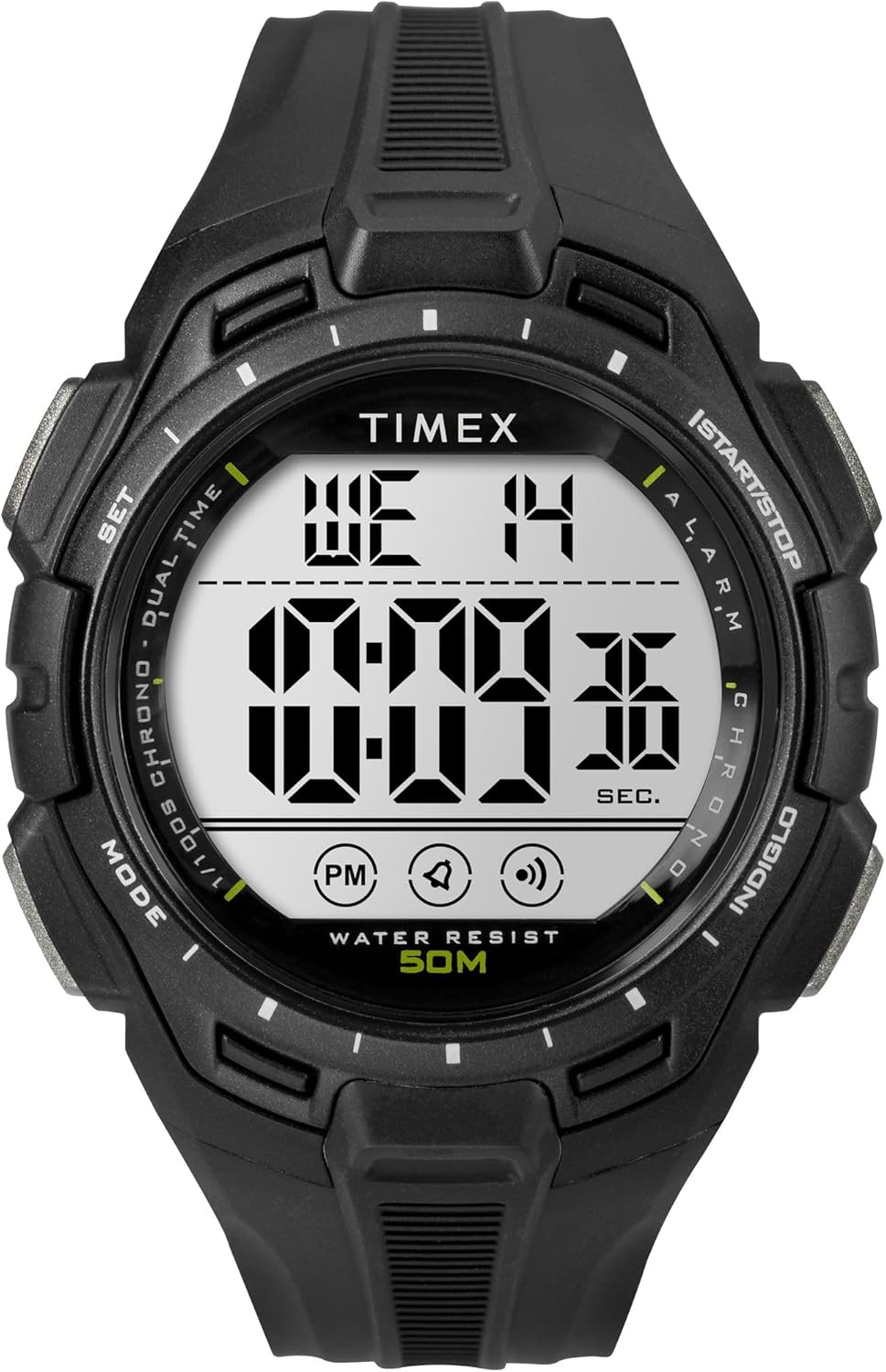
Figuur 3.1: Voorkant view of the Timex Digital 43mm Watch, showing the digital display.
3.1 Stel tyd en datum in
- Druk die MODUS button (usually bottom left) repeatedly until the time setting mode is displayed (often indicated by flashing digits).
- Gebruik die STEL or BEGIN/STOP button (usually top right) to adjust the flashing digit (hours, minutes, seconds).
- Druk die MODUS button again to move to the next setting (e.g., minutes, then year, month, day).
- Sodra alle instellings korrek is, druk die MODUS button or a dedicated EXIT knoppie om terug te keer na normale tydvertoning.
3.2 Stel die alarm in
- Druk die MODUS knoppie totdat die alarmtyd vertoon word.
- Gebruik die STEL or BEGIN/STOP button to adjust the alarm hours and minutes.
- Druk die MODUS knoppie om te bevestig en die alarminstellingsmodus te verlaat.
- Om die alarm te aktiveer/deaktiveer, druk gewoonlik die STEL button while in alarm display mode. An alarm icon will appear/disappear.
4. Bedryfsinstruksies
4.1 Using INDIGLO Night-Light
Druk die INDIGLO button (usually top left) to illuminate the watch face for easy viewing in low-light conditions. The light will remain on for a few seconds.
4.2 Gebruik van die stophorlosie
- Druk die MODUS knoppie totdat die stophorlosie-skerm verskyn (gewoonlik 00:00:00).
- Druk die BEGIN/STOP knoppie (regs bo) om die stophorlosie te begin.
- Druk BEGIN/STOP weer om die stophorlosie te onderbreek.
- Om die stophorlosie terug te stel, druk die TERUGSTEL button (often the bottom right button) while the stopwatch is paused.
4.3 Switching 12/24-Hour Format
While in time setting mode, when adjusting the hours, you can typically toggle between 12-hour (with AM/PM indicator) and 24-hour (military) format by pressing the STEL or BEGIN/STOP button past 12 PM or 24. Refer to the specific setting sequence for your model.
5. Onderhoud en versorging
Proper care will extend the life and appearance of your Timex watch.
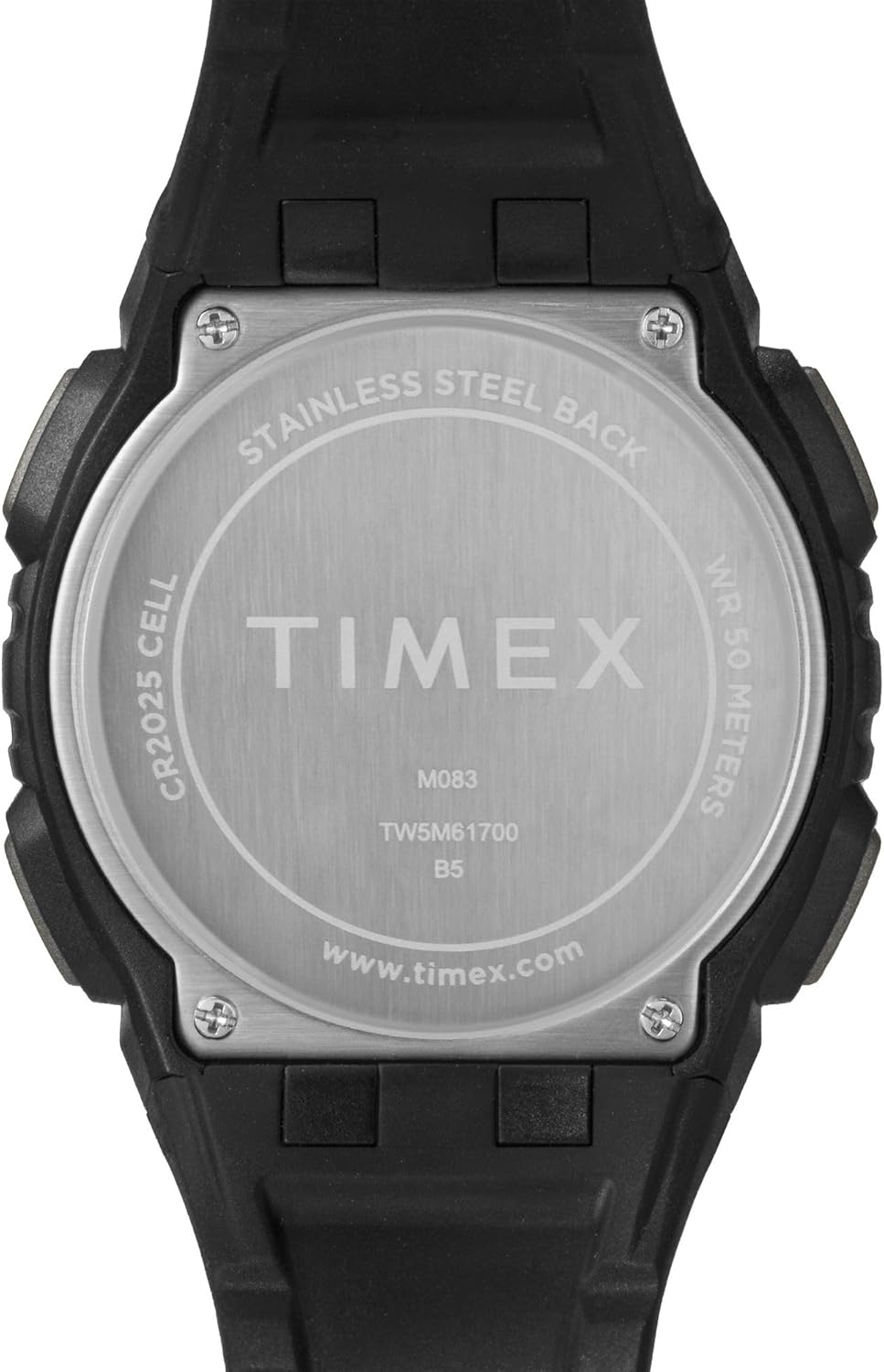
Figuur 5.1: Agter view of the watch case, indicating water resistance and battery type.
5.1 Waterweerstand
- Your watch is water resistant to 50 meter (164 voet). This means it is suitable for short periods of recreational swimming, but not for diving or snorkeling.
- Moenie knoppies onder water gebruik nie.
- Vermy die blootstelling van die horlosie aan warm water, stoom of uiterste temperatuurveranderinge, aangesien dit die waterseëls kan benadeel.
5.2 Batteryvervanging
- The watch uses one CR2025 Lithium Metal battery.
- Batteryvervanging moet ideaal gesproke deur 'n gekwalifiseerde horlosietegnikus uitgevoer word om behoorlike verseëling en waterbestandheid te verseker.
- Onbehoorlike batteryvervanging kan die horlosie beskadig en die waarborg ongeldig maak.
5.3 Skoonmaak
Maak jou horlosie gereeld skoon met 'n sagte, damp cloth. Avoid using harsh chemicals or abrasive materials, which can damage the case or strap.
5.4 Avoiding Scratches
The watch crystal is made of acrylic, which is susceptible to scratches. To minimize scratching, avoid contact with abrasive surfaces and store the watch carefully when not in use.
6. Probleemoplossing
If you encounter issues with your watch, refer to the following common solutions:
- Watch Not Displaying Correctly / Frozen Display: A soft reset may resolve this. Press and hold all four buttons simultaneously for a few seconds, then release. If the issue persists, the battery may need replacement.
- Display is Dim or Faint: This typically indicates a low battery. Replace the battery as soon as possible.
- Knoppies reageer nie: Ensure the watch is not in a locked mode (if applicable). If buttons remain unresponsive, try a soft reset. If the problem continues, professional service may be required.
- Water Binne-Kyk: If moisture appears inside the watch, stop using it immediately and have it inspected by a qualified technician. Water damage is often not covered under warranty.
7. Spesifikasies
| Kenmerk | Detail |
|---|---|
| Modelnommer | TW5M617009J |
| Tipe vertoon | Digitaal |
| Kas deursnee | 43 millimeter |
| Kasdikte | 13.8 millimeter |
| Bandbreedte | 15 millimeter |
| Band Materiaal Tipe | Hars |
| Tipe Materiaal van die omhulsel | Hars |
| Kristal tipe | Akriel |
| Waterweerstand Diepte | 50 meter (164 voet) |
| Beweging Tipe | Kwarts |
| Battery Tipe | CR2025 Litiummetaal (ingesluit) |
| Item gewig | 0.08 kilogram |
8. Beperkte waarborg
Your Timex watch is warranted against manufacturing defects for a period of een (1) jaar from the original date of purchase. This warranty does not cover:
- Batterylewe.
- Skade as gevolg van onbehoorlike hantering, gebrek aan sorg, ongelukke of normale slytasie.
- Water damage unless marked as water-resistant and damage occurs within the specified depth rating and proper care instructions were followed.
- Scratches to the crystal, case, or band.
For warranty service, please retain your proof of purchase and contact Timex customer support.
9. Kliëntediens
For further assistance, frequently asked questions, or to locate an authorized service center, please visit the official Timex webwebwerf:
You may also refer to the product page on Amazon for additional details and customer reviews: Timex Unisex Digital 43mm Watch on Amazon