
Inleiding
Thank you for choosing the TECURS Wireless Backlit Keyboard. This manual provides detailed instructions for setting up, operating, and maintaining your keyboard. Designed for versatility, this 2.4G wireless keyboard features a comfortable QWERTY UK layout, quiet keys, adjustable white backlighting, and dedicated multimedia controls. It is compatible with a wide range of devices, including Mac, PC, PS4, and PS5.
Pakketinhoud
Verifieer asseblief dat al die items wat hieronder gelys word, in u pakket ingesluit is:
- TECURS Wireless Backlit Keyboard
- USB 2.4G Wireless Receiver (Dongle)
- USB-laaikabel
- Gebruikershandleiding
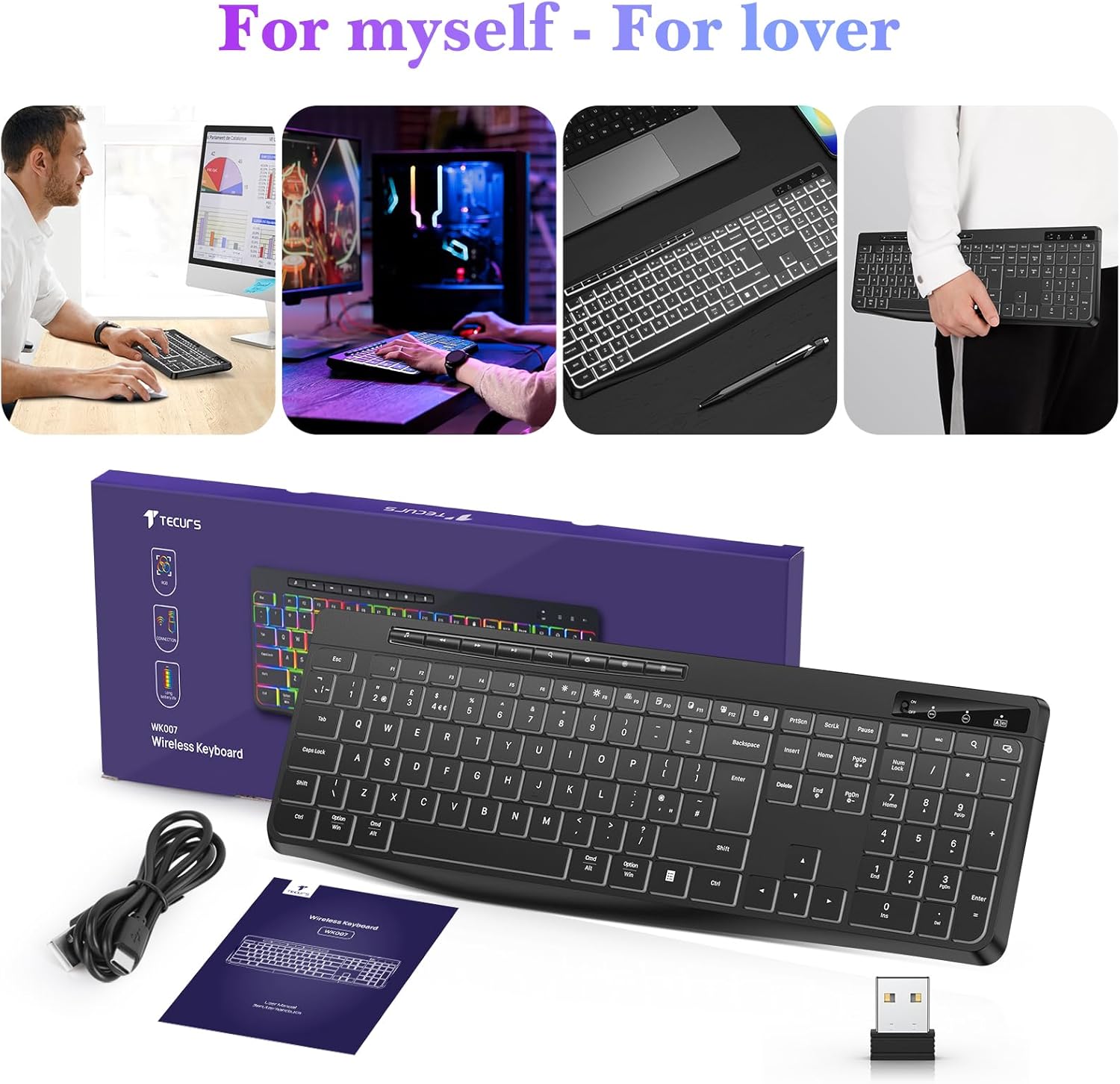
Image: Contents of the TECURS Wireless Backlit Keyboard package.
Opstel instruksies
1. Laai die sleutelbord
Before initial use, fully charge the keyboard. Connect the provided USB charging cable to the keyboard's charging port and to a USB power source (e.g., computer USB port, USB wall adapter). The charging indicator light will illuminate during charging and turn off when fully charged.
2. Koppel die draadlose ontvanger
- Locate the USB 2.4G wireless receiver (dongle) in the package.
- Insert the USB receiver into an available USB port on your computer or compatible device.
- Turn on the keyboard using the power switch, usually located on the top edge or underside of the keyboard.
- The keyboard should automatically connect to the receiver. No additional drivers are typically required for most operating systems.

Image: The TECURS Wireless Keyboard and its USB receiver, demonstrating a stable wireless connection range of 8-10 meters.
Bedryfsinstruksies
Krag aan/af
Use the power switch on the keyboard to turn it on or off. Turning off the keyboard when not in use helps conserve battery life.
Draadlose verbinding
The keyboard utilizes a 2.4G wireless connection, providing a stable and reliable link to your device within an 8-10 meter range. Ensure the USB receiver is securely plugged into your device for optimal performance.
Agterligbeheer
The keyboard features a soft white backlight with adjustable brightness levels. Use the dedicated backlight control keys (often Fn + specific keys) to cycle through brightness settings or turn the backlight off. The backlight is designed to automatically turn off after approximately 5 seconds of inactivity to conserve battery power.
Multimedia sleutels
Dedicated multimedia keys are located on the keyboard for quick access to functions such as play/pause, volume control, and track skipping. These keys allow for convenient management of your media without interrupting your workflow.
Stil Tikervaring
The keyboard is engineered with membrane technology and low-profile keys to provide a quiet and responsive typing experience, minimizing disturbance in shared environments.
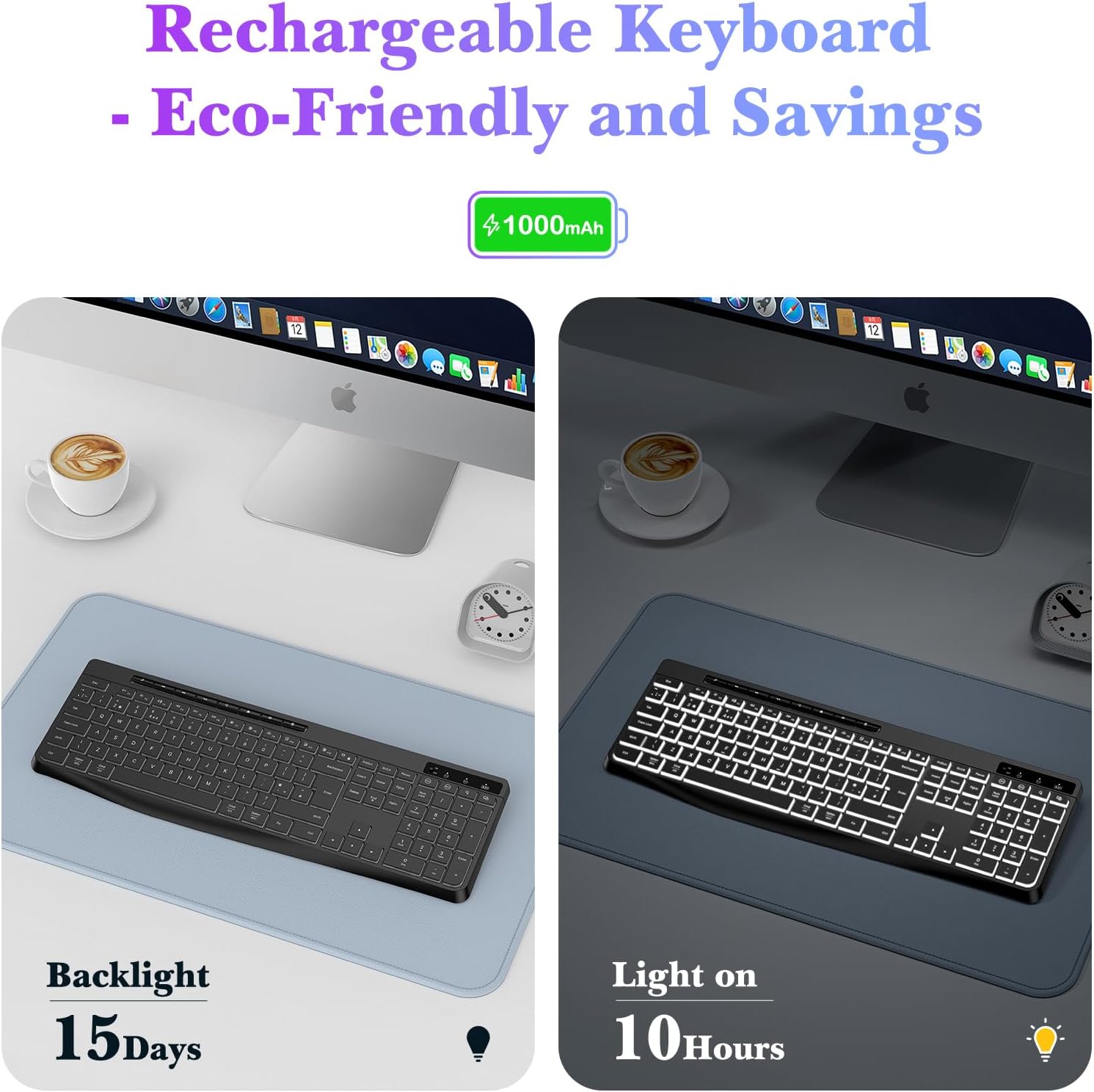
Image: Close-up of the TECURS keyboard showing individual multimedia buttons and the adjustable stand for ergonomic comfort.

Image: The TECURS keyboard being used in a quiet environment, emphasizing its low noise operation.
Laai en batterylewe
The TECURS keyboard is equipped with a 1000mAh rechargeable lithium battery. To charge, connect the keyboard to a USB power source using the provided charging cable.
- Battery kapasiteit: 1000mAh
- Usage with Backlight Off: Up to 15 days on a full charge.
- Usage with Backlight On: Ongeveer 10 uur op 'n volle lading.
- Laai aanwyser: Die aanwyserliggie sal die laaistatus aandui.

Image: Illustration of the keyboard's rechargeable nature and its battery performance with the backlight on for 10 hours and off for 15 days.
Verenigbaarheid
This keyboard is designed for broad compatibility with various operating systems and devices:
- Bedryfstelsels: Windows (including Vista), Linux, macOS
- Versoenbare toestelle: PC, Laptop, Mac, PS4, PS5, Gaming Consoles
Onderhoud
To ensure the longevity and optimal performance of your TECURS Wireless Backlit Keyboard, follow these maintenance guidelines:
- Skoonmaak: Gebruik 'n sagte, droë lap om die oppervlak van die sleutelbord af te vee. Vir hardnekkige vuiligheid, liggies droogampMaak die lap skoon met water of 'n sagte skoonmaakoplossing. Vermy oormatige vog.
- Stofverwydering: Gebruik saamgeperste lug om stof en puin tussen die sleutels te verwyder.
- Berging: Bêre die sleutelbord op 'n koel, droë plek weg van direkte sonlig en uiterste temperature.
- Vermy vloeistowwe: Do not expose the keyboard to liquids. In case of accidental spills, immediately power off the keyboard and allow it to dry completely before reuse.
Probleemoplossing
If you encounter issues with your TECURS Wireless Backlit Keyboard, please refer to the following common problems and solutions:
| Probleem | Oplossing |
|---|---|
| Sleutelbord verbind nie |
|
| Agterlig werk nie |
|
| Sleutels reageer nie |
|
| Kort batterylewe |
|
Spesifikasies
| Kenmerk | Detail |
|---|---|
| Handelsmerk | TECURS |
| Model | B0CY2KWLMF |
| Konnektiwiteit | 2.4G draadloos |
| Uitleg | QWERTY UK |
| Agterlig | White, Adjustable Brightness |
| Battery | 1000mAh herlaaibare litium |
| Tipe sleutel | Membraan |
| Materiaal | Plastiek |
| Versoenbare bedryfstelsel | Linux, Windows Vista, macOS |
| Versoenbare toestelle | Gaming Console, Laptop, PC, Mac, PS4, PS5 |
| Spesiale kenmerke | White Backlight, Wireless, Multimedia Keys, Quiet Operation |
Waarborg en Ondersteuning
TECURS products are designed for reliability and performance. For any questions, technical support, or warranty inquiries, please contact your retailer or the TECURS customer service team through the contact information provided with your purchase or on the official TECURS webwebwerf. Bewaar asseblief u bewys van aankoop vir waarborgeise.