
1. Inleiding
This manual provides detailed instructions for the safe and effective use of your AWEI T25 Wireless Earbuds. Please read this manual thoroughly before using the product and retain it for future reference.
2. Pakketinhoud
Maak seker dat alle items in die pakket teenwoordig is:
- AWEI T25 Wireless Bluetooth Headset (Left and Right Earbuds)
- AWEI T25 Wireless Bluetooth Headset Charging Case
- USB-C-laaikabel
- User Instructions (This Manual)
3. Produk verbyview
Familiarize yourself with the components of your AWEI T25 Wireless Earbuds.
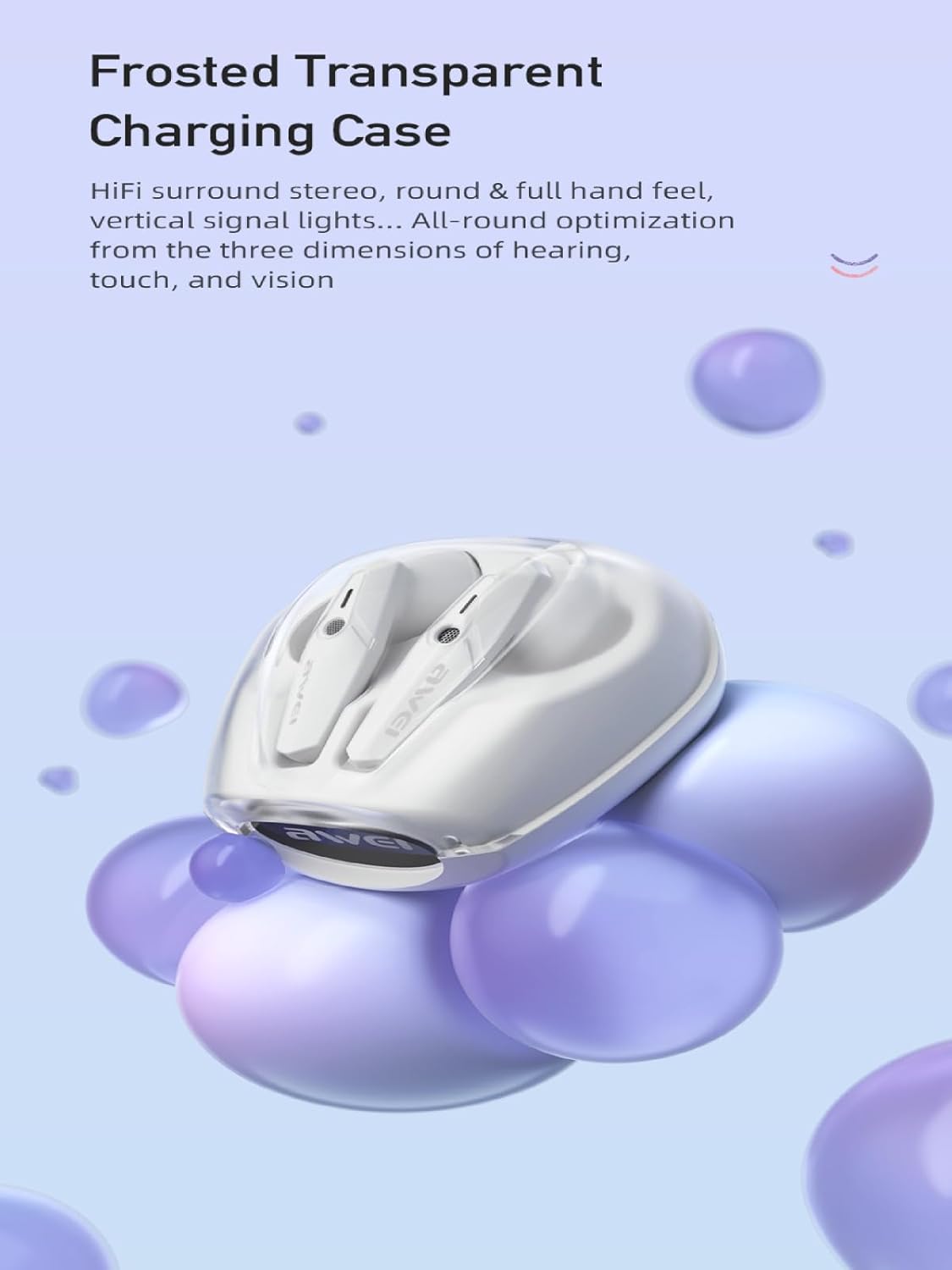
Image: AWEI T25 Wireless Earbuds housed within their frosted transparent charging case, showcasing the design and charging contacts.
The earbuds feature an in-ear design for a comfortable and secure fit. The charging case protects the earbuds and provides additional battery life.
4. Opstelling
4.1 Charging the Earbuds and Charging Case
Laai beide die oordopjes en die laaikas volledig voor die eerste gebruik.
- Plaas die oordopjes in die laaikas en maak seker dat hulle korrek geplaas is.
- Koppel die USB-C-laaikabel aan die laaipoort op die omhulsel en die ander kant aan 'n USB-kragadapter (nie ingesluit nie) of 'n rekenaar se USB-poort.
- The indicator lights on the case will show the charging status. A full charge for the case takes approximately 1.5 hours.
- The earbuds will charge automatically when placed in the powered case.
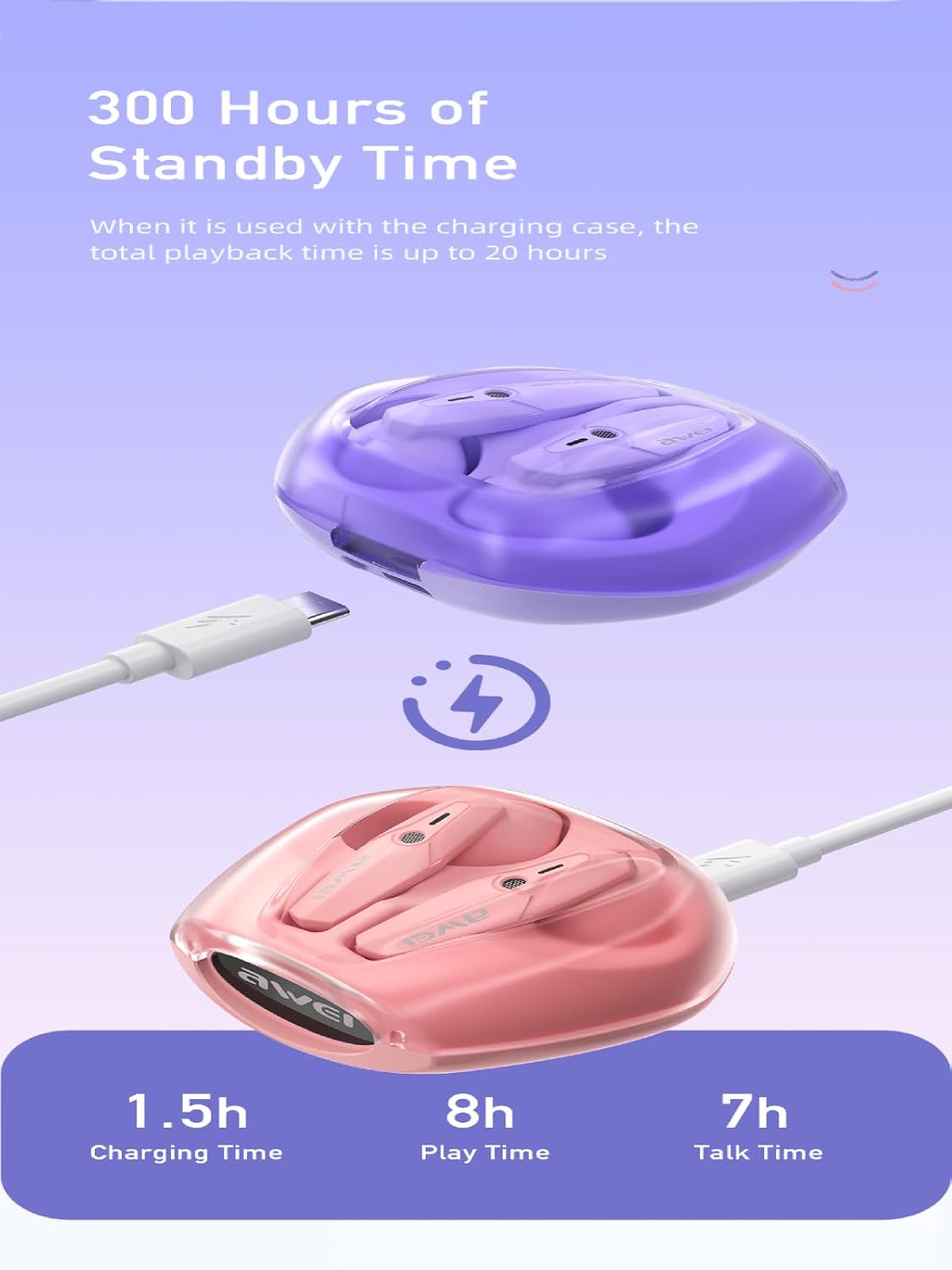
Image: The AWEI T25 charging case connected via a USB-C cable, illustrating the charging process and indicating charging time (1.5h), play time (8h), and talk time (7h).
A fully charged case provides multiple charges for the earbuds, extending total playback time up to 38 hours in dual-ear mode, or 76 hours in single-ear mode by alternating earbuds.
4.2 Koppeling met 'n Bluetooth-toestel
The AWEI T25 earbuds utilize Bluetooth 5.3 technology for a stable connection.
- Maak die laaikas oop. Die oorfone sal outomaties aanskakel en in paringsmodus gaan.
- Aktiveer Bluetooth op jou toestel (slimfoon, tablet, skootrekenaar).
- Soek vir "AWEI T25" in the list of available Bluetooth devices.
- Select "AWEI T25" to connect. Once connected, you will hear a confirmation tone.
- Die oorfone sal outomaties weer aan die laaste gekoppelde toestel koppel wanneer dit uit die houer gehaal word, indien Bluetooth op die toestel geaktiveer is.

Image: A visual representation of the Bluetooth 5.3 chipset, highlighting its role in stable and smooth wireless transmission with low power consumption.
5. Bedryfsinstruksies
5.1 Krag aan/af
- Krag aan: Maak die laaikas oop, of druk die aanraakarea op beide oordopjes vir 3 sekondes lank.
- Skakel af: Plaas die oordopjes terug in die laaikas en maak die deksel toe, of druk die aanraakarea op beide oordopjes vir 5 sekondes lank.
5.2 Raak kontroles
The AWEI T25 earbuds feature smart touch controls on each earbud. The functions are as follows:
| Aksie | Linkeroordop (L) | Regter oordopjes (R) |
|---|---|---|
| Speel/Pause Musiek | Enkele kraan | Enkele kraan |
| Volgende Liedjie | Driedubbel | Dubbeltik |
| Vorige Liedjie | Dubbeltik | Driedubbel |
| Volume op | Lang druk | - |
| Volume af | - | Lang druk |
| Beantwoord/beëindig oproep | Enkele kraan | Enkele kraan |
| Verwerp oproep | Lang druk | Lang druk |
| Aktiveer stemassistent | Viervoudige kraan | Viervoudige kraan |
The earbuds offer a low-latency mode, beneficial for gaming, providing synchronized sound and picture. This feature is automatically managed by the Bluetooth 5.3 chipset.

Image: A user engaged in mobile gaming while wearing AWEI T25 earbuds, illustrating the low-latency feature for an enhanced audio-visual experience.
5.3 Single Earbud Mode
You can use either the left or right earbud independently. Simply take one earbud out of the case, and it will automatically connect to your device if previously paired. The other earbud can remain in the case or be used later.
6. Onderhoud
6.1 Skoonmaak
- Maak die oordopjes en laaikas gereeld skoon met 'n sagte, droë, pluisvrye lap.
- Moenie skuurmiddels, alkohol of chemiese oplosmiddels gebruik nie.
- Ensure charging contacts on both earbuds and case are clean and free of debris for optimal charging.
6.2 Berging
- Wanneer dit nie gebruik word nie, bêre die oordopjes in hul laaikassie om hulle te beskerm en gelaai te hou.
- Bêre in 'n koel, droë plek, weg van uiterste temperature en direkte sonlig.
6.3 Waterbestandheid (IPX5)
The AWEI T25 earbuds are rated IPX5 waterproof, meaning they are protected against low-pressure water jets from any direction. This makes them suitable for sports and protection against sweat and light rain.
- Moenie die oorfone in water dompel nie.
- Do not expose them to strong water jets or wear them while swimming or showering.
- Die laaikas is nie waterdig nie.
- Maak seker dat die oorfone droog is voordat jy dit terug in die laaikas sit om skade te voorkom.
7. Probleemoplossing
If you encounter issues with your AWEI T25 earbuds, refer to the following common problems and solutions:
- Oordopjes koppel nie:
- Maak seker dat beide oordopjes gelaai is.
- Skakel Bluetooth op jou toestel af en skakel dit weer aan.
- Forget "AWEI T25" from your device's Bluetooth list and try pairing again.
- Plaas die oorfone terug in die houer, maak die deksel toe, wag 'n paar sekondes en maak dit dan oop om paringsmodus weer te begin.
- Slegs een oordoppie werk:
- Maak seker dat beide oordopjes gelaai is.
- Place both earbuds back into the charging case, close the lid, and then take them out together.
- Try resetting the earbuds (refer to specific reset instructions if available, or try forgetting the device and re-pairing).
- Geen klank nie:
- Kontroleer die volumevlak op jou toestel en op die oordopjes.
- Maak seker dat die oorfone behoorlik aan jou toestel gekoppel is.
- Probeer om klank vanaf 'n ander toepassing of toestel te speel.
- Laai kwessies:
- Maak seker dat die USB-C-kabel stewig aan beide die kas en die kragbron gekoppel is.
- Probeer 'n ander USB-C-kabel of kragadapter.
- Maak die laaikontakte op die oordopjes en binne-in die houer skoon.
8. Spesifikasies
Key technical specifications for the AWEI T25 Wireless Earbuds:
| Kenmerk | Detail |
|---|---|
| Model | T25 |
| Handelsmerk | Awei |
| Verbindingstegnologie | Draadloos (Bluetooth 5.3) |
| Bluetooth weergawe | 5.3 |
| Oorplasing | In Oor |
| Tipe beheer | Raak Beheer |
| Luidsprekergrootte | 13mm (Moving-Coil Horns) |
| Oorknoppie se batterylewe | Up to 8 hours (continuous use per charge) |
| Laaikas batterykapasiteit | 300mAh |
| Totale speeltyd (met omhulsel) | Up to 38 hours (dual-ear mode), 76 hours (single-ear mode) |
| Laaityd (kas) | Ongeveer 1.5 uur (via Tipe-C) |
| Waterweerstandvlak | IPX5 (slegs oordopjes) |
| Materiaal | Silikoon |
| Item gewig | 90 g |
| Versoenbare toestelle | Smartphones, PCs, Tablets, Laptops, TVs |

Beeld: 'n Ontplofte view diagram illustrating the 13mm moving-coil horns within the AWEI T25 earbuds, responsible for dynamic treble, full mid-range, and deep bass sound.
9. Waarborg en Ondersteuning
For warranty information or technical support, please refer to the warranty card included with your product or contact AWEI customer service through their official website or the retailer from whom you purchased the product. Please have your model number (T25) and purchase details ready.