
1. Inleiding
This user manual provides detailed instructions for the assembly, operation, and maintenance of your FLEXISPOT Lite Electric Standing Desk. Please read this manual thoroughly before installation and use to ensure proper function and safety. Keep this manual for future reference.
2. Belangrike veiligheidsinligting
Versuim om hierdie veiligheidsinstruksies te volg, kan lei tot besering of skade aan die produk.
- The desk has a maximum load capacity of 70 kg (154 lbs)Moenie hierdie gewigslimiet oorskry nie.
- Montering moet deur 'n volwassene uitgevoer word.
- Maak seker dat alle skroewe en boute stewig vasgedraai is voor gebruik.
- Hou kinders en troeteldiere weg van die lessenaar tydens gebruik om beserings deur bewegende dele te voorkom.
- Do not place hands or other objects near the lifting mechanism while the desk is in motion.
- Ontkoppel die kragtoevoer voordat u skoonmaak of enige onderhoud uitvoer.
- Gebruik slegs die kragadapter wat saam met die lessenaar voorsien word.
- Vermy die mors van vloeistowwe op die beheerpaneel of motorkomponente.
3. Produk verbyview en kenmerke
The FLEXISPOT Lite Electric Standing Desk is designed to promote a healthy work environment by allowing seamless transitions between sitting and standing positions. It features a robust motor, memory presets, and an anti-collision system.

Figure 3.1: FLEXISPOT Lite Electric Standing Desk setup with accessories.
Sleutel kenmerke:
- Ergonomiese ontwerp: Facilitates alternating between sitting and standing to reduce physical strain.
- Quiet and Durable Motor: Operates at less than 50 dB, ensuring a quiet workspace.
- Electric Height Adjustment with Memory: Easily adjust height with a control panel and save up to four preferred height settings.
- Robuuste konstruksie: Steel frame with a T-foot design provides stability and supports up to 70 kg.
- Ruim lessenaar: 140x60 cm maple tabletop with rounded corners and integrated wire holes.
- Anti-Collision Rebound Function: Automatically stops and reverses if an obstruction is detected during movement.
- Geïntegreerde Toebehore: Includes two hooks and a cup holder for convenience.
4. Opstelling en samestelling
This section outlines the general steps for assembling your FLEXISPOT Lite Electric Standing Desk. Refer to the separate assembly guide included in your package for detailed, step-by-step instructions and diagrams.
4.1 Uitpak
- Maak die verpakking versigtig oop en verwyder al die komponente.
- Place all parts on a clean, flat, and soft surface (e.g., a carpet) to prevent scratches.
- Verifieer dat alle onderdele wat in die monteringsgids gelys word, teenwoordig is.
4.2 Komponentidentifikasie
Maak jouself vertroud met die hoofkomponente:
- Desktop sections
- Leg columns (lifting columns)
- Voetstutte
- Beheerkas
- Beheerpaneel
- Kragadapter en kabel
- Hardware (screws, bolts, tools)
- Accessories (hooks, cup holder)
4.3 Monteringsstappe (Algemeen)
- Attach the lifting columns to the desktop frame.
- Secure the foot supports to the bottom of the lifting columns.
- Mount the control box and control panel to the underside of the desktop.
- Connect all cables from the motors to the control box, and then connect the power adapter.
- Attach the desktop sections together (if applicable) and secure them to the frame.
- Install the cup holder and hooks as desired.
Note: Refer to the detailed assembly manual for specific screw types, torque requirements, and visual aids for each step.
5. Bediening van jou lessenaar
This section explains how to use the control panel to adjust your desk height and utilize its features.

Figure 5.1: Smart Control Panel.
5.1 Beheerpaneelfunksies
- LED skerm: Toon die huidige lessenaarhoogte in sentimeter.
- Op/Af-knoppies (▲ / ▼): Press and hold to continuously adjust the desk height upwards or downwards. Release the button to stop at the desired height.
- Sit/Stand Button (i): This button may function as a quick switch between a default sitting and standing height, or as a general indicator. Refer to your specific control panel model for exact functionality.
- Memory Preset Buttons (1, 2, 3, 4): These buttons allow you to save and recall up to four preferred height settings.
5.2 Geheuevoorinstellings instel
- Verstel die lessenaar tot die verlangde hoogte met die Op/Af-knoppies.
- Press the 'M' or 'Set' button (if available, otherwise proceed to step 3). The display may flash.
- Immediately press one of the number buttons (1, 2, 3, or 4) to save the current height to that preset. The display will show 'S-' followed by the number, confirming the setting.
5.3 Herroeping van geheuevoorinstellings
Simply press the desired number button (1, 2, 3, or 4). The desk will automatically move to the saved height.
5.4 Anti-Collision Rebound Function
The desk is equipped with an anti-collision system. If the desk encounters an obstruction while moving up or down, it will automatically stop and reverse slightly to prevent damage or injury.
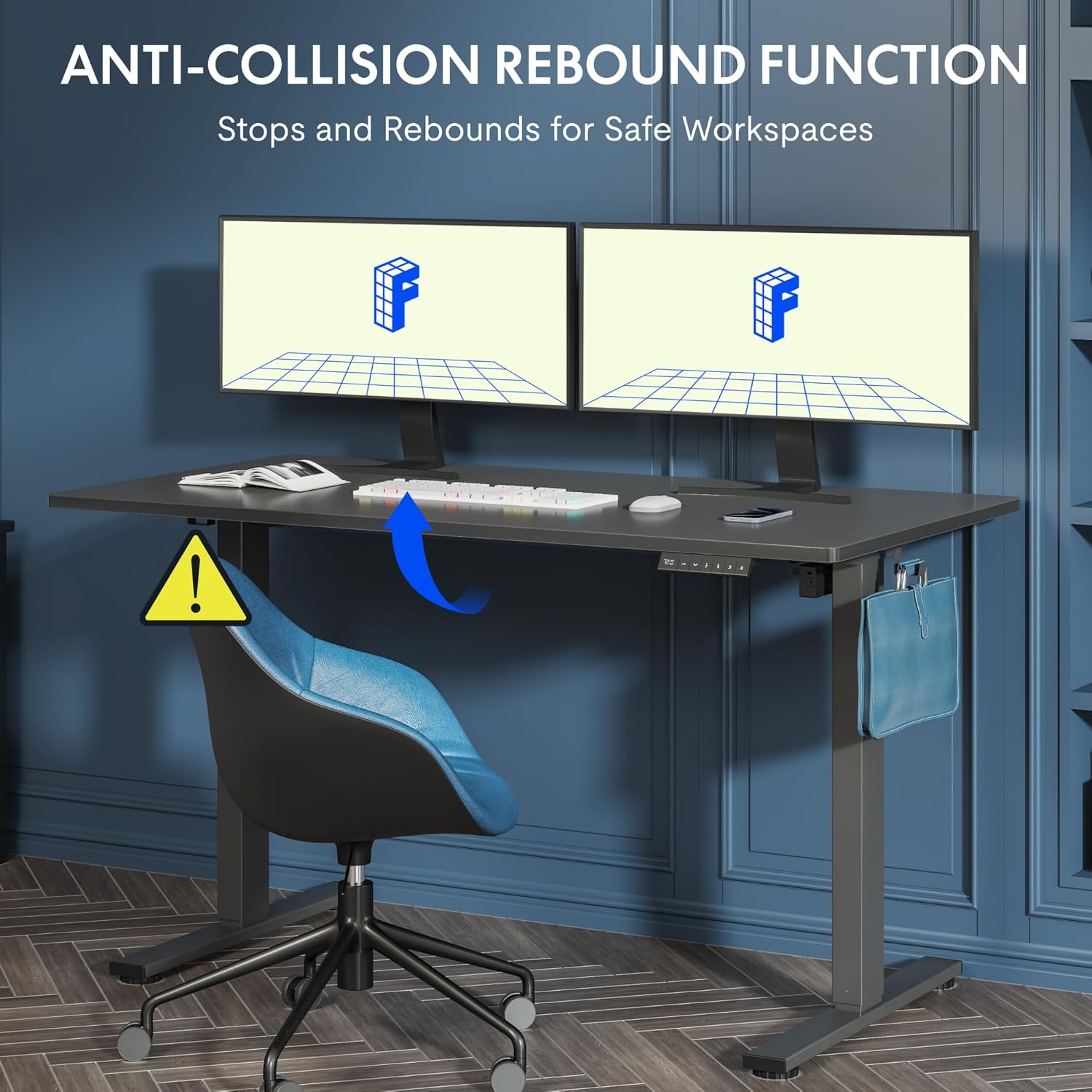
Figure 5.2: Anti-Collision Rebound Function in action.
6. Onderhoud en versorging
Gereelde onderhoud verseker die lang lewensduur en optimale prestasie van jou staande lessenaar.
- Skoonmaak: Vee die lessenaar en raam af met 'n sagte, damp lap. Vermy skuurmiddels of harde chemikalieë.
- Inspeksie: Kontroleer gereeld alle skroewe en boute om seker te maak dat hulle styf vas is. Draai weer vas indien nodig.
- Kabelbestuur: Ensure all cables are neatly routed and not pinched or tangled, which could affect operation.
- Laai kapasiteit: Do not overload the desk beyond its 70 kg capacity.
7. Probleemoplossingsgids
As jy probleme met jou lessenaar ondervind, raadpleeg die volgende algemene probleme en oplossings:
| Probleem | Moontlike oorsaak | Oplossing |
|---|---|---|
| Die lessenaar beweeg nie of reageer nie op kontroles nie. | Power cable disconnected; control box cable loose; motor cable loose. | Check all cable connections. Ensure the power cable is securely plugged into the wall outlet and the control box. |
| Die lessenaar beweeg oneweredig of maak ongewone geluide. | Overload; loose screws; obstruction. | Reduce weight on the desk. Check and tighten all assembly screws. Ensure no obstructions are in the path of the lifting columns. |
| Desk stops moving unexpectedly. | Anti-collision system activated; motor overheating. | Check for obstructions and remove them. If no obstruction, allow the motor to cool down for 20 minutes before attempting operation again. |
| Foutkode word op die beheerpaneel vertoon. | Spesifieke stelselfout. | Refer to the detailed assembly manual for specific error code meanings and troubleshooting steps. If the issue persists, contact customer support. |
8. Tegniese spesifikasies

Figure 8.1: Desk Dimensions and Performance Metrics.
| Spesifikasie | Detail |
|---|---|
| Handelsmerk | FLEXISPOT |
| Modelnommer | QS1M-1460-IE |
| Kleur | White Frame + Maple Top |
| Desktop Dimensions (L x W) | 140 cm x 60 cm |
| Hoogteaanpassingsreeks | 73.5 cm - 118 cm |
| Materiaal | Wood (Maple Top), Metal (Alloy Steel Frame) |
| Maksimum laaikapasiteit | 70 kg |
| Item gewig | 26.9 kg |
| Geraasvlak | < 50 dB |
| Aanpassing spoed | 20 mm/s |
| Spesiale kenmerke | Ergonomic, Adjustable, Anti-Collision, Memory Presets |
9. Waarborg en Kliëntediens
For warranty information, specific troubleshooting not covered in this manual, or to purchase replacement parts, please contact FLEXISPOT customer support directly. Refer to the product packaging or the official FLEXISPOT webwebwerf vir kontakbesonderhede.