
Ctronics 710C-4K
Ctronics 4K Indoor Surveillance Camera
Model: 710C-4K
Produk verbyview
The Ctronics 710C-4K Indoor Surveillance Camera is a comprehensive solution designed to enhance your home security and capture important moments with exceptional clarity. Featuring advanced 4K recording capabilities, this camera ensures every detail is precisely captured, day or night. It integrates smart AI tracking, real-time object detection, and flexible storage options to provide reliable and convenient monitoring.

Image: The Ctronics 4K Indoor Surveillance Camera, showcasing its sleek design and the clarity of its 4K resolution, with a live view of a child and a dog.
Sleutel kenmerke
- 4K UHD Starlight Vision: Experience unparalleled clarity with 4K UHD resolution, an F/1.6 aperture, 8 infrared lights, and WDR technology, providing clear images up to 20 meters even in low-light conditions.
- AI Human/Pet/Vehicle Detection & Auto Tracking: Smart AI functions for real-time object detection and automatic tracking of humans, pets, and vehicles, minimizing false alerts and ensuring comprehensive coverage.
- Flexible PTZ Control: Enjoy a wider 120-degree tilt range and 8 preset positions, allowing for complete room coverage without blind spots.
- Dual-Band Wi-Fi Connectivity: Reliable 2.4/5 GHz Wi-Fi connection ensures stable streaming and remote access.
- Verskeie bergingsopsies: Supports TF cards up to 256GB, cloud storage, NVR, NAS, and ONVIF/FTP protocols for continuous 4K recording.
- Seamless Mobile & PC Management: Control and manage alarms and recordings effortlessly via the Ctronics app on your mobile phone or PC.
- Customizable Alarm Sounds: Personalize alarm sounds to enhance security or serve as a welcoming chime.
Pakketinhoud
Verifieer asseblief dat alle items in u pakket teenwoordig is:
- Ctronics 4K Indoor Surveillance Camera (Model: 710C-4K)
- Kragadapter
- Monteer skroewe en ankers
- Gebruikershandleiding (hierdie dokument)

Image: A child holding the Ctronics camera box, indicating the compact packaging of the product.
Opstelgids
1. Fisiese installasie
The Ctronics 710C-4K camera offers versatile installation options to suit your needs:
- Tafelbladplasing: Simply place the camera on any flat surface like a table, shelf, or desk.
- Muurmontering: Use the provided screws and anchors to securely mount the camera to a wall.
- Plafonmontering: The camera can also be inverted and mounted to the ceiling for optimal overhead coverage.
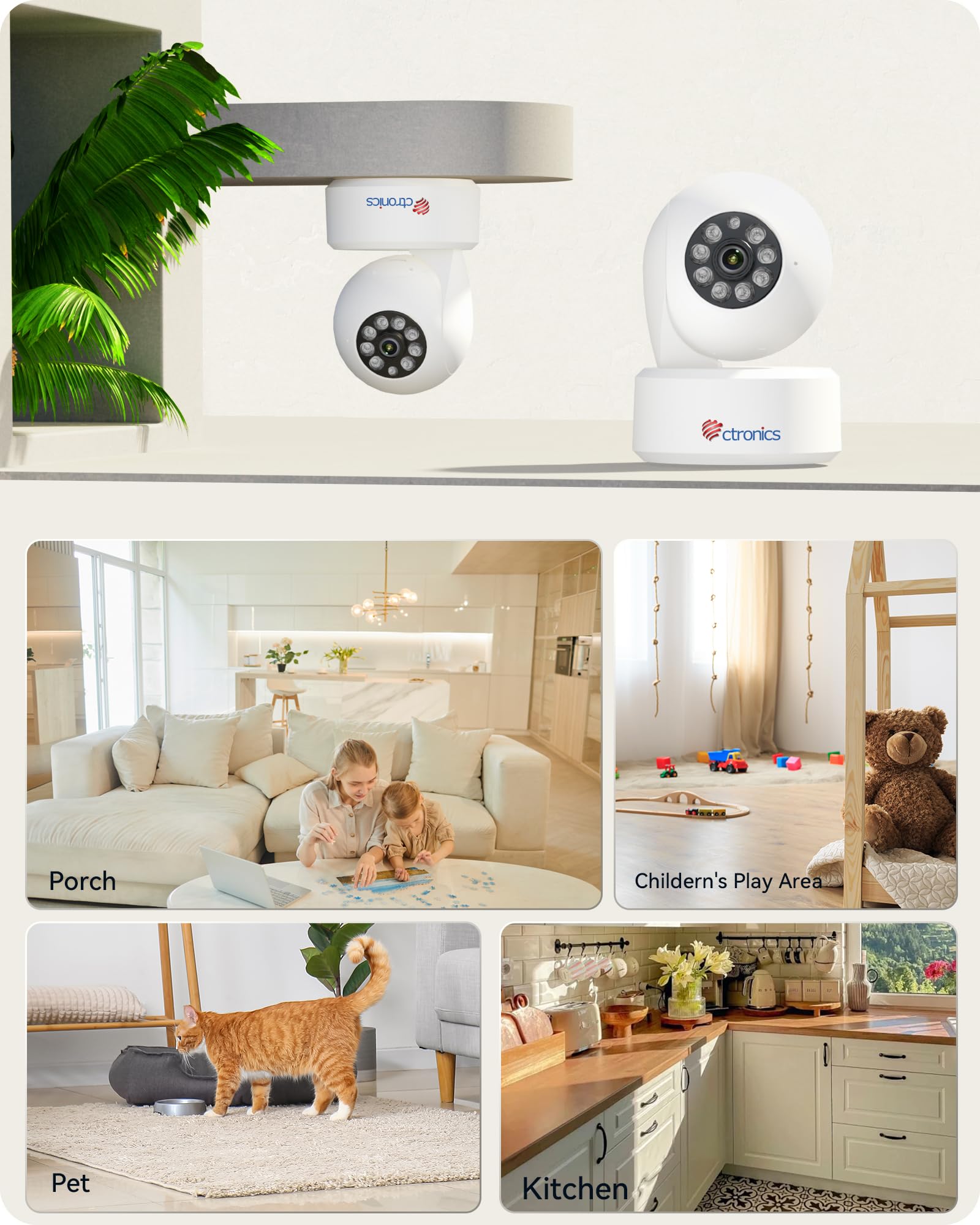
Image: Illustration of the camera's flexible mounting options and common indoor usage scenarios.
2. Kragverbinding
Connect the provided power adapter to the camera's power input port and then plug it into a standard electrical outlet. The camera will power on automatically.
3. Netwerkverbinding
The camera supports dual-band Wi-Fi (2.4 GHz and 5 GHz) for flexible and stable network connectivity. Ensure your Wi-Fi router is within range.
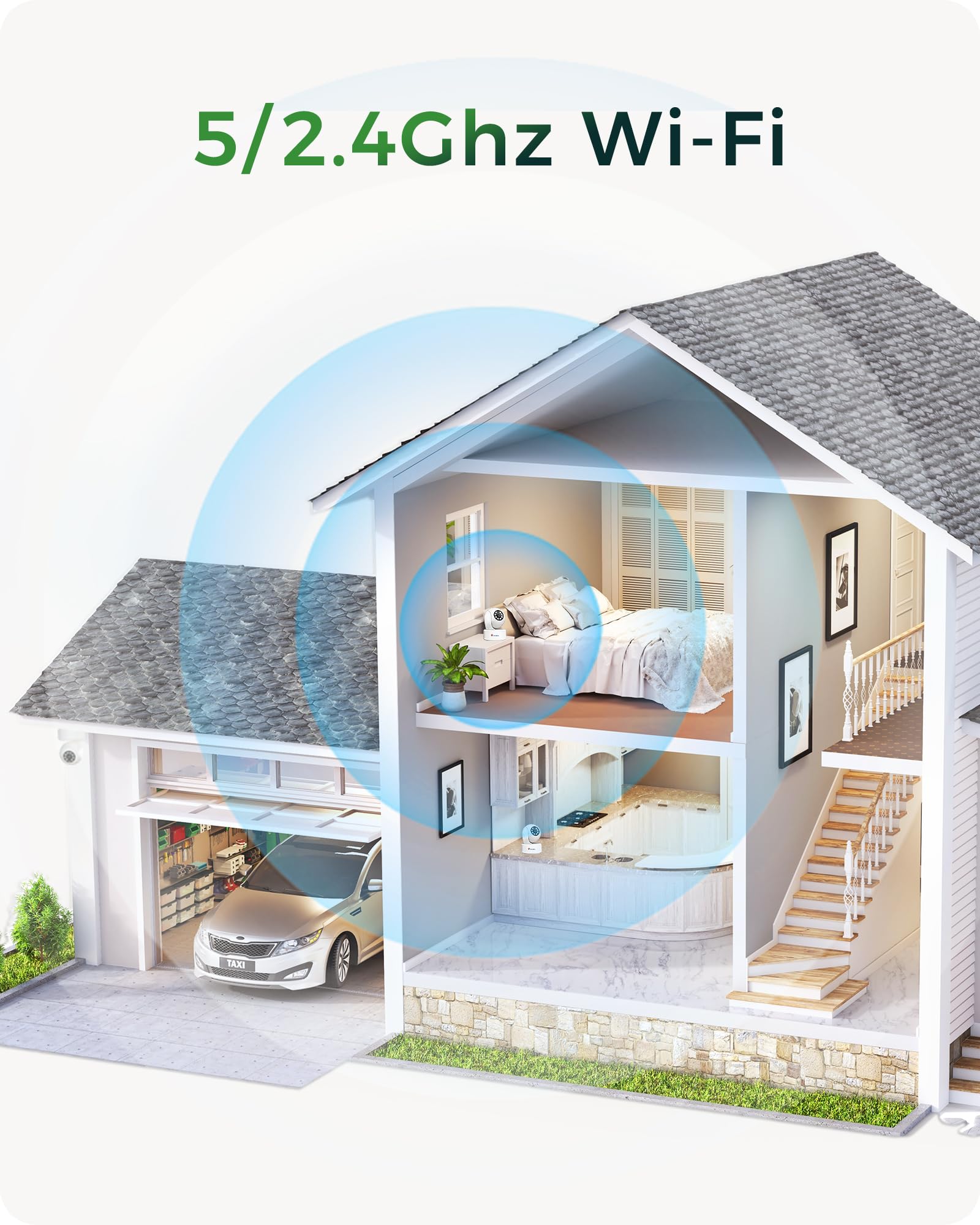
Image: Visual representation of the camera's dual-band Wi-Fi capability providing seamless coverage across a home.
4. App Installation & Initial Configuration
Download the 'Ctronics Pro' app or 'HiP2P Client' software on your mobile device (iOS/Android) or PC (Windows). Follow the in-app instructions to add your camera, connect it to your Wi-Fi network, and complete the initial setup. This typically involves scanning a QR code on the camera or entering its device ID.
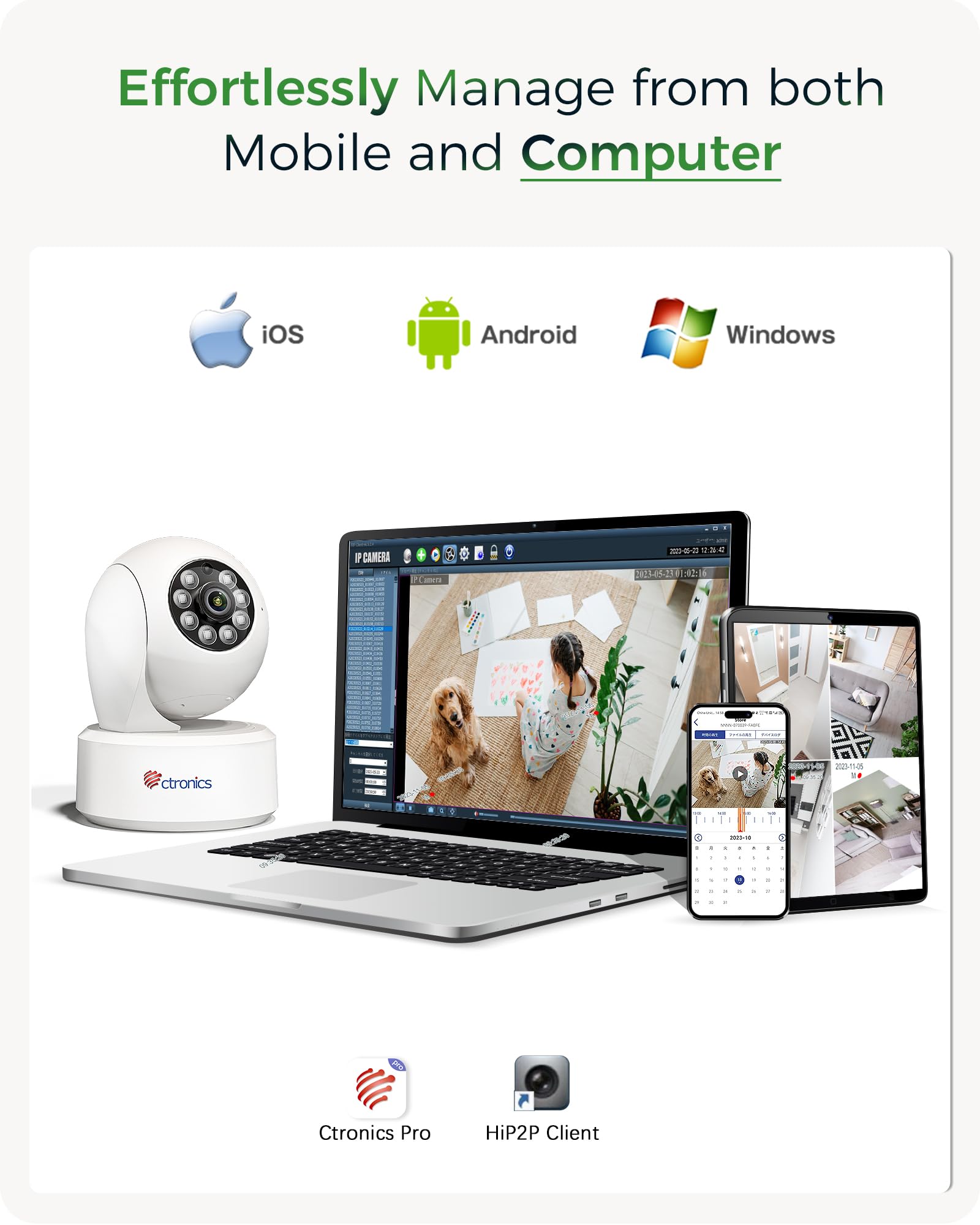
Image: The Ctronics camera can be effortlessly managed from both mobile devices and computers using the dedicated Ctronics Pro or HiP2P Client applications.
Bediening van jou kamera
1. Leef View en PTZ-beheer
Access the live feed from your camera through the Ctronics app. Use the on-screen controls to pan (horizontal rotation), tilt (vertical movement up to 120 degrees), and zoom the camera lens. You can also set and recall up to 8 preset positions for quick viewing van spesifieke gebiede.

Image: The camera offers an expanded 120-degree tilt range and the ability to set 8 preset positions and customize detection zones for comprehensive monitoring.
2. Opname en berging
The camera supports continuous 4K recording. You have several options for storing your footage:
- TF kaart: Insert a MicroSD (TF) card (up to 256GB) into the camera's slot for local storage.
- Wolkberging: Subscribe to Ctronics cloud service for secure, off-site storage of your recordings.
- NVR/NAS/FTP: Integrate the camera with your existing Network Video Recorder (NVR), Network Attached Storage (NAS), or FTP server using ONVIF or FTP protocols for 24/7 recording.
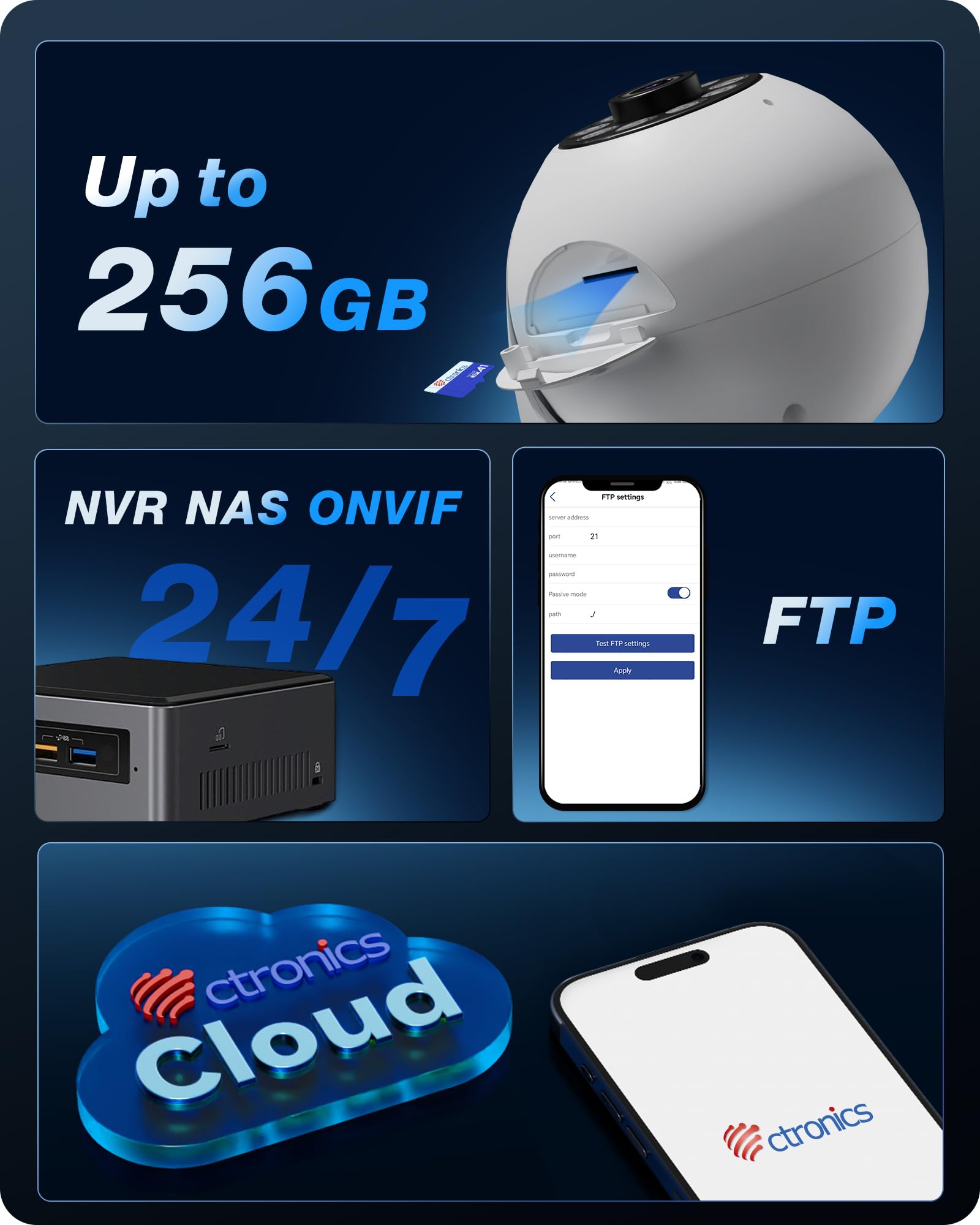
Beeld: Oorview of the camera's versatile storage solutions, including local TF card, cloud, and integration with NVR/NAS/FTP systems.
3. Intelligent Detection and Tracking
Enable AI detection features to receive alerts for specific events:
- Menslike opsporing: Detects human figures and sends alerts.
- Troeteldieropsporing: Identifies pets and can trigger specific actions or alerts.
- Voertuigopsporing: Recognizes vehicles within the camera's field of view.
- Outo-opsporing: Once a target is detected, the camera can automatically pan and tilt to follow its movement.

Beeld: Bvamples of the camera's AI-powered detection capabilities for humans, pets, and vehicles, along with its auto-tracking function.

Image: Two dogs next to the Ctronics camera, demonstrating its use for pet monitoring.

Image: A white cat next to the Ctronics camera, highlighting its ability to detect and track pets.

Image: A baby sitting next to the Ctronics camera, illustrating its suitability for baby monitoring.
4. Nagvisie
The camera is equipped with 8 infrared lights and a 4K UHD Starlight lens, allowing for clear vision up to 20 meters in complete darkness. The F/1.6 aperture and WDR technology further enhance image quality in challenging lighting conditions.

Image: A visual comparison demonstrating the significant clarity improvement of 8MP (4K) resolution over lower megapixel cameras, crucial for detailed night vision.
5. Custom Alarm Sounds
Through the Ctronics app, you can customize the alarm sounds. This feature can be used for security alerts or as a personalized chime to welcome guests.
Onderhoud
To ensure optimal performance and longevity of your Ctronics camera, follow these maintenance guidelines:
- Skoonmaak: Vee die kameralens en -liggaam liggies af met 'n sagte, droë lap. Vermy die gebruik van harde chemikalieë of skuurmiddels.
- Sagteware-opdaterings: Regularly check for firmware updates through the Ctronics app. Keeping your camera's software up-to-date ensures access to the latest features and security enhancements.
- Krag siklus: If the camera becomes unresponsive, disconnect the power adapter for a few seconds and then reconnect it to perform a power cycle.
Probleemoplossing
If you encounter issues with your Ctronics camera, please refer to the following common solutions:
- Kamera koppel nie aan Wi-Fi nie: Ensure the camera is within range of your Wi-Fi router. Verify that you are selecting the correct Wi-Fi band (2.4 GHz or 5 GHz) and entering the correct password. Try restarting your router and the camera.
- Swak beeldkwaliteit: Check if the lens is clean. Ensure there is adequate lighting in the monitored area. For night vision, confirm that the infrared lights are not obstructed.
- Programfunksionaliteitkwessies: If the mobile app is not performing as expected, ensure it is updated to the latest version. For advanced settings not available in the app, you can access the camera's web koppelvlak deur sy IP-adres in a web blaaier.
- Geen opname: Verify that a TF card is properly inserted and formatted, or that your cloud storage subscription is active. For NVR/NAS/FTP, ensure the connection and configuration are correct.
- Vals waarskuwings: Adjust the sensitivity settings for motion detection in the app. Utilize the AI detection features (human/pet/vehicle) to filter out irrelevant movements.
Vir verdere hulp, kontak asseblief Ctronics-kliëntediens.
Tegniese spesifikasies
| Model Naam | 710C-4K |
| Video-opname-resolusie | 4K (3840x2160) |
| Effektiewe video-resolusie | 2560 (likely refers to a specific aspect or component resolution, 4K is the overall output) |
| Raamtempo | 15 rame per sekonde |
| Verbindingstegnologie | Wired, Wi-Fi (2.4 GHz / 5 GHz) |
| Spesiale kenmerke | 4K, PTZ Technology, AI Detection (Human, Pet, Vehicle), Auto Tracking |
| Gebruik | Surveillance, 360-degree Coverage, Indoor Security, Baby Monitoring |
| Montage tipe | Ceiling Mount, Tabletop, Wall Mount |
| Nagsigreeks | 20 meter |
| Viewing Hoek | 80 grade |
| Kantelbereik | 120 grade |
| Materiaal | Plastiek |
| Krag | 5 Volt, 5 Watt |
| Afmetings (L x B x H) | 10 x 10 x 15 cm |
| Gewig | 370 gram |
| Waterweerstandvlak | Nie waterdig nie |
Waarborg en Ondersteuning
Ctronics products are designed for reliability and performance. For any questions, technical support, or warranty claims, please contact Ctronics customer service. Details can typically be found on the Ctronics official webwebwerf of binne die Ctronics-app.
Soos aangedui in kliëntverwysingviews, Ctronics provides excellent support, often assisting with app functionality and web interface access for advanced settings.
Ask a question about this manual
Ask about setup, troubleshooting, compatibility, parts, safety, or missing instructions. Manuals+ will review the question and use this page’s manual context to help answer it.