
GEEKVAPE G001
GEEK VAPE Soul AIO Pod System Kit User Manual
Model: G001
Inleiding
The GEEK VAPE Soul AIO Pod System Kit is an innovative and elegantly designed open pod system. Engineered for comfort and ease of use, its ergonomic form factor provides a superior tactile experience. Featuring a patented leak-proof design, this device ensures a worry-free vaping experience. With a large capacity cartridge and a robust 1500mAh battery, the Soul Kit allows for extended enjoyment of your favorite e-liquids.
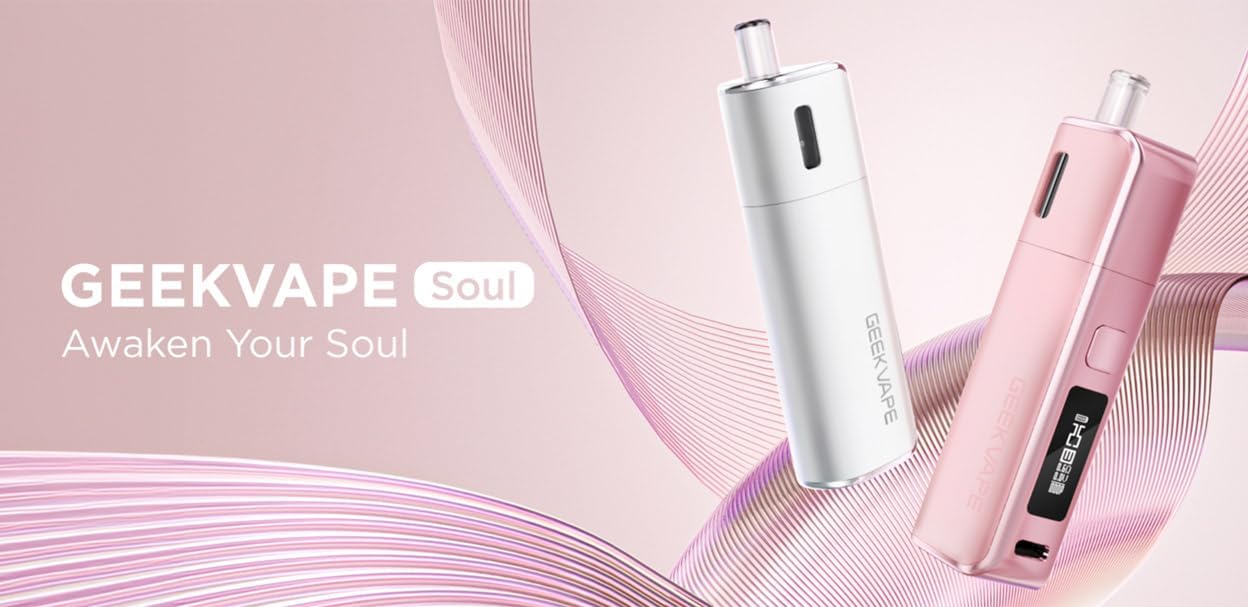
Image: The GEEK VAPE Soul AIO Pod System Kit, highlighting its sleek design and the brand's taglyn.
Pakketinhoud
Upon opening your GEEK VAPE Soul Kit, please verify that all components are present:
- 1pc GEEK VAPE Soul Device (0.6ohm, pre-installed)
- 1pc Spare GEEK VAPE Soul Cartridge (1.0ohm)
- 1pc USB Type-C Cable (0.2m)
- User Manual and Warning Card
Note: E-liquid and nicotine are not included. This device features a built-in battery.
Opstelling
1. Aanvanklike laai
Before first use, fully charge the device. Connect the provided USB Type-C cable to the charging port located at the bottom of the device and plug the other end into a suitable USB power source. The 0.69-inch OLED display will indicate the charging status.
2. Filling the Cartridge
- Remove the cartridge from the device.
- Locate the filling port on the cartridge.
- Carefully open the silicone plug.
- Insert the nozzle of your e-liquid bottle into the filling port and slowly fill the 4.0ml cartridge.
- Securely close the silicone plug.
- Allow the cartridge to stand for 5-10 minutes after filling to ensure the coil is fully saturated, especially when using a new cartridge.
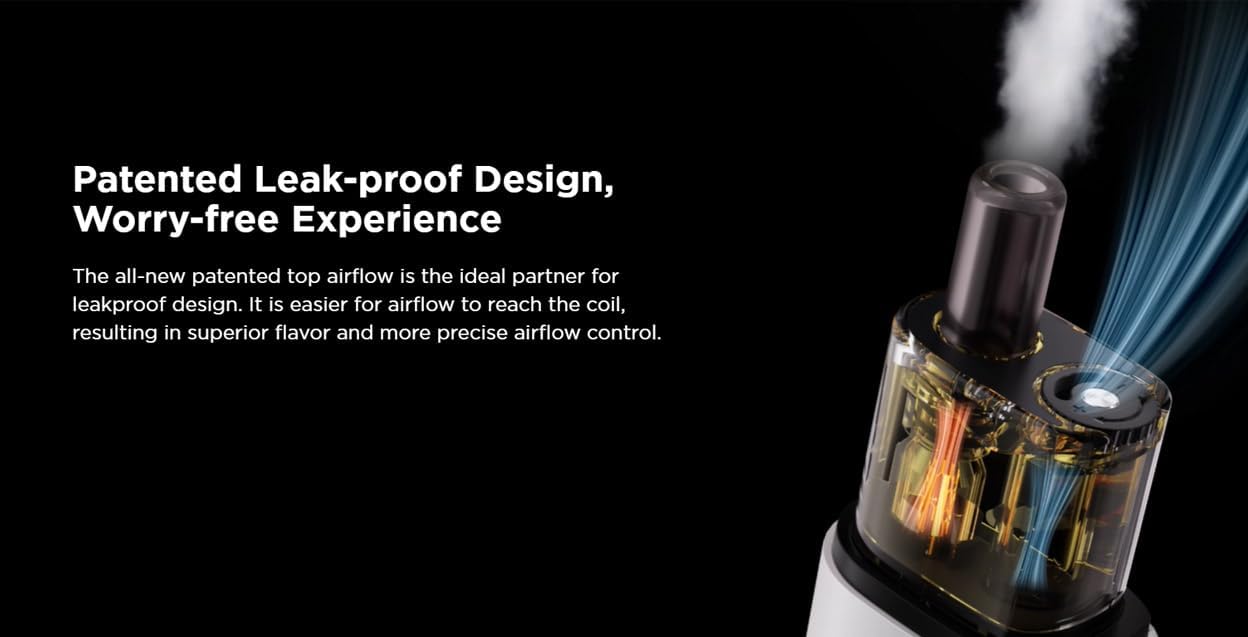
Beeld: Gedetailleerd view of the GEEK VAPE Soul pod, illustrating its patented leak-proof design and airflow system.
Bedryfsinstruksies
1. Skakel aan/af
The device supports both auto-draw and button activation. To power on or off, press the firing button 5 times rapidly. The OLED screen will display the power status.
2. Vaping
Once the device is powered on and the cartridge is filled, you can begin vaping. Inhale through the mouthpiece (auto-draw) or press and hold the firing button while inhaling (button activation).
3. Adjusting Power and Airflow
The GEEK VAPE Soul Kit features adjustable power output (up to 30W max) and adjustable airflow. Refer to the user manual for specific button combinations to adjust these settings. The 0.69-inch OLED screen will display your current settings.
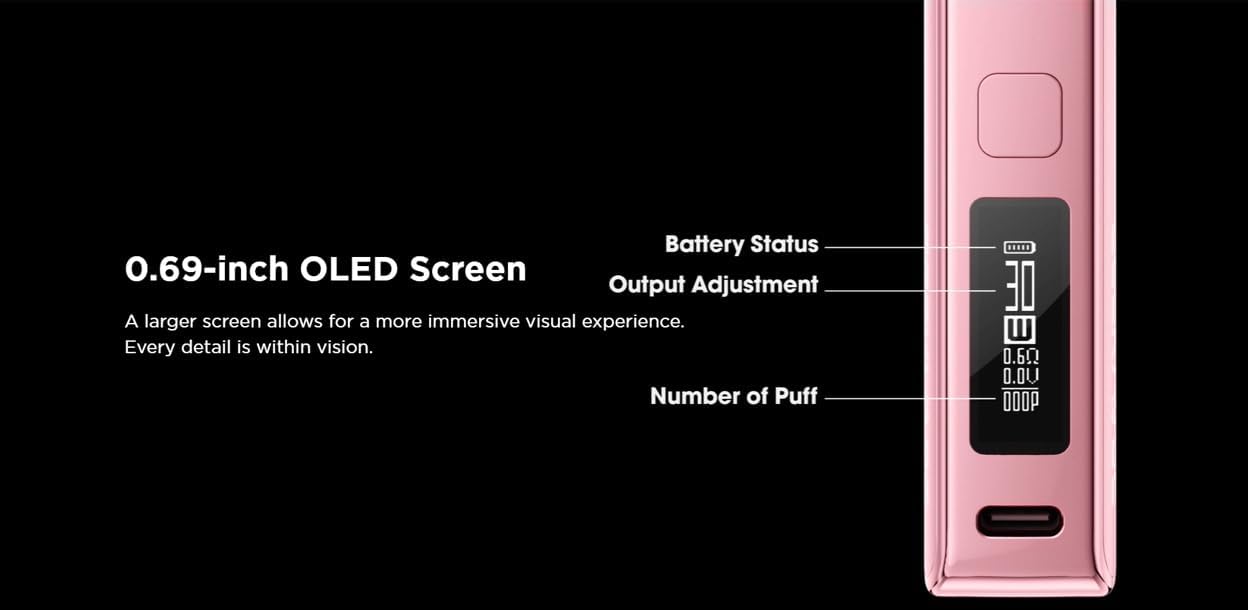
Image: The device's 0.69-inch OLED screen displaying battery status, output adjustment, and puff count for clear user feedback.
Onderhoud
1. Skoonmaak
Regularly clean the device, especially the area where the cartridge connects to the battery, to prevent e-liquid buildup. Use a dry cloth or cotton swab. Do not use abrasive cleaners or immerse the device in water.
2. Patroonvervanging
When you notice a burnt taste, reduced vapor production, or a change in flavor, it's time to replace the cartridge. Simply pull out the old cartridge and insert a new one, ensuring it clicks firmly into place.
3. Batteryversorging
To prolong battery life, avoid fully discharging the device frequently. Charge the device using only the provided USB Type-C cable or a certified charger. The 1500mAh battery is designed for extended use, typically up to 2 days depending on usage.

Image: An illustration highlighting the 1500mAh battery capacity, indicating up to two days of usage.
Probleemoplossing
| Probleem | Moontlike oorsaak | Oplossing |
|---|---|---|
| Device not firing / "10S-CUTOFF" message | Puff duration exceeds 10 seconds. | Release the button or stop inhaling. The device will resume normal operation after 2 seconds. |
| "Cartridge Short" message | Atomizer resistance is less than or equal to 0.3ohm, indicating a short circuit. | Check the cartridge connection. Try replacing the cartridge. If the issue persists, contact support. The message will display for 2 seconds. |
| No vapor production | Low battery, empty cartridge, or faulty cartridge. | Charge the device, refill the cartridge, or replace the cartridge. |
| lek | Overfilling, improper cartridge installation, or worn seals. | Ensure not to overfill. Re-seat the cartridge. If leaking persists, replace the cartridge. |
Spesifikasies
| Kenmerk | Detail |
|---|---|
| Handelsmerk | GEEKVAPE |
| Model | Soul AIO Pod System Kit (G001) |
| Uitset Wattage | Tot 30W Maks |
| Patroon kapasiteit | 4.0ml |
| Spoelweerstand | 0.6ohm / 1.0ohm |
| Battery kapasiteit | 1500mAh |
| Laaipoort | Tipe-C |
| Vertoon | 0.69-duim OLED-skerm |
| Oortydbeskerming | 10±2 seconds (Output stops, "10S-CUTOFF" message displays for 2 seconds) |
| Kortsluitingbeskerming | Atomizer resistance ≤0.3ohm (Output stops, "Cartridge Short" message displays for 2 seconds) |
| Afmetings (B x L x H) | 31.45 mm x 21.5 mm x 107.85 mm |
| Produk Gewig | 170 g |
| Oorsprong | China |
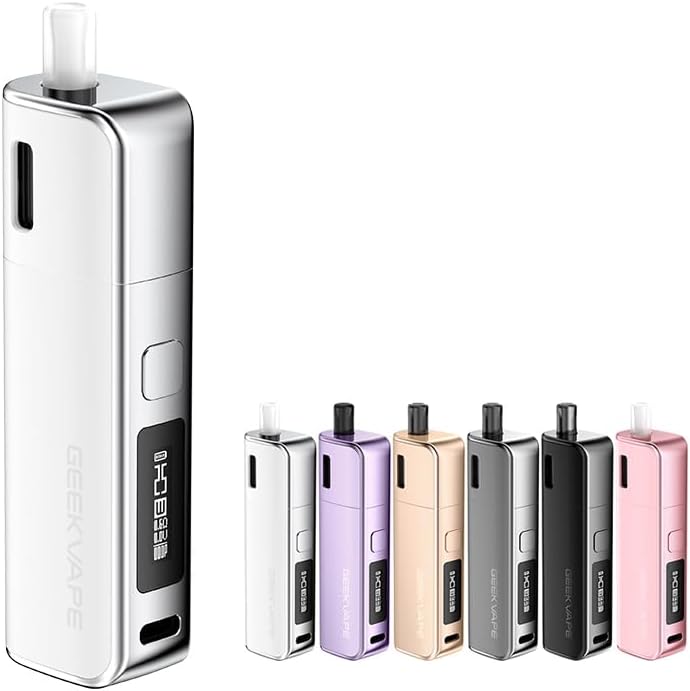
Image: The GEEK VAPE Soul AIO Pod System Kit in white, with a display of various available colors.
Waarborg en Ondersteuning
GEEKVAPE products are manufactured to high-quality standards. For information regarding warranty coverage, please refer to the warranty card included in your package or visit the official GEEKVAPE website. If you encounter any issues or require technical assistance, please contact GEEKVAPE customer support through their official channels.
Vir verdere hulp kan u ook verwys na die Amazon Kliëntediens page for product-related inquiries.
Ask a question about this manual
Ask about setup, troubleshooting, compatibility, parts, safety, or missing instructions. Manuals+ will review the question and use this page’s manual context to help answer it.