
Produk verbyview
The SUNOL H08 Mecha Bluetooth Wireless Headset offers a unique transparent design combined with advanced audio technology. Engineered for comfort and convenience, these headphones provide clear sound quality, low latency, and extended battery life, making them suitable for various activities from daily listening to gaming and calls.
Key features include Bluetooth 5.3 for stable connectivity, environmental noise reduction for clear calls, and a robust charging case with an LED display.
Wat is in die boks
- H08 Mecha Bluetooth Wireless Headset (Left and Right Earbuds)
- Laaikas
- Laai kabel
- Multiple Sizes of Ear Tips (for comfortable fit)
Opstelgids
1. Aanvanklike laai
Before first use, fully charge the headset and charging case. Place the earbuds into the charging case. Connect the charging cable to the case and a USB power source. The LED display on the charging case will indicate the charging status and battery level.
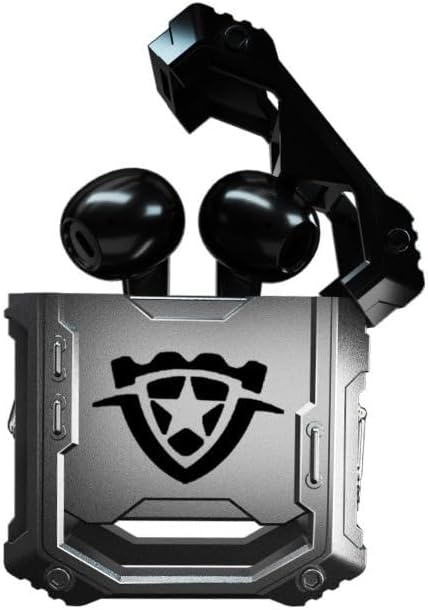
Image: The H08 Mecha Bluetooth Wireless Headset, showing both earbuds securely placed within their open charging case. The case features a distinctive, rugged design with a central emblem.
2. Koppel met 'n Toestel
- Maak seker dat die oorfone gelaai is en in die laaikas geplaas is.
- Maak die laaikas oop. Die oorfone sal outomaties in paringsmodus gaan.
- Gaan na Bluetooth-instellings op jou toestel (slimfoon, tablet, rekenaar) en skakel Bluetooth aan.
- Soek vir available devices and select "H08" from the list.
- Once connected, a voice prompt will confirm successful pairing. The effective connection distance is up to 10 meters.

Image: The H08 Mecha Bluetooth Wireless Headset charging case in a closed position, showcasing its metallic, rugged exterior. The image highlights the zinc alloy material and suggests a long battery life.
3. Dra van die oordopjes
Select the ear tips that provide the most comfortable and secure fit for your ears. Gently insert each earbud into your ear canal and twist slightly to ensure a snug fit. A proper fit enhances sound quality and noise isolation.
Bedryfsinstruksies
Krag aan/af
- Krag aan: Maak die laaikas oop en die oordopjes sal outomaties aanskakel.
- Skakel af: Plaas die oorfone terug in die laaikas en maak die deksel toe. Hulle sal outomaties afskakel en begin laai.
Musiek afspeelbeheer
- Speel/pouse: Tik een keer op die aanraakbeheerarea op enige oordopjes.
- Volgende snit: Dubbeltik op die regteroorknoppie.
- Vorige snit: Dubbeltik op die linkeroorknoppie.
Belbestuur
- Beantwoord/beëindig oproep: Tik een keer op die aanraakbeheerarea op enige oordopjes tydens 'n inkomende oproep.
- Verwerp oproep: Druk en hou die aanraakbeheerarea op enige oordopjes vir 2 sekondes tydens 'n inkomende oproep.
The built-in environmental noise reduction (ENC) chip ensures clear sound quality during calls by filtering out ambient noise.

Image: A close-up of the H08 Mecha Bluetooth Wireless Headset earbuds, highlighting their sleek design. The background features a graphic representation of sound waves, illustrating the intelligent noise reduction technology for clear audio.
Lae vertragingsmodus (speletjies)
The headset features a low latency mode, significantly improving Bluetooth transmission speed for a more synchronized audio experience, especially beneficial for gaming. This ensures that sound effects and dialogue are heard with minimal delay.
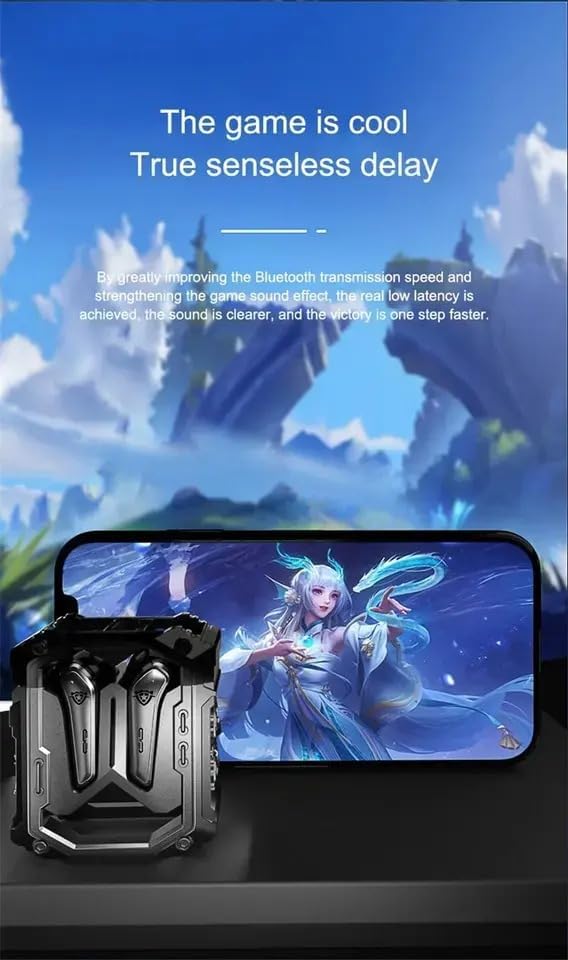
Image: The H08 Mecha Bluetooth Wireless Headset charging case positioned next to a smartphone displaying a vibrant game scene. This image emphasizes the headset's low latency feature, ideal for an immersive gaming experience.
Onderhoud
Charging the Headset and Case
- The charging case has a built-in 600mAh battery, capable of charging the earbuds approximately four times, providing up to 48 hours of total playtime.
- The LED display on the charging case shows the battery level of both the case and the earbuds.
- Use the provided charging cable to charge the case.

Image: The H08 Mecha Bluetooth Wireless Headset with its charging case open, revealing the earbuds inside. The image highlights the "mechanical metal technology" and the robust design of the charging compartment, emphasizing its durability and environmental noise filtering capabilities.
Skoonmaak
Regularly clean the earbuds and charging case with a soft, dry, lint-free cloth. Avoid using abrasive materials or harsh chemicals. Ensure charging contacts on both the earbuds and case are clean and dry.
Berging
When not in use, store the headset in its charging case to protect it from dust and damage. Store in a cool, dry place away from extreme temperatures.
Probleemoplossing
- Kan nie koppel nie:
- Maak seker dat Bluetooth op jou toestel geaktiveer is.
- Make sure the earbuds are charged and in pairing mode (open the case).
- Beweeg die oorfone nader aan jou toestel.
- Forget "H08" from your device's Bluetooth list and try pairing again.
- Geen klank van een oordop nie:
- Plaas albei oordopjes terug in die laaikas, maak die deksel toe, wag 'n paar sekondes en maak dit dan weer oop.
- Maak seker dat beide oordopjes gelaai is.
- Laai kwessies:
- Kontroleer of die laaikabel stewig aan beide die kas en die kragbron gekoppel is.
- Maak seker dat die laaikontakte op die oordopjes en binne-in die houer skoon is.
- Probeer 'n ander laaikabel of kragadapter.
- Swak oproepgehalte:
- Maak seker dat die mikrofoon nie geblokkeer word nie.
- Move to a quieter environment if environmental noise is excessive.
- Gaan jou toestel se oproepvolume-instellings na.
Spesifikasies
| Kenmerk | Detail |
|---|---|
| Model Naam | H08 |
| Verbindingstegnologie | Draadloos (Bluetooth) |
| Draadlose kommunikasietegnologie | Bluetooth 5.3 |
| Bluetooth-reeks | Tot 10 meter (33 voet) |
| Oudio-latensie | 60 millisekondes |
| Batterylewe (Oorfone) | Tot 18 uur (enkele lading) |
| Totale speeltyd (met laaikas) | Ongeveer. 48 ure |
| Laaikas batterykapasiteit | 600mAh |
| Tipe oudiobestuurder | 14mm Dynamic Bass Unit |
| Geraasbeheer | Environmental Noise Reduction (ENC) for calls |
| Tipe beheer | Media Control, Call Control (Touch/Remote) |
| Materiaal | Plastiek (Oorpluisies), Sinklegering (Laaikas) |
| Gewig | 6.4 onse (totale pakket) |
| Kleur | Swart |
| Oorplasing | In Oor |
| Vervaardiger | SWISSES |
Waarborg en Ondersteuning
For warranty information and detailed support, please refer to the documentation included with your purchase or visit the official SUNOL website. You may also contact the seller, SWISSES, through the platform where the product was purchased for assistance.
Bewaar asseblief u aankoopbewys vir enige waarborgaansprake.