
1. Inleiding
Thank you for choosing the MONODEAL DV68 Bone Conduction Headphones. These headphones are designed to provide a comfortable and safe listening experience, especially during sports and outdoor activities. Utilizing advanced bone conduction technology and Bluetooth 5.3, they deliver clear audio while keeping your ears open to ambient sounds. The integrated smart light enhances visibility and safety during nighttime use.
2. Pakketinhoud
Kontroleer asseblief die pakket vir die volgende items:
- MONODEAL DV68 Bone Conduction Headphones
- Magnetiese laaikabel
- Gebruikershandleiding
- Earplugs (optional, for enhanced sound isolation)
3. Produk verbyview
Familiarize yourself with the components of your MONODEAL DV68 headphones.
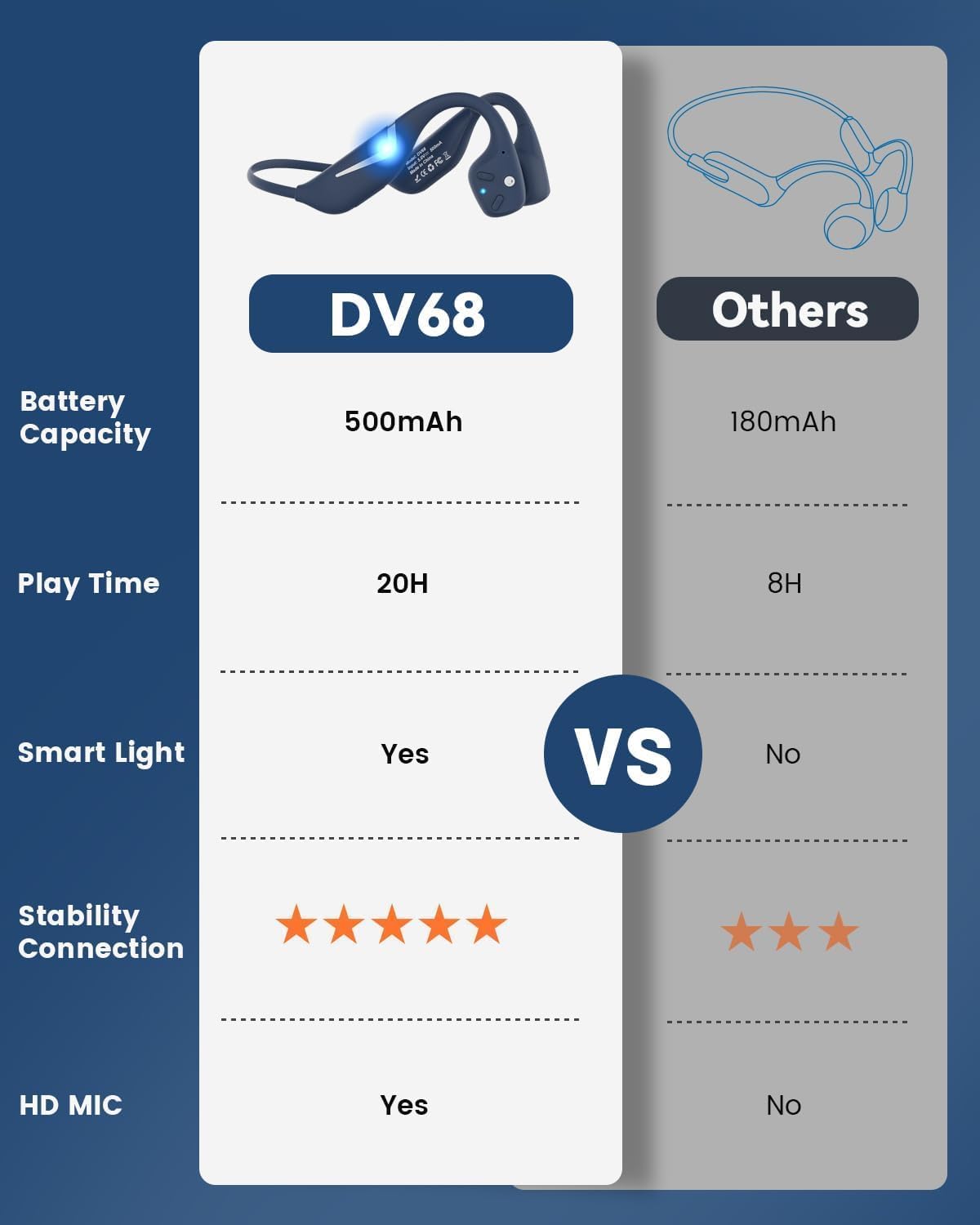
Figure 3.1: MONODEAL DV68 Bone Conduction Headphones, showing the overall design.

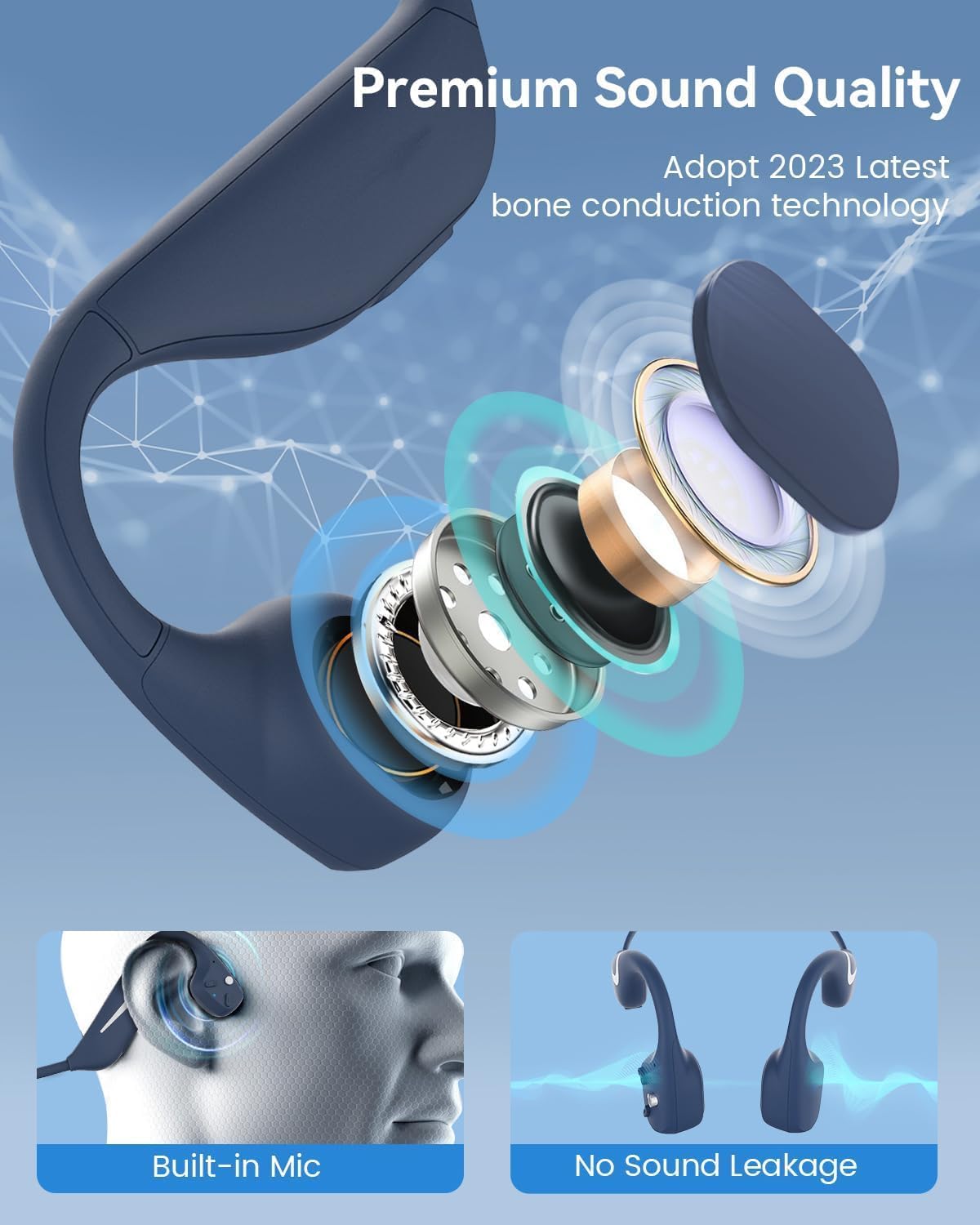
Figuur 3.2: Ontplof view illustrating the bone conduction transducer and built-in microphone.
3.1 Kontroles en Poorts
Figuur 3.3: Kant view of the headphones highlighting the control buttons.

Figuur 3.4: Close-up view of the magnetic charging port.
The headphones feature physical buttons for power, volume, and playback control. The magnetic charging port is located on one of the ear pieces for convenient charging.
4. Spesifikasies
| Kenmerk | Spesifikasie |
|---|---|
| Modelnommer | DV68 |
| Bluetooth weergawe | 5.3 |
| Battery kapasiteit | 500 mAh |
| Speeltyd | Tot 20 uur |
| Waterweerstandgradering | IP67 (Sweat, rain, and splash resistant) |
| Gewig | 34 gram |
| Frekwensiereeks | 20 Hz - 20 000 Hz |
| Verbindingstegnologie | Draadloos (Bluetooth) |
| Tipe oudiobestuurder | Beengeleiding |
| Spesiale kenmerke | Smart LED Light, Built-in Microphone, Multipoint Pairing |

Figuur 4.1: oorview of key features including Open-Ear design, IP67 Waterproofing, 500mAh Battery, Bluetooth V5.3, Lightweight, HD Microphone, Multipoint Pairing, and RGB Light.
5. Opstelling
5.1 Laai die oorfone
Laai jou oorfone volledig voor die eerste gebruik.
- Koppel die magnetiese laaikabel aan die laaipoort op die oorfone.
- Koppel die ander kant van die kabel aan 'n USB-kragadapter (nie ingesluit nie) of 'n rekenaar se USB-poort.
- The LED indicator will show the charging status. A full charge typically takes approximately 2 hours.

Figure 5.1: Illustration of 20-hour battery life and quick charge feature (10 minutes charging for 2 hours playtime).
5.2 Bluetooth -koppeling
Om jou oorfone aan 'n toestel te koppel:
- Maak seker dat die oorfone afgeskakel is.
- Press and hold the Power button until the LED indicator flashes red and blue, indicating pairing mode.
- Aktiveer Bluetooth op jou toestel (slimfoon, tablet, rekenaar) en soek vir beskikbare toestelle.
- Select "MONODEAL DV68" from the list of found devices.
- Sodra dit gekoppel is, sal die LED-aanwyser blou word of stadig blou flikker.
The headphones support multipoint pairing, allowing connection to two devices simultaneously. Refer to your device's Bluetooth settings for managing multiple connections.
6. Bedryfsinstruksies
6.1 Krag aan/af
- Krag aan: Druk en hou die Power-knoppie vir 3 sekondes.
- Skakel af: Druk en hou die Power-knoppie vir 5 sekondes.
6.2 Musiekweergawe
- Speel/pouse: Druk een keer op die Multifunksie-knoppie.
- Volgende snit: Druk en hou die Volume + knoppie vir 2 sekondes in.
- Vorige snit: Druk en hou die Volume - knoppie vir 2 sekondes in.
- Volume op: Druk die knoppie Volume +.
- Volume af: Druk die Volume - knoppie.
6.3 Oproepbestuur
- Beantwoord/beëindig oproep: Druk een keer op die Multifunksie-knoppie.
- Verwerp oproep: Druk en hou die multifunksieknoppie vir 2 sekondes in.
- Stemassistent: Dubbeldruk die multifunksieknoppie.
6.4 Smart LED Light
The headphones feature a smart LED light for enhanced visibility during nighttime activities.
- Skakel Lig Aan/Af: Refer to the specific button combination in your quick start guide (usually a dedicated light button or a long press of a volume button).
- The light can cycle through different colors (e.g., blue, green, red) to increase your safety and visibility.

Figure 6.1: A runner demonstrating the smart LED light feature for night safety.
7. Onderhoud
7.1 Skoonmaak
To maintain hygiene and product longevity:
- After sweating or intense workouts, gently wipe the headphones with a damp lap of nat vee.
- Vermy die gebruik van harde chemikalieë of skuur skoonmakers.
7.2 Berging
- Bêre die oorfone op 'n koel, droë plek, weg van direkte sonlig en uiterste temperature.
- When not in use, it is recommended to store them in their original packaging or a protective case.
7.3 Waterweerstand
The MONODEAL DV68 headphones are IP67 rated, meaning they are resistant to sweat, rain, and splashes. However, they are not suitable for swimming or submersion in water.

Figure 7.1: A person exercising with the headphones, demonstrating their IP67 water resistance against sweat and rain. Note: Not for swimming.
8. Probleemoplossing
As jy probleme met jou oorfone ondervind, raadpleeg asseblief die volgende algemene oplossings:
- Geen krag:
Ensure the headphones are fully charged. Connect them to the charging cable and a power source. - Kan nie koppel nie:
Make sure the headphones are in pairing mode (LED flashing red and blue). Turn off Bluetooth on other nearby devices that may have previously connected. Try restarting both the headphones and your device. - Geen klank/lae volume:
Check the volume levels on both the headphones and your connected device. Ensure the headphones are properly positioned on your cheekbones. If using earplugs, ensure they are correctly inserted. - Intermitterende verbinding:
Ensure your device is within the Bluetooth range (up to 15 meters) and there are no significant obstacles between the headphones and your device. Avoid strong electromagnetic interference. - Swak oproepgehalte:
Ensure the microphone is not obstructed. Move to an area with better network reception for your phone.
9. Waarborg en Ondersteuning
9.1 Waarborginligting
MONODEAL provides a 2 jaar waarborg for the DV68 Bone Conduction Headphones from the date of purchase. This warranty covers manufacturing defects and ensures the product meets its specified performance. Please retain your proof of purchase for warranty claims.
9.2 Kliëntediens
For further assistance, technical support, or warranty inquiries, please contact MONODEAL customer service through the retailer where you purchased the product or visit the official MONODEAL webwebwerf vir kontakinligting.