
1. Inleiding
Dankie vir die aankoopasing the ZEBRONICS Music Bomb 2 Party Speaker. This manual provides essential information for the safe and efficient use of your speaker. Please read it thoroughly before operating the device and retain it for future reference.
Video 1: Oorview of the ZEBRONICS Music Bomb 2 Party Speaker, highlighting its key features and design.
2. Veiligheidsinstruksies
- Moenie die luidspreker aan water of vog blootstel nie.
- Vermy die plasing van die luidspreker naby hittebronne of in direkte sonlig.
- Moenie probeer om die luidspreker self uitmekaar te haal of te herstel nie. Verwys alle diens na gekwalifiseerde personeel.
- Gebruik slegs die gespesifiseerde laaikabel en adapter.
- Hou die luidspreker weg van kinders en troeteldiere.
- Verseker behoorlike ventilasie om oorverhitting te voorkom.
3. Pakketinhoud
Die pakket sluit die volgende items in:
- ZEBRONICS Music Bomb 2 Party Speaker - 1 unit
- Wireless Microphone - 1 unit
- Type-C Charging Cable - 1 unit
- AUX Cable - 1 unit
- Detachable Carry Strap - 1 unit
- User Manual (this document) - 1 unit
4. Produk verbyview
The Music Bomb 2 features a robust design with intuitive controls and multiple connectivity options. Familiarize yourself with the various parts of the speaker.

Beeld 1: Voorkant view of the ZEBRONICS Music Bomb 2 Party Speaker, showcasing its grille and overall design.
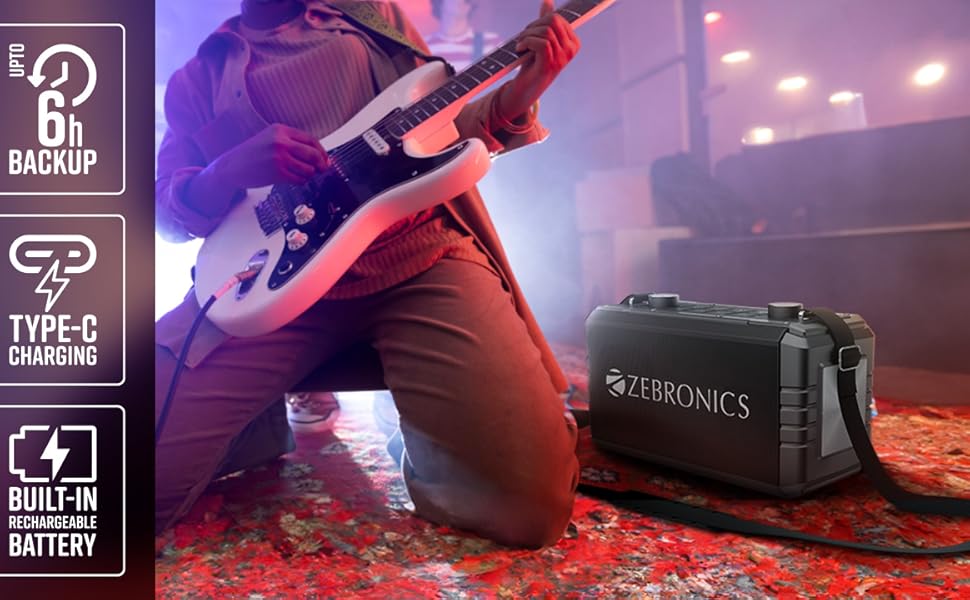
Prent 2: Agter view of the speaker, highlighting the Type-C charging port, USB, mSD, AUX, and microphone/guitar input jacks.

Image 3: Close-up of the top control panel, featuring bass and volume knobs, and media control buttons.
5. Opstelling
5.1 Laai die luidspreker
Before first use, fully charge the speaker. Connect the provided Type-C charging cable to the speaker's charging port and the other end to a compatible USB power adapter (not included). The charging indicator will show the charging status.
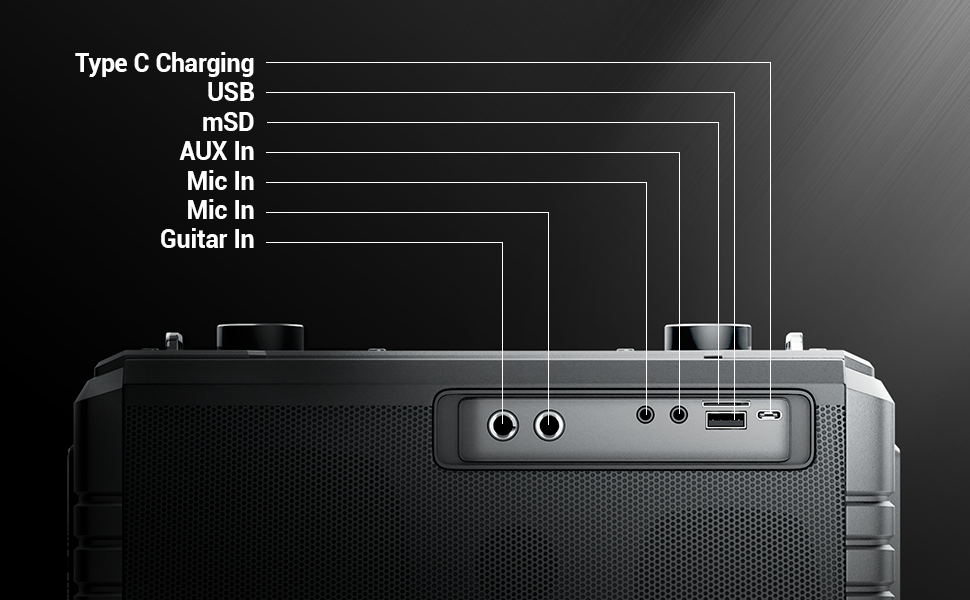
Image 4: Illustration of the speaker being charged via its Type-C port.
5.2 Aan-/afskakel
Press and hold the power button on the control panel to turn the speaker on or off. A sound indicator will confirm the action.
6. Operasie
6.1 Bluetooth Connectivity (BT v5.1)
- Skakel die luidspreker aan. Dit sal outomaties Bluetooth-paringsmodus betree.
- Enable Bluetooth on your mobile device and search for "ZEB-MUSIC BOMB 2".
- Kies die luidspreker uit die lys om te koppel. 'n Bevestigingstoon sal klink na suksesvolle verbinding.

Image 5: Visual representation of the speaker's Bluetooth 5.1 capability alongside other input options.
6.2 USB/mSD Playback
Insert a USB drive or mSD card (up to 32GB) into the respective port. The speaker will automatically detect and play audio files from the storage device. Use the media control buttons to navigate tracks.
6.3 AUX-invoer
Connect an external audio device using the provided 3.5mm AUX cable to the AUX input port. The speaker will switch to AUX mode automatically. Ensure the volume on both the speaker and the connected device is adjusted appropriately.
6.4 Guitar Input
Connect your guitar to the 6.3mm guitar input port. Adjust the volume on your guitar and the speaker for optimal sound. This feature allows for direct amplification of your instrument.
Video 2: Demonstration of connecting a guitar to the ZEBRONICS Music Bomb 2 speaker and playing music.
6.5 Microphone Input (Karaoke)
Connect the wireless microphone or a wired microphone (6.3mm or 3.5mm) to the respective input ports. The speaker supports karaoke functionality, allowing you to sing along with your music. Adjust microphone volume and echo effects using the dedicated controls.

Beeld 6: Gedetailleerd view of the speaker's control panel and the included wireless microphone.
6.6 TWS (Ware Draadlose Stereo) Funksie
To experience True Wireless Stereo, you need two ZEBRONICS Music Bomb 2 speakers. Follow these steps:
- Skakel albei luidsprekers aan.
- Ensure neither speaker is connected to any Bluetooth device.
- On one speaker, press and hold the 'TWS' button. It will search for the other speaker.
- Once connected, a confirmation tone will sound, and the TWS indicator will light up.
- Now, connect your mobile device to one of the speakers via Bluetooth. Both speakers will play audio in stereo.
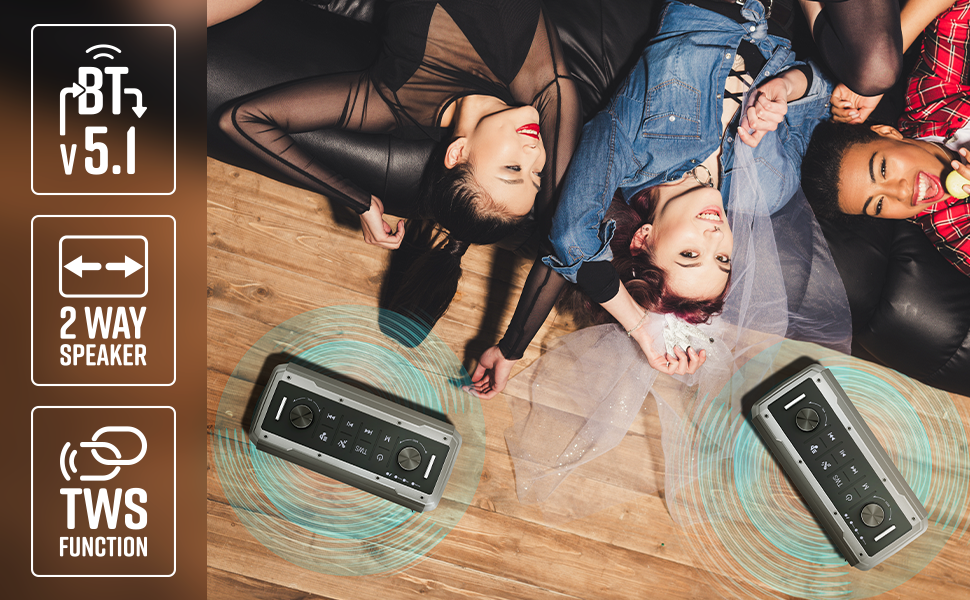
Image 7: Illustration of two Music Bomb 2 speakers paired using the TWS function for an immersive stereo audio experience.
7. Kontroles
The speaker features a user-friendly control panel. Here's a breakdown of the main controls:
| Beheer | Funksie |
|---|---|
| Kragknoppie | Press and hold to turn the speaker ON/OFF. Short press to change modes (BT/USB/mSD/AUX). |
| TWS-knoppie | Press and hold to initiate TWS pairing with another Music Bomb 2 speaker. |
| M (modus) knoppie | Short press to switch between input modes (Bluetooth, USB, mSD, AUX). |
| Vorige Snit / Volume Down | Druk kort vir vorige snit. Druk lank om die volume te verlaag. |
| Speel / Pouse | Druk kort om klank te speel of te onderbreek. |
| Volgende snit / volume op | Druk kort vir die volgende snit. Druk lank om die volume te verhoog. |
| Basknop | Draai om die basvlak aan te pas. |
| Volumeknop | Draai om die hoofvolumevlak aan te pas. |
| Mikrofoon volume knop | Verstel die volume van die gekoppelde mikrofoon. |
| Echo Knop | Pas die eggo-effek vir die mikrofoon aan. |
8. Onderhoud
- Skoonmaak: Gebruik 'n sagte, droë lap om die luidspreker skoon te maak. Moenie skuurmiddels of oplosmiddels gebruik nie.
- Berging: Bêre die luidspreker op 'n koel, droë plek weg van direkte sonlig en uiterste temperature.
- Batterysorg: Om die batterylewe te verleng, vermy om die luidspreker gereeld heeltemal te ontlaai. Laai dit gereeld, selfs al word dit nie vir lang tye gebruik nie.
9. Probleemoplossing
| Probleem | Oplossing |
|---|---|
| Geen krag nie | Ensure the speaker is charged. Connect the Type-C charging cable and allow it to charge for some time before attempting to power on. |
| Geen klank nie | Check the volume levels on both the speaker and the connected device. Ensure the correct input mode is selected. Verify cable connections for AUX/Guitar inputs. |
| Bluetooth-samestelling misluk | Ensure the speaker is in pairing mode. Disable and re-enable Bluetooth on your device. Move the speaker closer to your device. Clear previous Bluetooth connections on your device. |
| Mikrofoon werk nie | Ensure the microphone is powered on (if wireless) and properly connected. Adjust the microphone volume and echo knobs. |
| TWS-verbindingsprobleme | Ensure both speakers are not connected to any other Bluetooth device. Follow the TWS pairing steps carefully. |
10. Spesifikasies
| Kenmerk | Detail |
|---|---|
| Uitset krag | 80W RMS |
| Bluetooth weergawe | v5.1 |
| Verbindingsopsies | Bluetooth, USB, mSD, AUX, 6.3mm Guitar Input, 6.3mm & 3.5mm Mic Inputs |
| Batterylewe | Tot 10 uur (teen 50% volume) |
| Laai tipe | Tipe-C |
| Tipe luidspreker | 2-rigting luidsprekerstelsel |
| Afmetings (L x B x H) | 17.3 x 27.4 x 33.3 sentimeter |
| Gewig | 4040 gram |
| Frekwensierespons | 20 Hz (minimum) |
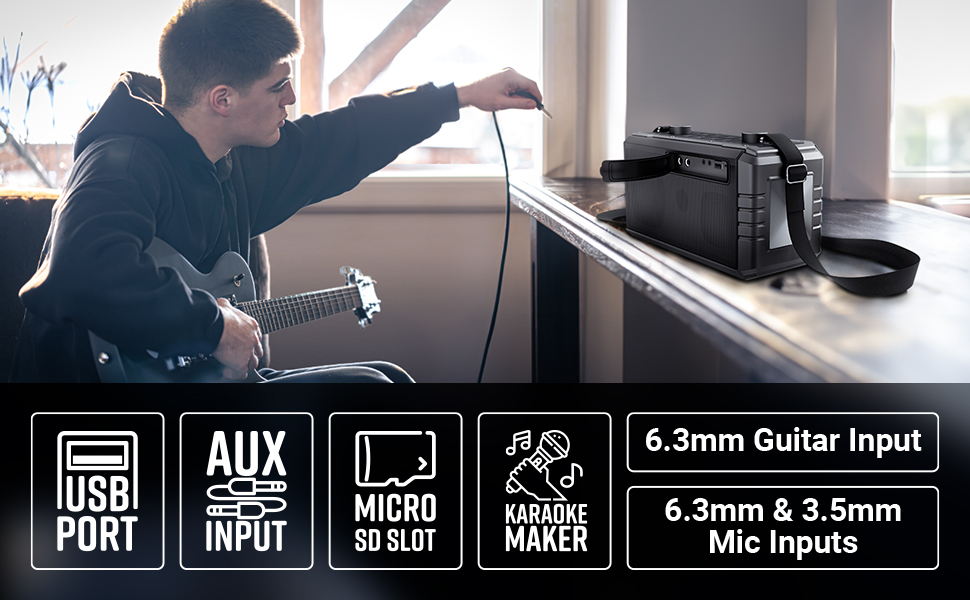
Image 8: Visual summary of the speaker's technical specifications.

Image 9: Diagram illustrating the length, width, and height of the ZEBRONICS Music Bomb 2 speaker.
11. Waarborg en Ondersteuning
The ZEBRONICS Music Bomb 2 Party Speaker comes with a 1-year carry-in warranty to the service center. For warranty claims or technical support, please contact ZEBRONICS customer service. Keep your purchase receipt as proof of purchase.
Vervaardiger kontakinligting: 13/7, Smith Road, Royapettah CHENNAI-600002, Zebronics India Private Limited
Vir meer inligting, besoek die amptenaar ZEBRONICS Store on Amazon.