
1. Belangrike veiligheidsinligting
Read all instructions carefully before operating the appliance. Keep this manual for future reference.
- Hierdie toestel is slegs vir binnenshuise gebruik.
- Maak seker dat die kragtoevoer ooreenstem met die voltage gespesifiseer op die graderingetiket.
- Do not operate the unit with a damaged cord or plug. If damaged, contact qualified service personnel.
- Keep the unit at least 50 cm away from walls and other objects to ensure proper airflow.
- Moenie voorwerpe in die luginlaat of -uitlaat steek nie.
- Ontkoppel altyd die eenheid voordat dit skoongemaak of versien word.
- Do not use chemical solvents or flammable liquids to clean the unit.
- Hierdie toestel is nie bedoel vir gebruik deur persone (insluitend kinders) met verminderde fisiese, sensoriese of geestelike vermoëns, of 'n gebrek aan ervaring en kennis nie, tensy hulle toesig of instruksies oor die gebruik van die toestel gegee is deur 'n persoon wat verantwoordelik is vir hul veiligheid.
2. Produk verbyview
The Mistral MPAC1200R is a 12,000 BTU portable air conditioner designed for cooling, fan, and dry (dehumidification) operations. It features a silver ion filter for air sterilization, low noise operation, and a 24-hour timer, all controllable via a remote.
Sleutel kenmerke:
- 12,000 BTU Cooling Capacity
- Air Sterilisation (Silver Ion Filter)
- Low Noise Operation (55 Decibels)
- 24 Uur Timer Funksie
- 2 waaiersnelhede
- 3 Operating Modes: Cool, Fan, Dry
- Afstandbeheer ingesluit
Unit Components:

Figuur 2.1: Voorkant View. This image displays the front of the portable air conditioner, highlighting the air outlet grille at the top and the main body of the unit.
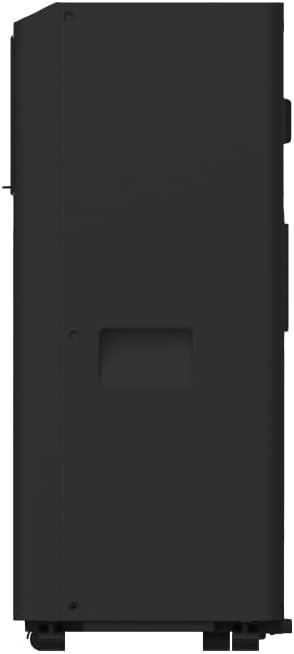
Figuur 2.2: Kant ViewHierdie beeld wys die syprofile of the unit, including the exhaust air outlet and handles for portability.

Figuur 2.3: Control Panel. This image details the top-mounted control panel with various function buttons and display.
3. Opstelling en installering
3.1 Uitpak
- Verwyder die lugversorger versigtig uit sy verpakking.
- Bewaar die oorspronklike verpakking vir toekomstige berging of vervoer.
- Check for any damage during transit. If damage is found, do not operate the unit and contact your retailer.
3.2 Plasing
- Place the unit on a firm, level surface in a location that can support its weight (20.8 kg).
- Ensure there is at least 50 cm of clear space around the unit for proper air circulation.
- Plaas die eenheid naby 'n venster of opening vir die installering van die uitlaatpyp.
3.3 Uitlaatpypinstallasie
- Heg die uitlaatpypkonnektor aan die luguitlaat aan die agterkant van die eenheid vas.
- Verleng die uitlaatpyp en heg die venstersteladapter aan die ander kant vas.
- Install the window kit into a suitable window opening, ensuring a secure fit to prevent air leakage.
- Connect the window kit adapter to the installed window kit.
- Ensure the exhaust hose is as short and straight as possible to maximize efficiency. Avoid sharp bends.
3.4 Kragverbinding
Plug the power cord into a grounded 220 Volt electrical outlet. Do not use extension cords or multi-plugs.
4. Bedryfsinstruksies
Die eenheid kan bedryf word deur die beheerpaneel bo-op die eenheid of die ingeslote afstandbeheerder te gebruik.
4.1 Beheerpaneel (Verwys na Figuur 2.3)
- AAN/UIT-knoppie: Druk om die eenheid aan of af te skakel.
- MODUS-knoppie: Press to cycle through Cool, Fan, and Dry modes.
- FAN SPOED-knoppie: Press to select between Low and High fan speeds.
- TIMER-knoppie: Press to set the auto-on or auto-off timer (up to 24 hours). Use the Up/Down arrows to adjust the time.
- Up/Down Arrows (Temperature/Time): Adjust the desired temperature in Cool mode or set the timer duration.
- Vertoon: Shows the set temperature or timer settings.
4.2 afstandbeheer
The remote control duplicates the functions of the control panel, allowing convenient operation from a distance. Ensure batteries are correctly inserted.
4.3 Bedryfsmodusse
- Koel modus: Provides cooling. Set desired temperature using Up/Down arrows.
- Aanhangermodus: Circulates air without cooling. Select fan speed (Low/High).
- Droë Modus (Ontvochtiging): Reduces humidity. The fan operates at a low speed, and the compressor cycles on and off.
4.4 Air Sterilization (Silver Ion Filter)
The unit is equipped with a silver ion filter to help sterilize the air. This feature operates automatically when the unit is running.
5. Onderhoud
Gereelde onderhoud verseker optimale werkverrigting en verleng die lewensduur van jou lugversorger.
5.1 Skoonmaak van die lugfilter
- Die lugfilter moet elke twee weke of meer gereeld skoongemaak word, afhangende van gebruik.
- Skakel die eenheid af en koppel dit uit.
- Vind en verwyder die lugfilter van die agterkant of kant van die eenheid.
- Was die filter met louwarm water en 'n sagte skoonmaakmiddel. Spoel deeglik af.
- Laat die filter heeltemal lugdroog word voordat dit weer geïnstalleer word. Moenie aan direkte sonlig blootstel nie.
5.2 Dreineer Water
During cooling and dehumidifying operations, water will accumulate inside the unit. The unit has a self-evaporative system, but in high humidity conditions, manual draining may be required.
- When the internal water tank is full, the unit may stop operating and display an error code.
- Skakel die eenheid af en koppel dit uit.
- Plaas 'n vlak pan of skinkbord onder die dreinuitlaat aan die onderkant van die agterkant van die eenheid.
- Verwyder die dreinprop sodat die water kan uitvloei.
- Sodra dit gedreineer is, plaas die dreinprop stewig terug.
5.3 Skoonmaak van die buitekant van die eenheid
- Vee die buitekant af met 'n sagte, damp lap.
- Do not use abrasive cleaners, waxes, or polishes.
5.4 Berging
- Before storing, ensure all water is drained from the unit.
- Maak die lugfilter en die buitekant skoon.
- Wrap the power cord and store it neatly.
- Store the unit in a dry, upright position, preferably in its original packaging.
6. Probleemoplossing
Voordat u diens kontak, hersienview die volgende algemene probleme en oplossings:
| Probleem | Moontlike oorsaak | Oplossing |
|---|---|---|
| Eenheid skakel nie aan nie | Geen kragtoevoer Kragkoord nie ingeprop nie Internal water tank full | Gaan kragaansluiting na Maak seker dat die koord stewig ingeprop is Dreineer water uit die eenheid |
| Unit cools insufficiently | Lugfilter vuil Kamer te groot Vensters/deure maak oop Exhaust hose blocked/bent | Maak lugfilter skoon Maak seker dat die eenheid geskik is vir die kamergrootte Maak alle vensters en deure toe Kontroleer en maak die uitlaatpyp skoon |
| Die eenheid is raserig | Eenheid nie op 'n gelyke oppervlak nie Lugfilter vuil | Plaas die eenheid op 'n plat, stabiele oppervlak Maak lugfilter skoon |
| Water lekkasie | Dreineer prop los Eenheid gekantel | Ensure drain plug is securely in place Plaas die eenheid op 'n gelyk oppervlak |
7. Spesifikasies
| Kenmerk | Spesifikasie |
|---|---|
| Handelsmerk | MISTRAL |
| Model Naam | MPAC1200R |
| Verkoelingskapasiteit | 12,000 BTU |
| Produk Afmetings (D x B x H) | 28D x 29W x 67.5H sentimeter |
| Item gewig | 20.8 kilogram |
| Voltage | 220 Volt |
| Wattage | 1650 watt |
| Geraasvlak | 55 Desibel |
| Beheer metode | Afstandbeheer |
| Ingesluit komponente | Afstandbeheer |
| Kompressor tipe | Wederkerend |
| Is Outdoor Unit Required | Nee |
8. Waarborginligting
This Mistral MPAC1200R Portable Air Conditioner comes with a 1 jaar beperkte waarborg on the entire unit and an additional 5 jaar waarborg specifically for the compressor only.
For detailed warranty terms and conditions, please refer to the warranty card included with your product or contact Mistral customer support.
9. Kliëntediens
If you have any questions, require technical assistance, or need to report an issue with your Mistral MPAC1200R Portable Air Conditioner, please contact Mistral customer support through their official webwebwerf of die kontakinligting wat in u produkdokumentasie verskaf word.


