
ToughTested MOAB 65
ToughTested MOAB 65 Portable Charger User Manual
Model: MOAB 65
Inleiding
The ToughTested MOAB 65 is a high-capacity, rugged portable charger designed to provide reliable power for laptops, smartphones, and other USB-powered devices. With its 40,000mAh battery and advanced fast-charging capabilities, it is an ideal companion for outdoor adventures, remote work, and extended travel. This manual provides essential information for the safe and efficient use of your MOAB 65 portable charger.
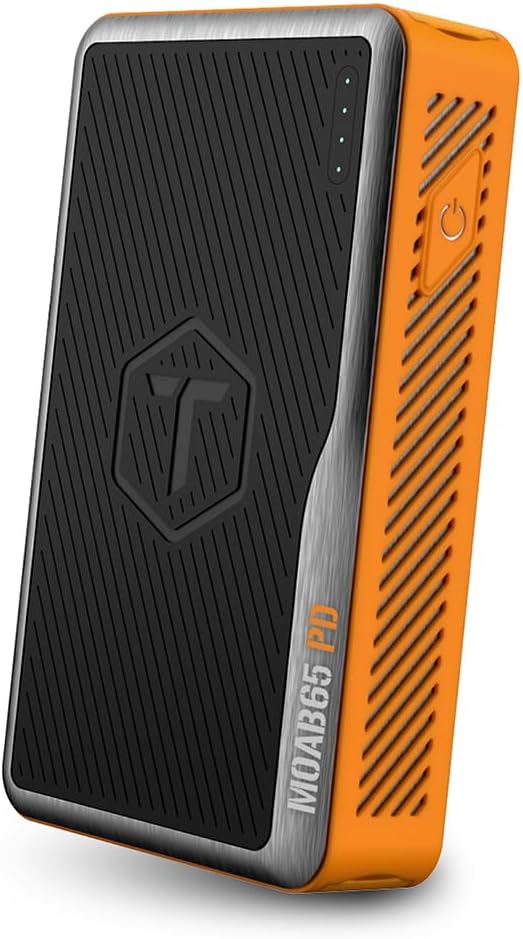
Image: The ToughTested MOAB 65 Portable Charger, showcasing its rugged design and power indicator lights.
Veiligheidsinligting
Lees asseblief alle veiligheidswaarskuwings en instruksies voordat u hierdie produk gebruik om beserings of skade te voorkom.
- Moenie die kragbank aan uiterste temperature blootstel nie (bo 60°C/140°F of onder -10°C/14°F).
- Do not disassemble, modify, or attempt to repair the device. This will void the warranty and may cause harm.
- Keep away from water and liquids. While the MOAB 65 is IP64 rated for dust and water resistance, it is not designed for submersion.
- Vermy om die toestel te laat val of aan ernstige impakte bloot te stel.
- Gebruik slegs gesertifiseerde laaikabels en adapters.
- Hou buite bereik van kinders.
- Dispose of the power bank responsibly according to local regulations. Do not dispose of in household waste.
Pakketinhoud
Verifieer dat alle items in jou pakket teenwoordig is:
- ToughTested MOAB 65 Portable Charger
- Heavy-duty USB-C to USB-C Power Delivery PET Cable
- Gebruikershandleiding (hierdie dokument)
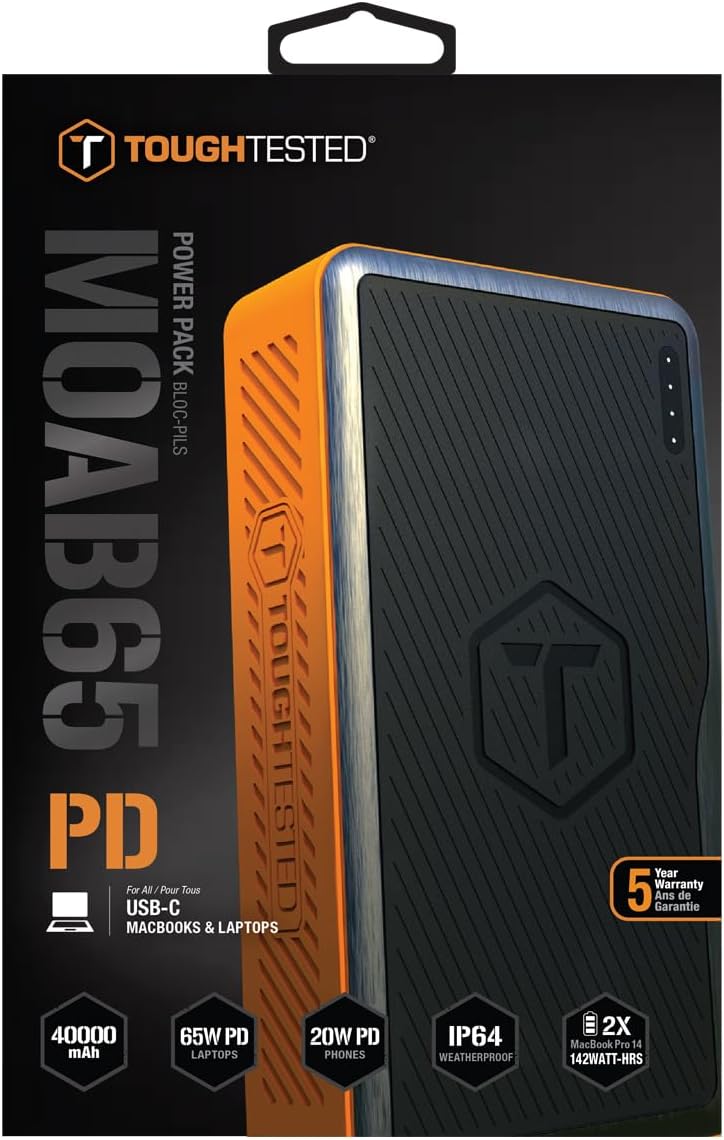
Image: The included heavy-duty USB-C to USB-C Power Delivery PET cable.
Produk verbyview
Familiarize yourself with the components of your MOAB 65 portable charger.
| Komponent | Beskrywing |
|---|---|
| Kragknoppie | Aktiveer die kragbank en kontroleer batteryvlak. |
| LED kragaanwysers | Displays the remaining battery capacity. |
| USB-C PD (Input/Output) Port | 65W Power Delivery for charging laptops and rapid charging of the power bank itself. |
| USB-C PD (Output) Port | 20W Power Delivery for fast charging smartphones and other compatible devices. |
| USB-A QC 3.0-poort | Quick Charge 3.0 output for fast charging non-Type C devices. |
| Sealed Port Covers | Protects ports from dust and water, maintaining IP64 rating. |

Beeld: Sykant view of the MOAB 65 showing the USB-A and USB-C output ports with their protective covers.
Opstelling
Charging the MOAB 65 Portable Charger
Before first use, fully charge your MOAB 65. It is recommended to use a 65W USB-C PD wall charger (not included) for the fastest charging time.
- Open the sealed port cover for the USB-C PD (Input/Output) port.
- Connect the included USB-C to USB-C cable to the USB-C PD (Input/Output) port on the MOAB 65.
- Connect the other end of the cable to a compatible USB-C PD wall charger.
- The LED power indicators will illuminate and blink to show charging progress. All four LEDs will be solid when fully charged.
A full charge can take several hours depending on the power of your wall charger.
Bedryfsinstruksies
Kontroleer batteryvlak
Press the power button once to check the remaining battery capacity. The LED indicators will light up:
- 4 LED's: 75-100%
- 3 LED's: 50-75%
- 2 LED's: 25-50%
- 1 LED: 0-25% (Recharge soon)
Laai toestelle
The MOAB 65 features multiple output ports for versatile charging.
- For Laptops (USB-C PD 65W):
Open the sealed port cover for the USB-C PD (Input/Output) port. Connect your laptop's USB-C charging cable to this port and to your laptop. The MOAB 65 will automatically begin charging.

Image: The MOAB 65 connected to a laptop via its USB-C PD port, demonstrating laptop charging capability.

Image: Visual representation highlighting the 65W USB-C Power Delivery input/output for laptops.
- For Smartphones & Tablets (USB-C PD 20W or USB-A QC 3.0):
Open the sealed port cover for the desired output port (USB-C or USB-A). Connect your device's charging cable to the MOAB 65 and to your device. The Instasense Processor will automatically detect your device and deliver optimal charging power.
Image: Close-up of the MOAB 65's output ports, including the 20W USB-C PD and QC3 USB-A, designed for fast phone charging.
- Gelyktydige laai:
You can charge multiple devices simultaneously using the available output ports. The MOAB 65 will intelligently distribute power.

Image: Two MOAB 65 units shown side-by-side, illustrating the capability to fast charge laptops and phones concurrently.
Note: For optimal fast charging, ensure your device and cable support Power Delivery (PD) or Quick Charge (QC) technology.
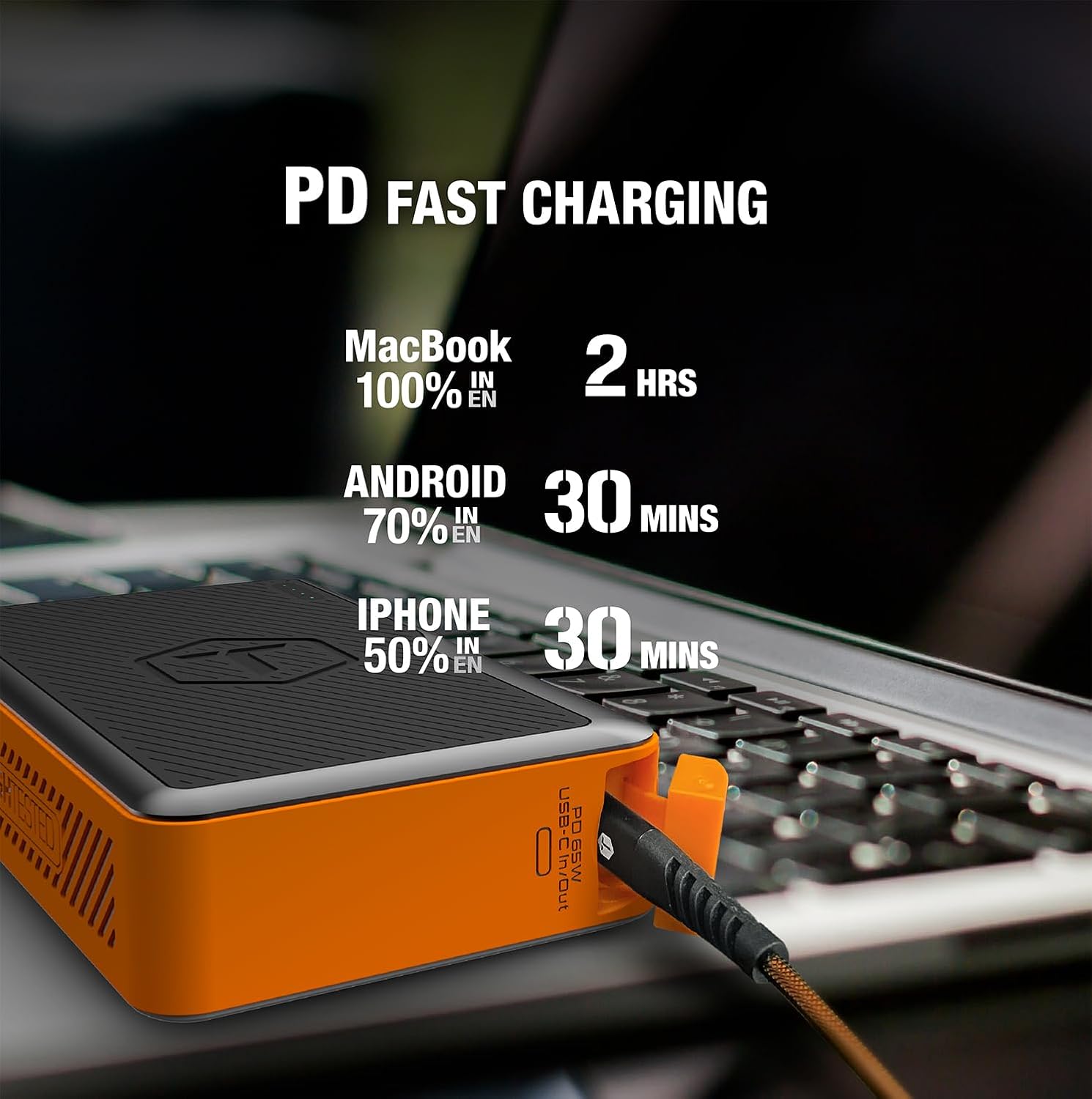
Image: Infographic detailing fast charging times for various devices: MacBook 100% in 2 hours, Android 70% in 30 minutes, iPhone 50% in 30 minutes.
Onderhoud
- Skoonmaak: Wipe the exterior with a soft, dry cloth. Do not use harsh chemicals or abrasive materials. Ensure port covers are closed before cleaning.
- Berging: Store the power bank in a cool, dry place away from direct sunlight and extreme temperatures. For long-term storage, charge the power bank to about 50-75% every 3-6 months to maintain battery health.
- Hawebedekkings: Always ensure the sealed port covers are securely closed when not in use, especially in dusty or wet environments, to maintain the IP64 rating.

Image: The MOAB 65 with water droplets on its surface, illustrating its IP64 weatherproof and dustproof capabilities.
Probleemoplossing
| Probleem | Moontlike oorsaak | Oplossing |
|---|---|---|
| Kragbank laai nie | Kabel- of adapterprobleem; kragbank volledig ontlaai; foutiewe poort. | Try a different USB-C cable and wall adapter. Ensure the adapter is powerful enough (e.g., 65W PD). Allow a few minutes for a deeply discharged unit to respond. |
| Toestel laai nie vanaf kragbank nie | Power bank low on charge; incorrect cable; device not compatible; power bank in standby. | Check power bank battery level. Ensure cable is securely connected and functional. Try a different port. Press the power button to activate output. |
| Stadige laai | Cable not supporting fast charge; device not supporting fast charge; multiple devices connected. | Use a certified PD/QC compatible cable. Ensure your device supports fast charging. Disconnect other devices if faster charging is needed for one specific device. |
| LED-aanwysers werk nie | Minor software glitch; internal issue. | Try fully discharging and then recharging the power bank. If the issue persists, contact customer support. |
Spesifikasies
| Kenmerk | Detail |
|---|---|
| Model | MOAB 65 |
| Battery kapasiteit | 40,000mAh (142Wh) |
| USB-C PD (Input/Output) | 65W kraglewering |
| USB-C PD (Output) | 20W kraglewering |
| USB-A (uitgang) | Vinnige laai 3.0 |
| Afmetings | 7 x 4 x 1.5 duim |
| Gewig | 1.8 pond |
| IP-gradering | IP64 (Dustproof & Water Resistant) |
| Battery Tipe | Litiumioon |
| Kleur | Swart / Oranje |
Waarborg en Ondersteuning
The ToughTested MOAB 65 Portable Charger comes with a 5 jaar waarborg, ensuring reliability and peace of mind. This warranty covers defects in materials and workmanship under normal use.
For warranty claims, technical support, or any questions regarding your MOAB 65, please contact ToughTested customer service:
- Webwebwerf: Visit the official ToughTested webwebwerf vir ondersteuningsbronne en kontakbesonderhede. www.toughtested.com
- E-pos: Refer to the ToughTested webwebwerf vir die mees onlangse ondersteunings-e-posadres.
- Telefoon: Refer to the ToughTested website for the most current support phone number.
Please have your product model (MOAB 65) and proof of purchase ready when contacting support.

Image: ToughTested "Built for Every Adventure" logo, emphasizing the brand's commitment to durability.
Ask a question about this manual
Ask about setup, troubleshooting, compatibility, parts, safety, or missing instructions. Manuals+ will review the question and use this page’s manual context to help answer it.