
Inleiding
Thank you for choosing Jiunai USB C Wired Earbuds. These earbuds are designed to provide a high-quality audio experience with the convenience of a wired USB-C connection. Featuring an in-ear design for sound isolation, magnetic earpieces for tangle-free storage, and an inline remote with a microphone, these earbuds are suitable for various audio needs, including music, calls, and video chats.
Wat is in die boks
- 1 x Jiunai USB C Headphones
- 3 Pairs of Silicone Eartips (Small, Medium, Large)
- 1 x Protective Carry Case
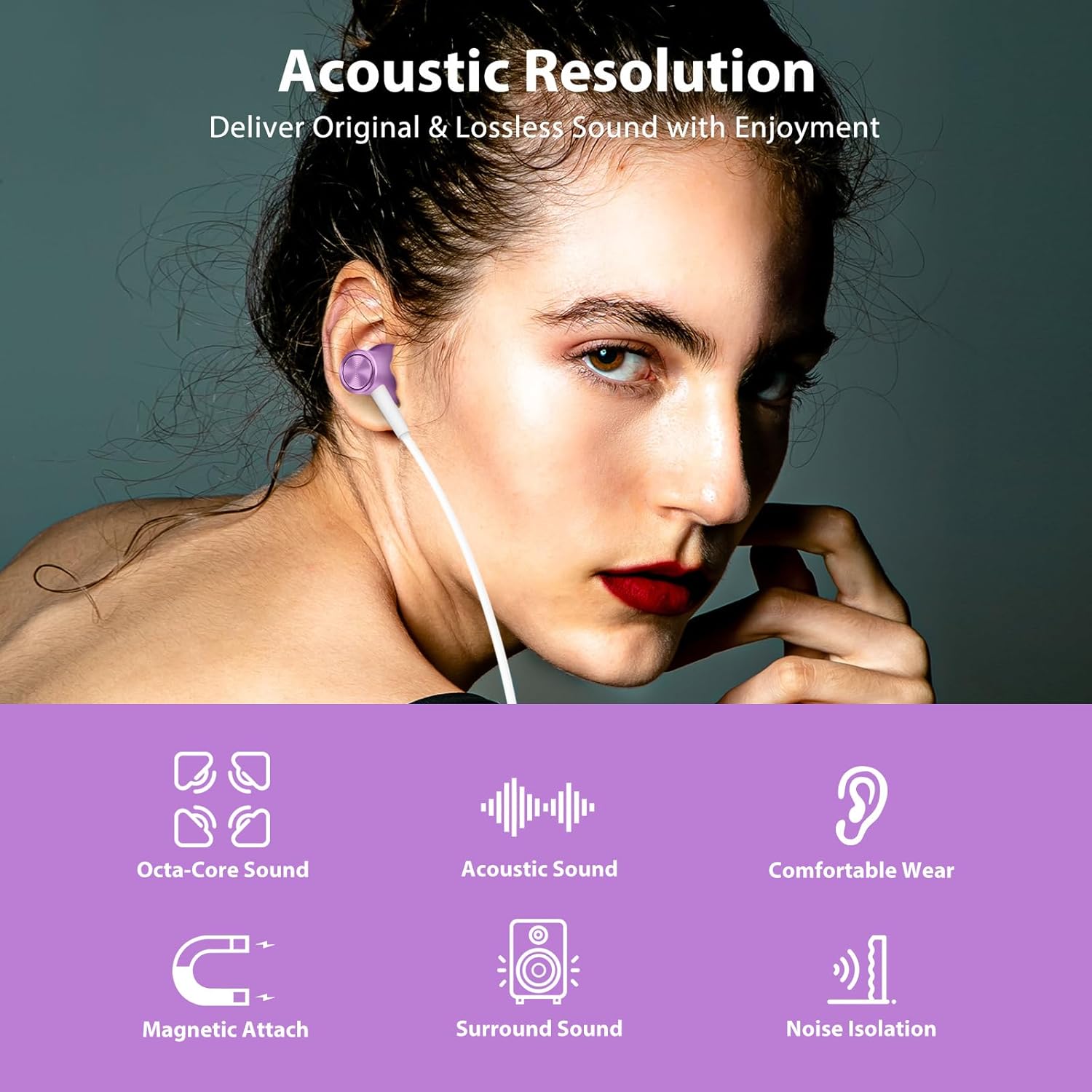
Image: Contents of the Jiunai USB C Wired Earbuds package.
Produk Kenmerke
Hoë-gehalte oudio
The earbuds are equipped with 8mm dynamic drivers, engineered to deliver clear, original, and lossless sound quality, enhancing your listening experience.

Image: Acoustic resolution and dynamic driver features for enhanced sound.
Magnetic Attached Earpieces
The earpieces feature a magnetic design, allowing them to attach to each other when not in use. This helps prevent tangling and makes them easy to store or wear around your neck.
Video: Demonstration of the magnetic attached feature of the Jiunai USB C Wired Earbuds, showing how they connect to prevent tangling.
Comfortable In-Ear Design with Noise Isolation
The ergonomic design and soft silicone ear tips ensure a comfortable and secure fit, reducing pressure on your ears. The in-ear design also provides effective sound isolation, blocking out external noise for a more immersive audio experience.

Image: Sound isolation capabilities of the earbuds in various noisy environments.
Inline Remote Control and Microphone
The earbuds feature an inline remote for convenient control of volume, music playback, and phone calls. The built-in microphone accurately captures your voice for clear communication during calls or when activating voice assistance.
Video: Verbyview of the inline remote control and microphone on the Jiunai USB C Wired Earbuds.
Wye verenigbaarheid
These USB C headphones are compatible with a broad range of devices, including many Samsung Galaxy, Google Pixel, iPhone 15/16/17 series, iPad, and MacBook models that feature a USB-C port.

Image: Broad compatibility with various USB-C devices.
Opstelling
Koppel aan u toestel
- Locate the USB-C port on your smartphone, tablet, or computer.
- Insert the USB-C connector of the earbuds firmly into the device's USB-C port.
- Your device should automatically recognize the earbuds. If not, check your device's audio settings.
Selecting the Right Eartips
For optimal sound quality and comfort, choose the silicone eartips that best fit your ears. The package includes small, medium, and large sizes. Gently pull off the pre-installed eartips and replace them with the desired size.

Image: Different sizes of silicone eartips for a customized fit.
Bedryfsinstruksies
Musiekbeheer
- Speel/pouse: Single click the middle button.
- Volgende liedjie: Double click the middle button.
- Vorige liedjie: Triple click the middle button.
Volumebeheer
- Volume op: Druk die '+'-knoppie.
- Volume af: Druk die '-' knoppie.
Telefoonoproepbeheer
- Beantwoord/beëindig oproep: Single click the middle button.
- Verwerp oproep: Long press the middle button.
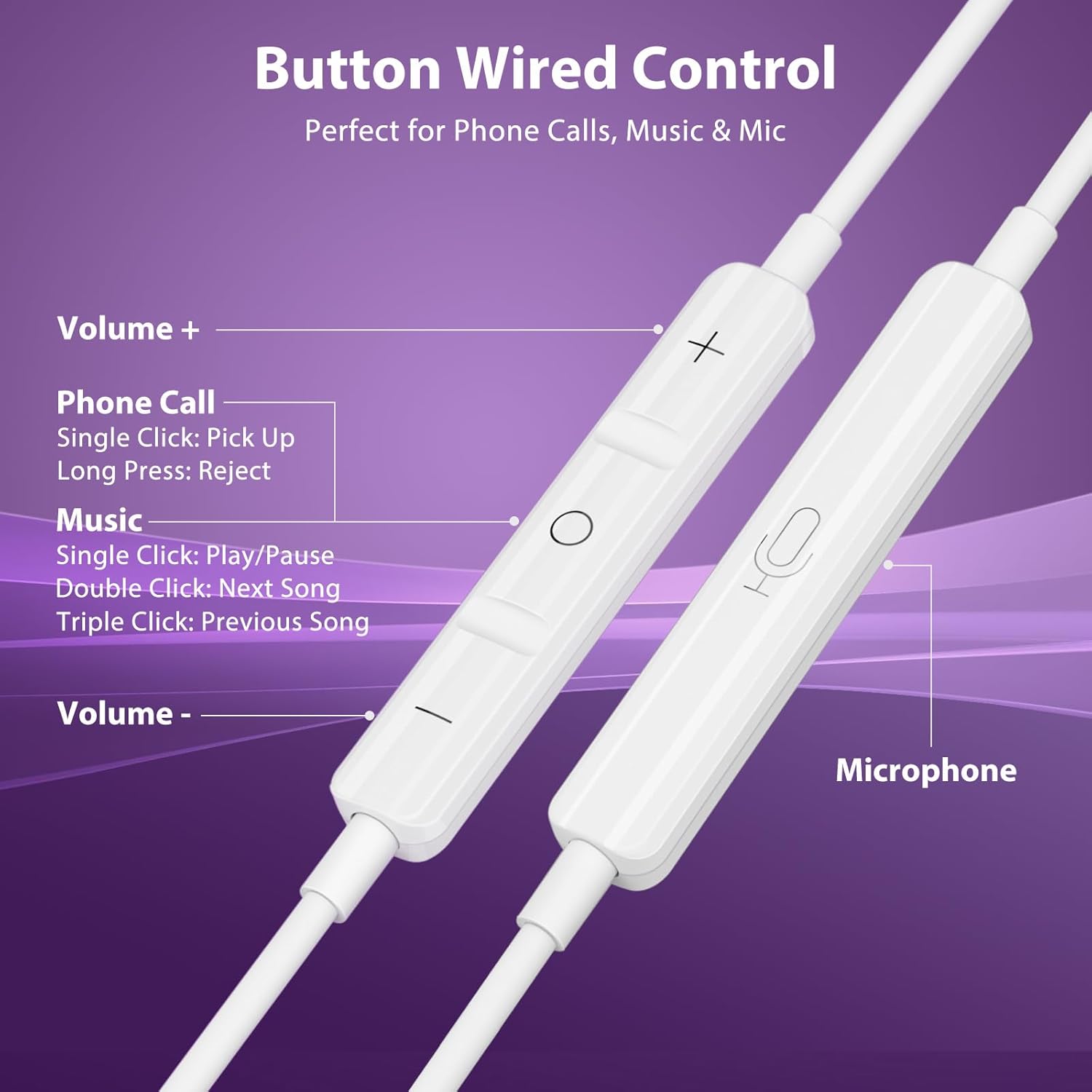
Image: Functions of the inline remote control.
Onderhoud
Skoonmaak
Regularly clean the silicone eartips with a soft, damp cloth to remove earwax and debris. Ensure they are completely dry before reattaching them to the earbuds. Do not use harsh chemicals or abrasive materials.
Berging
When not in use, utilize the magnetic feature of the earpieces to keep them together and prevent tangling. Store the earbuds in the provided protective carry case to shield them from dust, dirt, and physical damage.
Probleemoplossing
No Sound from Headphones (Android Devices)
Some Android devices may require disabling USB Audio Routing in Developer Options for wired USB-C headphones to function correctly. Follow these steps:
- Gaan na Instellings > Oor telefoon.
- Tik Sagteware inligting.
- Tik Bou nommer 7 times to enable Developer Mode.
- Gaan terug na Instellings > Ontwikkelaar opsies.
- Find and disable USB Audio Routing.
- Unplug and replug your headphones.

Image: Guide to disabling USB Audio Routing on Android.
Ander kwessies
- Swak klankgehalte: Ensure eartips are correctly sized and seated in your ear. Check for debris in the earbud nozzle.
- Mikrofoon werk nie: Ensure the microphone is not obstructed. Check your device's privacy settings to ensure the app has permission to access the microphone.
- Intermitterende verbinding: Ensure the USB-C plug is fully inserted into your device. Try connecting to a different USB-C port or device to rule out a device-specific issue.
Spesifikasies
| Model Naam | Jiunai-2100 |
| Verbindingstegnologie | Bedraad (USB-C) |
| Geraasbeheer | Klankisolasie |
| Tipe oudiobestuurder | Dinamiese bestuurder |
| Oudiobestuurdergrootte | 8 millimeter |
| Frekwensierespons | 20 Hz - 20 kHz (Standard Range) |
| Sensitiwiteit | 32 dB |
| Impedansie | 32 ohm |
| Tipe beheer | Volume Control, Music Playback, Call Management |
| Mikrofoon | Ingeboude |
| Kabelkenmerk | Wirwarvry |
| Materiaal | Termoplastiese elastomeer (TPE) |
| Waterweerstandvlak | Nie waterbestand nie |
Waarborg en Ondersteuning
Jiunai products are designed for reliability and performance. For any support inquiries, troubleshooting assistance, or warranty information, please refer to the official Jiunai website or contact customer service through your purchase platform. Keep your proof of purchase for warranty claims.
Vir meer inligting en produkte, besoek die Jiunai Store.