
Vandlion V22-64GB
Vandlion V22-64GB Voice Recorder User Manual
Model: V22-64GB
1. Inleiding
Thank you for choosing the Vandlion V22-64GB Voice Recorder. This manual provides detailed instructions on how to set up, operate, and maintain your device to ensure optimal performance. Please read this manual thoroughly before using the product.
The Vandlion V22-64GB is a compact and powerful digital voice recorder designed for clear audio capture in various environments. Key features include:
- Bergingskapasiteit: 64GB of internal storage for extended recording sessions.
- 7-Level Noise Reduction: Enhances audio clarity by minimizing background noise.
- Voice-Activated Recording (VAR): Automatically starts recording when sound is detected, conserving memory and battery.
- Een-sleutel-bediening: Simple and quick recording activation.
- Tydigsteamped Recordings: Easy organization and retrieval of audio files.
2. Pakketinhoud
Kontroleer asseblief die pakket vir die volgende items:
- Vandlion V22-64GB Voice Recorder
- Data kabel
- Oorfone
- OTG adapters
- Gebruikershandleiding (hierdie dokument)
3. Produk verbyview
The Vandlion V22-64GB Voice Recorder is designed for portability and ease of use. Its compact metal casing ensures durability while providing a sleek appearance.

Image 3.1: Vandlion V22-64GB Voice Recorder in use. This image shows the compact size of the recorder, suitable for various recording environments like meetings or lectures.
The device features a simple ON/OFF/SAVE toggle switch for intuitive operation and a built-in microphone for 360-degree panoramic sound capture.

Image 3.2: The ON/REC and OFF/SAVE switch on the Vandlion V22-64GB Voice Recorder. This switch allows for quick initiation and saving of recordings.
4. Opstelling
4.1 Laai die toestel
Before first use, fully charge the voice recorder. Connect the device to a computer's USB port or a USB wall adapter (not included) using the provided data cable. The indicator light will show charging status and turn off when fully charged.
- Connect the small end of the data cable to the recorder's charging port.
- Connect the standard USB end to a power source.
- Laai duur gewoonlik ongeveer 2-3 uur.
4.2 Aanvanklike aanskakeling
To power on the device, slide the ON/REC switch to the 'ON' position. The device will vibrate briefly or an indicator light will illuminate, indicating it is ready for operation.
5. Bedryfsinstruksies
5.1 Basiese Opname
The Vandlion V22-64GB features a simple one-key recording function:
- Om opname te begin, skuif die skakelaar na die 'ON/REC' position. The device will begin recording within approximately 5 seconds.
- Om die opname te stop en te stoor file, skuif die skakelaar na die 'OFF/SAVE' posisie. Die opname sal outomaties gestoor word.
Elke klank file is automatically timestamped for easy organization and retrieval when connected to a computer.
5.2 Voice-Activated Recording (VAR)
The voice-activated recording feature helps conserve battery life and memory by only recording when sound is detected. To enable and adjust VAR:
- Connect the recorder to a computer.
- Access the device's settings file (usually a configuration file or through dedicated software, refer to device's internal documentation if available).
- Adjust the sensitivity level for voice activation (typically 7 levels available). A higher sensitivity will trigger recording with softer sounds, while lower sensitivity requires louder sounds.
- Save the settings and disconnect the device. The VAR function will now be active.
5.3 Geraasvermindering
The recorder features 7-level noise reduction to improve audio clarity. This function is typically automatic, but its effectiveness can be influenced by recording environment and microphone placement.

Image 5.1: Illustration of the noise reduction capability of the Vandlion V22-64GB Voice Recorder. The image depicts how unwanted noise (red waves) is reduced, resulting in clearer audio (blue waves).
5.4 Afspeel
You can play back recordings directly from the device using the included headphones:
- Maak seker dat die toestel aangeskakel is.
- Connect the included headphones to the recorder's headphone jack.
- Use the controls on the headphone cable (if available) or the device's internal controls (if applicable, refer to specific model's internal documentation) to navigate and play audio files.

Image 5.2: The Vandlion V22-64GB Voice Recorder connected to earphones for direct audio playback. This feature allows listening to recordings without needing a computer.
Alternatively, connect the recorder to a computer to play back files gebruik jou rekenaar se mediaspeler.
5.5 File Bestuur
To manage your recorded files:
- Connect the voice recorder to your computer using the provided data cable.
- Die toestel sal as 'n verwyderbare skyfaandrywer verskyn.
- Open the drive to access your recorded audio files (typically in a folder like 'RECORD' or 'VOICE').
- You can copy, move, delete, or rename files as you would with any other files op jou rekenaar.
- Always safely eject the device from your computer before disconnecting.
The included OTG adapters allow you to connect the recorder to compatible Android smartphones for file bestuur.
6. Onderhoud
- Skoonmaak: Gebruik 'n sagte, droë lap om die toestel skoon te maak. Moenie vloeibare skoonmaakmiddels of oplosmiddels gebruik nie.
- Berging: Store the recorder in a cool, dry place away from direct sunlight, extreme temperatures, and humidity.
- Batterysorg: Om die batterylewe te verleng, vermy om die battery gereeld heeltemal te ontlaai. Laai die toestel gereeld, selfs al word dit nie vir lang tye gebruik nie.
- Data-rugsteun: Rugsteun gereeld belangrike opnames op jou rekenaar om dataverlies te voorkom.
7. Probleemoplossing
| Probleem | Moontlike oorsaak | Oplossing |
|---|---|---|
| Toestel skakel nie aan nie. | Lae battery of toestel is af. | Charge the device fully. Ensure the ON/REC switch is in the 'ON' position. |
| Kan nie opneem nie. | Insufficient storage space or device not in recording mode. | Check available memory and delete unnecessary files. Ensure the switch is in the 'ON/REC' position. |
| Poor sound quality during recording. | Microphone obstructed, noisy environment, or incorrect VAR sensitivity. | Ensure the microphone is clear. Record in a quieter environment. Adjust VAR sensitivity if enabled. |
| Toestel word nie deur rekenaar herken nie. | Faulty USB cable, incorrect port, or driver issue. | Try a different USB cable or port. Restart your computer. Ensure the device is powered on when connecting. |
| Cannot hear playback through headphones. | Headphones not properly connected, volume too low, or corrupted file. | Ensure headphones are fully plugged in. Adjust volume. Try playing the file op 'n rekenaar. |
8. Spesifikasies
| Handelsmerk | Vandlion |
| Model | V22-64GB |
| Geheue berging kapasiteit | 64 GB |
| Produk afmetings | 0.76 x 2.21 x 7.37 cm; 150 g (or 8 x 22 x 74 Millimeters) |
| Hardeware-koppelvlak | USB 2.0 |
| Versoenbare toestelle | Oorfoon |
| Mikrofoonvormfaktor | Ingeboude |
| Koptelefoonaansluiting | 3.5 millimeter |
| Batterye Ingesluit | Ja (Litiumpolimeer) |
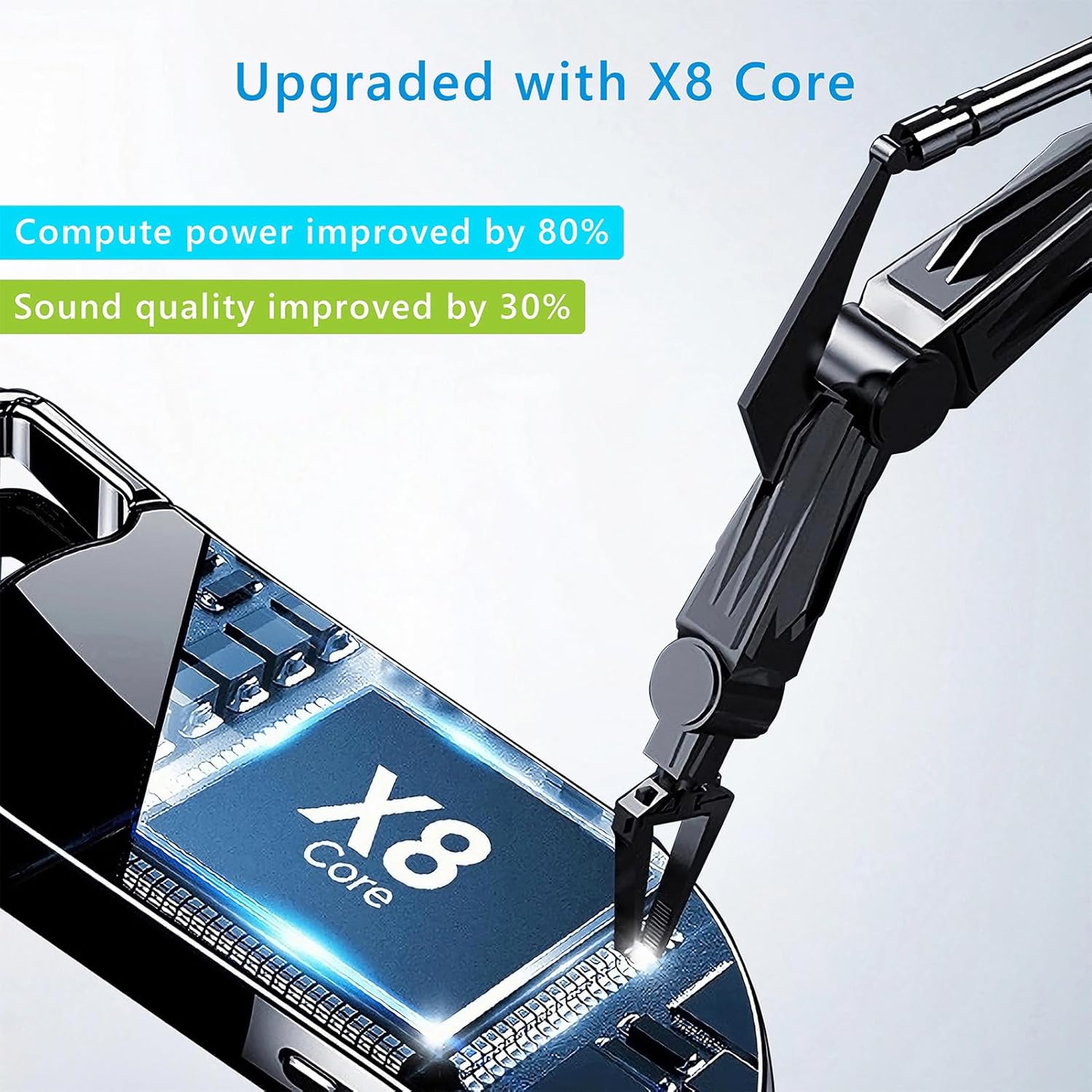
Image 8.1: Internal component view of the Vandlion V22-64GB Voice Recorder, showcasing the X8 Core. This illustrates the advanced processing unit within the device.
9. Waarborg en Ondersteuning
For warranty information and technical support, please refer to the documentation provided with your purchase or contact Vandlion customer service through their official webwebwerf of die kleinhandelaar waar jy die produk gekoop het.
Bewaar u aankoopbewys as bewys van aankoop vir waarborgeise.
Verwante Dokumente - V22-64GB
 |
Vandlion V59 Digitale Stemopnemer Gebruikershandleiding Comprehensive user manual for the Vandlion V59 digital voice recorder, covering setup, operation, settings, troubleshooting, and specifications. Learn how to record, play, manage files, and customize your device. |
 |
Occkic R3 Mini Pendant Voice Recorder - User Guide Gebruikershandleiding en funksie oorview for the Occkic R3 mini pendant voice recorder. Learn about one-key recording, noise reduction, OTG playback, and technical specifications. |
 |
Vandlion V13 Digitale Stemopnemer Gebruikershandleiding Gebruikershandleiding vir die Vandlion V13 digitale stemopnemer, met besonderhede oor die kenmerke, werking, spesifikasies en probleemoplossingsgids. |
 |
V11 Digitale Stemopnemer Gebruikershandleiding Omvattende gebruikershandleiding vir die V11 Digitale Stemopnemer deur Vandlion, wat die opstelling, werking, kenmerke, instellings, probleemoplossing en spesifikasies dek. |
 |
V36 Digitale Stemopnemer Gebruikershandleiding User manual for the V36 Digital Voice Recorder. Learn how to operate, configure settings, and troubleshoot your device for clear audio recording in meetings, lectures, and personal notes. |
 |
Gebruikershandleiding vir stemopnemers V&A Gereelde vrae en antwoorde rakende die stemopnemer, die mobiele toepassing, konnektiwiteit, kenmerke en spesifikasies daarvan. |
Ask a question about this manual
Ask about setup, troubleshooting, compatibility, parts, safety, or missing instructions. Manuals+ will review the question and use this page’s manual context to help answer it.