
1. Inleiding
The Vivitek NovoDS DS310 is a high-performance 4K digital signage player designed for creating dynamic visual displays in various environments, including corporate and public spaces. This device facilitates the integration of media files, rich text, webpages, and social media content into customizable configurations. The NovoDS solution offers convenient content updates via NovoDS Studio and DS Cloud, utilizing a drag-and-drop interface for layout customization and intuitive playlist editing, making it accessible for users of all technical skill levels.
2. Veiligheidsinligting
Please read and follow all safety instructions carefully to prevent damage to the device or injury to yourself. Keep this manual for future reference.
- Kragtoevoer: Use only the power adapter provided with the device. Ensure the power source matches the voltage vereistes.
- Ventilasie: Moenie ventilasie-openinge blokkeer nie. Verseker voldoende lugvloei rondom die toestel om oorverhitting te voorkom.
- Omgewing: Avoid exposing the device to extreme temperatures, humidity, dust, or direct sunlight.
- Skoonmaak: Ontkoppel die krag voor skoonmaak. Gebruik 'n sagte, droë lap. Moenie vloeibare of aërosol skoonmaakmiddels gebruik nie.
- Diens: Moenie probeer om die toestel self te versien nie. Verwys alle diens na gekwalifiseerde personeel.
3. Pakketinhoud
Verifieer dat alle items in die pakket teenwoordig is:
- Vivitek NovoDS DS310 Digital Signage Player
- Kragadapter
- Afstandbeheer
- Vinnige Begingids
- Wi-Fi Antennas (x2)
4. Produk verbyview
Familiarize yourself with the components and ports of the NovoDS DS310 player.
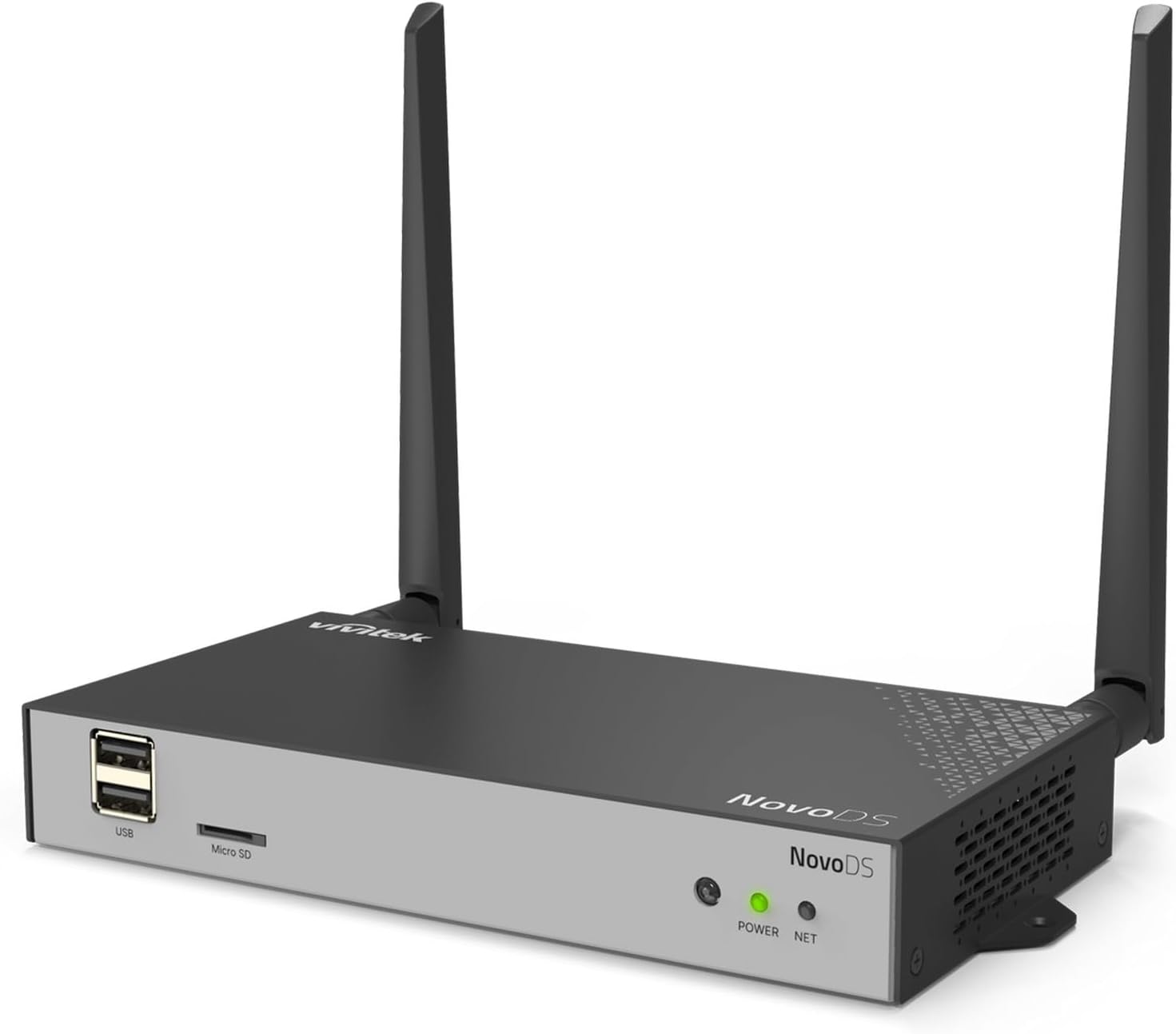
Figuur 4.1: Overall front-left view of the Vivitek NovoDS DS310 player, showcasing its compact design with two Wi-Fi antennas, USB port, Micro SD slot, and status indicators.
4.1 Voorpaneel

Figuur 4.2: Gedetailleerde voorkant view of the NovoDS DS310 player, clearly showing the USB ports, Micro SD slot, POWER indicator (green LED), and NET indicator (green LED).
- USB-poorte: Two USB-A ports for connecting USB storage devices, keyboards, mice, or other peripherals.
- Micro SD-gleuf: For inserting a Micro SD card to expand storage or load content.
- KRAG aanwyser: A green LED that illuminates when the device is powered on.
- NETTO-aanwyser: A green LED that illuminates when the device has an active network connection (wired or wireless).
4.2 Agterpaneel

Figuur 4.3: Gedetailleerde agterkant view of the NovoDS DS310 player, illustrating all available connectivity ports from left to right: LAN, HDMI-IN, HDMI-OUT, RS232, Type-C, Audio-IN, Audio-OUT, Reset button, and DC power input.
- LAN-poort: RJ45 Ethernet port for a wired network connection.
- HDMI-IN: HDMI input for connecting an external video source to be displayed or integrated into signage content.
- HDMI-OUT: HDMI output for connecting the player to a display device (monitor, TV, projector).
- RS232: Serial port for advanced control and integration with external systems.
- Tipe C: USB Type-C port for data transfer or peripheral connection.
- AUDIO-IN: 3.5mm audio input jack.
- AUDIO-OUT: 3.5mm audio output jack for connecting external speakers or audio systems.
- RESET-knoppie: A small recessed button used to reboot the device or perform a factory reset.
- DC IN: Power input port for the included power adapter.
4.3 Sypanele

Figuur 4.4: Linkerkant view of the NovoDS DS310 player, showing ventilation grilles and the GPIO port for custom integrations.
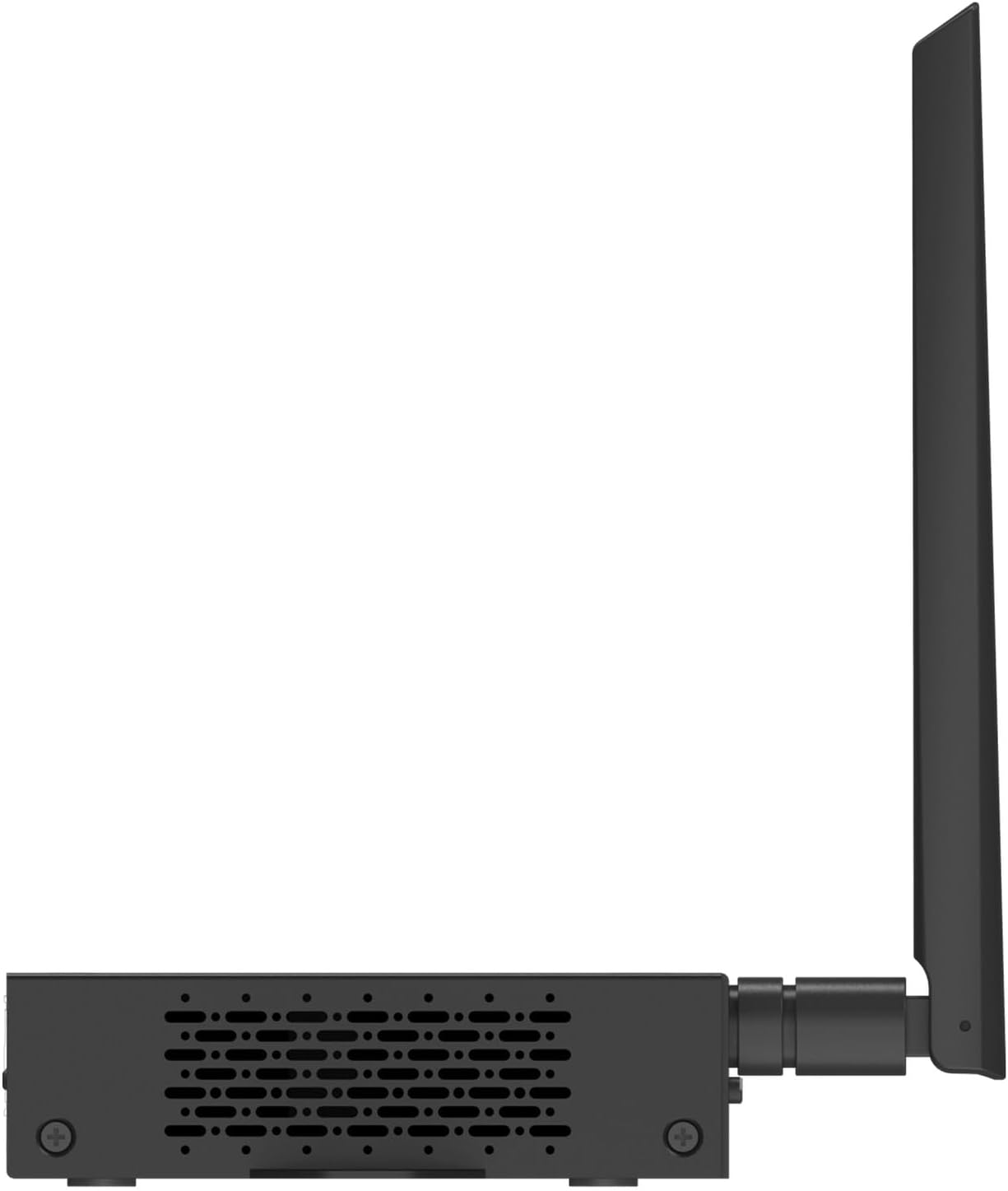
Figuur 4.5: Regterkant view of the NovoDS DS310 player, showing ventilation grilles.
- GPIO-poort: General Purpose Input/Output terminal for connecting external sensors or control devices, enabling interactive signage solutions.
- Ventilasieroosters: Located on both side panels to ensure proper heat dissipation and maintain optimal operating temperature.
4.4 Bo View en Montering

Figuur 4.6: Top view of the NovoDS DS310 player, showing integrated mounting brackets for secure installation.
- Montagehakies: Integrated into the chassis for easy and secure installation on various surfaces or behind displays.
5. Opstelinstruksies
Follow these steps to set up your NovoDS DS310 player:
- Verbind Antennas: Screw the two Wi-Fi antennas onto the designated connectors on the rear of the device. Ensure they are securely fastened.
- Koppel aan skerm: Koppel die een kant van 'n HDMI-kabel aan die HDMI-UIT port on the NovoDS DS310 and the other end to an HDMI input on your display device (monitor, TV, projector).
- Netwerk konneksie:
- bedraad: Connect an Ethernet cable from your network router/switch to the LAN port on the NovoDS DS310.
- Draadloos: The device will prompt you to configure Wi-Fi during initial setup or you can configure it via the system settings.
- Krag aan: Koppel die meegeleverde kragadapter aan die DC IN port on the NovoDS DS310, then plug the adapter into a power outlet. The POWER indicator will illuminate.
- Aanvanklike opstart: The device will power on automatically and begin the boot process. Follow the on-screen instructions for initial configuration, including language selection and network setup.
6. Bedryfsinstruksies
This section outlines basic operation of the NovoDS DS310 player.
6.1 Content Management with NovoDS Studio/Cloud
The NovoDS DS310 is managed using the NovoDS Studio software (for local management) or NovoDS Cloud service (for remote management). These platforms allow you to create, schedule, and deploy digital signage content.
- NovoDS Studio: Download and install the NovoDS Studio software on your computer. Connect the DS310 to the same local network as your computer. The software will detect the player, allowing you to upload content, design layouts, and manage playlists.
- NovoDS Cloud: Register your DS310 device with the NovoDS Cloud service. This enables remote content updates and management from any internet-connected location. Refer to the NovoDS Cloud documentation for detailed setup and usage.
6.2 Gebruik van die afstandbeheer
The included remote control allows for basic navigation and system settings adjustments on the connected display.
- Navigasie: Use the arrow keys to move through menus and options.
- Select/OK: Bevestig keuses.
- Terug/kieslys: Return to the previous screen or access the main menu.
- Volume: Adjust audio output volume (if applicable).
6.3 USB and Micro SD Card Usage
Content can also be loaded directly onto the device via USB drives or Micro SD cards.
- Insert a USB drive into a USB-poort of 'n Mikro SD-kaart in die Micro SD-gleuf.
- The system may automatically detect new content or you may need to navigate to the storage device through the system's file browser to import media.
7. Onderhoud
Proper maintenance ensures the longevity and optimal performance of your NovoDS DS310.
- Skoonmaak: Regularly wipe the exterior of the device with a soft, dry, lint-free cloth. Do not use abrasive cleaners, solvents, or spray directly onto the device.
- Ventilasie: Ensure that the ventilation openings are clear of dust and obstructions. Periodically check for dust buildup and gently clean if necessary using compressed air.
- Firmware -opdaterings: Check for and install firmware updates as recommended by Vivitek to ensure the device has the latest features and security enhancements. These updates are typically managed through NovoDS Studio or NovoDS Cloud.
- Berging: Indien die toestel vir 'n lang tydperk gestoor word, ontkoppel dit van die kragtoevoer en bêre dit op 'n koel, droë plek.
8. Probleemoplossing
This section addresses common issues you might encounter with the NovoDS DS310.
| Probleem | Moontlike oorsaak | Oplossing |
|---|---|---|
| Geen krag nie | Power adapter not connected or faulty. Power outlet not working. | Ensure the power adapter is securely connected to the device and a working power outlet. Test the outlet with another device. |
| Geen vertoonuitset nie | HDMI cable loose or faulty. Incorrect input selected on display. | Check HDMI cable connections. Ensure the display is set to the correct HDMI input source. Try a different HDMI cable. |
| Geen netwerkverbinding nie | Ethernet cable disconnected. Wi-Fi not configured or out of range. Network issues. | For wired connection, check Ethernet cable. For Wi-Fi, ensure correct network is selected and password entered. Verify router/network functionality. |
| Content not updating | Network connectivity issues. Incorrect content schedule. Device not registered with NovoDS Studio/Cloud. | Verify network connection. Check content schedule in NovoDS Studio/Cloud. Ensure the device is properly registered and online in the management platform. |
| Toestel reageer nie | Tydelike sagtewarefout. | Druk die TERUGSTEL button briefly to reboot the device. If the issue persists, perform a factory reset (refer to advanced settings in NovoDS Studio/Cloud documentation). |
9. Spesifikasies
Technical specifications for the Vivitek NovoDS DS310.
| Kenmerk | Detail |
|---|---|
| Handelsmerk | Vivitek |
| Modelnommer | DS310 |
| Resolusie | 4K |
| Geheue berging kapasiteit | 8 GB |
| Tipe beheerder | Afstandbeheer |
| Produk afmetings | Approximately 1 x 1 x 1 inches (actual dimensions may vary slightly from placeholder) |
| Item gewig | Ongeveer 2 pond |
| Konnektiwiteit | LAN, Wi-Fi, HDMI-IN, HDMI-OUT, USB, Micro SD, RS232, Type-C, Audio-IN, Audio-OUT, GPIO |
| UPC | 813097025746 |
10. Waarborg en Ondersteuning
For warranty information and technical support, please refer to the official Vivitek website or contact their customer service directly. Details regarding warranty periods and service procedures are typically provided with your purchase documentation or available online.
Vivitek Official Webwebwerf: www.vivitekcorp.com
When contacting support, please have your product model (DS310) and serial number ready.