
Inleiding
This manual provides detailed instructions for the safe and effective operation of your NBD K100 4K Digital Camera. Please read this manual thoroughly before using the camera and retain it for future reference.
The NBD K100 is a versatile digital camera designed for high-quality photography and video recording, featuring 4K video resolution, 56MP photo capability, and a 180-degree rotatable screen for various shooting angles, including vlogging.
Veiligheidsinligting
- Moenie die kamera aan water of vog blootstel nie.
- Vermy om die kamera te laat val of dit aan harde impakte bloot te stel.
- Keep the camera away from direct sunlight and high temperatures.
- Use only specified batteries and accessories.
- Moenie probeer om die kamera self uitmekaar te haal of te herstel nie. Kontak kliëntediens vir hulp.
- Hou buite bereik van kinders.
Pakketinhoud
Verifieer dat alle items in die pakket teenwoordig is:
- NBD K100 4K Digital Camera
- Two Rechargeable Batteries
- 32GB geheue kaart
- USB kabel
- Kragadapter
- Polsband
- Gebruikershandleiding (hierdie dokument)
Kamera verbyview
Familiarize yourself with the camera's components.
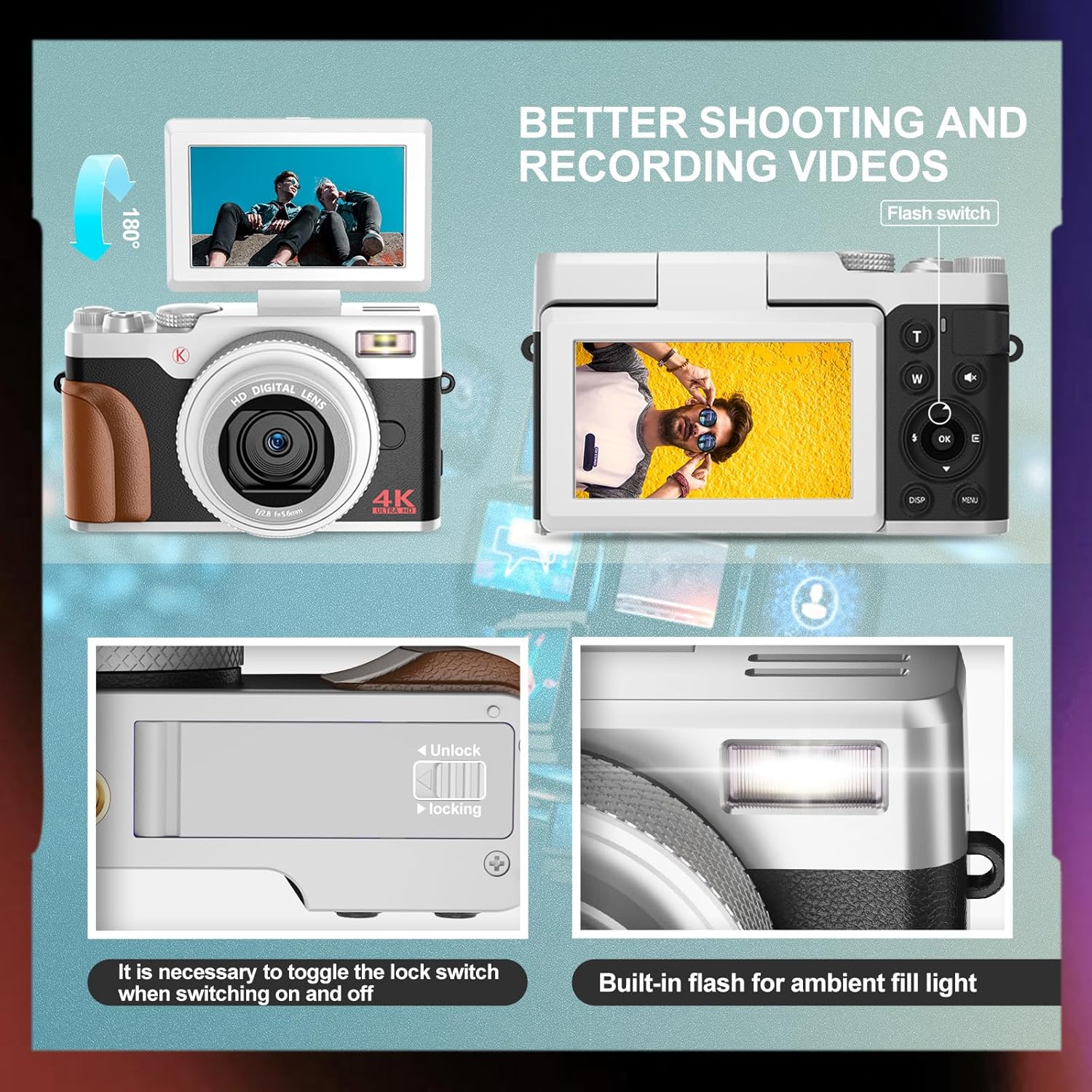
Beeld: Voor en agter view of the NBD K100 camera, highlighting the adjustable screen, built-in flash, and the battery compartment lock switch.
- Lens: Main optical component for capturing images.
- Ingeboude flits: Verskaf beligting in lae ligtoestande.
- 3-inch Rotatable Screen: Skerms regstreeks view, menus, and playback. Can rotate 180 degrees.
- Ontspanknop: Half-press to activate autofocus, full-press to capture.
- Mode Dial/Rotary Button: Selects shooting modes (Photograph, Video, Slow Motion, Time-lapse, Continuous, Self-timer, Special Effects, Beauty Mode).
- Zoom Lever (T/W): Adjusts 16X digital zoom.
- Kieslys-knoppie: Kry toegang tot kamera-instellings.
- OK knoppie: Bevestig keuses.
- Rigtingknoppies: Navigeer deur spyskaarte en instellings.
- Battery kompartement: Huisves die herlaaibare battery.
- Geheuekaartgleuf: For inserting the SD card.
- USB-poort: Vir laai en data-oordrag.
Opstelling
1. Battery Installasie
- Vind die batteryklepdeksel aan die onderkant van die kamera.
- Slide the lock switch to the "Unlock" position and open the cover.
- Insert the rechargeable battery according to the polarity indicators (+/-).
- Close the battery compartment cover and slide the lock switch to the "Lock" position.
2. Geheuekaartinstallasie
The camera supports SD cards up to 32GB (a 32GB card is included).
- Open the memory card slot cover, usually located near the battery compartment or on the side.
- Insert the SD card with the metal contacts facing the correct direction (refer to the diagram inside the slot). Push until it clicks into place.
- Maak die geheuekaartgleufdeksel toe.
3. Laai die battery
The camera comes with two rechargeable batteries.
- Connect the camera to the power adapter using the provided USB cable.
- Steek die adapter in 'n kragaansluiting.
- Die laai-aanwyserliggie sal brand. Dit sal afskakel of van kleur verander wanneer die laai voltooi is.
- The camera supports recording while charging.
Bedien die kamera
1. Skakel aan/af
- Om aan te skakel, druk en hou die Power-knoppie in.
- To power off, press and hold the Power button again.
2. Basic Photography and Video Recording

Image: Visual representation of the camera's 4K video and 56MP photo capabilities, demonstrating 16X digital zoom and the difference between 2K and 4K output.
- Kies modus: Rotate the mode dial (Quick Rotary Button) to select between "Photograph" (still images) or "Video" (video recording).

Image: Diagram illustrating the Quick Rotary Button and its various shooting modes, including Photograph, Video, Slow Motion, and Special Effects.
- Fokus: Half-press the Shutter button to activate autofocus. The camera will adjust focus automatically.
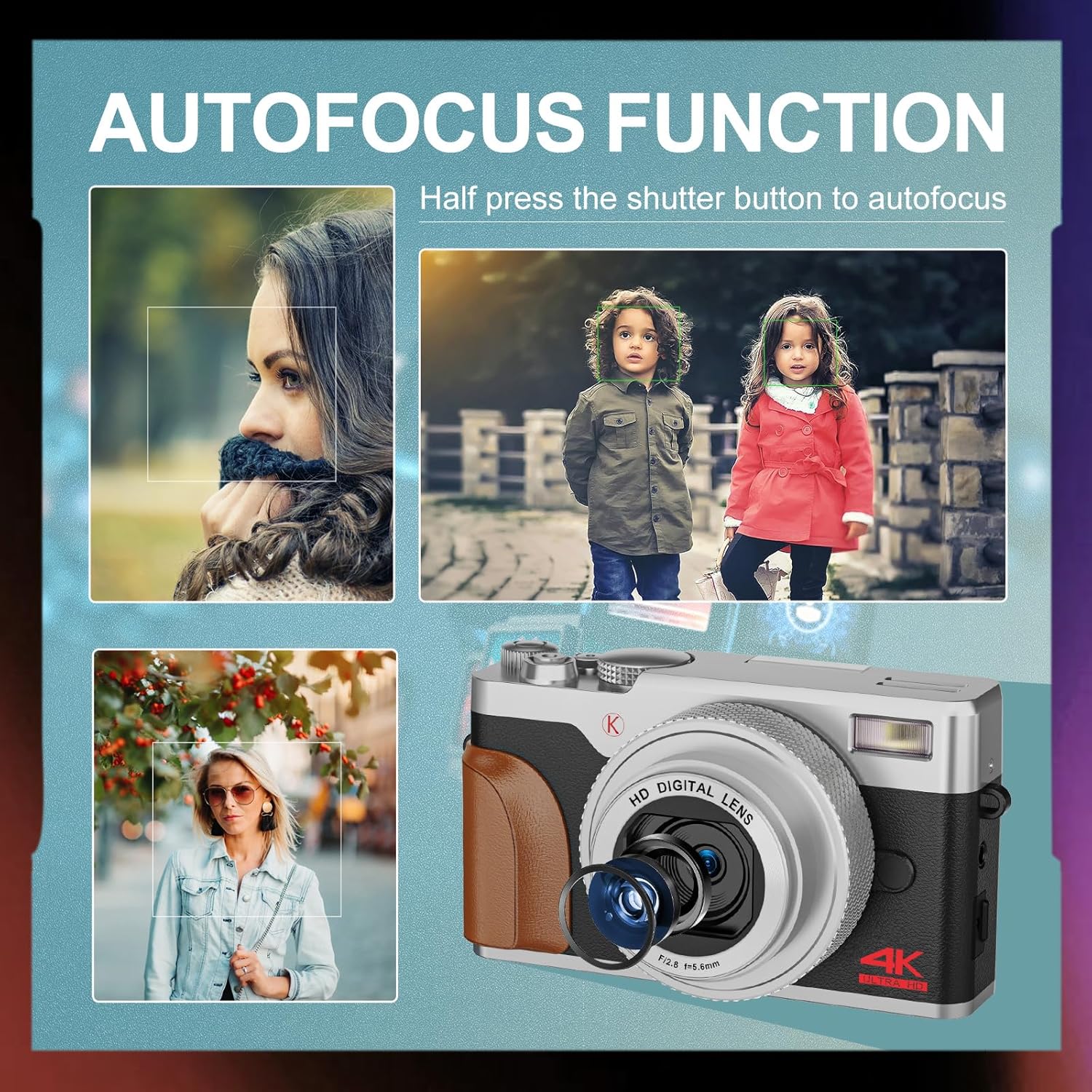
Beeld: Bvamples of autofocus in action, showing subjects in sharp focus against blurred backgrounds, with the camera lens visible.
- Vasvang: Full-press the Shutter button to take a photo or start/stop video recording.
- Zoem: Use the T (Telephoto) and W (Wide) levers to adjust the 16X digital zoom.
- Flits: The built-in flash can be used for low-light conditions. Access flash settings via the menu or a dedicated button (if available).
3. Gevorderde skietmodusse
The Quick Rotary Button allows selection of various advanced modes:
- Slow Motion-video: Neem video op teen 'n hoër raamtempo vir stadige aksie-terugspeel.
- Time-lapse Video: Captures a series of images over time and compiles them into a video.
- Deurlopende skietery: Neem verskeie foto's vinnig agtereenvolgens.
- Self-timer: Delays the shutter release for self-portraits or group photos.
- Special Effects (Filter Effects): Applies creative filters to your photos.
- Beauty Photo Mode: Enhances portraits.
4. Adjustable Screen
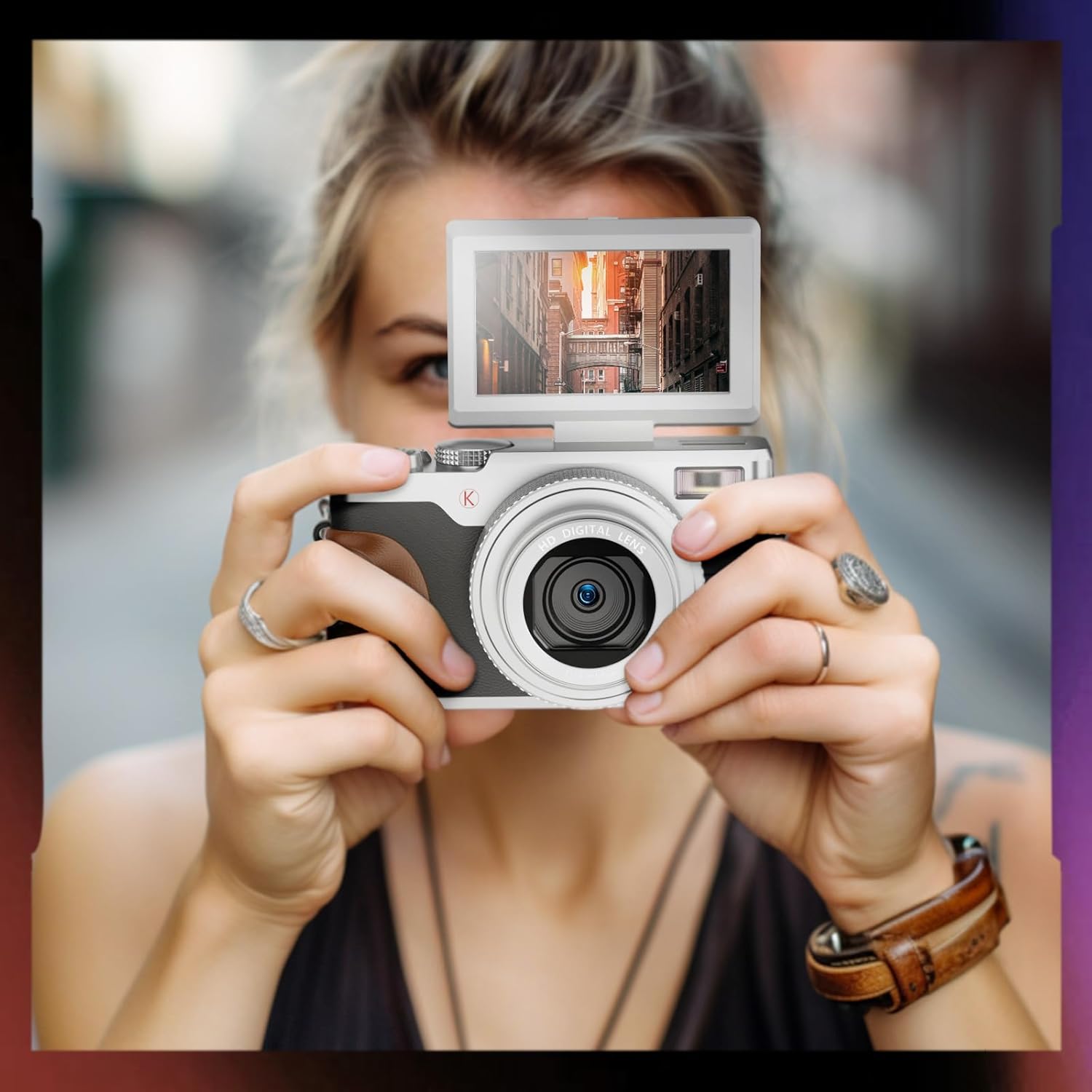
Image: A user holding the NBD K100 camera, demonstrating the 180-degree rotatable screen flipped upwards, ideal for selfies or vlogging.
The 3-inch screen can rotate 180 degrees, allowing for flexible viewing angles. This is particularly useful for vlogging, selfies, or shooting from high or low perspectives.
5. Webcam Funksie

Image: The NBD K100 camera shown in two scenarios: recording video and functioning as a webcam connected to a laptop and a tablet for video conferencing.
Koppel die kamera aan jou rekenaar via die USB-kabel om dit as 'n webcam for video calls or live streaming. Ensure the camera is powered on and select the webcam option if prompted.
Onderhoud
- Maak die lens skoon: Gebruik 'n sagte, pluisvrye lap wat spesifiek vir kameralense ontwerp is. Moenie skuurmiddels of harde chemikalieë gebruik nie.
- Skoonmaak van die skerm: Wipe gently with a microfiber cloth.
- Berging: When not in use for extended periods, remove the battery and store the camera in a cool, dry place.
- Batterysorg: Recharge batteries regularly, even if not in use, to maintain their lifespan. Avoid fully discharging batteries.
Probleemoplossing
| Probleem | Oplossing |
|---|---|
| Kamera skakel nie aan nie. | Ensure the battery is correctly inserted and fully charged. Try using the second battery. |
| Kan nie foto's neem/video's opneem nie. | Check if the memory card is inserted correctly and has sufficient free space. Ensure the battery has enough charge. |
| Beelde is vaag. | Ensure autofocus is engaged (half-press shutter). Clean the lens if dirty. Check lighting conditions. |
| Flash is not working. | Check flash settings in the menu. Ensure the flash is not physically obstructed. |
| Kamera word nie deur rekenaar herken nie. | Ensure the USB cable is securely connected. Try a different USB port or cable. Restart both camera and computer. |
Spesifikasies
| Kenmerk | Detail |
|---|---|
| Handelsmerk | NBD |
| Model Naam | K100 (A1) |
| Fotosensorresolusie | 56 Megapixels (48 Megapixels in some specifications) |
| Video-opname-resolusie | 4K (3840x2160) |
| Digitale zoom | 16X |
| Skerm grootte | 3.0 inches (180-degree rotatable) |
| sensor Tegnologie | CMOS |
| Verbindingstegnologie | USB |
| Geheuekaartondersteuning | SD-kaart (tot 32 GB ingesluit) |
| Battery Tipe | Litiumioon |
| Tipe vertoon | OLED (Color Screen) |
| Outofokus | Ja |
| Ingeboude flits | Ja |
| Beeldstabilisasie | Nee |
| Oudio-opname | Ja |
Waarborg en Ondersteuning
For warranty information and technical support, please refer to the warranty card included in your package or visit the official NBD website. If you encounter any issues not covered in this manual, please contact NBD customer service for assistance.
Kontakinligting: Please refer to your product packaging or the manufacturer's webwebwerf vir die mees onlangse kontakbesonderhede.