
1. Produk verbyview
The Docooler IPX7 Waterproof Bluetooth Portable Shower Speaker is designed for audio playback in various environments, including wet conditions. It features Bluetooth 5.0 connectivity, an LED display, FM radio, and a light show function. The speaker is equipped with a removable suction cup for versatile placement.

Image: Docooler IPX7 Waterproof Bluetooth Portable Shower Speaker, showcasing die ontwerp en kenmerke daarvan.
2. Pakketinhoud
Verifieer dat alle items in die pakket teenwoordig is:
- Docooler IPX7 Waterproof Bluetooth Portable Shower Speaker
- USB-C-laaikabel
- Removable Suction Cup
- Gebruikershandleiding
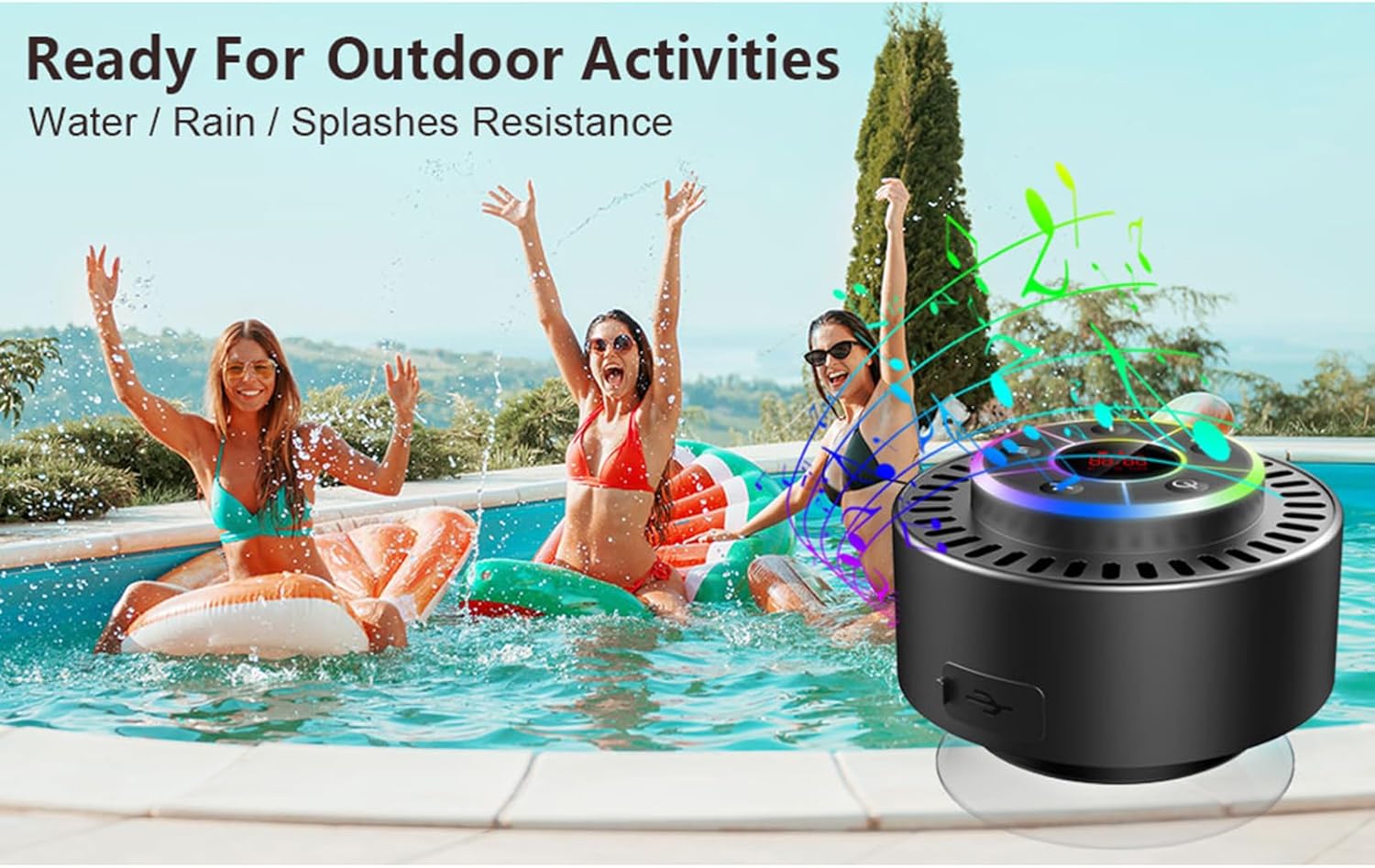
Image: The speaker, USB-C charging cable, and user manual as included in the package.
3. Opstelling
3.1 Laai die luidspreker
Before initial use, fully charge the speaker. Connect the provided USB-C charging cable to the speaker's charging port and the other end to a USB power adapter (not included) or a computer's USB port. The LED display will indicate charging status.
3.2 Attaching the Suction Cup
To attach the suction cup, ensure both the speaker's back surface and the desired mounting surface are clean and dry. Press the suction cup firmly against the surface until it adheres securely. For best results, slightly moisten the suction cup before application.
3.3 Aan-/afskakel
- Om aan te skakel: Druk en hou die Kragknoppie (
 ) for approximately 3 seconds until the LED display illuminates.
 - Om af te skakel: Druk en hou die Kragknoppie for approximately 3 seconds until the LED display turns off.
4. Bedryfsinstruksies
4.1 Knoppie Funksies
Beeld: Gedetailleerd view van die luidspreker se beheerpaneel, wat die funksie van elke knoppie aandui.
| Knoppie | Funksie (Kort Druk) | Funksie (Lang druk) |
|---|---|---|
| Kragknoppie () | Toggle LED light show modes | Krag aan/af |
| M-knoppie | Switch between Bluetooth and FM Radio modes | NVT |
| Speel/Pause-knoppie () | Play/Pause music; Answer/End calls; Auto-scan in FM mode | Verwerp inkomende oproep |
| Previous Song / Volume Down (-) | Previous song (Bluetooth); Previous station (FM) | Verminder volume |
| Next Song / Volume Up (+) | Next song (Bluetooth); Next station (FM) | Verhoog volume |
4.2 Bluetooth -koppeling
When powered on, the speaker automatically enters Bluetooth pairing mode. The LED display will show 'BT'.
- Maak seker dat Bluetooth op jou toestel (slimfoon, tablet, skootrekenaar) geaktiveer is.
- Soek vir available Bluetooth devices and select "Docooler Speaker" from the list.
- Once connected, the speaker will emit an audible confirmation, and the 'BT' indicator on the LED display will stabilize.

Image: The speaker demonstrating connectivity with a phone, tablet, and computer via Bluetooth.
4.3 Ware Draadlose Stereo (TWS) Paring
To achieve 3D stereo sound, two Docooler speakers can be paired together.
- Maak seker dat beide luidsprekers aangeskakel is en nie aan enige ander Bluetooth-toestel gekoppel is nie.
- Op een luidspreker (dit sal die primêre luidspreker wees), druk en hou die Speel/Pause-knoppie for 2-3 seconds until you hear a pairing tone.
- Die twee luidsprekers sal outomaties aan mekaar koppel.
- Sodra dit gekoppel is, koppel jou toestel aan die primêre luidspreker via Bluetooth soos beskryf in afdeling 4.2. Oudio sal nou deur beide luidsprekers in stereo speel.

Image: Two Docooler speakers wirelessly connected to a computer, illustrating the True Wireless Stereo (TWS) feature.
4.4 FM-radiomodus
To switch to FM Radio mode:
- Druk die M-knoppie to cycle through modes until 'FM' appears on the LED display.
- Outo-skandering: In FM mode, short press the Speel/Pause-knoppie to automatically scan and save available radio stations.
- Verander Stasie: Gebruik die Previous Song / Volume Down (-) en Next Song / Volume Up (+) knoppies om deur gestoorde stasies te navigeer.
- Pas volume aan: Druk lank op die Previous Song / Volume Down (-) or Next Song / Volume Up (+) knoppies om die volume aan te pas.
4.5 LED Light Show
The speaker features a beat-driven LED light show with seven colors.
- Verander ligmodus: Druk kort op die Kragknoppie to cycle through different light show patterns or to lock a single color.
- Skakel ligte af: Gaan voort met die druk op die Kragknoppie until the lights turn off.
4.6 Handvrye oproepe
When connected via Bluetooth, the built-in microphone allows for hands-free calls.
- Beantwoord oproep: Druk kort op die Speel/Pause-knoppie.
- Beëindig oproep: Druk kort op die Speel/Pause-knoppie tydens 'n oproep.
- Verwerp oproep: Druk lank op die Speel/Pause-knoppie.
4.7 LED Display Information
The LED display shows the current time and battery level in Bluetooth mode. In FM radio mode, it displays the frequency.
5. Onderhoud
5.1 Waterbestandheid (IPX7)
The speaker is IPX7 waterproof, meaning it can be submerged in up to 1 meter (3 feet) of water for up to 30 minutes. Ensure the charging port cover is securely closed before exposing the speaker to water. After exposure to water, wipe the speaker dry with a soft cloth.
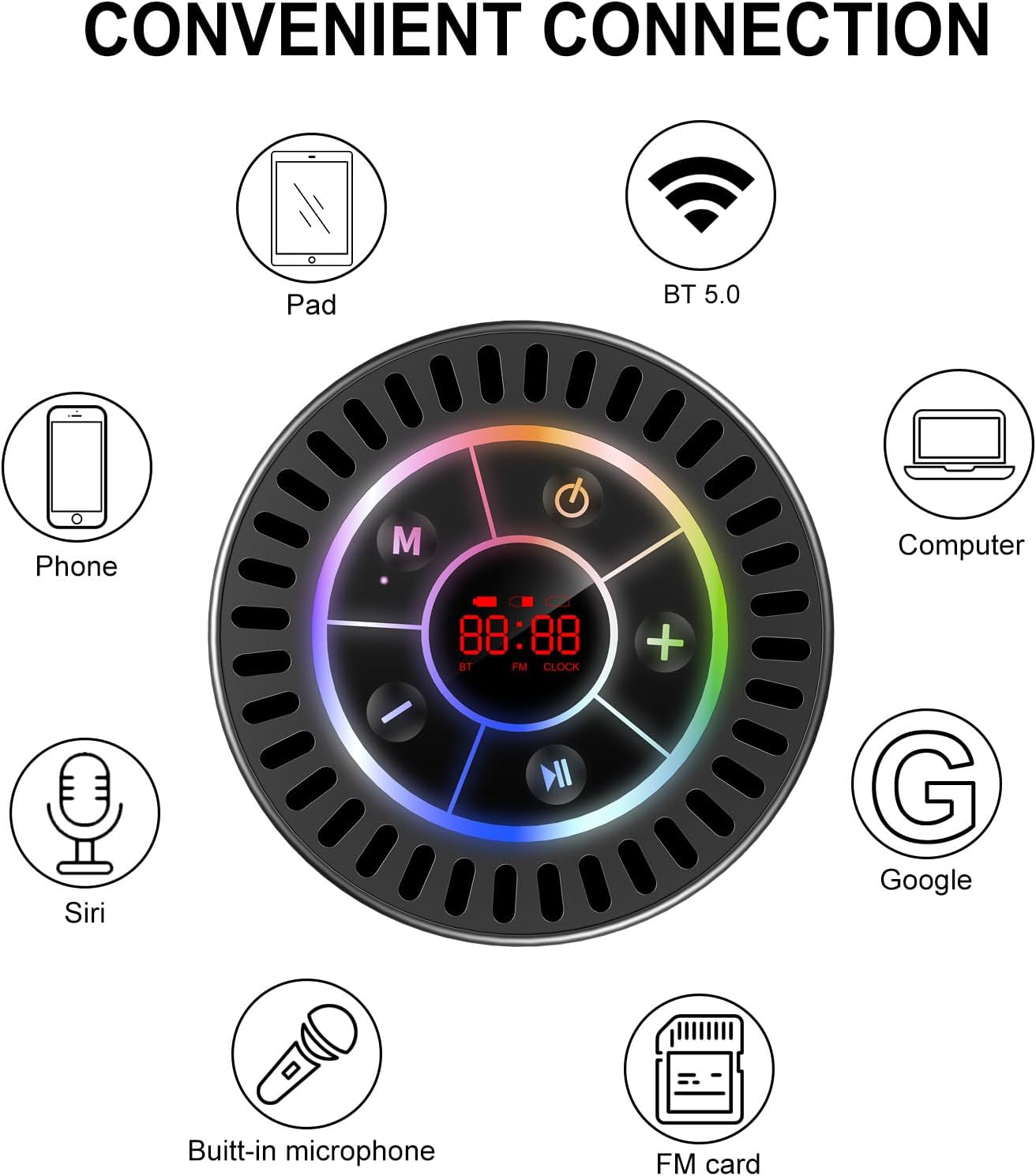
Image: The Docooler speaker attached to a shower wall, demonstrating its waterproof capability.
5.2 Skoonmaak
Maak die luidspreker skoon met 'n sagte, damp cloth. Do not use abrasive cleaners, alcohol, or chemical solvents, as these may damage the surface or internal components.
5.3 Berging
Bêre die luidspreker op 'n koel, droë plek weg van direkte sonlig en uiterste temperature. As dit vir 'n lang tydperk gebêre word, laai die battery gereeld om die lewensduur daarvan te behou.
6. Probleemoplossing
- Luidspreker skakel nie aan nie: Ensure the battery is charged. Connect the speaker to a power source using the USB-C cable and try again.
- Kan nie via Bluetooth koppel nie:
- Ensure the speaker is in Bluetooth pairing mode ('BT' flashing on display).
- Make sure Bluetooth is enabled on your device and it is within 15 meters of the speaker.
- Indien voorheen gekoppel, probeer om die toestel op jou foon te vergeet en weer te koppel.
- Herbegin beide die luidspreker en jou Bluetooth-toestel.
- Poor FM radio reception: FM radio reception can be affected by location and environmental factors. Try repositioning the speaker or using it in an open area. The charging cable can sometimes act as an antenna to enhance signal.
- Geen geluid of lae volume:
- Kontroleer die volumevlak op beide die luidspreker en jou gekoppelde toestel.
- Ensure the speaker is properly paired and not connected to another device.
- As jy TWS gebruik, maak seker dat beide luidsprekers korrek met mekaar en dan met jou toestel gekoppel is.
- Speaker starts at full volume: Some units may default to a high volume upon power-on. Immediately adjust the volume using the '-' button to a comfortable level after turning the speaker on.
- Suction cup does not hold: Ensure the mounting surface is clean, smooth, and dry. Slightly moisten the suction cup before pressing it firmly onto the surface. Avoid porous or textured surfaces.
7. Spesifikasies

Beeld: 'n Ontplofte view showing the internal components of the Docooler speaker, highlighting its sound technology.
| Kenmerk | Detail |
|---|---|
| Handelsmerk | Doenkoeler |
| Modelnommer | SMT4782513347516YX |
| Verbindingstegnologie | Bluetooth 5.0 |
| Bluetooth-reeks | Tot 15 meter |
| Waterweerstandvlak | IPX7 (waterdig) |
| Luidspreker Maksimum uitsetkrag | 5 Watt |
| Frekwensierespons | 100 Hz |
| Klankuitvoermodus | Stereo, Surround (met TWS) |
| Sein-tot-geraas verhouding | 95 dB |
| Aantal mikrofone | 1 (Ingeboude) |
| Kragbron | Battery aangedrewe |
| Beheer metode | Knoppie |
| Item gewig | 300 gram |
| Versoenbare toestelle | Laptop, MP3 Player, Smartphone, Tablet, Television |
8. Waarborg en Ondersteuning
8.1 Waarborginligting
This Docooler speaker comes with a limited warranty. For specific terms and conditions, please refer to the warranty card included in your package or contact Docooler customer support.
8.2 Kliëntediens
For further assistance, technical support, or warranty claims, please visit the official Docooler website or contact their customer service department. Contact information can typically be found on the product packaging or the brand's online store.