
1. Inleiding
This user manual provides essential information for the safe and efficient operation of your Blow KidsTAB8 8-inch tablet. Please read this manual thoroughly before using the device and retain it for future reference. The Blow KidsTAB8 features an 8-inch IPS display, UNISOC T606 octa-core processor, 4GB RAM, 64GB internal storage, and runs on Android 12.
2. Veiligheidsinligting
- Moenie die tablet blootstel aan uiterste temperature, direkte sonlig of hoë humiditeit nie.
- Vermy om die tablet te laat val of aan ernstige impakte bloot te stel.
- Use only the charger provided or approved by the manufacturer.
- Do not attempt to disassemble or repair the tablet yourself. Refer to qualified service personnel.
- Hou die tablet weg van water en ander vloeistowwe.
- Gooi die tablet en sy battery verantwoordelik weg volgens plaaslike regulasies.
3. Pakketinhoud
Verifieer dat jou pakket die volgende items bevat:
- Blow KidsTAB8 8-inch Tablet
- USB-C-laaikabel
- Kragadapter
- Gebruikershandleiding (hierdie dokument)
Let wel: Spesifieke bykomstighede kan per streek verskil.
4. Toestel oorview
Maak jouself vertroud met die fisiese komponente van jou tablet.
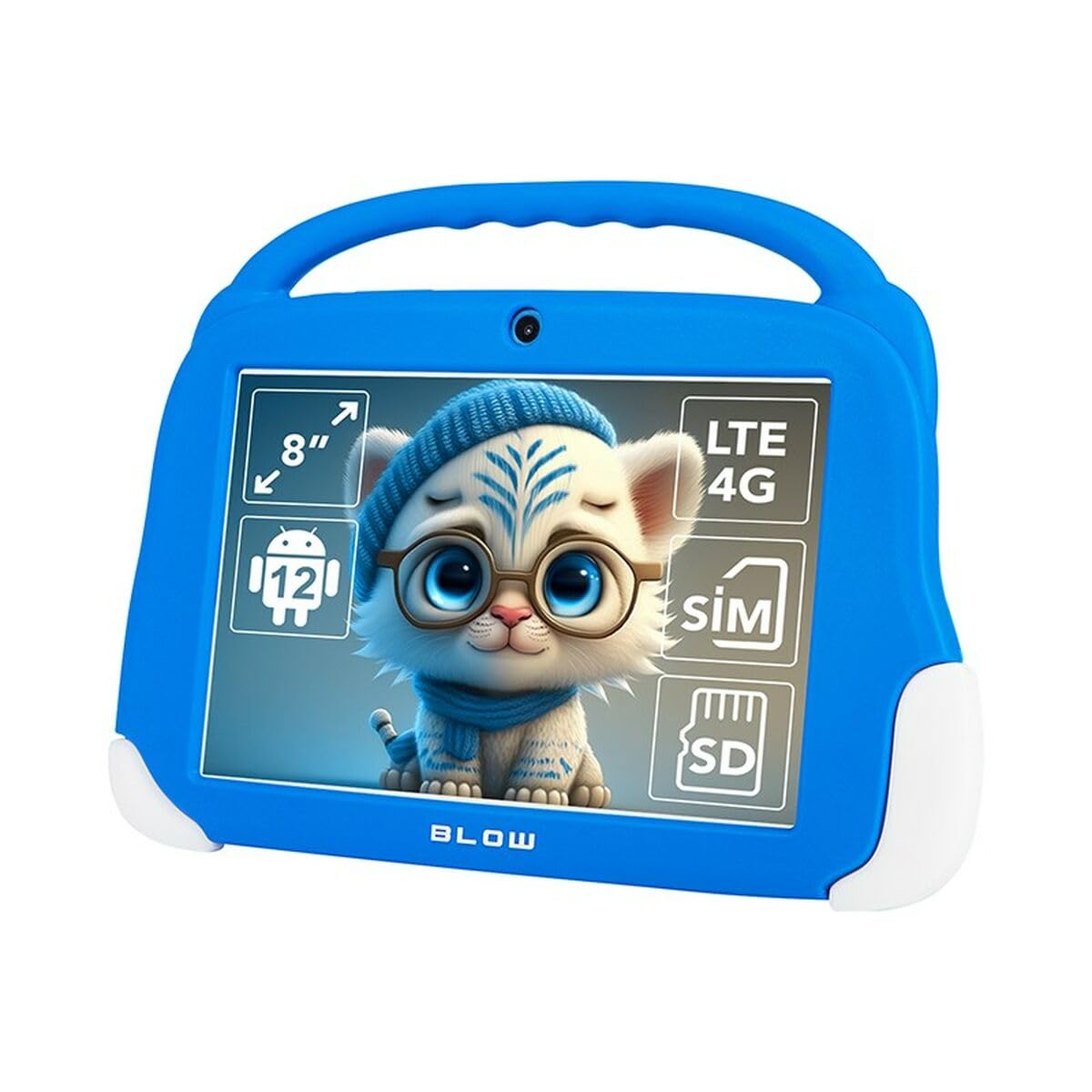
Figuur 4.1: Voorkant view of the Blow KidsTAB8 tablet, showing the 8-inch display and front camera.
4.1 Fisiese kenmerke
- 8-duim IPS-skerm: Hoëdefinisie-skerm vir duidelike beelde.
- Voorste kamera: Located above the screen for video calls and selfies.
- Agterste kamera: Located on the back for capturing photos and videos (2 MP resolution).
- Kragknoppie: Typically on the side, used to power on/off and wake/sleep the device.
- Volume knoppies: Pas klankvlakke aan.
- USB-C-poort: Vir laai en data-oordrag.
- Micro SIM/SD Card Slot: For mobile connectivity and expandable storage.
5. Opstelling
5.1 Aanvanklike laai
Before first use, fully charge your tablet. Connect the USB-C cable to the tablet's USB-C port and the power adapter to a wall outlet. The battery indicator on the screen will show charging status. The tablet has a 4800 mAh battery.
5.2 Aan-/afskakel
- Om aan te skakel: Press and hold the Power button until the Blow logo appears.
- Om af te skakel: Druk en hou die aan/af-knoppie in, en kies dan "Skakel af" uit die opsies op die skerm.
- Om te slaap/wakker te word: Druk kortliks die aan/af-knoppie om die tablet aan die slaap te maak of wakker te maak.
5.3 SIM-kaart en MicroSD-kaartinstallasie
The tablet supports a Micro SIM card for 4G LTE connectivity and a MicroSD card for expandable storage up to 64GB (or more, depending on card compatibility).
- Vind die SIM-/MicroSD-kaartlaai aan die kant van die tablet.
- Use the provided SIM ejector tool (if included) to open the tray.
- Carefully place the Micro SIM card and/or MicroSD card into the designated slots on the tray, ensuring correct orientation.
- Druk die skinkbord versigtig terug in die tablet totdat dit in plek klik.
6. Bedryfsinstruksies
6.1 Basiese Navigasie (Android 12)
- Tuisskerm: Veeg links of regs om tussen tuisskerms te navigeer.
- App-laai: Vee opwaarts van die onderkant van die skerm om toegang tot alle geïnstalleerde toepassings te verkry.
- Kennisgewings en vinnige instellings: Swiep af vanaf die bokant van die skerm na view kennisgewings en toegang tot vinnige instellings skakelaars.
- Back, Home, Recent Apps: Use the navigation buttons at the bottom of the screen (or gestures, if enabled) to navigate.
6.2 Konnektiwiteit
- Wi-Fi: Gaan na Instellings > Netwerk en internet > Wi-Fi to connect to available Wi-Fi networks (supports 802.11ac, b, g, n, and 5 GHz).
- Bluetooth: Gaan na Instellings > Verbonde toestelle > Bluetooth to pair with Bluetooth 5.0 compatible devices.
- Mobiele data (4G LTE): If a Micro SIM card is installed, enable mobile data in Instellings > Netwerk en internet > Mobiele netwerk.
- GPS: The tablet supports GPS, Glonass, and BeiDou for location services. Ensure location services are enabled in Instellings> Ligging.
6.3 Kameragebruik
Open the Camera app to take photos or record videos. The tablet features a front camera and a 2 MP rear camera.
6.4 Aansoeke
Download and install applications from the Google Play Store. Ensure you have a Google account set up on your tablet.
7. Onderhoud
7.1 Skoonmaak van die tablet
Use a soft, lint-free cloth to clean the screen and body of the tablet. Do not use abrasive cleaners or solvents. If necessary, slightly dampMaak die lap skoon met water of 'n skermreiniger wat spesifiek vir elektronika ontwerp is.
7.2 Sagteware-opdaterings
Kontroleer gereeld vir sagteware-opdaterings om te verseker dat jou tablet die nuutste kenmerke en sekuriteitsverbeterings het. Gaan na Instellings > Stelsel > Stelselopdatering.
8. Probleemoplossing
| Probleem | Oplossing |
|---|---|
| Tablet skakel nie aan nie. | Maak seker dat die battery gelaai is. Koppel die laaier aan en wag 'n paar minute voordat jy weer probeer aanskakel. |
| Wi-Fi-verbindingsprobleme. | Kontroleer of Wi-Fi in instellings geaktiveer is. Herbegin jou Wi-Fi-router. Vergeet die netwerk en koppel weer aan. |
| Programme stort vas of vries. | Close and restart the app. Clear the app's cache in Instellings > Programme > [Programnaam] > Berging en kasgeheue. Restart the tablet. |
| Stadige werkverrigting. | Close unused apps. Clear cache. Consider uninstalling unnecessary applications. Perform a factory reset as a last resort (backup data first). |
9. Spesifikasies
| Modelnommer | S9148142 |
| Vertoon | 8-inch IPS, 1280 x 800 px (HD) |
| Verwerker | UNISOC T606 Octa-Core |
| RAM | 4 GB |
| Interne berging | 64 GB |
| Bedryfstelsel | Android 12 |
| Battery kapasiteit | 4800 mAh |
| Konnektiwiteit | Wi-Fi (802.11ac, b, g, n, 5 GHz), Bluetooth 5.0, 4G LTE, GPS, Glonass, BeiDou |
| Hawens | USB-C 3.0 x 1, Micro SIM slot, MicroSD card reader |
| Kameras | Front Camera, Rear Camera (2 MP) |
| Afmetings | 18.2 x 2.2 x 25 cm |
| Gewig | 880 g |
10. Waarborg en Ondersteuning
For warranty information and technical support, please refer to the warranty card included with your product or visit the official Blow webwebwerf. Bewaar u bewys van aankoop vir waarborgeise.
Vervaardiger: Blaas
Model: KidsTAB8 (S9148142)