
1. Inleiding
Thank you for choosing the nooie Baby Monitor NB1. This device provides a secure and reliable way to monitor your baby without relying on Wi-Fi or smartphone applications. Featuring a 5-inch 720P HD screen, two-way audio, night vision, and temperature monitoring, the nooie Baby Monitor is designed for peace of mind.
2. Wat is in die boks
- Baby Monitor Screen Unit
- Babakamera-eenheid
- Power Cable and Adapter (x2)
- Gebruikershandleiding
3. Produk verbyview
3.1 Monitor-eenheid
The monitor unit features a 5-inch 720P HD display for clear viewing. It includes control buttons for navigation, pan/tilt/zoom, two-way audio, lullabies, and settings. A kickstand is integrated on the back for convenient placement.
3.2 Camera Unit
The camera unit is equipped with a 720P HD lens, night vision capabilities, and a built-in microphone and speaker for two-way audio. It features pan and tilt functionality for wide coverage and includes a mounting option on its base. An external 2.4G antenna ensures a stable connection.
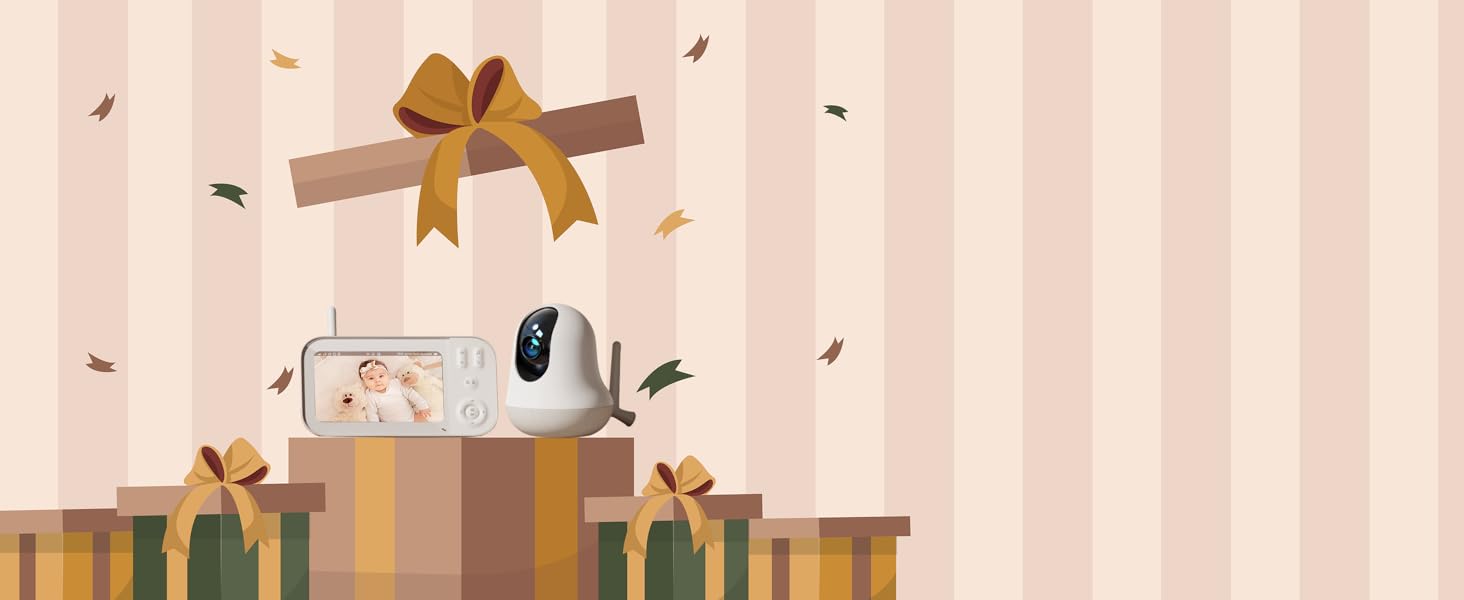
Image: The nooie Baby Monitor system, showing the monitor unit and the camera unit.
4. Opstelling
- Skakel kamera aan: Connect the baby camera unit to a power source using one of the provided power cables and adapters. The camera will power on automatically.
- Aanskakelmonitor: Connect the baby monitor screen unit to a power source using the second power cable and adapter. The monitor will power on automatically.
- Outomatiese paring: The camera and monitor are pre-paired at the factory. They should automatically connect within seconds of being powered on. If they do not connect, refer to the troubleshooting section for manual pairing instructions.
- Plasing: Plaas die kamera op 'n plek wat 'n duidelike view of your baby. Ensure it is out of your baby's reach. The monitor can be placed on a flat surface using its kickstand or carried with you.

Image: Simple two-step setup process for the nooie Baby Monitor, showing the camera and monitor plugged in.
5. Bedryfsinstruksies
5.1 Monitoring (Video Quality, Night Vision, Zoom)
The 5-inch screen provides a clear 720P HD video feed. The monitor automatically switches to night vision in low-light conditions, offering a clear view up to 32 feet. Use the zoom function to get a closer look at your baby.

Image: Monitor displaying a sleeping baby, highlighting 720P HD resolution and 4x zoom capability.
5.2 Tweerigting-klank
Press and hold the microphone button on the monitor to speak to your baby through the camera's speaker. Release the button to stop speaking.

Image: Demonstrating the two-way audio feature, allowing communication with the baby through the monitor.
5.3 Wiegeliedjies
The monitor includes a selection of soothing lullabies to help your baby sleep. Access the music menu through the monitor's controls to choose a lullaby and adjust the volume.

Image: A baby sleeping peacefully in a crib, with musical notes suggesting the use of lullabies from the monitor.
5.4 Temperature Monitoring & Alerts
The camera unit includes a temperature sensor. The monitor displays the current room temperature and can be configured to alert you if the temperature goes outside a set range.

Image: Monitor displaying a baby and the room temperature, illustrating the temperature monitoring feature.
5.5 VOX Mode / Sound Detection
The VOX (Voice Operated eXchange) mode allows the monitor screen to turn off to save battery and turn back on automatically when sound is detected from the baby's room. Adjust the sound detection sensitivity in the settings.
5.6 Feeding Reminders
Set feeding reminders through the monitor's menu to help maintain your baby's feeding schedule.
5.7 Pan-, Kantel- en Zoembeheer
Use the directional buttons on the monitor to remotely pan (move horizontally) and tilt (move vertically) the camera lens. The zoom button allows for 4x digital zoom.

Image: Illustrating the pan and tilt capabilities of the camera for wide coverage of the nursery.
5.8 Multi-Camera Support
The monitor supports connecting up to four camera units. This allows you to monitor multiple rooms or different angles within the same room. Switch between cameras or view multiple feeds simultaneously through the monitor's menu.
Image: Monitor displaying a sleeping baby, highlighting 720P HD resolution and 4x zoom capability.
6. Probleemoplossing
- Geen video/klank: Ensure both the camera and monitor units are powered on and within range. Check power connections.
- Inmenging: Move the camera or monitor away from other electronic devices that may cause interference.
- Handmatige paring: If automatic pairing fails, access the monitor's settings menu to manually pair the camera unit. Follow the on-screen instructions.
- Batterylewe: The monitor's battery lasts up to 10 hours in regular mode and 26 hours in VOX mode. Recharge the monitor when the battery indicator is low.
7. Spesifikasies
| Kenmerk | Spesifikasie |
|---|---|
| Model Naam | Nooie Baby Monitor (NB1) |
| Skerm grootte | 5 duim |
| Video-resolusie | 720P HD |
| Battery kapasiteit | 4000 mAh |
| Battery Life (Continuous) | Tot 10 uur |
| Battery Life (VOX Mode) | Tot 26 uur |
| Konnektiwiteit | No Wi-Fi (FHSS Technology) |
| Nagsigreeks | Tot 32 voet |
| Zoem | 4x digitale zoom |
| Tweerigting-klank | Ja |
| Temperatuursensor | Ja |
| Pan/kantel | Yes (355° horizontal, 100° vertical) |
| Max Cameras Supported | 4 |
| Afmetings (L x B x H) | 12.4 x 5.9 x 5.11 duim |
| Item gewig | 1.1 pond |
8. Veiligheidsinligting
- Keep all cords out of reach of children (at least 3 feet away).
- Never place the camera or cords inside the crib or playpen.
- Ensure the camera is securely mounted or placed on a stable, flat surface.
- Hierdie produk is slegs vir binnenshuise gebruik.
- Do not attempt to open or repair the device yourself. Contact support for assistance.
9. Waarborg en Ondersteuning
For warranty information or technical support, please refer to the contact details provided in your product packaging or visit the official nooie webwerf. Hou jou aankoopkwitansie vir waarborgeise.
10. Amptelike produkvideo's
nooie Baby Monitor Overview
Video: 'n Kort oorsigview of the nooie Baby Monitor, highlighting its key features and benefits.
nooie Video Baby Monitor with Camera Features
Video: Detailed demonstration of the nooie Video Baby Monitor's features, including the 5-inch screen, 10-hour battery, two-way audio, and 720P HD resolution.