
1. Inleiding
The GUSGU C2N 3-in-1 MagSafe Wireless Charging Station is designed to efficiently charge your iPhone, Apple Watch, and AirPods simultaneously. This device also features a three-level adjustable LED night light, providing convenience and functionality for your bedside table or desk. Its durable aluminum alloy exterior and integrated safety features ensure reliable and secure charging for your devices.
2. Pakketinhoud
- GUSGU C2N 3-in-1 Wireless Charging Station
- 30W QC3.0 Fast Charging Adapter
- USB Type-C laaikabel
- Gebruikershandleiding
3. Produk verbyview
The GUSGU C2N charging station combines multiple charging capabilities with a sleek design. It features dedicated charging areas for your iPhone (MagSafe compatible), Apple Watch, and AirPods. The integrated night light offers three brightness levels, controlled by a touch-sensitive button.

Image 1: The GUSGU C2N 3-in-1 Wireless Charging Station in white, showcasing its compact design and multiple charging pads.
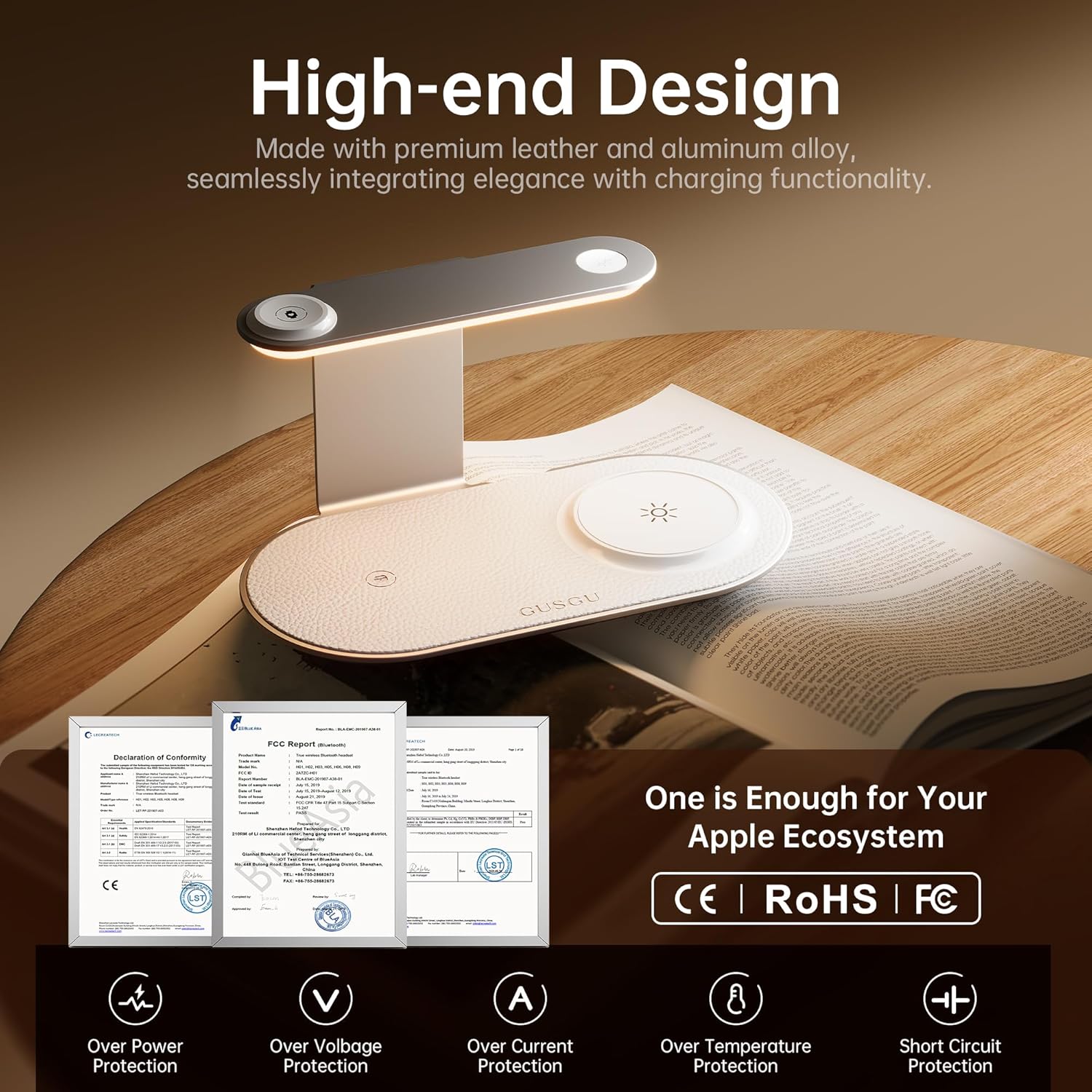
Image 2: Close-up of the GUSGU C2N's high-end design, highlighting its metallic exterior and leather watch charging panel, along with icons for over-power, over-voltage, oorstroom-, oortemperatuur- en kortsluitingbeskerming.
4. Opstelinstruksies
- Koppel krag: Connect the provided USB Type-C charging cable to the input port on the back of the charging station and plug the 30W QC3.0 adapter into a power outlet.
- Plasing: Place the charging station on a flat, stable surface such as a nightstand or desk.
Video 1: An official product video demonstrating the unboxing and initial setup of the GUSGU C2N Wireless Charging Station, showing how to connect the power cable and place devices for charging.
5. Bedryfsinstruksies
5.1 Laaitoestelle
- For iPhone (MagSafe): Place your MagSafe-compatible iPhone on the vertical charging pad. The magnetic alignment will secure your phone in the correct position for optimal 15W fast charging.
- Vir Apple Watch: Place your Apple Watch on the dedicated watch charging module located on the upper arm of the station.
- Vir AirPods: Place your AirPods (with wireless charging case) on the horizontal charging pad at the base.
The charging station supports simultaneous charging of up to three devices. The intelligent 'fill-and-stop' technology automatically pauses charging when devices are fully charged to prevent overcharging.

Image 3: The GUSGU C2N charging an iPhone, Apple Watch, and AirPods, highlighting its low-temperature charging capability compared to other Qi2 brands, ensuring device safety and longevity.
5.2 Night Light Operation
The charging station features a built-in LED night light with three adjustable brightness levels. To operate the night light:
- Turn On/Adjust Brightness: Lightly touch the touch-sensitive button on the upper arm of the station to cycle through the three brightness levels (low, medium, high).
- Skakel af: Continue touching the button until the light turns off, or hold the button for a few seconds.
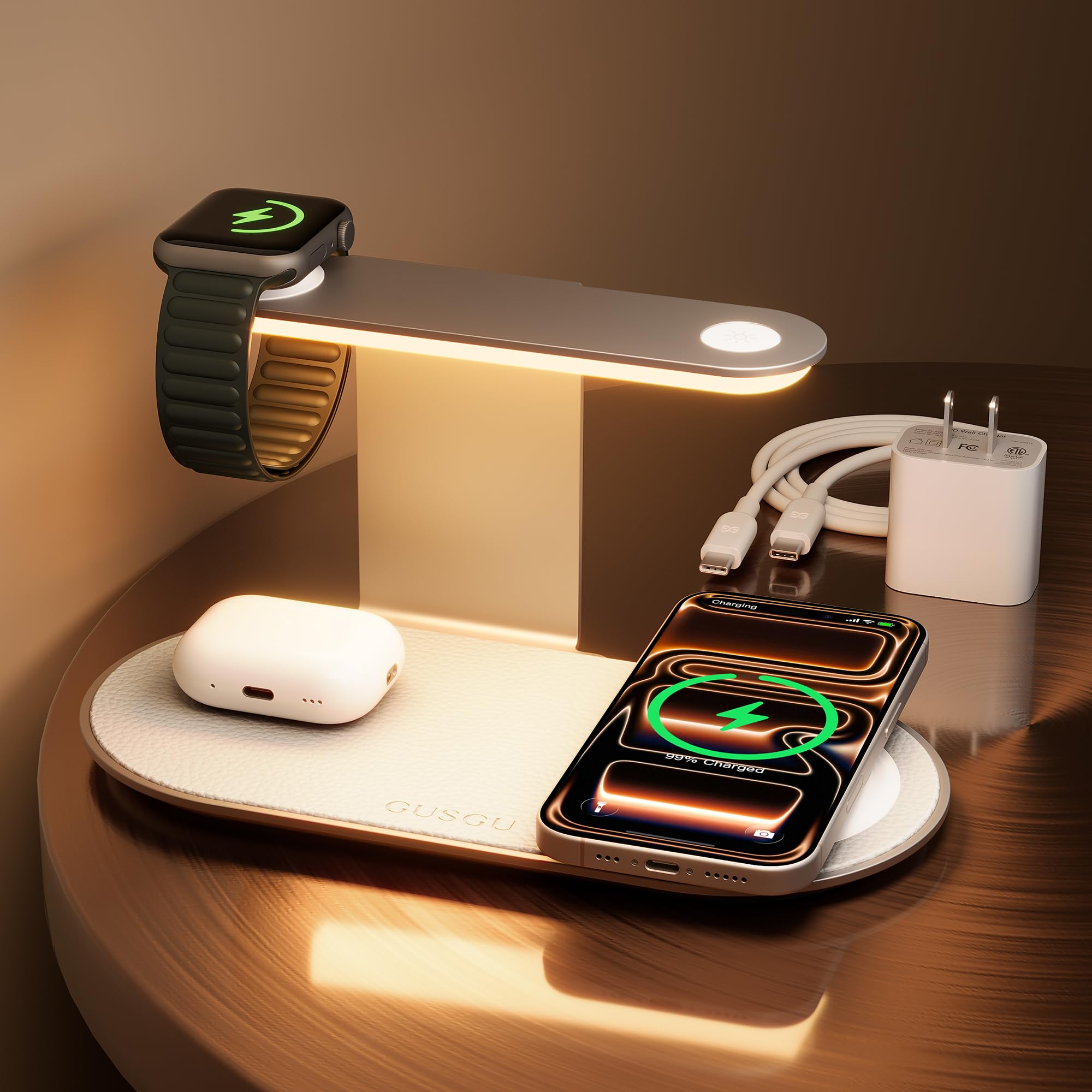
Image 4: A hand demonstrating the touch control for the three-level adjustable night light on the GUSGU C2N charging station, showing different brightness settings.
6. Verenigbaarheid
The GUSGU C2N is compatible with a wide range of devices:
- iPhones: iPhone 17/Air/16/15/14/13/12 series (Pro Max, Pro, Plus, Mini, standard models), iPhone SE (2nd generation), iPhone XS, iPhone XS Max, iPhone XR, iPhone X, iPhone 8, iPhone 8 Plus.
- Apple Watch: Apple Watch Series 2-11, SE 3, Ultra 3.
- AirPods: AirPods 3, AirPods Pro 2, AirPods Pro, AirPods (3rd generation), AirPods 2 Wireless Charging Case.
- Ander toestelle: Huawei phones (Mate RS/20 Pro/20 RS/P30 Pro/P40 Pro/P40 Pro +/30/30 Pro/30E Pro/40/40 Pro/40 Pro+/40 RS/40E 5G), Samsung Buds (Galaxy Buds Pro/ Buds Live/ Buds Plus + Wireless Charging Case), and other smartphones with wireless charging functionality.

Image 5: A detailed chart illustrating the universal compatibility of the GUSGU C2N charging station with various iPhone, Apple Watch, and AirPods models, along with other compatible devices.
7. Veiligheidsmaatreëls
- Hou die produk weg van damp of hoë-temperatuur omgewings.
- Do not allow liquid to enter the interior of this product.
- Use only the provided QC3.0 fast charging adapter and cable.
- Avoid dropping, throwing, or shaking the charger.
- Do not use any corrosive cleansers to clean the device.
- The charging station features real-time temperature monitoring to ensure efficient and safe charging.
8. Probleemoplossing
- Toestel laai nie: Ensure the charging cable is securely connected to both the station and the power adapter, and that the adapter is plugged into a live outlet. Verify that your device is placed correctly on the charging pad and is compatible with wireless charging.
- Stadige laai: Ensure you are using the provided 30W QC3.0 fast charging adapter and cable. Remove any thick phone cases that may interfere with wireless charging.
- Naglig werk nie: Check if the charging station is powered on. Lightly touch the touch-sensitive button to activate or adjust the brightness.
- Oorverhitting: The device has built-in temperature monitoring. If it feels excessively hot, disconnect it from power and allow it to cool down. Ensure proper ventilation around the charger.
9. Spesifikasies
| Kenmerk | Detail |
|---|---|
| Modelnommer | C2N |
| Invoer Voltage | 9 Volt (AC) |
| Maksimum uitsetkrag | 15 W (maksimum) |
| Naglig | Three-Level Adjustable LED |
| Connector Tipe | USB Tipe C |
| Item gewig | 8.2 onse |
| Pakket afmetings | 7.72 x 4.29 x 4.21 duim |
10. Waarborg en Ondersteuning
If you encounter any issues during use, please feel free to contact us through multiple after-sales channels. Refer to the contact information provided in your product packaging or on the official GUSGU webwebwerf vir hulp.