
Inleiding
The BAOFENG UV-5RM is a versatile multi-band two-way radio designed for reliable communication across various environments. It features a 1.77-inch LCD screen, 999 memory channels, and supports USB-C charging. This device is suitable for outdoor activities, professional use, and emergency communication, offering features like NOAA weather alerts, frequency hopping, and scramble functions for enhanced privacy.
This manual provides essential information for the proper setup, operation, and maintenance of your UV-5RM radio to ensure optimal performance and longevity.
Pakketinhoud
Voordat u met die opstelling voortgaan, maak asseblief seker dat alle items in u pakket teenwoordig is:
- BAOFENG UV-5RM Radio Unit
- Antenne
- Herlaaibare litium-ioonbattery
- USB-C-laaikabel
- Desktop Charger Dock
- Gordelklem
- Handband
- Gebruikershandleiding (hierdie dokument)
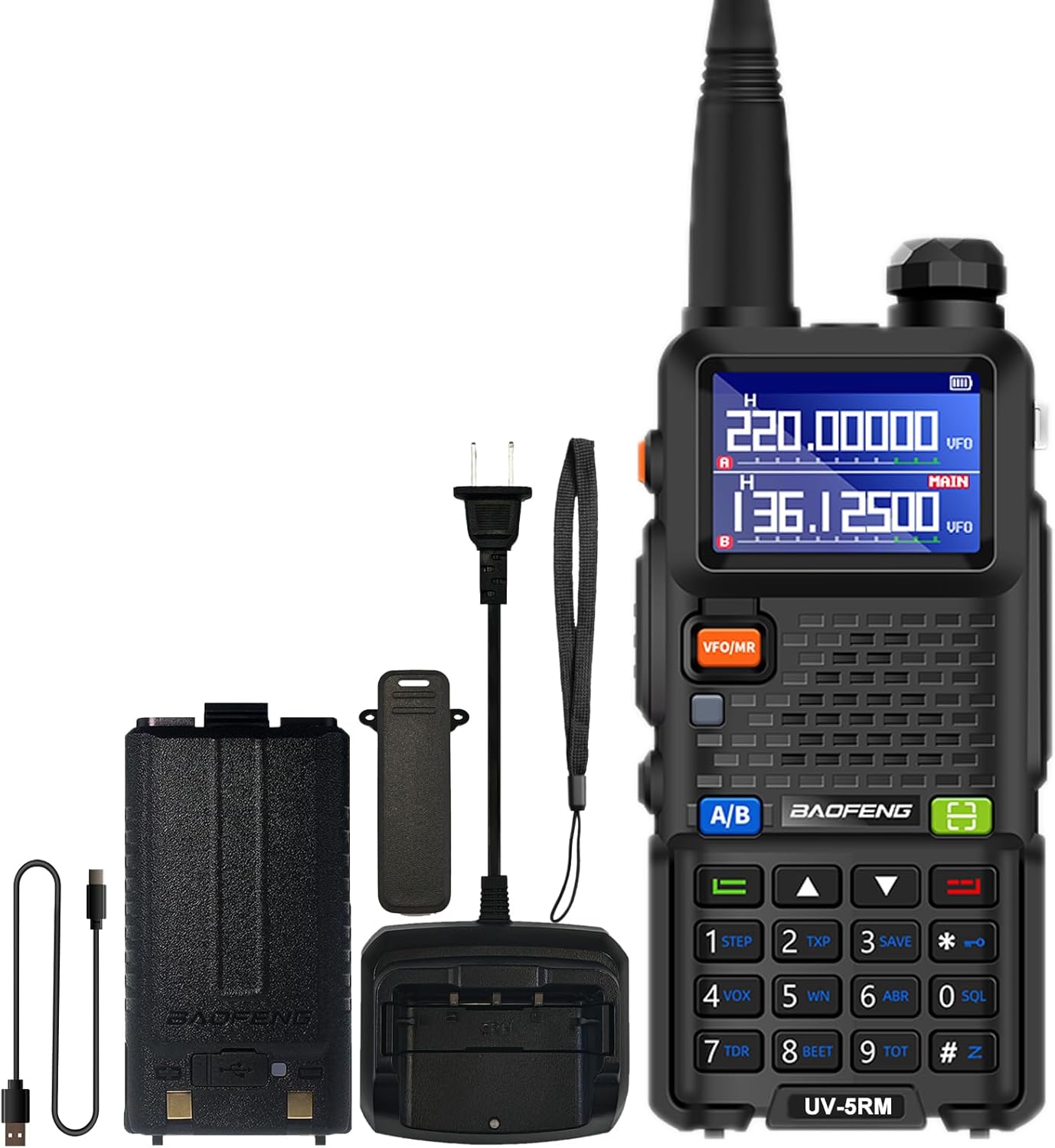
Image: The BAOFENG UV-5RM radio unit with its standard accessories, including the antenna, battery, and charging components.
Opstelling
1. Die Antenna Bevestig
Carefully screw the antenna clockwise into the connector on the top of the radio until it is finger-tight. Do not overtighten.
2. Die installering van die battery
Align the battery pack with the grooves on the back of the radio. Slide the battery upwards until it clicks into place. To remove, press the release latch (if present) and slide the battery downwards.
3. Laai die battery
The UV-5RM offers two charging methods:
- Gebruik van die tafellaaier: Place the radio (with battery installed) into the charging dock. Ensure the charging contacts align. The indicator light on the charger will show the charging status.
- Gebruik van die USB-C-poort: Connect the provided USB-C cable to the port on the back of the battery pack and to a compatible USB power source (e.g., car charger, power bank, laptop, USB wall adapter).
A full charge typically takes several hours. The radio can be charged in your car, with a power bank, or any USB interface device, providing flexibility for charging on the go.

Image: The BAOFENG UV-5RM radio demonstrating both USB-C direct charging and charging via its desktop dock.
4. Bevestig die gordelklem en handbandjie
Secure the belt clip to the back of the radio using the provided screws. Attach the hand strap to the designated loop for added security during use.
Bedryfsinstruksies
Radio verbyview en kontroles

Image: Labeled diagram of the BAOFENG UV-5RM radio highlighting key components and controls.
- Antenna: Vir die oordrag en ontvangs van seine.
- Flitslig: Ingeboude LED-lig vir beligting.
- Krag/volumeknop: Draai om die radio aan/af te skakel en die volume aan te pas.
- 1.77" LCD-skerm: Wys frekwensie, kanaal, batterystatus en ander inligting.
- FM-knoppie: Activates the FM radio function.
- PTT (Druk-om-te-praat) knoppie: Druk en hou om te stuur, laat los om te ontvang.
- VFO/MR-knoppie: Wissel tussen Frekwensiemodus (VFO) en Kanaalmodus (MR).
- 2-pen-aansluiting: Vir die koppeling van eksterne oudio-bykomstighede soos oorfone of programmeringskabels.
- mic: Mikrofoon vir steminvoer.
- Skandeer-knoppie: Initiates frequency or channel scanning.
- Kieslys-knoppie: Kry toegang tot die radio se kieslysinstellings.
- klavier: Vir direkte frekwensie-invoer, kanaalkeuse en kieslysnavigasie.
- USB-C-poort: For direct battery charging.
1. Aan/Af en Volume-aanpassing
Rotate the Power/Volume knob clockwise to turn the radio on. Continue rotating clockwise to increase volume, and counter-clockwise to decrease volume. Rotate fully counter-clockwise until a click is heard to turn the radio off.
2. Frequency and Channel Mode (VFO/MR)
Druk die VFO/MR knoppie om te wissel tussen:
- Frekwensiemodus (VFO): Allows direct input of frequencies using the keypad.
- Kanaalmodus (MR): Allows selection of pre-programmed memory channels (up to 999).
3. One Key Match Frequency Function
Hierdie funksie maak voorsiening vir vinnige frekwensie-ooreenstemming met 'n ander radio.
- Stap 1: Turn on your UV-5RM radio. Press and hold the SOEK button (often labeled with a magnifying glass icon or similar) until the screen displays "SEARCH".
- Stap 2: Press and hold the transmit button on the other radio you wish to match. Your UV-5RM will search for and decode its frequency and CTCSS/DCS tones. Once finished, press a confirmation button (e.g., SPYSKAART or EXIT) on your UV-5RM to save.
- Stap 3: Switch to channel mode to select the newly matched channel. The screen will display the frequency of the other radio, enabling communication.

Image: Visual guide for the 'One Key Match Frequency' feature, illustrating the steps to quickly synchronize frequencies with another radio.
4. Uitsending en Ontvangs
Om te oordra, druk en hou die PTT button and speak clearly into the microphone. Release the PTT button to switch to receive mode.
5. VOX Function (Hands-Free Communication)
The Voice Operated eXchange (VOX) function allows you to transmit without pressing the PTT button. When VOX is enabled, the radio will automatically transmit when it detects your voice. Adjust VOX sensitivity in the menu settings.
6. FM-radiofunksie
Druk die FM button to activate the built-in FM radio. You can scan for local radio stations and enjoy entertainment when not actively communicating.
7. NOAA Weerradio
The UV-5RM supports NOAA weather channels, providing access to real-time weather alerts and forecasts. Refer to the menu for specific NOAA channel settings and activation.
8. Programmering
The radio can be programmed using CHIRP software and a compatible programming cable (sold separately). This allows for advanced customization of frequencies, channels, and other settings.
Onderhoud
- Skoonmaak: Gebruik 'n sagte, damp lap om die radio se buitekant skoon te maak. Moenie harde chemikalieë of skuurmiddels gebruik nie.
- Batterysorg: Om die batterylewe te verleng, vermy oorlaai of heeltemal ontlaai van die battery. Bêre die radio en battery op 'n koel, droë plek wanneer dit nie vir lang tye gebruik word nie.
- Berging: Bêre die radio in 'n droë, stofvrye omgewing weg van direkte sonlig en uiterste temperature.
- Waterweerstand: The BAOFENG UV-5RM is nie waterbestand nie. Avoid exposing the radio to rain, splashes, or immersion in water.
Probleemoplossing
| Probleem | Moontlike oorsaak | Oplossing |
|---|---|---|
| Radio skakel nie aan nie. | Die battery is nie gelaai nie of verkeerd geïnstalleer. | Maak seker dat die battery volledig gelaai en korrek geplaas is. |
| Kan nie oordra of ontvang nie. | Verkeerde frekwensie/kanaal, antenna nie gekoppel nie, of lae battery. | Verifieer frekwensie/kanaal, kontroleer antennaverbinding, laai battery. |
| Swak klank kwaliteit. | Volume too low, squelch level too high, or interference. | Verstel volume, verlaag die squelch-vlak, beweeg weg van steuringsbronne. |
| Sleutelbord reageer nie. | Sleutelbordslot geaktiveer. | Refer to the manual for keypad unlock procedure (usually a long press of a specific key). |
Spesifikasies
| Modelnommer | UV-5RM |
| Handelsmerk | BAOFENG |
| Aantal kanale | 999 |
| Frekwensiereeks | VHF: 144-148 MHz / UHF: 420-450 MHz (Multi-Band) |
| Vertoon | 1.77 duim LCD-skerm |
| Laai | USB-C Charging, Desktop Charger |
| Battery Tipe | Litium-ioon (ingesluit) |
| Battery Gemiddelde Lewe | Tot 48 ure |
| Maksimum praatbereik | Up to 6 Miles (environment dependent) |
| Spesiale kenmerke | NOAA, VOX, FM Radio, LED Flashlight, Squelch, Battery Save, Repeater, CTCSS/DCS, Scan, TOT, BCL, DTMF, Power-on Password, Frequency Hopping, Scramble Functions |
| Waterweerstandvlak | Nie waterbestand nie |

Image: A comparison chart detailing the enhanced features of the BAOFENG UV-5RM model compared to the UV-5R, including channel capacity, screen size, battery, and charging options.
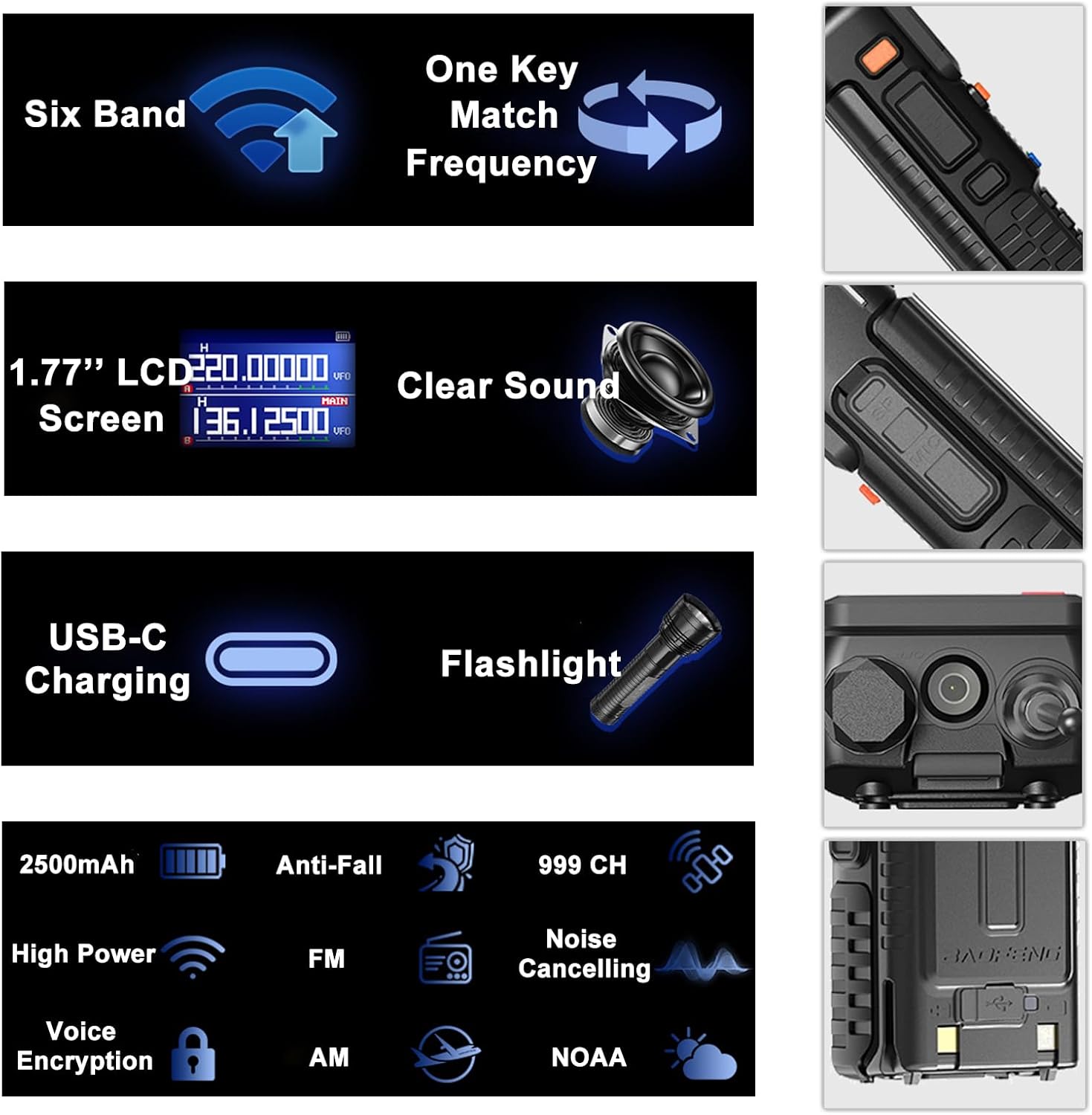
Image: An infographic summarizing the main features of the BAOFENG UV-5RM, such as multi-band capability, one-key frequency matching, USB-C charging, and a 1.77-inch LCD screen.

Beeld: Gedetailleerd view of the 1.77-inch LCD screen on the BAOFENG UV-5RM, illustrating its dual display capability and clear readability.
Waarborg en Ondersteuning
Waarborg: The BAOFENG UV-5RM Two Way Radio comes with a 1-year warranty. This warranty is provided exclusively through "Shiqun Electronics Co., Ltd." Please retain your proof of purchase for warranty claims.
Vir tegniese ondersteuning, hulp met probleme of waarborgnavrae, kontak asseblief die verkoper of gemagtigde dienssentrum. Verwys na u aankoopdokumentasie vir spesifieke kontakbesonderhede.