
CANDY CSO 696TWMBB6-80
Candy Smart Pro Inverter Washing Machine User Manual
Model: CSO 696TWMBB6-80
1. Belangrike veiligheidsinligting
Please read this manual carefully before installing and using your washing machine. Keep this manual for future reference.
- Elektriese veiligheid: Ensure the washing machine is connected to a properly grounded electrical outlet. Do not use extension cords or adapters.
- Wateraansluiting: Koppel die watertoevoerslang aan 'n koue waterkraan. Maak seker dat alle verbindings styf is om lekkasies te voorkom.
- Installasie: The appliance must be installed on a firm, level floor. Remove all transit bolts before use to prevent damage and excessive vibration.
- Kinders en Troeteldiere: Hou kinders en troeteldiere weg van die toestel tydens gebruik.
- Onderhoud: Disconnect the appliance from the power supply before performing any cleaning or maintenance.
2. Produk verbyview
The Candy Smart Pro Inverter washing machine is designed for efficient and convenient laundry care. It features an innovative Speed-Drive Motor and Quick&Clean system for fast and effective washing.
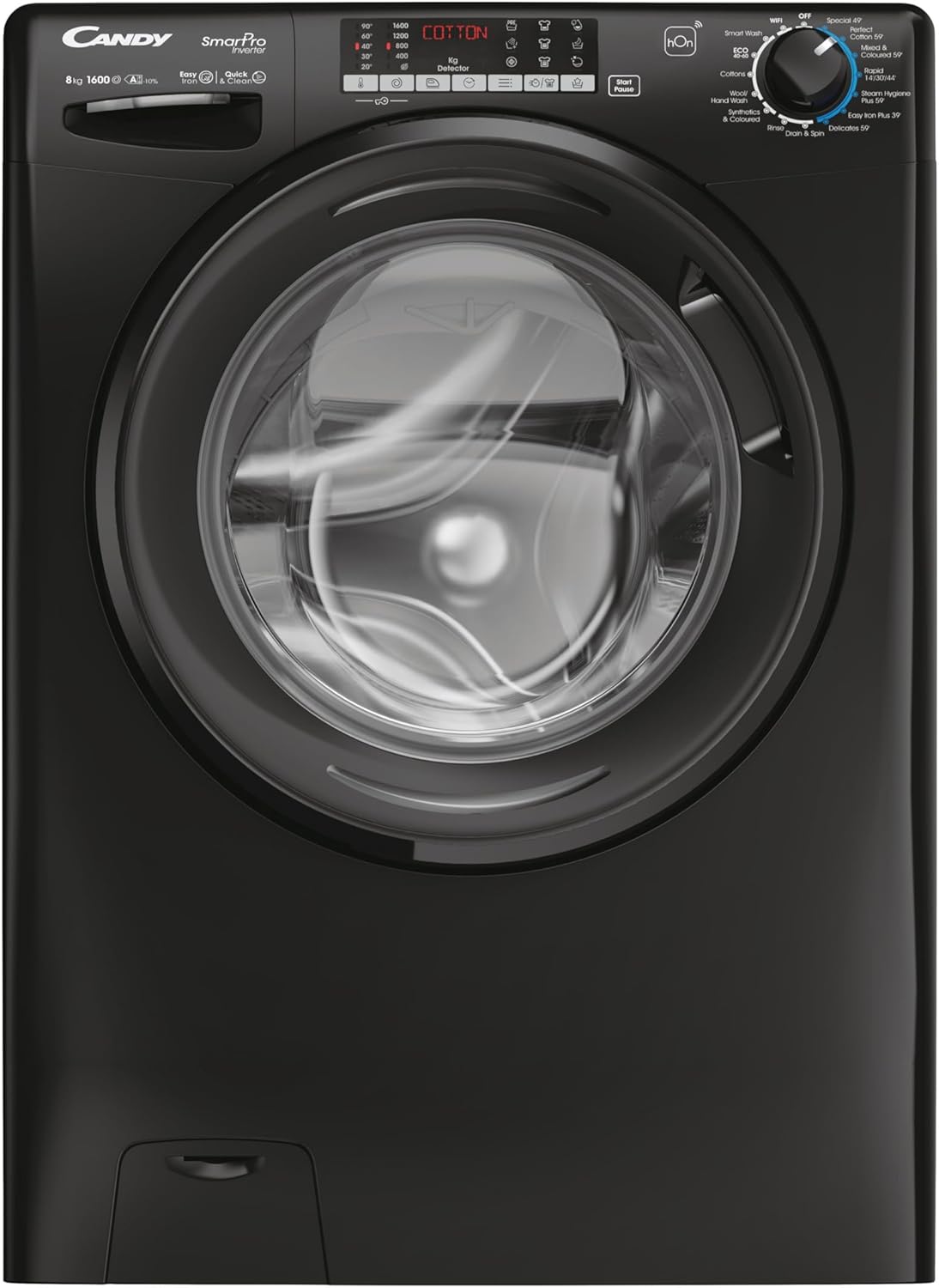
This image shows the front of the Candy Smart Pro Inverter washing machine, highlighting its sleek black design and central loading door. The control panel is visible at the top, featuring various program selections and a digital display.
Sleutelkomponente:
- Beheerpaneel: Gebruik om wasprogramme te kies, instellings aan te pas en siklusse te begin/onderbreek.
- Skoonmaakmiddellaai: For adding detergent, fabric softener, and pre-wash agents.
- drom: Vlekvrye staaltrommel vir die was van klere.
- Deur: Front-loading door with a secure latch.
- Filtertoegang: Located at the bottom front for easy access to the drain pump filter.
3. Opstelling
Uitpak en posisionering:
- Verwyder alle verpakkingsmateriaal versigtig.
- Position the washing machine on a flat, stable surface. Ensure there is adequate space around the appliance for ventilation and access.
Verwydering van Transit Boute:
Before first use, it is crucial to remove the transit bolts located at the rear of the machine. These bolts secure the drum during transport and must be removed to prevent damage during operation.
- Vind die vervoerskroewe op die agterpaneel.
- Use a wrench to loosen and remove each bolt.
- Insert the plastic caps (supplied with the machine) into the holes.
Water and Electrical Connection:
- Connect the water inlet hose to a cold water tap. Hand-tighten the connection, then use a wrench to tighten it further, ensuring no leaks.
- Plaas die dreineringslang in 'n geskikte dreineringspyp of wasbak en maak seker dat dit stewig vas is om verskuiwing tydens dreinering te voorkom.
- Steek die kragkabel in 'n geaarde elektriese aansluiting.
4. Bedryfsinstruksies
Laai wasgoed:
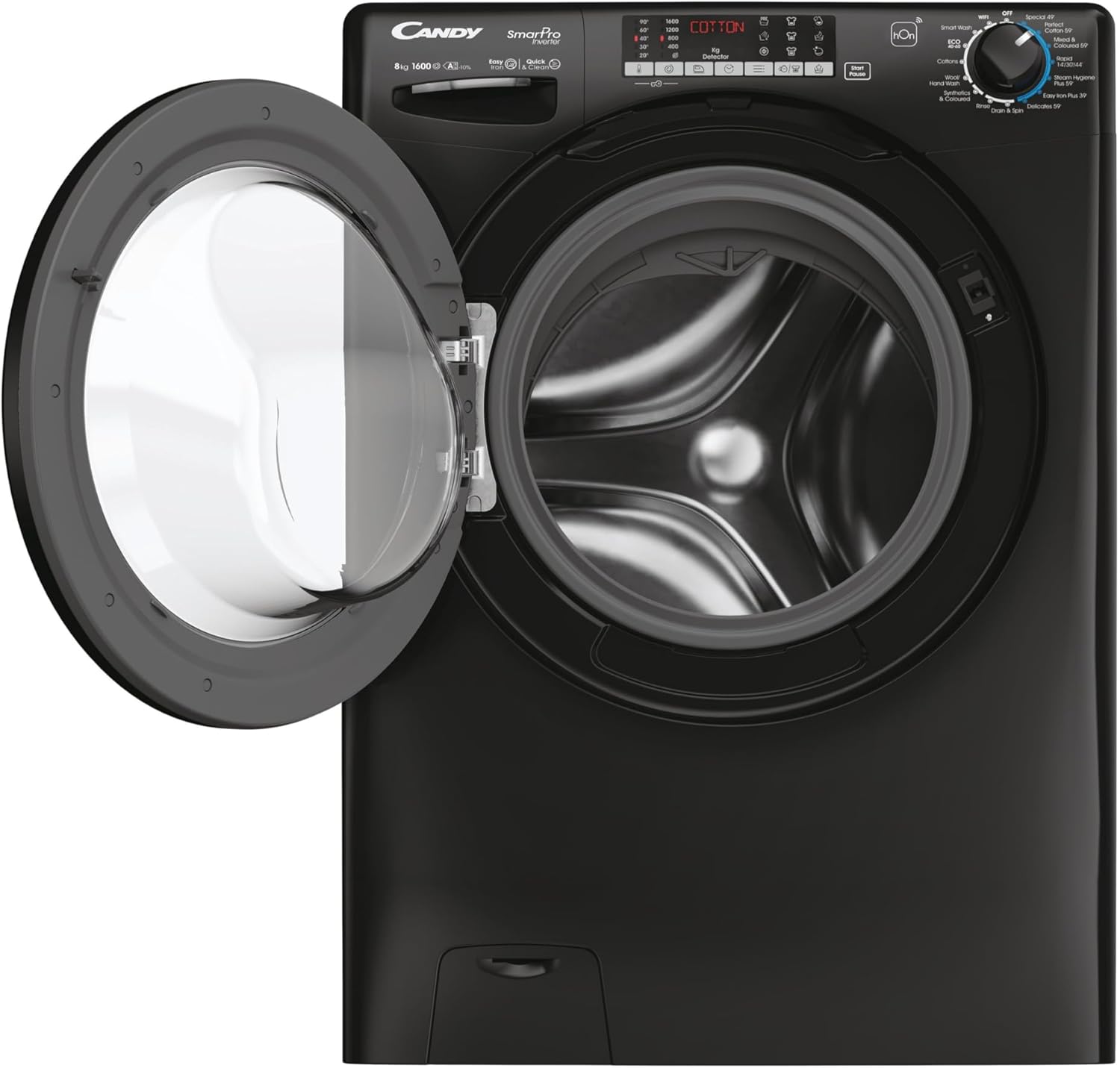
This image displays the Candy Smart Pro Inverter washing machine with its door open, revealing the spacious drum ready for laundry. This view is useful for understanding how to load clothes.
- Maak die wasmasjiendeur oop.
- Plaas wasgoed in die drom en maak seker dat dit nie oorlaai word nie. Laat genoeg spasie vir klere om vrylik te tuimel.
- Maak die deur stewig toe totdat dit klik.
Byvoeging van skoonmaakmiddel:

This close-up image shows the detergent drawer pulled out, indicating the compartments for pre-wash, main wash detergent, and fabric softener. This helps users identify where to add their laundry products.
- Trek die skoonmaakmiddellaai uit.
- Voeg die toepaslike hoeveelheid wasmiddel by die hoofwaskompartement.
- If desired, add fabric softener to the designated compartment.
- Druk die wasmiddellaai heeltemal terug.
Kies 'n wasprogram:
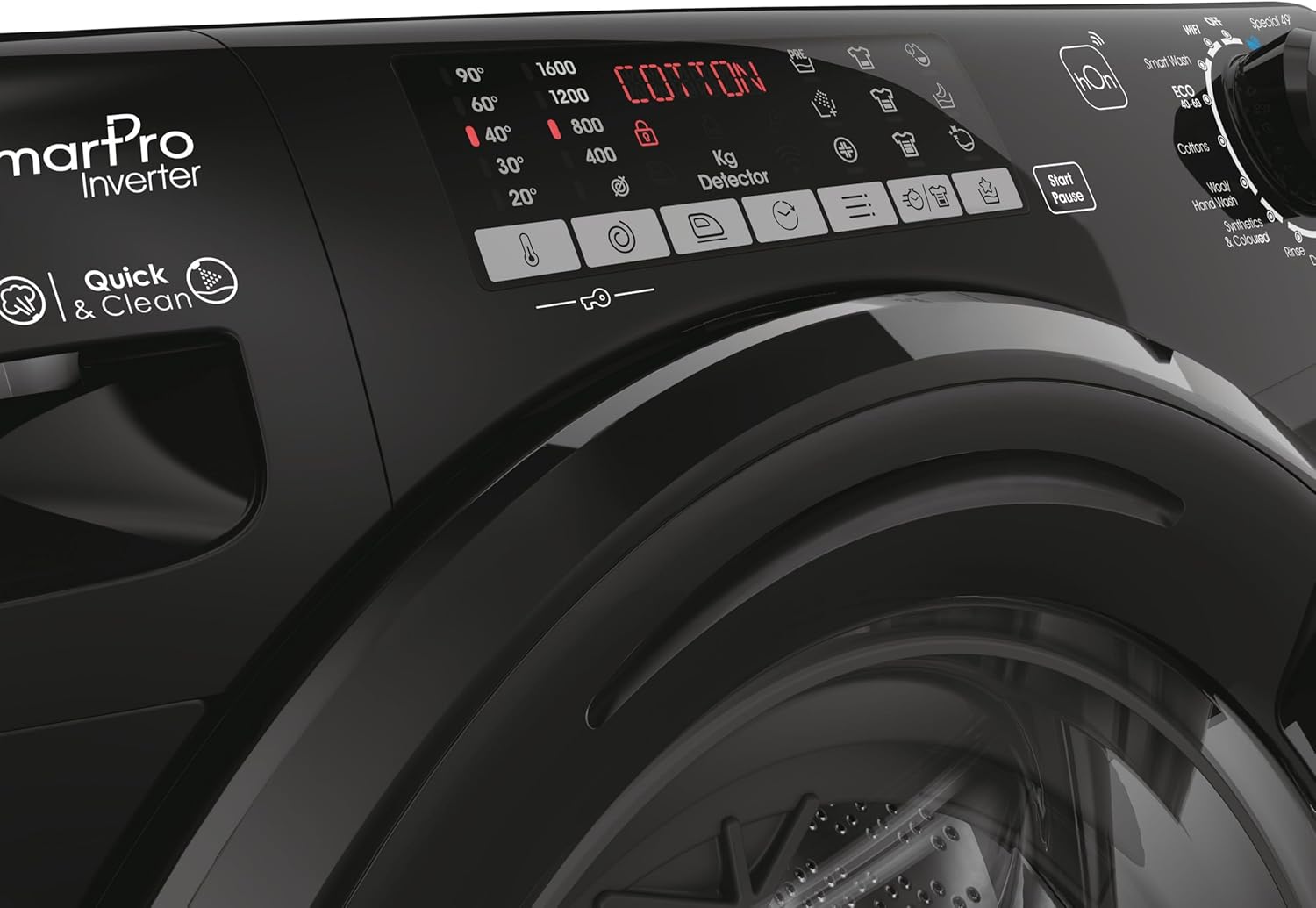
Hierdie beeld bied 'n gedetailleerde view of the washing machine's control panel, focusing on the program selection dial and digital display. It shows various wash options like 'Smart Wash', 'Cottons', 'Wool', 'Synthetics', 'Quick Wash', and 'Easy Iron Plus 39''.
- Turn the program selector dial to choose the desired wash program (e.g., Cotton, Synthetics, Quick Wash).
- Adjust additional settings such as temperature and spin speed using the corresponding buttons on the control panel, if available for the selected program.
Begin 'n wassiklus:
- Druk die 'Start/Pause'-knoppie om die wassiklus te begin.
- Die masjien sal outomaties deur die gekose program voortgaan.
Ending a Wash Cycle:
- Once the program is complete, the machine will signal its finish.
- Maak die deur oop en haal jou wasgoed uit.
- Los die deur effens oop sodat die drom kan lugdroog word en reuke voorkom.
5. Onderhoud
Skoonmaak van die wasmiddellaai:
- Regularly clean the detergent drawer to prevent residue buildup.
- Pull out the drawer completely and rinse it under running water.
- Use a brush to remove any stubborn residue.
- Vee die laaibehuising skoon voordat u die laai terugplaas.
Skoonmaak van die dreineringspompfilter:
- Periodically clean the drain pump filter to ensure proper drainage.
- Maak die filterdeksel aan die onderkant van die voorkant van die masjien oop.
- Plaas 'n vlak houer onder om enige oorblywende water op te vang.
- Skroef die filter stadig los en verwyder enige pluis, muntstukke of vreemde voorwerpe.
- Clean the filter under running water and screw it back in firmly. Close the cover.
Skoonmaak van die buitekant:
- Vee die buite-oppervlaktes af met 'n sagte, damp lap.
- Moenie skuur skoonmaakmiddels of oplosmiddels gebruik nie.
6. Probleemoplossing
If you encounter issues with your washing machine, refer to the table below for common problems and solutions.
| Probleem | Moontlike oorsaak | Oplossing |
|---|---|---|
| Masjien begin nie | Kragkabel nie ingeprop nie; Deur nie behoorlik toe nie; Program nie gekies nie; Begin/Pause-knoppie nie gedruk nie. | Kontroleer die kragaansluiting; Maak seker dat die deur stewig toe is; Kies 'n program; Druk Start/Pause. |
| Geen water inname nie | Waterkraan toe; Watertoevoerslang geknuk; Watertoevoer afgesny. | Maak waterkraan oop; Maak slang reguit; Kontroleer huishoudelike watertoevoer. |
| Die masjien vibreer te veel | Vervoersboute nie verwyder nie; Masjien nie gelyk nie; Ongelyke lading. | Verwyder die vervoersboute; Verstel die nivelleringsvoetjies; Herverdeel die wasgoed in die drom. |
| Water dreineer nie | Dreineerslang geknik of geblokkeer; Dreineerpompfilter verstop. | Kontroleer en maak die dreineringslang skoon; Maak die dreineringspompfilter skoon. |
| Wasmiddelresidu in laai | Onvoldoende waterdruk; Wasmiddellaai verstop. | Check water pressure; Clean detergent drawer. |
7. Spesifikasies
Detailed technical specifications for the Candy Smart Pro Inverter Washing Machine.
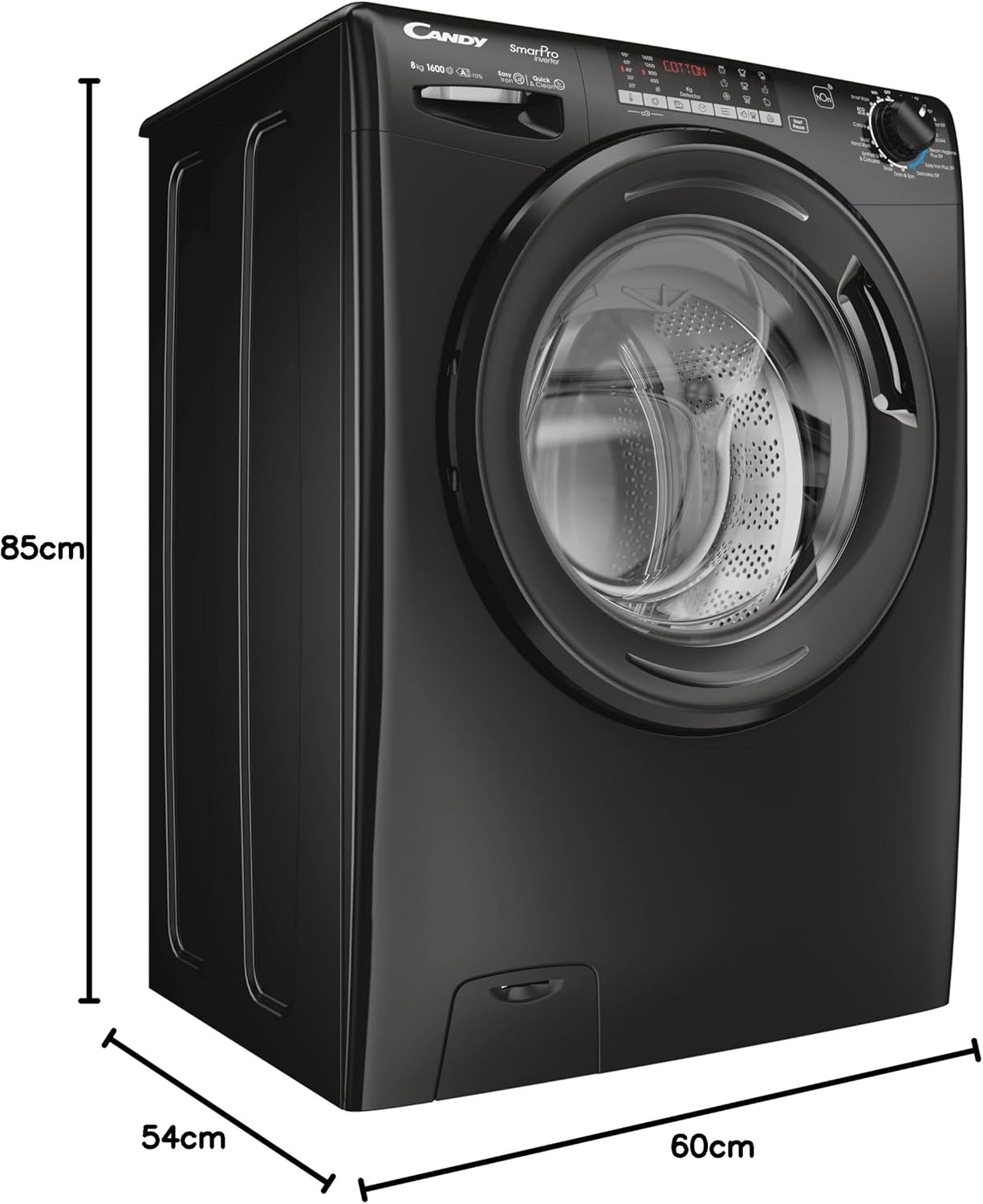
This image illustrates the physical dimensions of the washing machine, showing its height (85cm), depth (54cm), and width (60cm). This is crucial for installation planning.
| Kenmerk | Detail |
|---|---|
| Handelsmerk | SNOEPIE |
| Model | CSO 696TWMBB6-80 |
| Kapasiteit | 9 kilogram |
| Maksimum rotasiespoed | 1600 RPM |
| Produk Afmetings (D x B x H) | 54 x 60 x 85 cm |
| Item gewig | 64 kg |
| Jaarlikse Energieverbruik | 45 Kilowatt-ure |
| Geraasvlak (spin) | 78 dB |
| Installasie tipe | Vrye staande |
| Kleur | Swart |
| Toegang tot ligging | Voorlading |
| Spesiale kenmerke | Vinnige Was |
| Ingesluit komponente | Machine, User Manual, Energy Label, Pipes |
8. Waarborg en Ondersteuning
For detailed warranty information and customer support, please refer to the warranty card or the full user manual included with your appliance. You may also visit the official CANDY webwebwerf vir verdere hulp en kontakbesonderhede.
The manufacturer is Haier.
Ask a question about this manual
Ask about setup, troubleshooting, compatibility, parts, safety, or missing instructions. Manuals+ will review the question and use this page’s manual context to help answer it.