
1. Inleiding
The Baseus Eli Sport 1 Open Ear Headphones are designed to provide a comfortable and immersive audio experience while maintaining awareness of your surroundings. Featuring an innovative open-ear design, these headphones mitigate discomfort often associated with in-ear models, making them ideal for extended wear during various activities. With advanced directional acoustics and powerful audio drivers, they deliver superb sound quality without compromising your connection to the environment.

Figure 1: Baseus Eli Sport 1 Open Ear Headphones
2. Wat is in die boks
Your Baseus Eli Sport 1 package includes the following items:
- Baseus Eli Sport 1 Oopoor-oorfone
- Laaikas
- Afneembare nekband
- USB-C-laaikabel
- Gebruikershandleiding
3. Produkkenmerke
Open-Ear Design for Ultimate Comfort

Figure 2: Non-in-ear design mitigates wearing discomforts and protects your hearing for painless listening.
Rigtingsakoestiektegnologie

Figure 3: Directional air conduction eliminates sound leaks to protect your privacy perfectly.
Nonstop Awareness for Safety

Figure 4: Hear everything going on around you during sports activity.
Superb Sound Quality with 16.2mm Driver
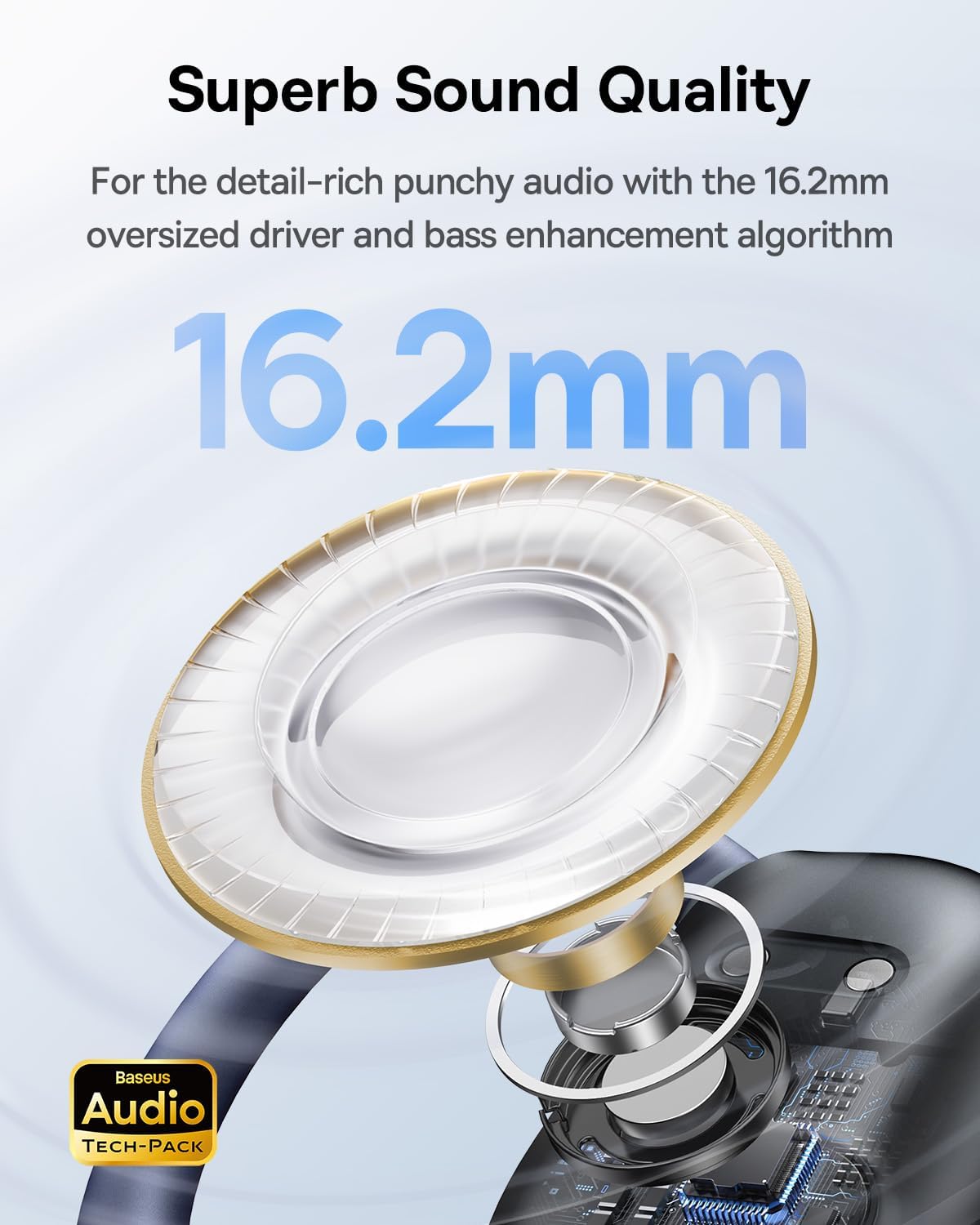
Figure 5: For the detail-rich punchy audio with the 16.2mm oversized driver and bass enhancement algorithm.
Detachable Neckband for Secure Fit

Figure 6: Detachable neckband design for more stable wearing during intense exercise.
Ultra-Clear Call Quality

Figure 7: The 4 ENC mics and the AI algorithm separate voices from other noises to achieve ultra-clear call quality.
IPX4 Waterweerstand

Figure 8: IPX4 Waterproof rating for sweat and splash resistance.
Amptelike Produkvideo
Video 1: Amptelike produk verbyview of the Baseus Eli Sport 1 Open Ear Headphones, highlighting key features and design.
4. Opstelling en Aanvang
Aanvanklike opstelling
Before first use, remember to remove all insulation stickers on the earbuds. This is crucial for proper pairing with your devices.

Figure 9: Illustration showing the removal of insulation stickers from the earbuds before first use.
Dragids
- Prepare your earbuds.
- Align the end of the earhook with the top of your ear.
- Rotate the earbuds clockwise until the earhook is firmly sited behind your ear.
- Adjust its angle and ensure the earbud is tilted upward to achieve the optimal wearing experience.

Figure 10: Step-by-step guide on how to properly wear the Baseus Eli Sport 1 headphones.
Paring
Once the insulation stickers are removed and the earbuds are placed correctly, they should automatically enter pairing mode. Open the Bluetooth settings on your device (smartphone, tablet, computer) and select "Baseus Eli Sport 1" from the list of available devices to connect.
Baseus App
Download the official Baseus App from your device's app store (iOS App Store or Google Play Store) to unlock full potential and customize settings for your headphones. The app allows for custom button controls, EQ adjustments, and locating your earbuds.
5. Bedryfsinstruksies
Raak kontroles
The Baseus Eli Sport 1 headphones feature intuitive touch controls on the side of each earbud. Refer to the table below for default functions:
| Aksie | Funksie |
|---|---|
| Dubbeltik L of R | Speel / Pouse |
| Drie-tik L | Vorige snit |
| Drie-tik R | Volgende snit |
| Long-press R for 1.5s | Volume + |
| Long-press L for 1.5s | Deel - |
| Double-tap L or R (during call) | Antwoord / Hangup |
| Long-press L or R for 1.5s (during call) | Weier oproep |
Note: Custom gestures can be set in the Baseus App.
EQ Modes and Low Latency Mode
Utilize the Baseus App to switch between various EQ modes (e.g., Baseus Classic, Mega Bass, Theater, HiFi, Clear, DJ, Fashion, Jazz, Classical, Treble, Original, Classic Rock) to tailor your audio experience. The app also allows you to enable 'Low Latency Mode' to reduce sound delay, improving audio and video synchronization, especially useful for gaming and video playback.
Find My Earbuds Feature
If you misplace your earbuds, use the 'Find My Earbuds' feature within the Baseus App. This function can help you locate them within a short range by emitting a sound.
6. Onderhoud en versorging
To ensure the longevity and optimal performance of your Baseus Eli Sport 1 headphones, follow these maintenance guidelines:
- Skoonmaak: Vee die oorfone en laaikas gereeld af met 'n sagte, droë, pluisvrye lap. Vermy die gebruik van harde chemikalieë of skuurmiddels.
- Waterweerstand: The headphones are IPX4 water-resistant, meaning they are protected from splashing water from any direction. Do not submerge them in water or expose them to heavy rain. Dry them thoroughly if they get wet.
- Berging: Store the headphones in their charging case when not in use to protect them from dust, dirt, and physical damage.
- Temperatuur: Avoid exposing the headphones to extreme temperatures (hot or cold) as this can affect battery life and overall performance.
7. Probleemoplossing
If you encounter any issues with your Baseus Eli Sport 1 headphones, try the following troubleshooting steps:
- No Sound/Pairing Issues: Ensure the earbuds are charged and the insulation stickers are removed. Turn off and on your device's Bluetooth, then try re-pairing.
- Lae volume: Check the volume levels on both your device and the earbuds. Adjust EQ settings in the Baseus App, as some modes might affect perceived volume.
- Intermitterende verbinding: Ensure your device is within the 10-meter Bluetooth range. Avoid obstacles between the device and headphones.
- Oproepkwaliteitkwessies: Ensure the microphones are not obstructed. Try enabling/disabling AI noise cancellation in the app if available.
- Touch Control Unresponsive: Ensure your fingers are clean and dry. Try restarting the earbuds by placing them back in the case and taking them out.
For more detailed troubleshooting or persistent issues, refer to the comprehensive user manual included in the box or contact Baseus customer support.
8. Spesifikasies
| Kenmerk | Detail |
|---|---|
| Model Naam | Baseus Eli Sport 1 - US |
| Verbindingstegnologie | Draadloos (Bluetooth) |
| Bluetooth weergawe | 5.3 |
| Bluetooth-reeks | 10 meter |
| Oudiobestuurdergrootte | 16.2 millimeter |
| Frekwensiereeks | 20Hz-20kHz |
| Batterylewe (Oorfone) | Tot 7.5 uur (enkele lading) |
| Batterylewe (met laaikas) | Tot 30 uur |
| Waterweerstandvlak | IPX4 (waterdig) |
| Tipe beheer | Aanraking, Volumebeheer |
| Materiaal | ABS, PC, metal, silicone |
| Item gewig | 50 gram (1.76 onse) |
| Produk afmetings | 1.97 x 0.59 x 2.36 duim |
9. Waarborg en Ondersteuning
Baseus provides a manufacturer's warranty for its products. For specific warranty terms, conditions, and to access customer support, please refer to the official Baseus website or the warranty information provided in your product packaging.