
1. Produk verbyview
The YoYoFit Smartwatch HT15 is a versatile wearable device designed to enhance your daily life with communication, health monitoring, and fitness tracking features. It connects seamlessly with your smartphone to keep you informed and active.
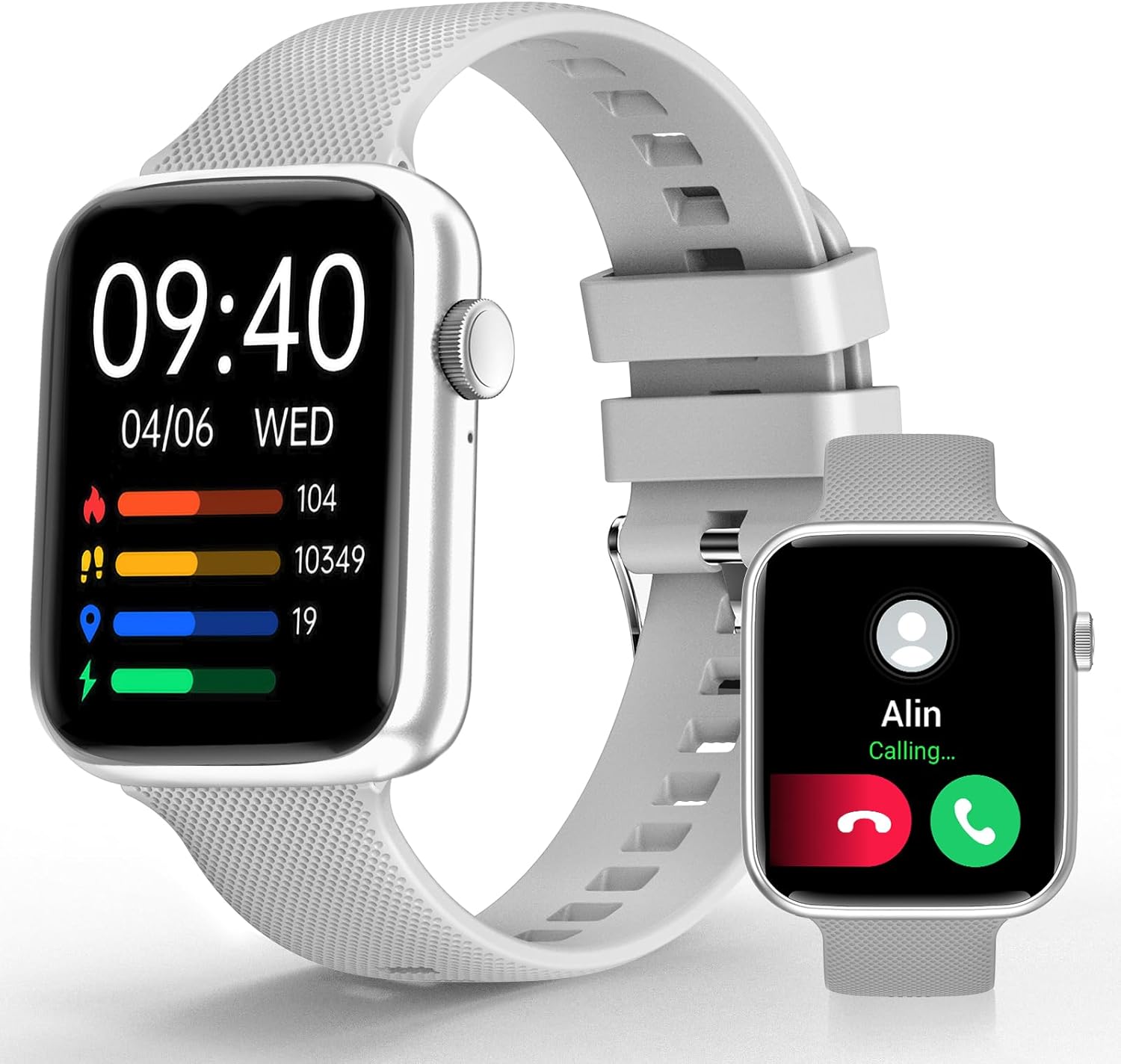
Image 1: YoYoFit Smartwatch HT15. This image displays the smartwatch in grey, showing the time, date, and various activity metrics like heart rate, steps, and calories. An inset image shows an incoming call notification.
2. Pakketinhoud
Maak seker dat alle items in die pakket teenwoordig is:
- YoYoFit Smartwatch HT15 (Grey)
- Kyk orkes
- Magnetiese laaikabel
- Gebruikershandleiding (hierdie dokument)
3. Opstelgids
3.1 Laai die slimhorlosie
Before initial use, fully charge your smartwatch. Connect the magnetic charging cable to the charging points on the back of the watch and plug the USB end into a power adapter (not included) or a computer's USB port.
- Laaityd: Ongeveer 2 uur.
- Battery Life: Up to 7-10 days of normal use, 15+ days on standby.

Image 2: Smartwatch charging. The image illustrates the magnetic charging cable connected to the smartwatch, with text indicating "Up to 7 days+ for normal use" and "Up to 15 days+ on low power setting."
3.2 App-aflaai en -koppeling
To unlock all features, download and connect your smartwatch to the "FitCloudPro" app.
- Scan the QR code in the manual or search for "FitCloudPro" in the App Store (iOS) or Google Play Store (Android).
- Installeer die toepassing op jou slimfoon.
- Maak seker dat Bluetooth op jou foon geaktiveer is.
- Maak die "FitCloudPro"-app oop en volg die instruksies op die skerm om jou toestel by te voeg.
- Select "HT15" from the list of available devices.
- Bevestig die paringsversoek op beide jou foon en slimhorlosie.

Image 3: App download and pairing steps. This image shows a sequence of smartphone screens demonstrating how to download the "FitCloudPro" app, enable Bluetooth, search for the device, and confirm the pairing request.
3.3 Verenigbaarheid
The YoYoFit Smartwatch HT15 is compatible with:
- Android 5.1 en hoër
- iOS 8.5 en hoër
- Requires Bluetooth 5.0 for connection.
4. Bedryfsinstruksies
4.1 Basiese navigasie
The smartwatch features a 1.85-inch HD color full touch screen. Swipe across the screen to navigate through menus and functions. The side button typically serves as a power button or a return-to-home function.

Image 4: Smartwatch screen details. This image focuses on the 1.85-inch HD touch screen, emphasizing its full-color display and touch functionality.
4.2 Oproepfunksionaliteit
Once paired via Bluetooth, you can manage calls directly from your wrist:
- Beantwoord/maak oproepe: Use the built-in speaker and microphone to answer incoming calls or dial out from your watch.
- Boodskappe: Read incoming messages and social media notifications.
- Kontakte: Store frequently used contacts for quick dialing.
- Oproepgeskiedenis: View your recent call logs.

Image 5: Stay Connected On-wrist. This image shows a woman using the smartwatch to answer a call, alongside visual representations of message notifications, built-in mic & speaker, and reminder functions.
4.3 Gesondheidsmonitering
Die slimhorlosie bied omvattende gesondheidsopsporing:
- Hartklop: Continuous monitoring throughout the day.
- Bloedsuurstof (SpO2): Meet bloedsuurstofvlakke.
- Bloeddruk: Monitor bloeddrukvlakke.
- Slaap dop: Automatically tracks sleep patterns (deep sleep, light sleep, awake time) and provides quality analysis.
- Menstruele siklus dop: Records and reminds you of your menstrual period.
Let wel: Hierdie toestel is nie 'n mediese toestel nie. Gesondheidsdata is slegs vir verwysing en moet nie vir mediese diagnose of behandeling gebruik word nie.

Image 6: Keep Track of Your Health. This image shows the smartwatch displaying heart rate, blood pressure, and blood oxygen measurements, with a person wearing the watch.

Image 7: Tools for Better ZZZs. This image illustrates the smartwatch's sleep tracking capabilities, showing deep sleep, light sleep, and awake times, along with smart alarm and Do Not Disturb settings.
4.4 Aktiwiteitsopsporing
The HT15 tracks your daily activity and supports 18 sports modes:
- Daily Metrics: Hou stappe, afstand en kalorieë verbrand akkuraat dop.
- Sportmodusse: Includes walking, running, cycling, hiking, yoga, basketball, football, and more. Exercise data is recorded and displayed separately for each workout.

Image 8: Sweat the Smart Way. This image features a woman exercising, with the smartwatch displaying various sports modes (e.g., walking, running, cycling) and all-day activity tracking metrics like steps, calories, and distance.
4.5 KI-stemassistent
Utilize the built-in AI voice assistant for hands-free control:
- Set reminders and alarms.
- Beheer musiekterugspeel.
- Get weather updates.
- Ask questions and receive translations.
4.6 Other Practical Features
- Pasmaakbare horlosies: Choose from 100+ cloud watch faces or upload personal photos via the FitCloudPro app.
- Weervoorspelling: Check current weather conditions directly on your wrist.
- Timer en stophorlosie: Useful for workouts or daily tasks.
- Musiekbeheer: Speel, pouseer, slaan snitte oor op jou gekoppelde foon.
- Soek foon: Vind jou verlore slimfoon deur 'n waarskuwingsklank te aktiveer.
- alarms: Set multiple customizable alarms.
- Sedentary & Drink Water Reminders: Prompts to stay active and hydrated.
- Afstandkamerabeheer: Gebruik jou horlosie om jou foon se kamera op afstand te aktiveer.

Image 9: More Practical Features. This image highlights the smartwatch's diverse functionalities, including customizable watch faces, weather display, music control, timer, stopwatch, and the "Find Phone" feature.
5. Onderhoud
5.1 Maak jou slimhorlosie skoon
Regularly clean your smartwatch and watch band to ensure optimal performance and hygiene.
- Vee die skerm en horlosie se liggaam af met 'n sagte, damp, pluisvrye lap.
- For the silicone strap, you can use mild soap and water, then rinse thoroughly and dry completely.
- Vermy die gebruik van harde chemikalieë of skuurmateriaal.
5.2 Waterweerstand
The smartwatch is designed to withstand daily activities like hand washing and sweating. However, it is not recommended for swimming or showering, as prolonged exposure to water or hot steam may damage the device.
6. Probleemoplossing
6.1 Toestel skakel nie aan nie
- Maak seker dat die horlosie volledig gelaai is. Koppel dit vir ten minste 30 minute aan die magnetiese laaier.
- Druk en hou die syknoppie vir 'n paar sekondes in om aan te skakel.
6.2 Paringsprobleme
- Maak seker dat Bluetooth op jou slimfoon geaktiveer is.
- Make sure the smartwatch is within range of your phone.
- Herbegin beide jou foon en slimhorlosie.
- Forget the device in your phone's Bluetooth settings and try pairing again through the "FitCloudPro" app.
- Check if the "FitCloudPro" app has necessary permissions enabled on your phone.
6.3 Onakkurate Gesondheidslesings
- Maak seker dat die horlosie styf om jou pols gedra word, nie te styf of te los nie.
- Maak die sensors aan die agterkant van die horlosie skoon.
- Vermy oormatige beweging tydens metings.
- Remember that readings are for reference and not for medical use.
6.4 Kennisgewings verskyn nie
- Verify that the smartwatch is connected to your phone via Bluetooth.
- Check notification settings within the "FitCloudPro" app to ensure desired apps are enabled.
- Confirm that your phone's notification settings allow the "FitCloudPro" app to display alerts.
7. Spesifikasies
| Kenmerk | Detail |
|---|---|
| Modelnommer | HT15 |
| Skerm grootte | 1.85 Inches HD Color Display |
| Produk afmetings | 10 x 1.52 x 0.43 duim |
| Item gewig | 3.68 onse |
| Battery Tipe | Litiumpolimeer (1 benodig, ingesluit) |
| Battery kapasiteit | 0.18 Amp Ure |
| Konnektiwiteit | Bluetooth 5.0 |
| Bedryfstelsel | Android (versoenbaar met Android 5.1+), iOS (versoenbaar met iOS 8.5+) |
| Spesiale kenmerke | Heart Rate Monitor, Activity Tracker, Bluetooth Call Function, Blood Oxygen Monitor, Sleep Monitor, AI Voice Assistant |

Image 10: Smartwatch dimensions. This diagram provides detailed measurements of the smartwatch (1.8" x 1.52" x 0.43") and indicates the suitable wrist size range (4.9" ~ 8.3").
8. Produkvideo
Video 1: YoYoFit Smart Watch for Men and Women. This video provides a visual overview of the smartwatch's features and functionalities, including its design, health tracking, and connectivity options.