
PHALANX TG-PRT R4 Max-Black
PHALANX 4V Cordless Rotary Tool Instruction Manual
Model: TG-PRT R4 Max-Black
Handelsmerk: PHALANX
Inleiding
Thank you for choosing the PHALANX 4V Cordless Rotary Tool. This versatile tool is designed for a wide range of applications including cutting, drilling, carving, polishing, and sanding. Its cordless design, powerful motor, and extensive accessory kit make it suitable for various DIY projects and crafting tasks. Please read this manual thoroughly before operation to ensure safe and efficient use of your tool.
Belangrike veiligheidsinstruksies
Volg altyd basiese veiligheidsmaatreëls om die risiko van brand, elektriese skok en persoonlike besering te verminder.
- Lees alle instruksies: Maak jouself vertroud met die gereedskap se werking en veiligheidsriglyne voor gebruik.
- Dra oogbeskerming: Always wear safety goggles or safety glasses with side shields when operating the tool.
- Hou werksarea skoon: Cluttered areas invite accidents. Ensure your workspace is well-lit and free from obstructions.
- Vermy gevaarlike omgewings: Moenie elektriese gereedskap in d gebruik nieamp of nat plekke, of stel dit bloot aan reën.
- Veilige werkstuk: Altyd clamp of andersins die werkstuk vasmaak om beweging tydens werking te voorkom.
- Gebruik die korrekte bykomstighede: Only use accessories designed for this tool and ensure they are properly installed.
- Ontkoppel krag: Always turn off the tool and disconnect it from the power source (if applicable) before changing accessories, making adjustments, or performing maintenance.
- Batteryveiligheid: Use only the provided Type-C cable for charging. Do not expose the battery to extreme temperatures or disassemble it.
- Berg veilig: When not in use, store the tool and accessories in a dry, secure place out of reach of children.
Pakketinhoud
Verifieer dat alle items in jou pakket teenwoordig is:
- PHALANX 4V Cordless Rotary Tool (x1)
- Tipe-C USB-laaikabel (x1)
- Gebruikershandleiding (x1)
- Tool Box (x1)
- 80 PCS Accessories (various bits, sanding bands, polishing wheels, etc.)
- Wrench Tool (x1)

Image: The PHALANX Cordless Rotary Tool shown with its comprehensive set of 80 accessories, including various bits, sanding bands, and polishing wheels, alongside the storage box and charging cable.
Produk verbyview
Familiarize yourself with the components of your PHALANX Cordless Rotary Tool:

Image: A detailed diagram illustrating the key components of the cordless rotary tool, including the locking collar/nut, heavy-duty collet, output shaft, spindle lock system, 4000mAh battery, power on/off & spindle lock slider, soft grip housing, battery status indicator, digital display, speed control button, and Type-C USB socket.
- Locking Collar/Nut: Secures the collet and accessory.
- Heavy Duty Collet: Holds the accessory securely.
- Uitsetas: The rotating part where accessories are attached.
- Power On/Off & Spindle Lock Slider: A single slider for turning the tool on/off and engaging the spindle lock for accessory changes.
- 4000mAh Super Capacity Li-ion Battery: Internal rechargeable battery.
- Close-Fitting Housing with Large Soft Grip: Ergonomiese ontwerp vir gemaklike hantering.
- Batterystatus-aanwyser: LED lights to show remaining battery charge.
- Digitale skerm: Shows current speed setting.
- Speed Control Buttons: Used to adjust the rotational speed.
- Tipe C USB-sok: For charging the tool.
Laai die gereedskap
The PHALANX Rotary Tool is equipped with a 4000mAh lithium-ion battery, providing extended runtime. Before first use, fully charge the tool.
- Locate the Type-C USB socket on the tool.
- Connect the provided Type-C USB cable to the tool and plug the other end into a compatible USB power adapter (not included) or a device with a USB port.
- The LED battery indicator will show the charging status. A full charge typically takes 2-4 hours.
- Sodra dit ten volle gelaai is, ontkoppel die laaikabel.
The digital display also provides a clear battery status indication during use.
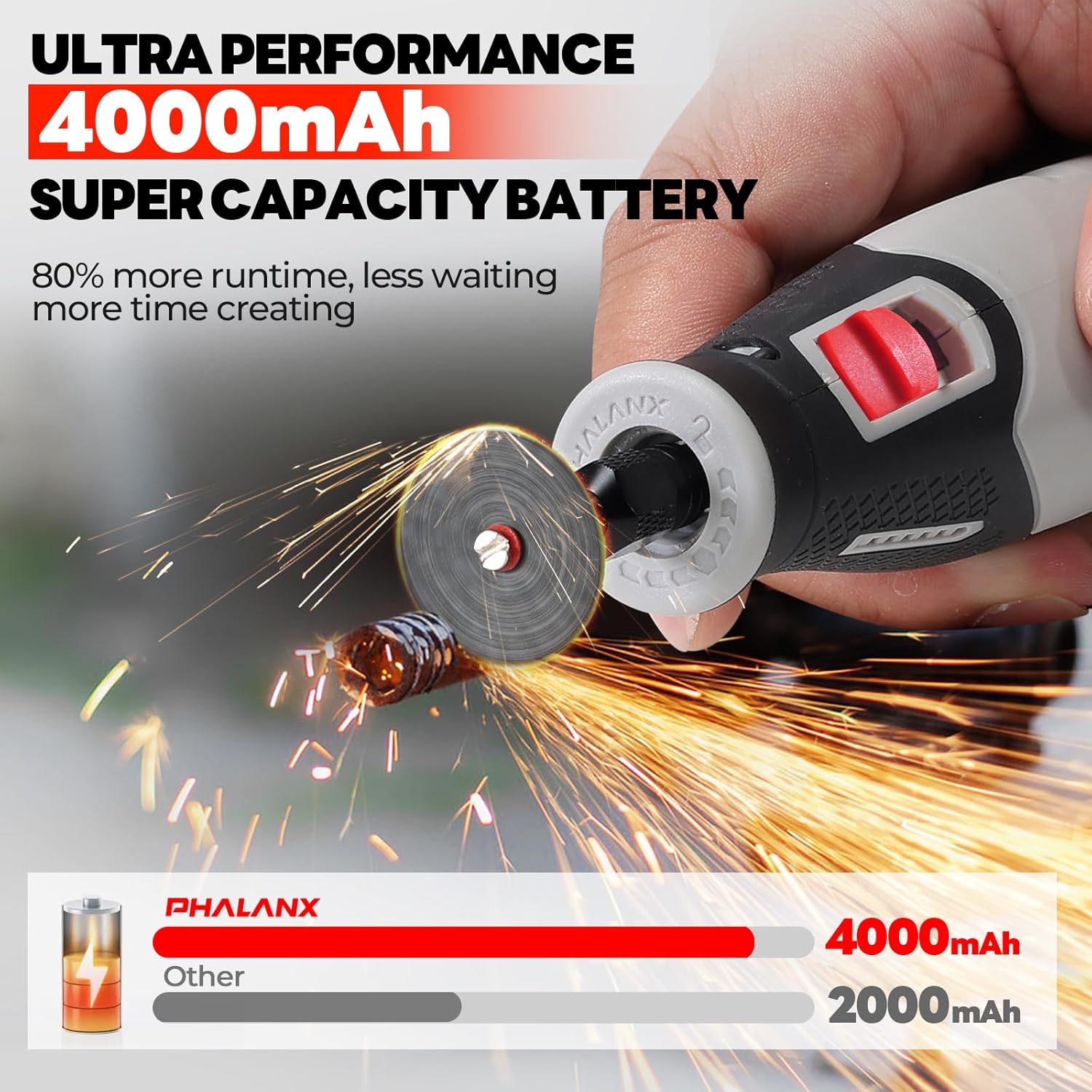
Image: An illustration highlighting the 4000mAh super capacity battery of the PHALANX rotary tool, demonstrating its extended runtime compared to a standard 2000mAh battery.
Setup and Accessory Installation
Proper accessory installation is crucial for safety and performance.
- Maak seker dat die gereedskap afgeskakel is: Before installing or changing any accessory, ensure the tool is turned off.
- Aktiveer spilslot: Slide the power switch to the 'OFF' position and then further to engage the spindle lock. This prevents the shaft from rotating. The tool features a 'stop-before-lock' function for enhanced safety.
- Loosen Collet Nut: Use the provided wrench tool to loosen the collet nut at the end of the shaft.
- Voeg bykomstigheid in: Steek die verlangde bykomstigheidsskag volledig in die spantang.
- Draai die spantangmoer vas: While holding the spindle lock, tighten the collet nut firmly with the wrench tool. Do not overtighten.
- Disengage Spindle Lock: Release the spindle lock by sliding the power switch back to the 'ON' position.

Beeld: 'n Nabyskoot view of the rotary tool's integrated shaft lock and power switch, demonstrating how to engage the spindle lock for safe accessory replacement and how to turn the tool on and off.
Bedryfsinstruksies
This tool offers 9 speed settings for optimal performance across various tasks.
Powering On/Off and Speed Adjustment
- Krag aan: Slide the power switch to the 'ON' position. The digital display will illuminate, showing the current speed setting.
- Pas spoed aan: Use the speed control buttons (up/down arrows) to select the desired RPM. The tool offers 9 speeds, ranging from 6000 RPM to 28000 RPM.
- Gear Memory Function: The tool retains the last set speed for up to 5 minutes after being turned off, simplifying operations for repetitive tasks.
- Skakel af: Slide the power switch to the 'OFF' position.

Beeld: 'n Interne view of the rotary tool highlighting its 9-speed fine adjustment capability and intelligent gear memory function, with a digital display showing the selected speed up to 28000 RPM.
Algemene gebruikswenke
- Begin stadig: Begin met 'n laer spoedinstelling en verhoog dit geleidelik soos nodig vir die taak en materiaal.
- Ligte druk: Apply light, consistent pressure. Excessive force can damage the tool, accessory, or workpiece.
- Handhaaf greep: The ergonomic design with a soft grip ensures comfortable handling. Hold the tool firmly for better control.
- Ventilasie: Ensure proper ventilation in your workspace, especially when working with materials that produce dust or fumes.

Image: A collage demonstrating the PHALANX rotary tool being used for multiple applications, including sanding, cutting, drilling, carving, and polishing on various materials like wood, metal, and resin.

Image: Two hands demonstrating different grip styles (golf grip and pencil grip) on the PHALANX rotary tool, highlighting its close-fitting design and large soft grip for enhanced comfort and control during delicate tasks.
Onderhoud en versorging
Gereelde onderhoud verseker die lang lewensduur en optimale werkverrigting van u gereedskap.
- Skoonmaak: After each use, wipe the tool with a clean, dry cloth. Use a soft brush to remove dust and debris from ventilation openings. Do not use harsh chemicals or abrasive cleaners.
- Bybehore berging: Store all accessories in the provided tool box to keep them organized and protected.
- Batterysorg: For long-term storage, charge the battery to approximately 50% and store the tool in a cool, dry place. Recharge every 3-6 months if not in use to maintain battery health.
- Inspeksie: Periodically inspect the tool and accessories for any signs of wear or damage. Replace worn accessories immediately.

Image: The PHALANX rotary tool's portable storage box, neatly organized with various accessories, demonstrating easy access and a tidy workbench solution.
Probleemoplossing
If you encounter issues with your PHALANX Rotary Tool, refer to the following common problems and solutions:
| Probleem | Moontlike oorsaak | Oplossing |
|---|---|---|
| Gereedskap skakel nie aan nie | Die battery is leeg Aan/uit-skakelaar nie ten volle ingeskakel nie | Laai die battery ten volle Ensure the power switch is firmly in the 'ON' position |
| Toebehore wiebel of val uit | Collet nut is loose Incorrect accessory size for collet | Tighten the collet nut securely Ensure the accessory shank matches the collet size |
| Tool loses power quickly | Die battery is nie volledig gelaai nie Batterylewe verswak | Laai die battery heeltemal Contact customer support if battery life significantly decreases |
| Oormatige vibrasie of geraas | Beskadigde of ongebalanseerde bykomstigheid Accessory not properly seated | Replace the accessory Re-install the accessory, ensuring it is fully inserted and tightened |
Tegniese spesifikasies
| Kenmerk | Spesifikasie |
|---|---|
| Modelnommer | TG-PRT R4 Max-Black |
| Voltage | 4 Volt |
| Battery kapasiteit | 4000mAh Li-Ion |
| Laai tipe | Tipe C-USB |
| Laai tyd | 2-4 uur |
| Spoedreeks | 6000 - 28000 opm |
| Spoedinstellings | 9 snelhede |
| Motor tipe | Enhanced 380 Motor |
| Bykomstighede ingesluit | 80 STKS |
| Afmetings (ongeveer) | 7.5 x 1.6 x 1.3 duim |
| Gewig (ongeveer) | 0.6 lb |
Waarborg en Ondersteuning
For warranty information and customer support, please refer to the warranty card included with your product or contact PHALANX customer service directly. Keep your purchase receipt as proof of purchase.
Ask a question about this manual
Ask about setup, troubleshooting, compatibility, parts, safety, or missing instructions. Manuals+ will review the question and use this page’s manual context to help answer it.