
1. Inleiding
This manual provides detailed instructions for the assembly, operation, and maintenance of your ErGear EGESD63B electric standing desk. Please read this manual thoroughly before assembly and use to ensure proper function and safety. Keep this manual for future reference.

Image 1.1: The ErGear EGESD63B electric standing desk in a typical office setup.
2. Veiligheidsinligting
Om veilige werking te verseker en beserings of skade te voorkom, volg asseblief die volgende veiligheidsriglyne:
- Do not exceed the weight limit of 250 pounds (113 kg) on the desktop.
- Ensure the desk is properly anchored to the floor to prevent tipping, especially when at maximum height.
- Avoid use near water or in humid conditions to prevent electrical hazards.
- Hou kinders en troeteldiere weg van die lessenaar tydens werking.
- Ensure there are no obstructions in the desk's path during height adjustments.
- Gebruik slegs die meegeleverde kragadapter en komponente.
3. Pakketinhoud
Verify that all components are present and undamaged before beginning assembly. If any parts are missing or damaged, contact ErGear customer service.
- Desktop (One-piece)
- Lessenaarpote (2)
- Crossbar/Frame
- Beheerpaneel
- Kragadapter en kabel
- Kabelbestuurbak
- Hardware Kit (screws, bolts, washers)
- Monteergereedskap
- Gedetailleerde instruksiehandleiding
4. Opstelling en samestelling
Assembly requires one person and includes all necessary tools. Follow these general steps for setup:
- Pak komponente uit: Verwyder alle dele versigtig uit die verpakking en lê dit op 'n skoon, sagte oppervlak om skrape te voorkom.
- Monteer die lessenaarraam: Attach the desk legs to the crossbar according to the diagrams in the detailed manual. Ensure all screws are tightened securely.
- Heg lessenaar aan: Place the one-piece desktop upside down on the soft surface. Carefully align the assembled frame with the pre-drilled holes on the desktop and secure it using the provided screws. The one-piece desktop design simplifies this step, allowing for faster installation.
- Install Control Panel and Cable Management: Mount the control panel to the underside of the desktop in the designated area. Attach the cable management tray.
- Koppel bedrading: Connect the motor cables from the legs to the control box, and then connect the control panel to the control box. Finally, connect the power adapter to the control box and plug it into a power outlet.
- Initial Power-On and Calibration: Refer to the detailed manual for initial power-on and calibration steps, which typically involve pressing and holding a button to reset the desk to its lowest position.
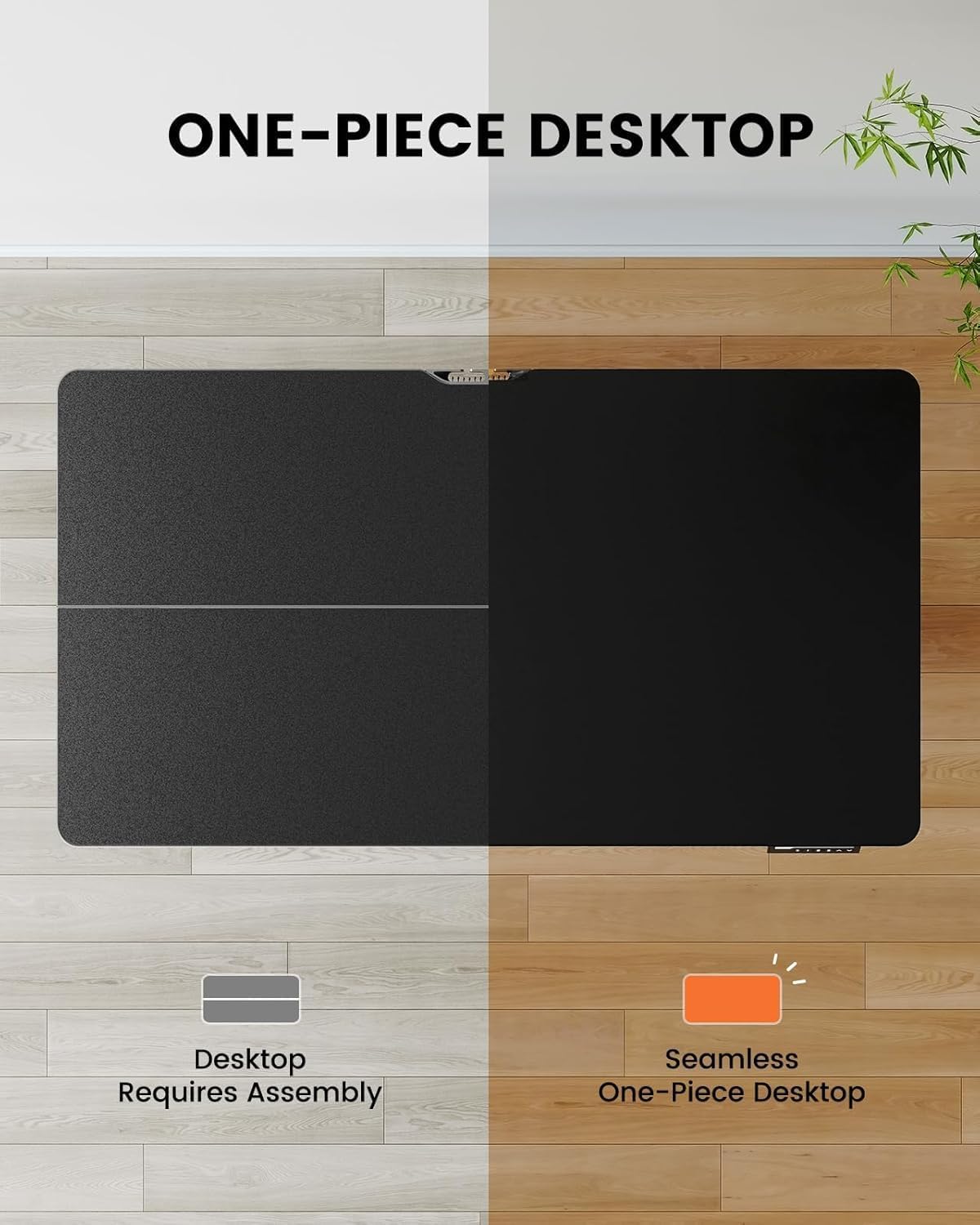
Image 4.1: Hassle-free assembly with the one-piece desktop.

Image 4.2: The ErGear EGESD63B features a seamless one-piece desktop for easier setup.
5. Bedryfsinstruksies
Your ErGear EGESD63B electric standing desk is designed for easy height adjustment to switch between sitting and standing positions.
5.1. Hoogte verstel
- Op/af knoppies: Use the ▲ (Up) and ▼ (Down) buttons on the control panel to smoothly raise or lower the desk to your desired height. The desk adjusts from 27.9 inches to 46.9 inches.
5.2. Geheuevoorinstellings
The control panel features three memory preset buttons (1, 2, 3) to store and recall your preferred sitting and standing heights.
- Om 'n voorafinstelling in te stel: Adjust the desk to your desired height using the Up/Down buttons. Press the 'M' button, then immediately press one of the number buttons (1, 2, or 3) to save the current height to that preset. The display will show 'S-' followed by the number to confirm.
- Om 'n voorafinstelling te herroep: Simply press the corresponding number button (1, 2, or 3). The desk will automatically move to the saved height.

Image 5.1: Adjust the desk for sit and stand comfort.
6. Onderhoud
Regular maintenance helps ensure the longevity and smooth operation of your standing desk.
- Skoonmaak: Vee die lessenaar en raam af met 'n sagte, damp lap. Vermy harde chemikalieë of skuurmiddels.
- Gaan verbindings na: Periodically check all screws and electrical connections to ensure they are secure. Tighten any loose screws.
- Kabelbestuur: Ensure cables are neatly organized within the cable management tray to prevent snagging during height adjustments.
7. Probleemoplossing
If you encounter issues with your ErGear EGESD63B desk, refer to the following common troubleshooting steps:
- Lessenaar beweeg nie:
- Kontroleer of die kragkabel stewig in beide die lessenaar en die muursok ingeprop is.
- Ensure there are no obstructions preventing movement.
- Perform a reset: Unplug the power for 10 seconds, then plug it back in. Press and hold the 'Down' button until the desk reaches its lowest point and slightly rebounds.
- Foutkodes op vertoon:
- If an error code appears, refer to the detailed manual for specific code meanings and solutions. Often, a reset (as described above) can resolve minor errors.
- Ongelyke beweging:
- Maak seker dat die lessenaar op 'n gelyk oppervlak is.
- Check that all frame connections are tight.
If problems persist after attempting these steps, contact ErGear customer support for assistance.
8. Spesifikasies
| Kenmerk | Spesifikasie |
|---|---|
| Handelsmerk | ErGear |
| Model | EGESD63B |
| Desktop Dimensions (L x W) | 40 x 24 duim (101.6 x 61 cm) |
| Hoogteaanpassingsreeks | 27.9 - 46.9 duim (70.9 - 119.1 cm) |
| Gewig kapasiteit | 250 lbs (113 kg) |
| Motor tipe | Elektriese motor |
| Aantal hoogteposisies | 3 (Geheuevoorinstellings) |
| Lessenaarmateriaal | Gemanipuleerde hout |
| Raammateriaal | Vlekvrye staal |
| Kleur | Swart |
| Vergadering benodig | Yes, with included tools |

Image 8.1: Product dimensions of the ErGear EGESD63B desk.
9. Waarborg en Ondersteuning
ErGear provides a comprehensive warranty for your EGESD63B electric standing desk:
- 2-jaar beperkte waarborg: Covers the motor, controller, and cables.
- 5-jaar beperkte waarborg: Covers the desktop, frame, and other parts.
For warranty claims, technical support, or any questions regarding your product, please contact ErGear customer service through their official website or the retailer where the product was purchased. Please have your model number (EGESD63B) and proof of purchase ready.