
1. Inleiding
Thank you for choosing the BINNUNE 2.4GHz Wireless Gaming Headset. This manual provides detailed instructions to help you set up, operate, and maintain your headset for an optimal gaming and audio experience across various platforms including PS5, PS4, PC, Mac, and mobile devices via Bluetooth.
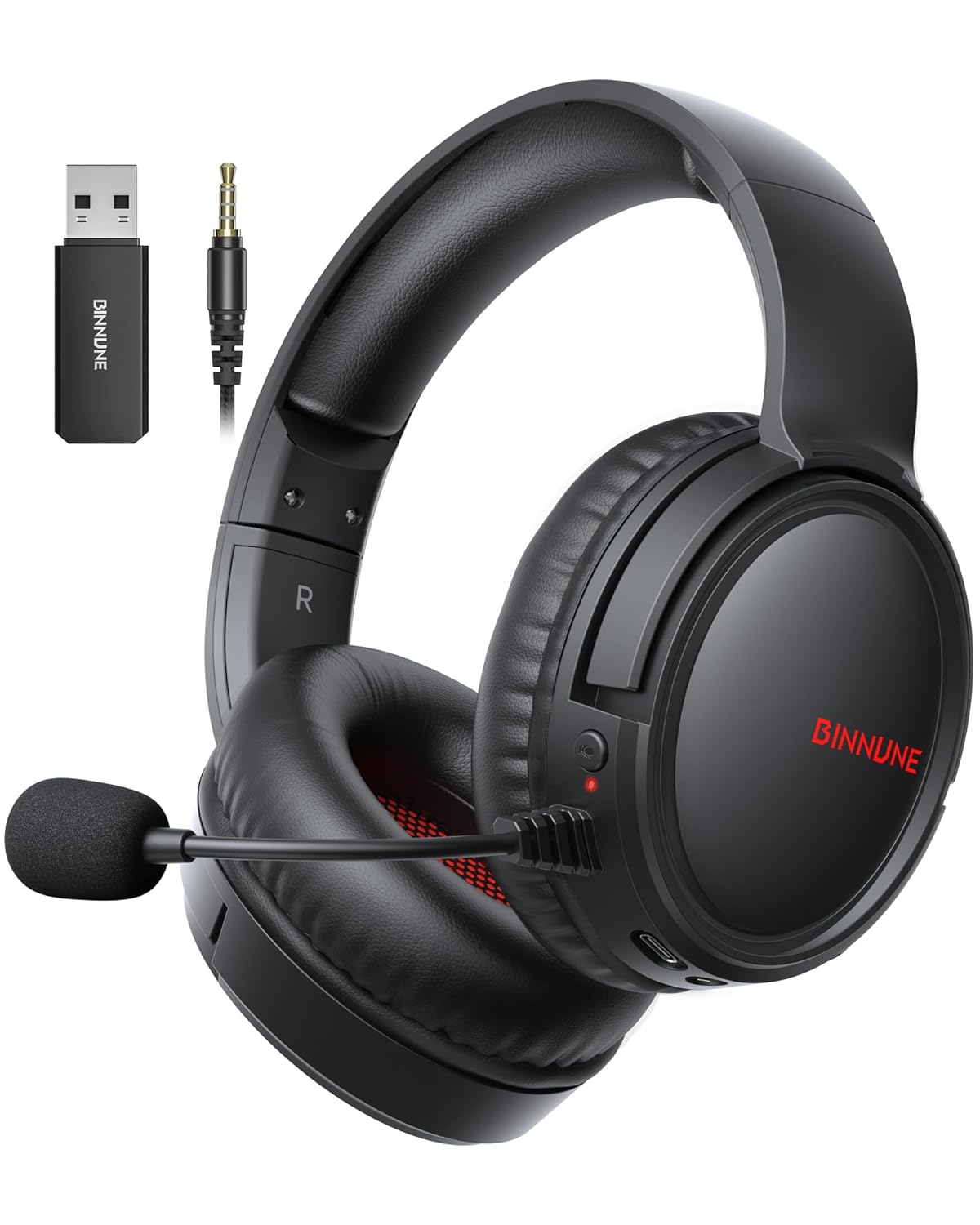
Figure 1: BINNUNE Wireless Gaming Headset (Model BW02-BT) with included accessories.
2. Wat is in die boks
- BINNUNE Wireless Gaming Headset (BW02-BT)
- 2.4GHz USB-dongle
- 3.5 mm oudio kabel
- USB-C-laaikabel
- Gebruikershandleiding

Figure 2: All components included with your BINNUNE Gaming Headset.
3. Produk verbyview en kontroles
Familiarize yourself with the headset's controls and ports for seamless operation.
- Mikrofoon: Dual beamforming microphones with rotatable design for clear communication. Features ENC noise-canceling technology.
- USB-C-poort: Vir die laai van die headset.
- 3.5 mm oudio-aansluiting: For wired connection to compatible devices.
- LED-aanwyser: Displays power status, charging status, and connection mode.
- Kragknoppie: Druk en hou om aan/af te skakel.
- Volumewiel: Verstel klankvolume.
- Demp-knoppie: Demp/demp die mikrofoon.
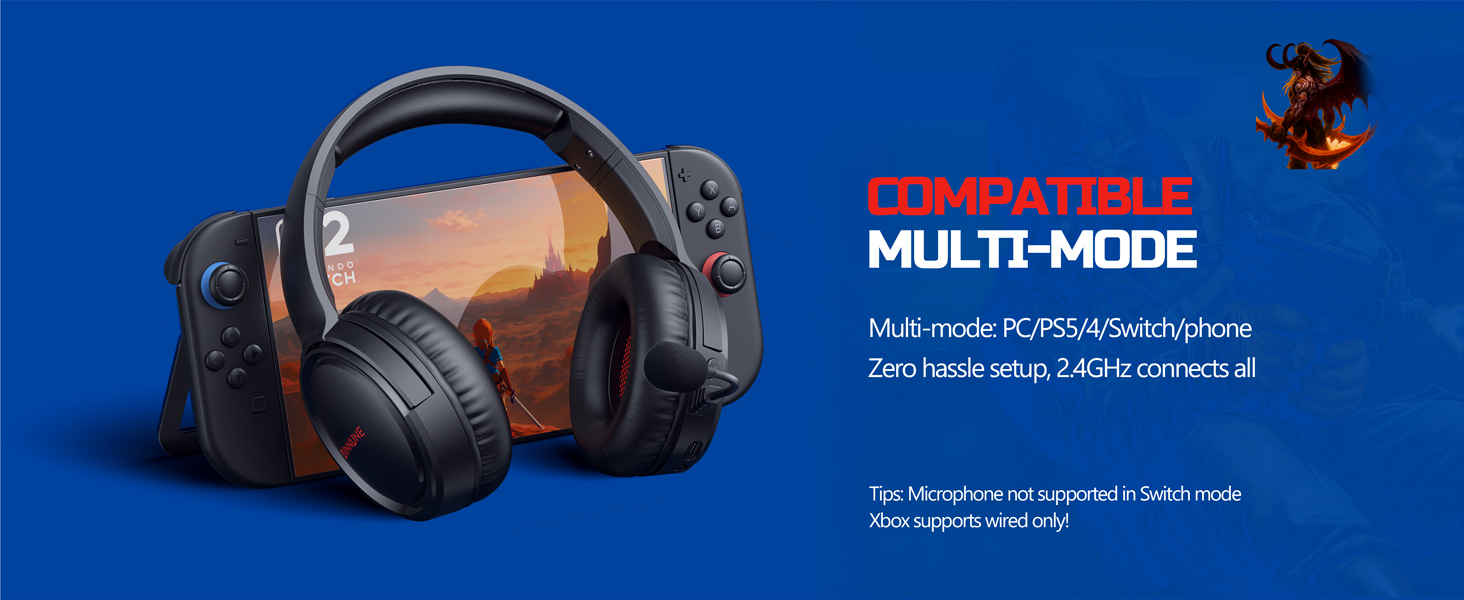
Figure 3: Key controls and ports on the BINNUNE Wireless Gaming Headset.
Video 1: A quick overview of the BINNUNE Gaming Headset's features and controls.
4. Opstelling en verbinding
4.1 Aanvanklike laai
Before first use, fully charge your headset. Connect the USB-C charging cable to the headset's USB-C port and the other end to a USB power source. The LED indicator will show charging status and turn off when fully charged. A full charge takes approximately 6 hours.

Figure 4: The headset offers up to 40 hours of battery life on a single charge.
4.2 2.4GHz Wireless Connection (USB Dongle)
This mode provides ultra-low latency audio (≤38ms) for gaming on PS5, PS4, PC, and Mac.
- Plug the 2.4GHz USB dongle into an available USB port on your PS5/4, PC, or Mac.
- Power on your BINNUNE headset by pressing and holding the power button.
- The headset will automatically connect to the dongle. The LED indicator will show a stable light when connected.
Let wel: The microphone is not available when connected to Nintendo Switch in 2.4GHz mode. Not compatible with XBOX.

Figure 5: The 2.4GHz USB dongle ensures a fast and stable connection.
4.3 Bluetooth-verbinding
Use Bluetooth mode for mobile phones, tablets, iPads, and other smart devices.
- Verseker dat die koptelefoon aangeskakel is.
- Gaan na Bluetooth-instellings op jou toestel en aktiveer Bluetooth.
- Select "BINNUNE BW02-BT" from the list of available devices to pair.
- The LED indicator will flash during pairing and show a stable light once connected.
Let wel: Bluetooth mode is not compatible with PS5/4. The microphone is not available when connected to Nintendo Switch in Bluetooth mode.
4.4 Bedrade verbinding (3.5 mm oudiokabel)
For devices that do not support wireless connectivity or when battery is low.
- Koppel die een kant van die 3.5 mm-klankkabel aan die 3.5 mm-klankaansluiting van die headset.
- Connect the other end to the 3.5mm audio port on your gaming device (e.g., PS5/4 controller, PC, phone).
Let wel: The microphone may not be available on some devices when using the wired connection.

Figure 6: Multiplatform compatibility of the BINNUNE headset across 2.4G, Bluetooth, and Wired modes.
Video 2: Demonstrating the multi-mode connectivity of BINNUNE Gaming Headsets for PS4/PS5/PC.
5. Bedryfsinstruksies
5.1 Krag aan/af
Press and hold the Power Button for 3 seconds to turn the headset on or off. The LED indicator will light up or turn off accordingly.
5.2 Volumebeheer
Rotate the Volume Wheel up (+) to increase volume or down (-) to decrease volume.
5.3 Gebruik van mikrofoon
The headset features a rotatable microphone. Flip the microphone down to use it. Press the Mute Button to toggle microphone mute on or off. The ENC noise-canceling technology helps ensure clear voice transmission.
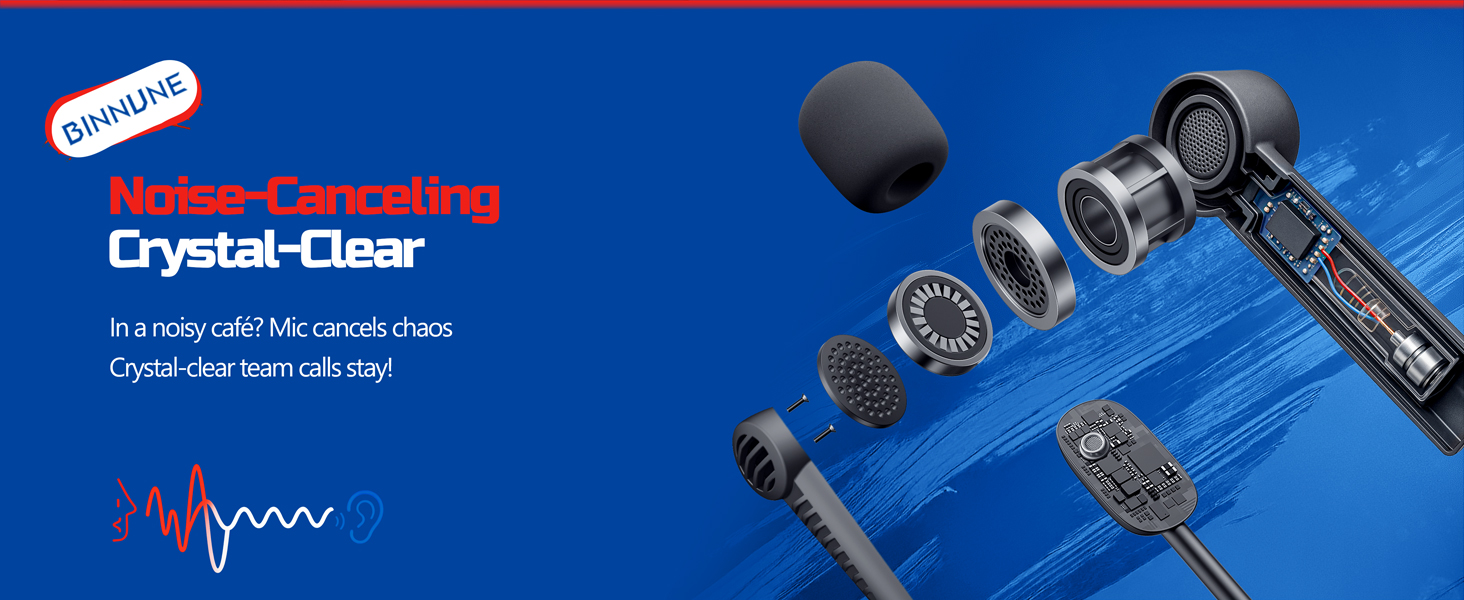
Figure 7: The noise-canceling microphone ensures crystal-clear voice calls by reducing background noise.
5.4 Wissel tussen modusse
The headset supports seamless switching between 2.4GHz and Bluetooth modes. Refer to section 4 for specific connection steps for each mode. The headset prioritizes the 2.4GHz connection when the dongle is active.
6. Onderhoud
- Skoonmaak: Gebruik 'n sagte, droë lap om die headset skoon te maak. Vermy die gebruik van skuurmiddels of oplosmiddels.
- Berging: Bêre die oorfone op 'n koel, droë plek weg van direkte sonlig en uiterste temperature.
- Batterysorg: Om die batterylewe te verleng, vermy om die oorfone gereeld heeltemal te ontlaai. Laai dit gereeld, selfs al word dit nie vir lang tye gebruik nie.
7. Probleemoplossing
| Probleem | Moontlike oorsaak | Oplossing |
|---|---|---|
| Geen klank van headset nie. | Headset not powered on, low battery, incorrect connection mode, volume too low. | Ensure headset is on and charged. Check connection mode (2.4GHz/Bluetooth/Wired). Increase volume. |
| Mikrofoon werk nie. | Microphone muted, incorrect input device selected on computer/console, compatibility issue in certain modes. | Unmute microphone. Check audio settings on your device to ensure BINNUNE headset is selected as input. Note mode limitations (e.g., Switch, some wired connections). |
| Cannot connect via 2.4GHz dongle. | Dongle not properly inserted, interference, headset too far from dongle. | Ensure dongle is fully inserted. Move closer to the dongle. Try a different USB port. |
| Kan nie via Bluetooth koppel nie. | Headset not in pairing mode, device Bluetooth off, already connected to another device. | Ensure headset is discoverable. Turn Bluetooth on your device. Disconnect from other devices. |
8. Spesifikasies
| Kenmerk | Detail |
|---|---|
| Model Naam | BW02-BT |
| Verbindingstegnologie | Draadloos (2.4GHz, Bluetooth 5.3), Bedraad (3.5mm-aansluiting) |
| Oudiobestuurdergrootte | 50 mm |
| Frekwensierespons | 20 Hz - 20 000 Hz |
| Sensitiwiteit | 96 dB |
| Oudio-latensie (2.4 GHz) | 32 Milliseconds (≤38ms advertised) |
| Batterylewe | Tot 40 ure |
| Laai tyd | 6 ure |
| Mikrofoon | Dual Beamforming with ENC Noise-Canceling |
| Materiaal | Plastic (Headset), Leather (Ear Cushions) |
| Gewig | 13.4 onse |
| Versoenbare toestelle | Gaming Consoles (PS4, PS5), PC, Mac, Telephones, Laptops, Desktops |
9. Waarborg en Ondersteuning
BINNUNE products are manufactured with high-quality standards. For any product-related inquiries, technical support, or warranty claims, please refer to the official BINNUNE store or contact their customer service directly.
Besoek die BINNUNE Store on Amazon vir meer inligting en ondersteuning.


