
Inleiding
This manual provides detailed instructions for the OWC Gemini Thunderbolt (USB-C) Docking Station and External RAID Storage Solution. It covers setup, operation, maintenance, troubleshooting, and technical specifications to ensure optimal performance and longevity of your device.
Veiligheidsinligting
- Lees alle instruksies sorgvuldig deur voordat u die toestel gebruik.
- Moenie die toestel aan vog of uiterste temperature blootstel nie.
- Gebruik slegs die kragadapter wat by die toestel voorsien is.
- Moenie probeer om die toestel self oop te maak of te herstel nie. Verwys alle diens na gekwalifiseerde personeel.
- Verseker behoorlike ventilasie rondom die toestel om oorverhitting te voorkom.
Pakketinhoud
Verifieer dat alle items in jou pakket teenwoordig is:
- OWC Gemini Thunderbolt (USB-C) Docking Station
- Kragadapter
- Thunderbolt (USB-C) Cable
- Gebruikershandleiding (hierdie dokument)
- Drives (pre-installed for 32TB model)
Produk verbyview
The OWC Gemini is a versatile docking station and external storage solution designed for high-performance data management and expanded connectivity.

Beeld: Voorkant view of the OWC Gemini Thunderbolt Docking Station, showcasing its sleek black design and OWC branding.
Sleutel kenmerke
- Dual Drive Bays: Supports 2.5-inch and 3.5-inch SATA drives for flexible storage configurations.
- Hardware RAID: Offers RAID 0, RAID 1, SPAN, and JBOD modes for optimized performance or data redundancy.
- Thunderbolt (USB-C) Connectivity: Two Thunderbolt 3 (USB-C) ports for host connection, daisy-chaining, and power delivery (up to 27W).
- Uitgebreide konnektiwiteit: Includes two USB 3.2 Gen 2 Type-A ports, one HDMI port, one 2.5 Gigabit Ethernet port, and one SD 4.0/UHS-II media slot.
- Ondersteuning vir hoë-resolusie skerms: HDMI 2.1 supports up to 8K @ 120Hz, and Thunderbolt 3 supports up to 8K @ 60Hz or 4K @ 120Hz.
Poortuitleg
The OWC Gemini provides a comprehensive set of ports for various connectivity needs.

Beeld: Agter view of the OWC Gemini Docking Station, highlighting the 7 ports of connectivity including Thunderbolt, USB, HDMI, and Ethernet.
- Thunderbolt 3 (USB-C) Host Port: Koppel aan jou rekenaar.
- Thunderbolt 3 (USB-C) Downstream Port: For daisy-chaining, additional displays, or charging USB-C devices.
- USB 3.2 Gen 2 Tipe-A-poorte (x2): Vir die koppeling van USB-randapparatuur.
- HDMI 2.1 Poort: Vir die koppeling van 'n eksterne skerm.
- 2.5 Gigabit Ethernet-poort: Vir hoëspoed-netwerkverbinding.
- SD 4.0/UHS-II Media Slot: Located on the front panel for convenient access.
- DC 12V ingang: Koppel aan die kragadapter.

Image: Close-up of the front panel of the OWC Gemini, showing the easily accessible SD card slot.
Opstelling
1. Drive Installation (if applicable)
For models without pre-installed drives, follow these steps to install 2.5-inch or 3.5-inch SATA drives.

Image: The OWC Gemini unit illustrating its two flexible drive bays, compatible with both 2.5-inch and 3.5-inch drives.
- Ensure the device is powered off and disconnected from your computer.
- Open the drive bay door(s) according to the product's physical design.
- Insert your 2.5-inch or 3.5-inch SATA drives into the bays, ensuring they are securely seated.
- Close the drive bay door(s).
2. RAID-konfigurasie
The OWC Gemini supports hardware RAID. Refer to the specific RAID configuration utility or physical switches on the device (if present) to set your desired RAID level (RAID 0, RAID 1, SPAN, or JBOD).
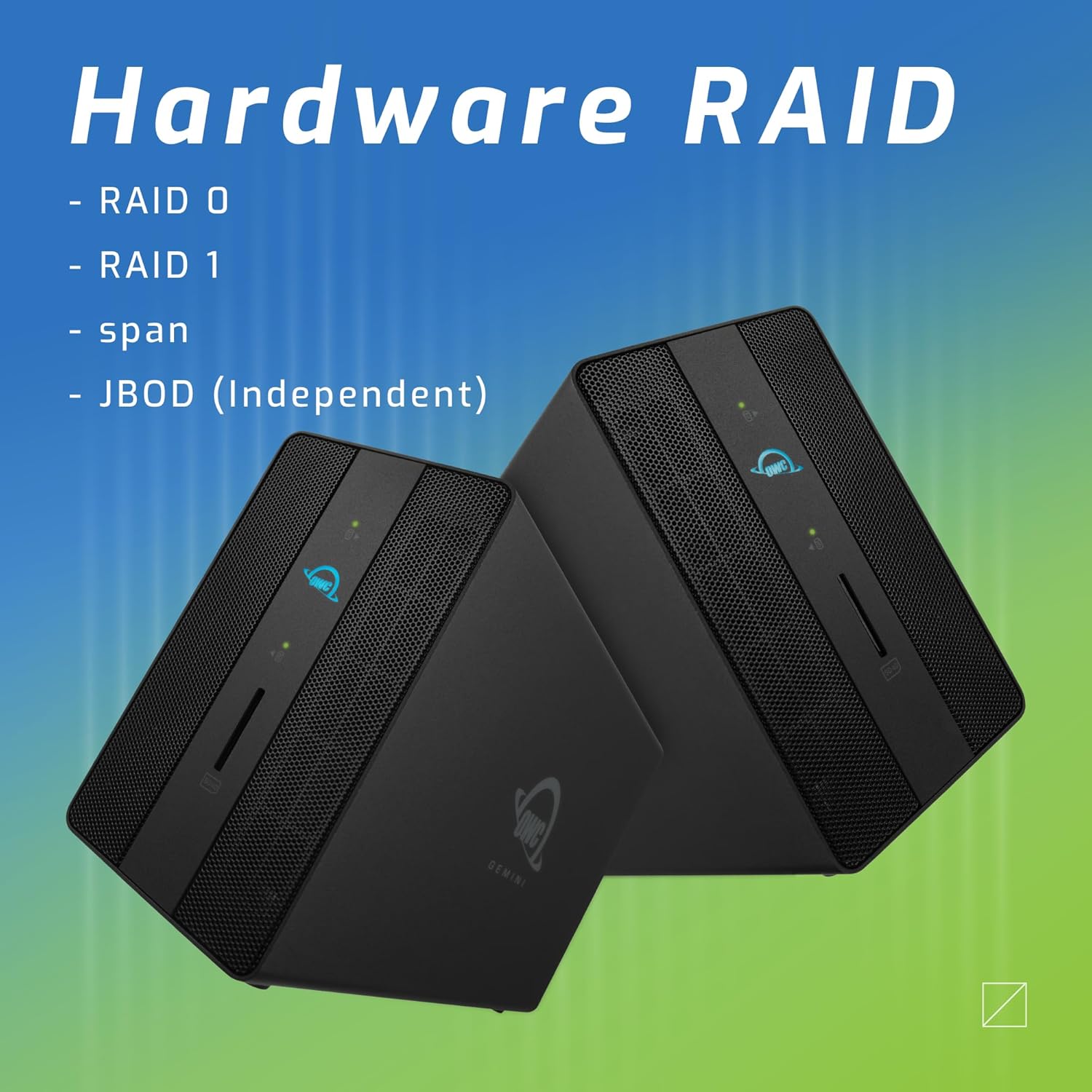
Image: Two OWC Gemini units, emphasizing the hardware RAID capabilities for configurations like RAID 0, RAID 1, SPAN, and JBOD.
RAID Levels Explained:
- RAID 0 (Striping): Combines drives for maximum speed and capacity, but offers no data redundancy.
- RAID 1 (spieëling): Duplicates data across drives for redundancy, sacrificing half the total capacity for data protection.
- SPAN (Concatenation): Combines drives into a single large volume without striping or mirroring.
- JBOD (Net 'n Klomp Skywe): Treats each drive as an independent volume.
3. Verbinding met jou rekenaar
- Connect the power adapter to the DC 12V power input on the OWC Gemini and then to a power outlet.
- Connect one end of the Thunderbolt (USB-C) cable to the host port on the OWC Gemini.
- Connect the other end of the Thunderbolt (USB-C) cable to a Thunderbolt (USB-C) port on your computer.
- Die toestel behoort outomaties aan te skakel.
4. Initializing Drives
After connecting, your operating system may prompt you to initialize and format the new drives. Follow the on-screen instructions. For macOS, use Disk Utility. For Windows, use Disk Management.
Bedryfsinstruksies
Data-oordrag
Once the drives are initialized and formatted, they will appear as accessible volumes on your computer. You can drag and drop files to and from these volumes as you would with any other storage device.
Gebruik die USB-poorte
Connect USB peripherals such as external drives, keyboards, or mice to the two USB 3.2 Gen 2 Type-A ports. These ports support data transfer speeds up to 10 Gb/s.
Koppel 'n eksterne skerm
Use the HDMI 2.1 port to connect an external monitor. The Gemini supports resolutions up to 8K @ 120Hz via HDMI.
Netwerkverbinding
Connect an Ethernet cable from your network router or switch to the 2.5 Gigabit Ethernet port on the Gemini for high-speed wired network access.
Using the SD Card Slot
Insert an SD 4.0/UHS-II compatible SD card into the front-facing slot for quick data transfer from cameras or other devices.
Daisy-Chaining and Power Delivery

Image: A close-up of the OWC Gemini's Thunderbolt ports, illustrating their use for daisy-chaining, connecting additional displays, and charging USB-C devices.
The second Thunderbolt 3 (USB-C) port allows you to:
- Daisy-ketting additional Thunderbolt devices.
- Koppel 'n additional display (up to 8K @ 60Hz or 4K @ 120Hz).
- Charge USB-C devices with up to 27 watts of power.
Onderhoud
- Skoonmaak: Gebruik 'n sagte, droë lap om die buitekant van die toestel skoon te maak. Moenie vloeibare skoonmaakmiddels of aërosols gebruik nie.
- Ventilasie: Maak seker dat die ventilasieroosters nie geblokkeer is om oorverhitting te voorkom nie.
- Firmware -opdaterings: Periodically check the OWC webwebwerf vir firmware-opdaterings om optimale werkverrigting en versoenbaarheid te verseker.
- Veilige uitwerping: Always safely eject the OWC Gemini from your operating system before disconnecting it or powering it off to prevent data corruption.
Probleemoplossing
Toestel word nie herken nie
- Ensure all cables are securely connected, especially the Thunderbolt cable to both the Gemini and your computer.
- Verify the power adapter is correctly connected and the device is receiving power.
- Try connecting the Gemini to a different Thunderbolt port on your computer.
- Herbegin jou rekenaar.
- Check your operating system's Disk Utility (macOS) or Disk Management (Windows) to see if the drives are detected but uninitialized or unformatted.
Stadige data-oordragspoed
- Ensure you are using a Thunderbolt 3 compatible cable and port.
- Check the RAID configuration. RAID 1 (mirroring) will have slower write speeds than RAID 0 (striping).
- Maak enige onnodige toepassings toe wat moontlik stelselbronne verbruik.
- Maak seker dat jou rekenaar se drywers op datum is.
Vertoon kwessies
- Verify the HDMI cable is securely connected to both the Gemini and your monitor.
- Check your display settings in your operating system.
- Ensure your monitor supports the resolution and refresh rate you are attempting to use.
- Try a different HDMI cable or monitor if available.
Netwerkverbindingsprobleme
- Ensure the Ethernet cable is securely connected to both the Gemini and your network device.
- Gaan jou rekenaar se netwerkinstellings na.
- Herbegin jou router/modem.
Spesifikasies
| Kenmerk | Detail |
|---|---|
| Handelsmerk | OWC |
| Modelnommer | OWCTB3GM000H32 |
| Berging kapasiteit | 32.0TB (as configured) |
| Rybaaie | 2 (supports 2.5" and 3.5" SATA drives) |
| RAID-vlakke | SPAN, RAID 0, RAID 1, JBOD (Hardware RAID) |
| Gasheer-koppelvlak | Thunderbolt 3 (USB-C) |
| Data-oordragtempo | Up to 40 Gb/s (Thunderbolt 3), Up to 10 Gb/s (USB 3.2 Gen 2) |
| Hawens | (1) Thunderbolt 3 (USB-C) Host, (1) Thunderbolt 3 (USB-C) Downstream, (2) USB 3.2 Gen 2 Type-A, (1) HDMI 2.1, (1) 2.5 Gigabit Ethernet, (1) SD 4.0/UHS-II |
| Vertoon ondersteuning | HDMI 2.1: Up to 8K @ 120Hz; Thunderbolt 3: Up to 8K @ 60Hz or 4K @ 120Hz |
| Kraglewering | Up to 27W via Thunderbolt 3 |
| Versoenbare toestelle | Desktop, Laptop, Tablet (with Thunderbolt/USB-C port) |
| Kleur | Swart |
| Gewig | 9.35 pond (ongeveer) |
| UPC | 810100983697 |
Waarborg en Ondersteuning
Waarborg inligting
OWC products are covered by a limited warranty. Please refer to the official OWC website or your purchase documentation for specific warranty terms and conditions. Keep your proof of purchase for warranty claims.
Tegniese Ondersteuning
For technical assistance, troubleshooting, or further inquiries, please visit the official OWC support webwebwerf of kontak hul kliëntediens.