
Strong SRT24HE4023C
Sterk 24-duim HD TV SRT24HE4023C Gebruikershandleiding
Model: SRT24HE4023C
1. Inleiding
This user manual provides essential information for the safe and efficient operation of your Strong 24-inch HD TV, model SRT24HE4023C. Please read this manual thoroughly before using the product and retain it for future reference.
The Strong SRT24HE4023C is a compact and versatile 24-inch (60 cm) HD Ready television, specifically designed for portability with its 12V power input, making it ideal for use in caravans, campers, or other mobile environments. It features a triple tuner for various signal receptions and multiple connectivity options.
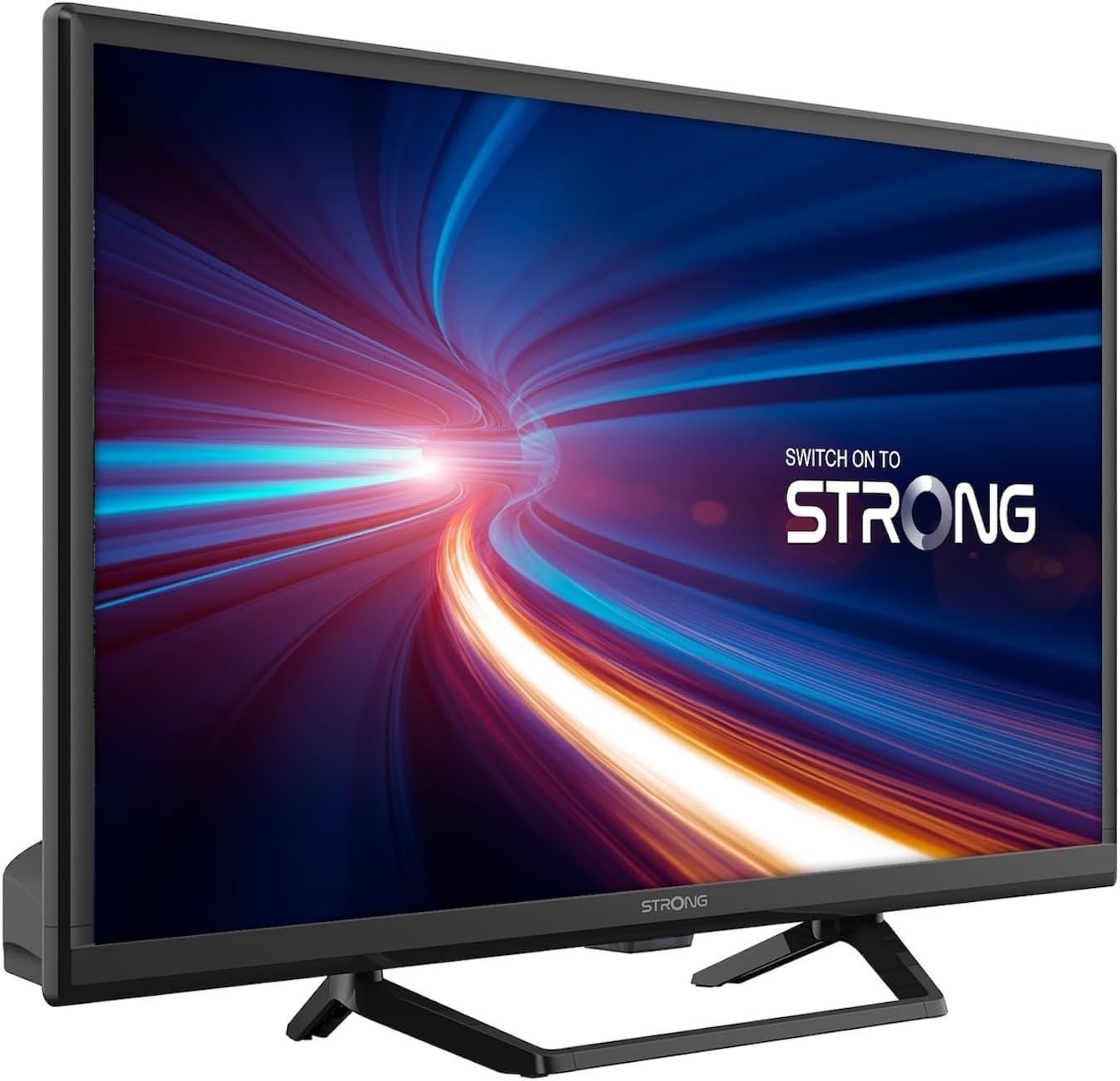
Figuur 1.1: Voorkant view of the Strong 24-inch HD TV.
2. Pakketinhoud
Upon unpacking, please ensure all items listed below are present and in good condition. If any items are missing or damaged, contact your retailer immediately.
- Strong 24-inch HD TV (SRT24HE4023C)
- TV-staanplek
- Afstandbeheerder (benodig 2 AAA-batterye, ingesluit)
- Gebruikershandleiding (hierdie dokument)
3. Opstelling
3.1. Montering van die staanplek
Carefully place the TV screen-down on a soft, clean surface to prevent scratches. Attach the provided stand to the base of the TV using the designated screws. Ensure the stand is securely fastened before placing the TV upright.
3.2. Kragverbinding
This TV operates on a 12V DC power supply, making it suitable for mobile applications. Connect the 12V power adapter to the TV's power input port and then to a compatible 12V power source. Ensure the power source can provide sufficient current for the TV's operation.
3.3. Verbinding van eksterne toestelle
Die TV bied verskeie konnektiwiteitsopsies:
- HDMI-poorte (x2): Connect Blu-ray players, game consoles, or other HDMI-enabled devices. One port supports ARC (Audio Return Channel).
- USB-poort (x1): For playing multimedia files vanaf USB-bergingstoestelle.
- Mini AV-invoer: Vir die koppeling van ouer toestelle met saamgestelde video- en stereo-klankuitsette.
- Antenna Input (ANT in): Connect a terrestrial antenna for DVB-T/T2 reception.
- Satellite Input (SAT in): Connect a satellite dish for DVB-S/S2 reception.
- CI-gleuf: Insert a Common Interface module for encrypted channels.
- SPDIF-uitvoer: Vir digitale klankuitvoer na 'n eksterne klankstelsel.
- Koptelefoonaansluiting: Vir privaat luister.

Figuur 3.1: Agter view showing various connectivity ports.
4. Bedryfsinstruksies
4.1. Eerste keer installasie
When you power on the TV for the first time, a setup wizard will guide you through initial settings such as language, country, and channel scanning. Follow the on-screen prompts to complete the setup.
4.2. Kanaalskandering
The TV features a triple tuner (DVB-T/T2, DVB-C, DVB-S/S2) for receiving digital terrestrial, cable, and satellite broadcasts. To scan for channels:
- Druk die SPYSKAART knoppie op jou afstandbeheer.
- Navigeer na die Kanaal or Installasie spyskaart.
- Kies Outomatiese skandering or Handmatige skandering depending on your preference and connection type.
- Follow the on-screen instructions to start the scan.
4.3. Using the Electronic Program Guide (EPG)
The EPG provides a schedule of current and upcoming TV programs. To access the EPG, press the EPG button on your remote control. You can browse programs, view details, and set reminders.
4.4. Multimedia Playback via USB
Insert a USB storage device into the USB port. The TV will typically prompt you to open the media browser. You can play various multimedia files, including videos, photos, and music.
4.5. Parental Control and Hotel Mode
The TV includes parental control features to restrict access to certain channels or programs based on age ratings. Hotel mode provides advanced settings for managing TV functions in a multi-unit environment.
5. Onderhoud
5.1. Skoonmaak van die TV
Before cleaning, always unplug the TV from the power source. Use a soft, dry cloth to wipe the screen and cabinet. For stubborn marks, lightly dampMaak die lap skoon met water of 'n sagte, nie-skurende skermreiniger. Moet nooit vloeistof direk op die TV spuit nie.
5.2. Vervanging van afstandbeheerbattery
The remote control uses two AAA batteries. If the remote control's range decreases or it stops responding, replace both batteries with new ones, ensuring correct polarity.
6. Probleemoplossing
Indien u probleme met u TV ondervind, raadpleeg die volgende algemene probleme en oplossings voordat u kliëntediens kontak.
| Probleem | Moontlike oorsaak | Oplossing |
|---|---|---|
| Geen krag nie | Power cable disconnected; no power from source. | Check power cable connection. Ensure 12V power source is active. |
| Geen beeld nie, maar klank is teenwoordig | Verkeerde invoerbron gekies; los kabelverbinding. | Druk die BRON button to select the correct input. Check HDMI/AV cable connections. |
| Geen klank nie, maar beeld is teenwoordig | Volume too low or muted; audio settings incorrect. | Increase volume. Check mute status. Adjust audio output settings in the menu. |
| Swak beeldkwaliteit | Weak signal; incorrect resolution. | Check antenna/satellite connection. Perform a channel scan. Adjust picture settings. |
| Afstandbeheer werk nie | Batteries depleted or incorrectly inserted. | Replace batteries, ensuring correct polarity. Ensure no obstructions between remote and TV. |
7. Spesifikasies
| Kenmerk | Detail |
|---|---|
| Model | SRT24HE4023C |
| Skerm grootte | 24 duim (60 cm) |
| Vertoon tegnologie | LED, IPS-paneel |
| Resolusie | 1366 x 768p (HD Ready) |
| Aspekverhouding | 16:9 |
| Herlaaitempo | 60 Hz |
| Reaksie Tyd | 5 millisekondes |
| Tuners | DVB-T/T2, DVB-C, DVB-S/S2 |
| Video-kodek | HEVC 265 10-bit |
| HDMI-poorte | 2 (1 with ARC support) |
| USB-poorte | 1 |
| Ander insette/uitsette | Mini AV In, CI Slot, SPDIF Out, Headphone Jack |
| Oudio-dekodering | DTS |
| Kragtoevoer | 12 Volt GS |
| Afmetings (B x H x D) | 55.29 x 36.6 x 14.78 cm (met staander) |
| Gewig | 2.5 kg |
| VESA Muurmontering | Ondersteun |
| Energiedoeltreffendheidklas | E (View EPREL details) |
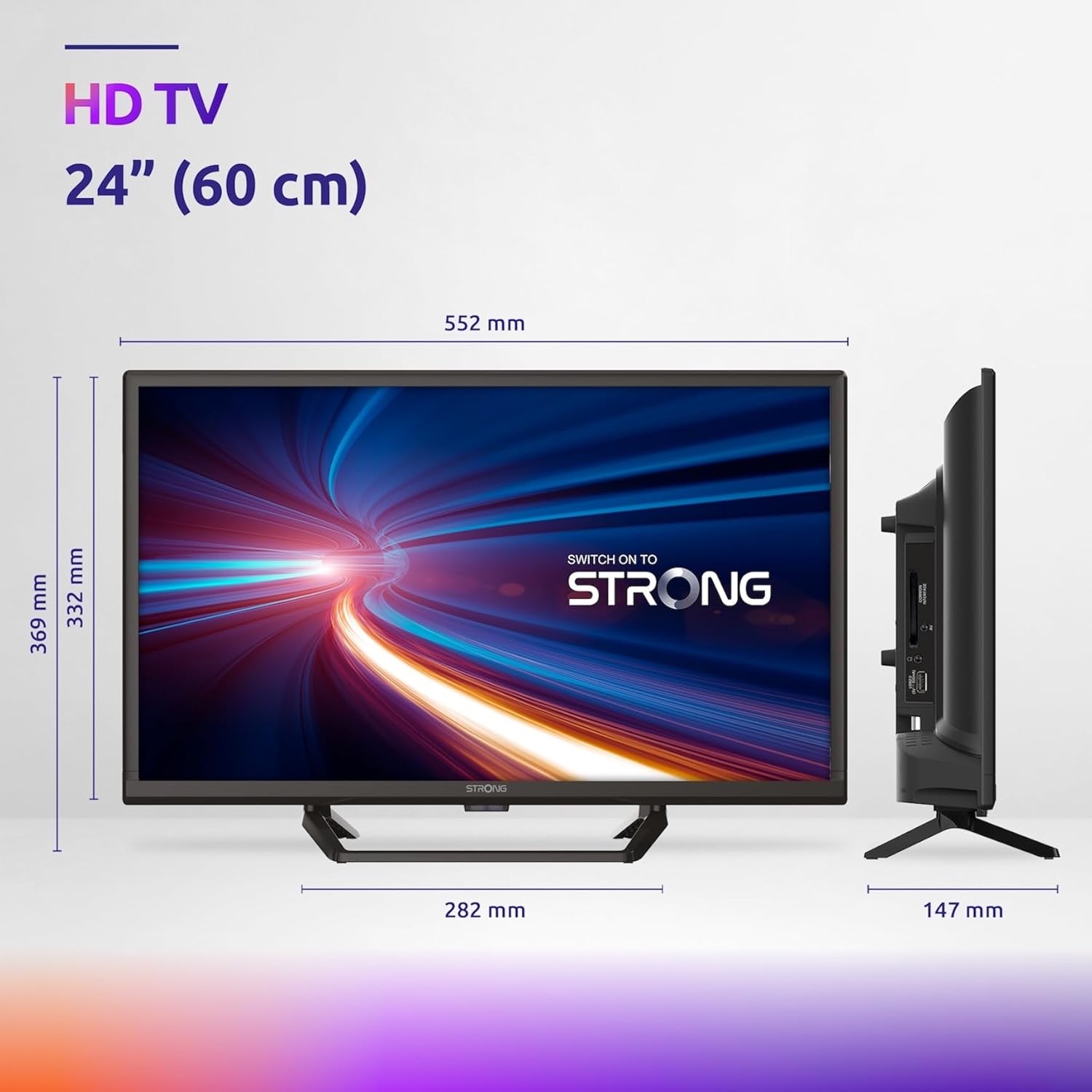
Figure 7.1: Product dimensions of the Strong 24-inch HD TV.

Figure 7.2: Energy efficiency label for the Strong SRT24HE4023C TV.
8. Waarborg en Ondersteuning
Strong products are designed for reliability and performance. For warranty information and technical support, please refer to the warranty card included with your product or visit the official Strong webwebwerf. Bewaar u aankoopbewys as bewys van aankoop vir waarborgeise.
Vir verdere hulp kan u ook verwys na die Sterk Handelsmerkwinkel op Amazon vir bykomende produkinligting en hulpbronne.
Ask a question about this manual
Ask about setup, troubleshooting, compatibility, parts, safety, or missing instructions. Manuals+ will review the question and use this page’s manual context to help answer it.