
iProda 15.6-inch Portable Monitor
iProda 15.6-duim draagbare monitor gebruikershandleiding
Model: 15.6-inch Portable Monitor
Handelsmerk: iProda
1. Inleiding
Thank you for choosing the iProda 15.6-inch Portable Monitor. This device is designed to enhance your productivity and entertainment by providing a versatile second screen for your laptop, PC, smartphone, and gaming consoles. This manual will guide you through the setup, operation, and maintenance of your new monitor.
2. Produkkenmerke
- 15.6-inch Full HD (1080p) IPS Display: Experience vibrant colors and wide viewhoeke.
- 60Hz opdateringsfrekwensie: Ensures smooth visuals for work and entertainment.
- Anti-Glare Screen: Verminder weerkaatsings vir gemaklikheid viewin verskillende beligtingstoestande.
- Liggewig en draagbaar: Weighing approximately 1.2 kg (2.6 lbs) and only 0.6 cm (0.24 inches) thick, it's ideal for on-the-go use.
- Inprop-en-speel-konnektiwiteit: Simple setup with USB-C or HDMI.
- Ingeboude luidsprekers: Geïntegreerde klank vir gerief.
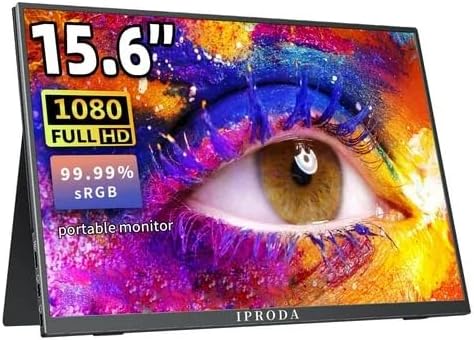
Figure 2.1: iProda 15.6-inch Portable Monitor showcasing its 1080 Full HD resolution and sRGB color accuracy.

Figure 2.2: Close-up of the iProda portable monitor screen highlighting IPS technology and a 178-degree super wide viewing angle for an excellent visual experience.
3. Opstelgids
The iProda portable monitor is designed for easy plug-and-play setup. Follow these steps to connect your device:
- Kragverbinding: Connect the monitor to a power source using the provided USB-C cable and a compatible power adapter (not always included, check packaging).
- Videoverbinding:
- USB-C (Full Function): If your device (laptop, smartphone) has a full-function USB-C port that supports video output and power delivery, simply connect a single USB-C cable from your device to one of the monitor's USB-C ports.
- Mini HDMI: Connect a mini HDMI to HDMI cable from the monitor's mini HDMI port to your device's HDMI port. You will also need to connect a USB-C cable for power.
- Oudio (Opsioneel): If you prefer to use external headphones or speakers, connect them to the 3.5mm audio jack on the monitor.
- Toestelinstellings: Your device should automatically detect the monitor. If not, you may need to adjust display settings in your operating system (e.g., Windows Display Settings, macOS System Preferences).
4. Bedryfsinstruksies
The monitor features intuitive controls for adjusting settings:
- Power Button / Return Button: Press and hold to power on/off. Short press to return to the previous menu in OSD settings.
- Dial-wheel Switch (OSD Settings):
- Druk: Enter the On-Screen Display (OSD) menu.
- Blaai op/af: Navigeer deur kieslysopsies of pas waardes aan.
- Press (while in menu): Bevestig seleksie.
The OSD menu allows you to adjust brightness, contrast, color settings, input source, and other display parameters.
5. Konnektiwiteit en Verenigbaarheid
The iProda portable monitor offers broad compatibility with various devices:
- USB-C (x2, Full Function): Connects to laptops, PCs, tablets, and smartphones that support DisplayPort Alternate Mode and Power Delivery.
- Mini HDMI (x1): Connects to devices with an HDMI output, including laptops, PCs, gaming consoles (Xbox, PlayStation, Nintendo Switch), and media players.
- 3.5mm Headphone Jack (x1): Vir die koppeling van eksterne klanktoestelle.
Versoenbare toestelle sluit in:
- Desktop rekenaars
- Laptops (Windows, macOS)
- Tablette
- Smartphones (with full-function USB-C)
- Nintendo Switch
- PlayStation 4/5
- Xbox One/Series X|S

Figure 5.1: Port layout and compatible devices for the iProda portable monitor.
6. Gebruiksmodusse
When connected to a laptop or PC, the iProda portable monitor supports various display modes:
- Duplikaatmodus: Displays the same content on both your primary screen and the portable monitor. Ideal for presentations or sharing content.
- Verleng modus: Extends your desktop across both screens, providing more screen real estate for multitasking. Drag windows between screens.
- Second Screen Only Mode: Displays content only on the portable monitor, with your primary screen turned off. Useful for focusing on a single display or when using the portable monitor as the main display.

Figure 6.1: Display modes (Duplicate, Extend, Second Screen Only) with a laptop.
7. Applications and Use Cases
The iProda portable monitor is versatile for various scenarios:
- Daily Work & Business: Enhance productivity by extending your workspace for spreadsheets, documents, and presentations.
- Phone Extension: Transform your smartphone into a larger display for media consumption or light productivity tasks.
- On-the-GO: Its lightweight design makes it perfect for travel, remote work, or mobile presentations.
- Speletjies: Connect to your favorite gaming consoles for an immersive gaming experience anywhere.
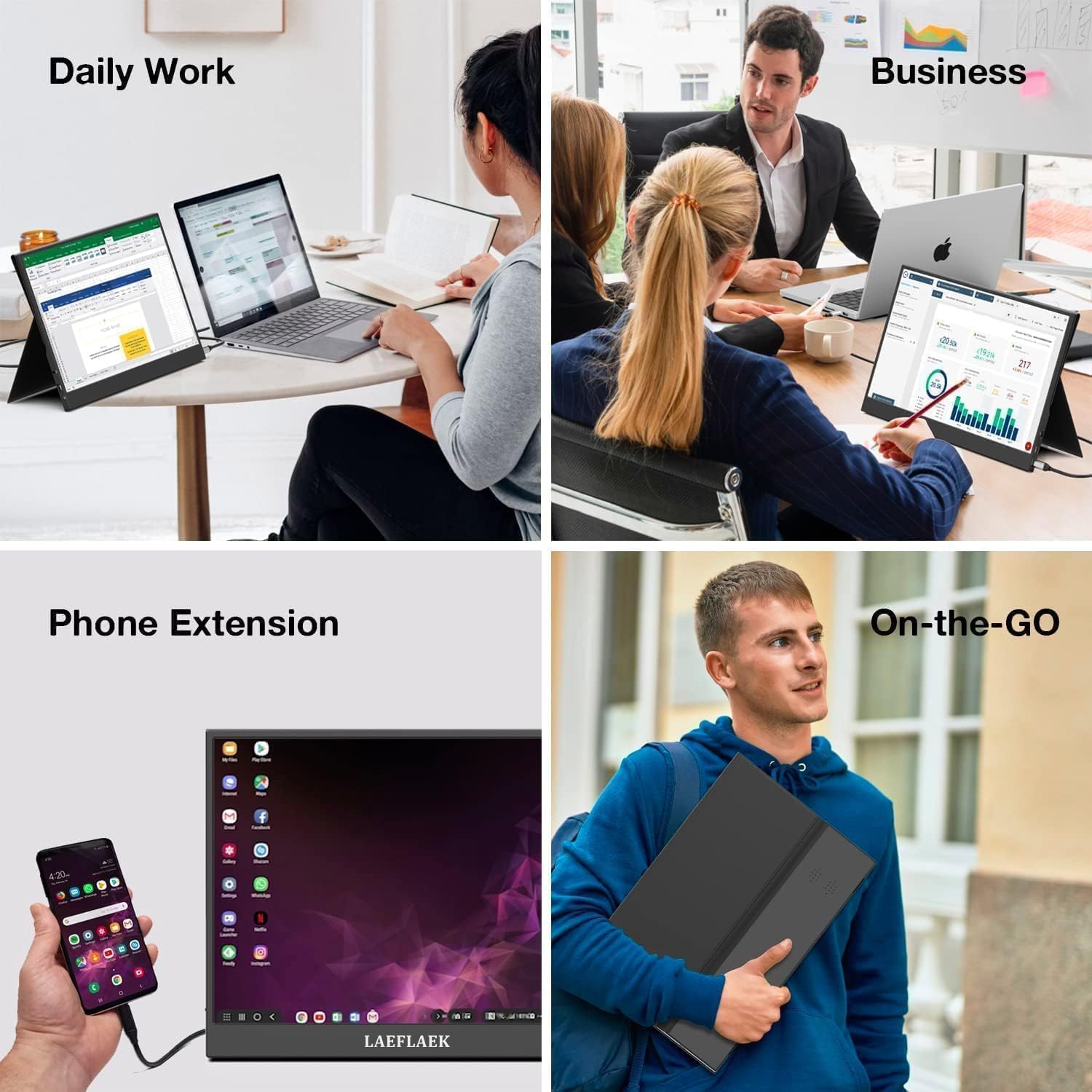
Figure 7.1: Various applications of the iProda portable monitor.

Figure 7.2: iProda portable monitor used for gaming with various consoles.
8. Onderhoud
To ensure the longevity and optimal performance of your iProda portable monitor, follow these maintenance guidelines:
- Skoonmaak van die skerm: Gebruik 'n sagte, pluisvrye lap effens dampened with water or a screen-cleaning solution. Do not spray liquid directly onto the screen. Avoid using harsh chemicals or abrasive materials.
- Maak die C skoonasing: Vee die monitor se c afasing met 'n sagte, droë lap.
- Berging: When not in use, store the monitor in a cool, dry place, preferably in its original packaging or a protective sleeve to prevent dust and scratches.
- Hantering: Hanteer die monitor altyd aan die kante. Vermy om druk op die skerm uit te oefen.
9. Probleemoplossing
If you encounter issues with your iProda portable monitor, refer to the following common problems and solutions:
| Probleem | Moontlike oorsaak | Oplossing |
|---|---|---|
| No Signal / Black Screen | Verkeerde invoerbron gekies; Los kabelverbinding; Onvoldoende krag; Toestel voer nie video uit nie. | Check cable connections; Ensure monitor is powered; Select correct input source via OSD; Verify device's video output settings. |
| Geen krag | Power cable not connected; Power adapter faulty; USB-C port on device not providing enough power. | Ensure power cable is securely connected; Try a different power adapter/USB-C port; Use an external power source if needed. |
| Flikkerende skerm | Faulty cable; Interference; Graphics driver issue. | Try a different cable; Ensure no strong electromagnetic interference; Update graphics drivers on your connected device. |
| No Audio from Monitor | Monitor volume too low; Audio output not set to monitor; External speakers/headphones connected. | Adjust monitor volume via OSD; Set audio output to the monitor in your device's sound settings; Disconnect external audio devices if using monitor speakers. |
If the problem persists after trying these solutions, please contact iProda customer support for further assistance.
10. Spesifikasies
| Kenmerk | Spesifikasie |
|---|---|
| Skerm grootte | 15.6 duim |
| Tipe vertoon | IPS, Anti-glare |
| Resolusie | Vol HD (1920 x 1080) |
| Herlaaitempo | 60Hz |
| Aspekverhouding | 16:9 |
| Konnektiwiteit | 2x USB-C (Full Function), 1x Mini HDMI, 1x 3.5mm Audio Jack |
| Gewig | Ongeveer. 1.2 kg (2.6 lbs) |
| Dikte | Ongeveer. 0.6 cm (0.24 duim) |
| Ingeboude luidsprekers | Ja |
11. Waarborg en Ondersteuning
Your iProda portable monitor comes with a standard manufacturer's warranty. Please refer to the warranty card included in your product packaging for specific terms and conditions.
For technical support, troubleshooting assistance, or warranty claims, please contact iProda customer service through the contact information provided on the official iProda webwebwerf of jou aankoopplatform.
Hou asseblief u produkmodel en aankoopbesonderhede gereed wanneer u ondersteuning kontak.
Verwante Dokumente - 15.6-duim draagbare monitor
 |
Gebruikersgids: Draagbare dubbelskerm-skootrekenaarmonitor Omvattende gebruikersgids vir die draagbare dubbelskerm-skootrekenaarmonitor, met besonderhede oor produkinleiding, installasie, verbindingsmodusse, klank- en vertooninstellings vir Windows en macOS, skermknoppiefunksies en gebruiksvereistes. |
 |
Touch Screen Operation Guide for Portable Monitors A guide explaining how to use the touch screen function with various operating systems (iOS, Windows, Mac, Android) and connection methods for portable monitors. |
 |
MISURA 15.6" Portable Dual Monitor User Manual User manual for the MISURA 15.6" portable dual monitor, covering product introduction, connection specifications, driver installation for macOS, OSD menu guide, technical specifications, troubleshooting, and safety information. |
 |
ARZOPA A1 15.6 Duim Draagbare Monitor Gebruikersgids Gebruikersgids vir die ARZOPA A1 15.6-duim draagbare monitor, met besonderhede oor opstelling, verbindings, kenmerke, probleemoplossing en herwinningsinligting. |
 |
Ingnok Draagbare Monitor YN02D Gebruikershandleiding Gebruikershandleiding vir die Ingnok Draagbare Monitor YN02D, met besonderhede oor die opstelling, verbindings, kenmerke en spesifikasies vir 'n 15.6-duim FHD 1080P IPS-skerm. |
 |
ARZOPA A1C 15.6" Portable Monitor User Guide Comprehensive user guide for the ARZOPA A1C 15.6-inch portable monitor, covering setup, connections, features, specifications, troubleshooting, and supported devices. |
Ask a question about this manual
Ask about setup, troubleshooting, compatibility, parts, safety, or missing instructions. Manuals+ will review the question and use this page’s manual context to help answer it.