
LQWELL HY320-M
LQWELL HY320-M Mini Projektor Gebruikershandleiding
Model: HY320-M | Brand: LQWELL
1. Inleiding
Thank you for choosing the LQWELL HY320-M Mini Projector. This manual provides essential information for the safe and efficient use of your new projector. Please read it thoroughly before operation and keep it for future reference.
The LQWELL HY320-M is a versatile home cinema projector offering Native 1080P resolution with 4K support, automatic keystone correction, and a wide 220-degree projection capability. It is designed for immersive visual experiences with eye-care technology and quiet operation.
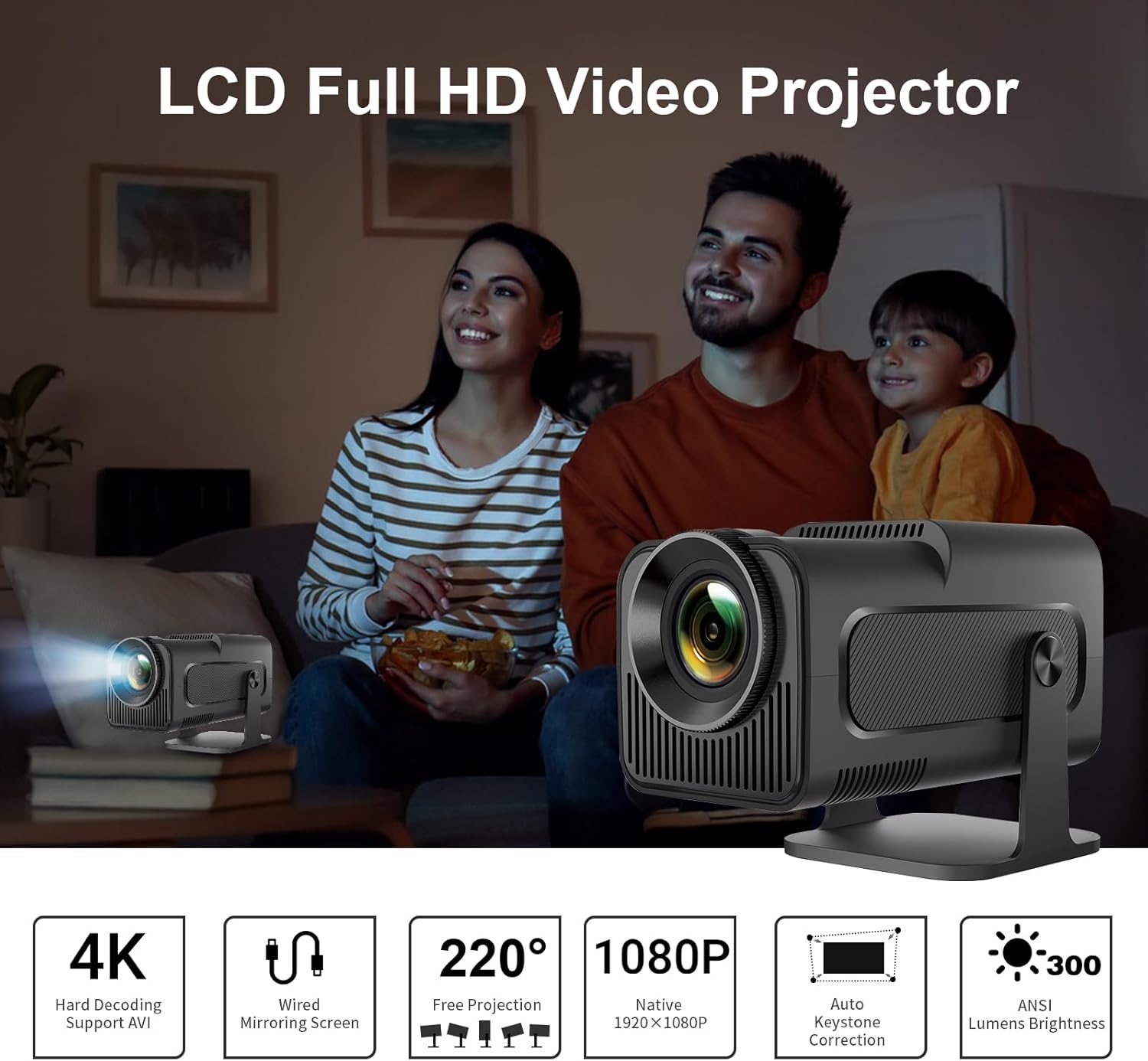
Image: The LQWELL HY320-M Mini Projector providing an immersive viewing experience for a family.
2. Veiligheidsinligting
- Kragtoevoer: Gebruik slegs die gespesifiseerde kragadapter. Maak seker dat die volumetage is compatible with your region.
- Ventilasie: Moenie ventilasie-openinge blokkeer nie. Verseker voldoende lugvloei rondom die projektor om oorverhitting te voorkom.
- Vloeistofblootstelling: Keep the projector away from water or other liquids. Do not operate with wet hands.
- Skoonmaak: Unplug the projector before cleaning. Use a soft, dry cloth. Avoid abrasive cleaners.
- Oogbeskerming: Moenie direk in die projektorlens kyk wanneer die lamp is on. The projector uses diffuse imaging technology to reduce direct eye exposure, but direct viewing should still be avoided.
- Plasing: Plaas die projektor op 'n stabiele, gelyk oppervlak. Vermy dit om dit in direkte sonlig of naby hittebronne te plaas.
- demontage: Moenie probeer om die projektor self uitmekaar te haal of te herstel nie. Verwys alle diens na gekwalifiseerde personeel.

Image: The HY320-M projector utilizes diffuse imaging to protect vision, unlike traditional LCD TVs.
3. Produk verbyview
Sleutel kenmerke:
- Native 1080P & 4K Support: Delivers vivid and detailed projections for an immersive cinema experience.
- Bedrade skermspieëling: Effortlessly mirror your screen via HD or USB connections from various devices.
- Automatic Keystone Correction & 220° Free Projection: Ensures perfectly aligned and proportional projections from different angles.
- Oogvriendelike tegnologie: Utilizes diffuse imaging to prevent direct exposure and protect your vision.
- Lae geraas werking: Operates at less than 25 dB, ensuring a quiet and comfortable environment.
- Veelsydige gebruik: Suitable for home entertainment and office presentations.
Components & Ports:
The projector includes essential accessories for immediate use. Key ports include HDMI and USB for connectivity.
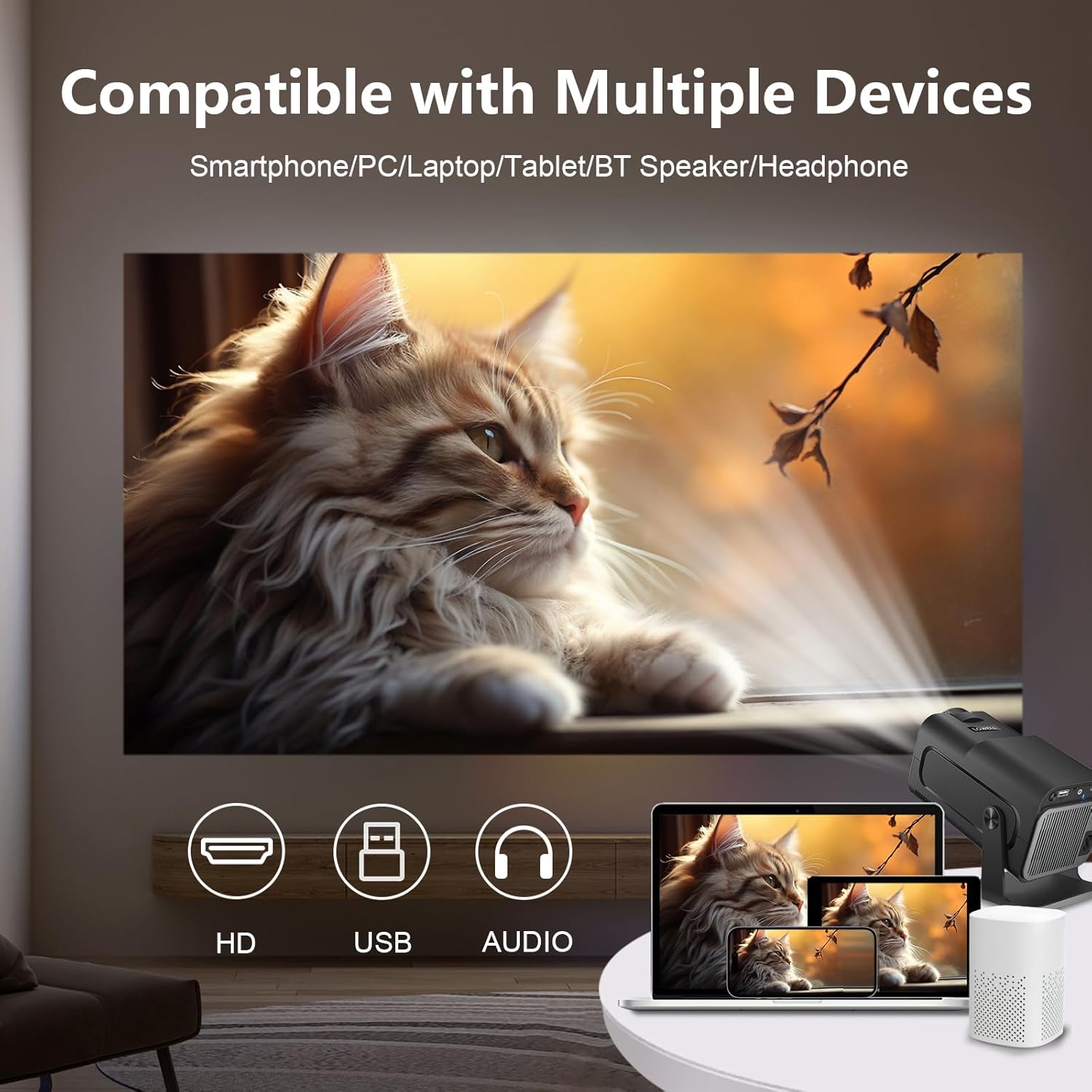
Image: The projector is compatible with smartphones, PCs, laptops, tablets, Bluetooth speakers, and headphones.
4. Opstelling
Aanvanklike plasing:
Plaas die projektor op 'n stabiele oppervlak. Vir optimale viewing, position the projector at a suitable distance from the projection surface. The projector supports an adjustable screen display from 30 to 135 inches, with an optimal projection distance of 1.68 meters for a 135-inch screen.

Image: Recommended projection distances for various screen sizes, from 30 to 135 inches.
Kragverbinding:
- Koppel die kragadapter aan die projektor se kragtoevoerpoort.
- Steek die kragadapter in 'n muuraansluiting.
Verbind toestelle:
The projector supports wired connections for screen mirroring from various devices:
- HDMI: Connect your laptop, game console (e.g., PS5), or media player using an HDMI cable.
- USB: Connect smartphones or other devices for wired screen mirroring via a USB cable.
- Bluetooth: Koppel eksterne Bluetooth-luidsprekers of oorfone vir verbeterde klank.
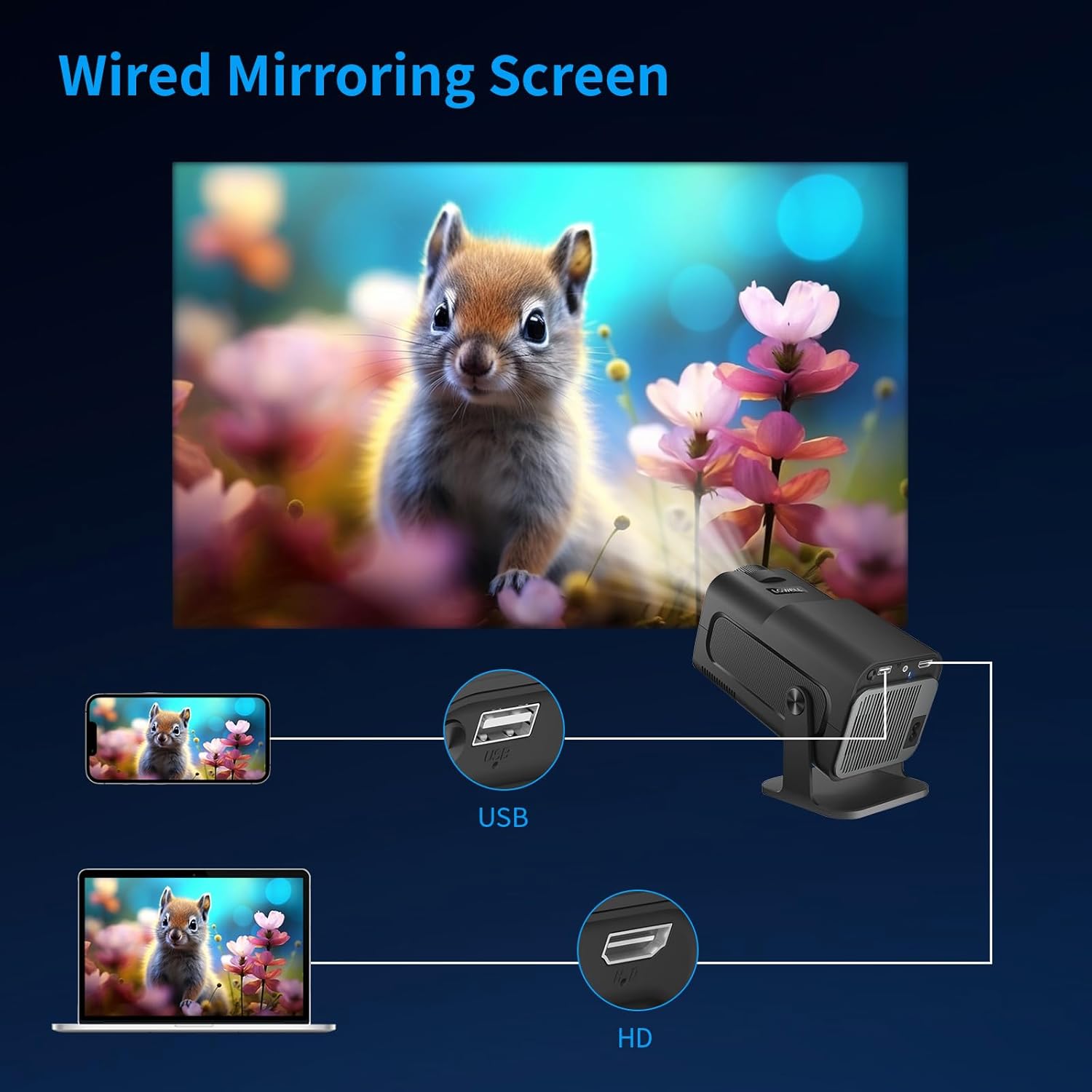
Image: Wired screen mirroring allows easy projection from smartphones and laptops.
5. Bedryfsinstruksies
Krag aan/af:
Druk die aan/af-knoppie op die projektor of afstandbeheerder om die eenheid aan of af te skakel.
Adjusting Projection:
- Fokus verstelling: Manually adjust the focus ring on the lens until the image is clear.
- Outomatiese Keystone-korreksie: The projector features automatic keystone correction to ensure your projections are perfectly aligned and proportional, even if the projector is not perfectly perpendicular to the screen.
- 220° Free Projection: The projector's design allows for flexible projection angles up to 220 degrees, enabling projection onto ceilings or walls from various positions.

Image: Automatic keystone correction ensures a square picture every time you project.

Image: The 220-degree free projection allows for flexible setup and viewing.
Oudio-uitvoer:
The projector has built-in speakers. For a more immersive audio experience, connect external Bluetooth speakers or headphones. The projector operates with low noise, below 25 dB, ensuring minimal distraction.

Image: The projector's low noise level (below 25 dB) ensures a quiet viewomgewing.
6. Onderhoud
- Lens skoonmaak: Use a soft, lint-free cloth specifically designed for optical lenses to gently wipe the projector lens. Do not use liquid cleaners directly on the lens.
- Stofverwydering: Maak die projektor se ventilasie-openinge gereeld skoon met 'n sagte borsel of saamgeperste lug om stofopbou te voorkom, wat die werkverrigting en lewensduur kan beïnvloed.
- Berging: Wanneer dit nie vir lang tye gebruik word nie, bêre die projektor op 'n koel, droë plek, weg van direkte sonlig en uiterste temperature. Gebruik die oorspronklike verpakking of 'n beskermende omhulsel om stof en skade te voorkom.
7. Probleemoplossing
| Probleem | Moontlike oorsaak | Oplossing |
|---|---|---|
| Geen beeld geprojekteer nie | Power cable disconnected; Input source not selected; Device not connected properly. | Check power connection; Select correct input source (HDMI/USB); Ensure device is securely connected. |
| Beeld is vaag | Fokus nie aangepas nie; Projektor te naby/ver van die skerm af. | Verstel die fokusring; Verstel projeksieafstand. |
| Image is skewed/trapezoidal | Projector not aligned. | The projector features automatic keystone correction. Ensure it is enabled or reposition the projector. |
| Geen klank nie | Volume too low; External audio device not connected/selected. | Increase volume; Check Bluetooth connection for external speakers; Ensure audio output is correctly configured. |
| Projektor oorverhit | Geblokkeerde ventilasie. | Ensure ventilation openings are clear and the projector has adequate space for airflow. |
If you encounter issues not listed here, please contact LQWELL customer support.
8. Spesifikasies
| Kenmerk | Detail |
|---|---|
| Handelsmerk | LQWELL |
| Modelnommer | HY320-M |
| Produk Tipe | Draagbare projektor |
| Vertoon tegnologie | LCD |
| Inheemse resolusie | 1920 x 1080P |
| Max Display Resolution | 4K Ondersteuning |
| Skerm grootte | 30 - 135 duim |
| Verbindingstegnologie | HDMI, USB, Bluetooth |
| Spesiale kenmerke | Automatic Keystone Correction, 220° Free Projection, Eye Care Technology, Low Noise Operation (<25dB) |
| Versoenbare toestelle | Laptop, Smartphone, Game Console (PS5), Media Player |
| Produk afmetings | 22L x 10.6W x 10.7H sentimeter |
| Bedryfstelsel | No Android OS |
9. Waarborg en Ondersteuning
For warranty information and customer support, please refer to the warranty card included with your product or visit the official LQWELL webwebwerf. Bewaar asseblief u bewys van aankoop vir enige waarborgeise.
Nota oor video's: While the product listing indicates the presence of product videos, specific URLs for embedding official seller videos were not provided in the input data. Therefore, no videos could be embedded in this manual.
Ask a question about this manual
Ask about setup, troubleshooting, compatibility, parts, safety, or missing instructions. Manuals+ will review the question and use this page’s manual context to help answer it.