
JUQITECH MGS6L
JUQITECH Trackpad Keyboard Case Instruction Manual
Model: MGS6L
Inleiding
Thank you for choosing the JUQITECH Trackpad Keyboard Case. This manual provides essential information for setting up, operating, and maintaining your new keyboard case. Designed for seamless integration with your Samsung Galaxy Tab S6 Lite, this accessory enhances productivity and versatility.
Verenigbaarheid
This keyboard case is specifically designed for the Samsung Galaxy Tab S6 Lite 10.4" models:
- 2024 models: SM-P620, SM-P625
- 2022 models: SM-P613 (Wi-Fi), SM-P619 (LTE)
- 2020 models: SM-P610 (Wi-Fi), SM-P615 (LTE)
Please verify your tablet model number before use. Samsung Tablet or S Pen are NOT INCLUDED.
Wat is in die boks
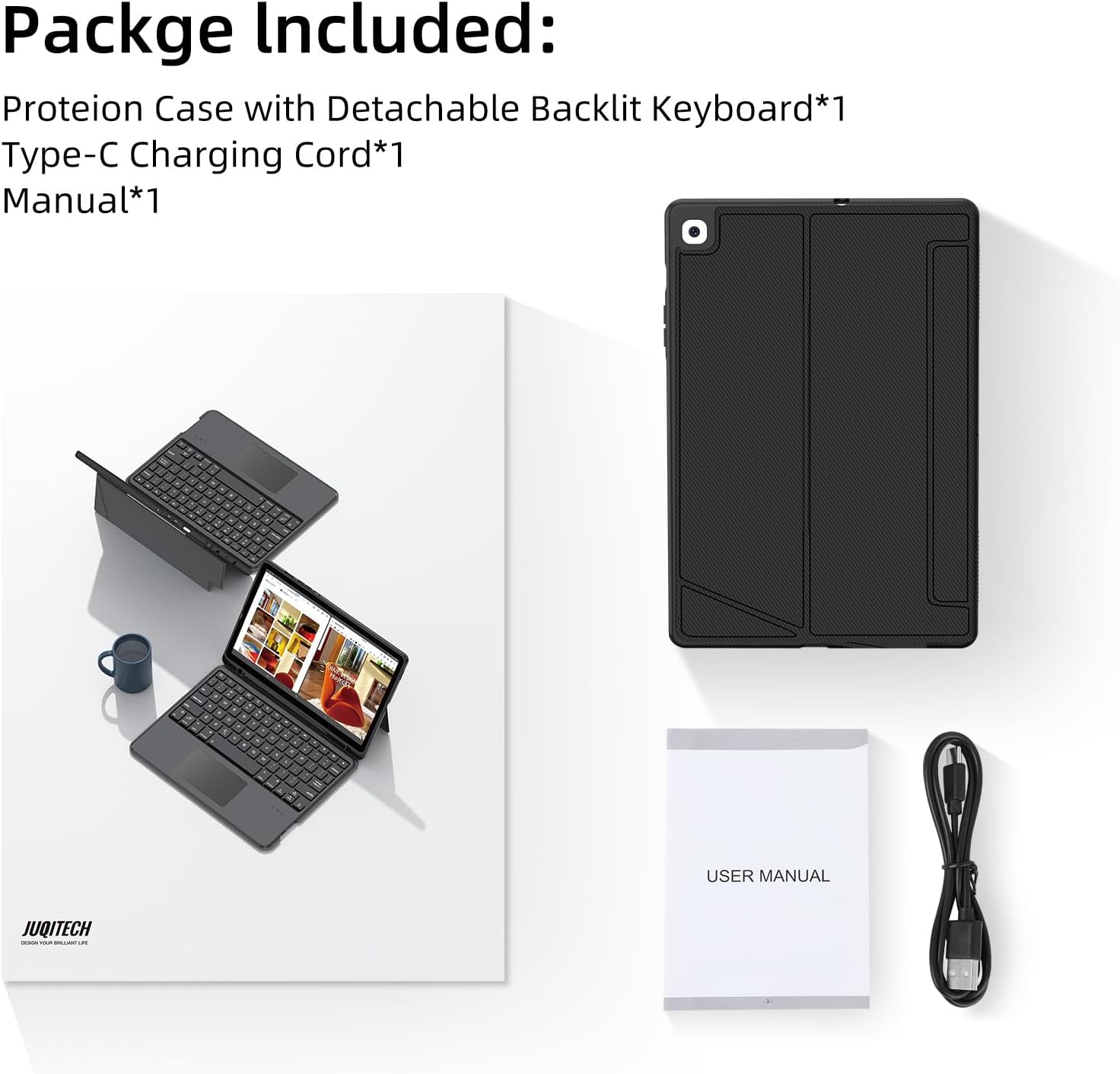
Image: Contents of the JUQITECH keyboard case package.
- 1 x Case for Galaxy Tab S6 Lite 10.4"
- 1 x draadlose sleutelbord
- 1 x Tipe-C laaikoord
- 1 x Handleiding
Sleutel kenmerke

Image: The JUQITECH keyboard case with a tablet, showcasing the backlit keyboard and trackpad.
- Magnetiese afneembare ontwerp: The keyboard can be easily attached or removed from the case, allowing for flexible use as a laptop-like setup or a standalone tablet.
- Verstelbare skopstand: The case features an adjustable kickstand that reclines from 30° to 160°, providing multiple viewing angles for typing, drawing, watching, or gaming.
- Touchpad Design & 7 Colors Backlit Keyboard: Control your tablet with precision using the multi-touch trackpad. The keyboard offers 7 colors with 3 levels of brightness, making typing comfortable in various lighting conditions, including a breathing backlit mode.
- 360° Full Protection Case: Constructed with soft PU and flexible TPU inner shell, the case provides comprehensive protection against drops and scratches. Precise cutouts ensure full access to all ports and buttons.
- S Pen Houer: An integrated holder keeps your S Pen securely in place, preventing loss and ensuring it's always ready for use.
- Auto Sleep/Wake Up: The case automatically wakes or puts your tablet to sleep when opened or closed, conserving battery life.
Opstelling en installasie
1. Installing the Tablet
Gently align your Samsung Galaxy Tab S6 Lite with the TPU inner shell of the case. Press firmly around the edges to ensure the tablet is securely seated within the case. The precise cutouts will allow access to all ports and buttons.
Video: Demonstration of installing the tablet into the case and using the keyboard.
2. Connecting the Keyboard (Bluetooth Pairing)
- Ensure the keyboard is charged (see section 3).
- Turn on the keyboard using the power switch located on its side.
- Op jou Samsung Galaxy Tab S6 Lite, gaan na Instellings > Gekoppelde toestelle > Bluetooth.
- Aktiveer Bluetooth en soek vir beskikbare toestelle.
- Select the keyboard (usually named something like "Bluetooth Keyboard" or "JUQITECH Keyboard") from the list to pair.
- Once paired, the keyboard's indicator light will turn off, and it will be ready for use.
3. Laai die sleutelbord
Connect the provided Type-C charging cord to the keyboard's charging port and plug the other end into a USB power adapter (not included). The charging indicator light will illuminate during charging and turn off when fully charged.
Bedryfsinstruksies
Gebruik die sleutelbord en raakvlak

Image: Close-up of the keyboard highlighting shortcuts and trackpad area.
- Tik: Use the keyboard for efficient text input, similar to a laptop.
- Raakblad: The integrated multi-touch trackpad allows for precise cursor control and gestures.
- Fn + spasie: Turn On/Off Trackpad.
- Fn + C: Turn On/Off Bluetooth (for pairing).
Aanpassing van agtergrondbeligting

Image: Visual representation of the 7-color backlit keyboard with adjustable brightness.
- Fn + Light Bulb Icon: Turn On/Adjust Backlight brightness (3 levels).
- Fn + RGB Icon: Change Backlight Colors (7 colors available).
- Some models may support a breathing backlight mode with adjustable frequency.
Verander vertoningsmodusse

Image: The keyboard case supporting both landscape and portrait orientations for the tablet.
The adjustable kickstand allows you to easily switch between landscape and portrait modes to suit your viewing and working needs.
Onderhoud
- Maak die saak skoon: Vee die kassie af met 'n sagte, damp lap. Vermy harde chemikalieë of skuurmiddels.
- Maak die sleutelbord skoon: Gebruik 'n sagte, droë lap om die sleutelbord skoon te maak. Vir hardnekkige vuiligheid, gebruik 'n effens droë lap.amp cloth can be used, ensuring no liquid enters the keys.
- Berging: When not in use for extended periods, ensure the keyboard is turned off and the case is closed to protect the tablet and conserve battery.
Probleemoplossing
- Sleutelbord koppel nie: Ensure the keyboard is charged and turned on. Verify Bluetooth is enabled on your tablet and attempt to re-pair the device.
- Agterlig werk nie: Check if the keyboard is powered on and try pressing Fn + Light Bulb Icon to adjust brightness.
- Touchpad unresponsive: Ensure the touchpad is not disabled (Fn + Space). Restart the keyboard and tablet if the issue persists.
- Sleutels reageer nie: Ensure the keyboard is fully charged and properly connected via Bluetooth.
Spesifikasies
| Produk afmetings | 9.72 x 6.53 x 0.86 duim |
| Item gewig | 1.28 pond |
| Vervaardiger | JUQITECH |
| Item Modelnommer | MGS6L |
| Batterye | 1 P76 battery (included) |
| Verbindingstegnologie | Bluetooth |
| Sleutelbordbeskrywing | Bluetooth Backlit Trackpad Detachable Keyboard |
| Aantal sleutels | 78 |
| Sleutelbord agtergrondbeligting kleur ondersteuning | RGB (7 XNUMX XNUMX kleure) |
Waarborg en Ondersteuning
For warranty information or technical support, please refer to the contact details provided with your purchase or visit the official JUQITECH webwebwerf. Bewaar u aankoopbewys vir enige waarborgeise.
Ask a question about this manual
Ask about setup, troubleshooting, compatibility, parts, safety, or missing instructions. Manuals+ will review the question and use this page’s manual context to help answer it.