
Juno WF6 ALO20 SWW5 90CRI MVOLT MW M6
Juno WF6 ALO20 SWW5 90CRI MVOLT MW M6 Kanlose LED Wafer Downlight Instruksiehandleiding
Model: WF6 ALO20 SWW5 90CRI MVOLT MW M6
handelsmerk: Juno
1. Produk verbyview
The 6-inch Canless Wafer Downlight from Juno features an innovative, slim design that allows for quick and easy installation into as little as 3 inches of plenum space. This makes it suitable for ceiling spaces where traditional recessed housings may not fit. Wafers install directly into drywall, eliminating the need for separate recessed housings. Once installed, this versatile downlight offers an all-in-one design with switchable white color temperature and adjustable lumen output technology, providing the equivalent of 15 static products in one unit.
2. Sleutel kenmerke
- Canless Design: No housing required, installs directly from below the ceiling.
- Energiebesparing: Long-life LEDs with a high-efficiency driver for superior illumination and extended service life.
- Dimbaar: Smooth dimming capability down to 10 percent.
- Ratings & Listings: Certified for wet locations, CSA certified, and IC Rated for direct contact with insulation.
- Maklike installasie: Designed for quick retrofit, remodel, or new construction without the need for housing.
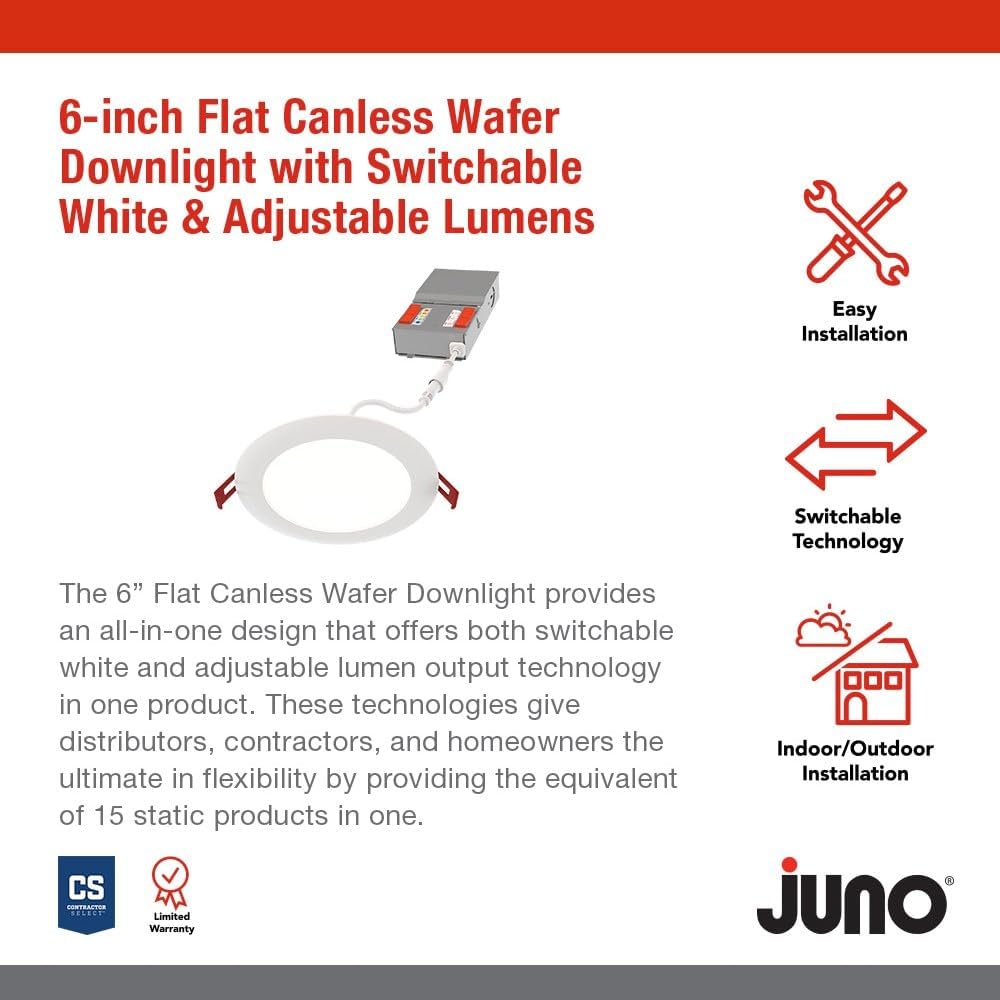
Beeld: Oorview of key features including easy installation and switchable technology.
3. Opstelling en Installasie
The Juno Canless LED Wafer Downlight is designed for straightforward installation. Please ensure power is turned off at the circuit breaker before beginning any electrical work.
3.1. Komponente
The product includes the LED wafer downlight and a remote driver box. The fixture and remote driver box are IC rated for direct contact with insulation.

Image: The main components of the downlight system, showing the LED wafer and its remote driver box.
3.2. Installasiestappe
- Maak seker dat die krag by die hoofstroombreker afgeskakel is.
- Cut a hole in the ceiling according to the specified diameter for the 6-inch model. Refer to the product dimensions for precise measurements.
- Connect the remote driver box to the building's electrical wiring. Follow local electrical codes and guidelines.
- Connect the LED wafer downlight to the remote driver box.
- Insert the remote driver box into the ceiling opening.
- Push the LED wafer downlight into the ceiling opening. The spring clips will secure the fixture in place.
- Herstel krag en toets die lig.

Image: Detailed dimensions of the 6-inch downlight, showing its slim profile vir maklike installasie.
4. Bedryfsinstruksies
This downlight offers adjustable settings to customize your lighting experience.
4.1. Color Temperature Adjustment
The remote driver box features a switch to select from five color temperature options:
- 2700K sagte wit
- 3000K Warm Wit
- 3500K Neutraal Wit
- 4000K Koel Wit
- 5000K daglig
4.2. Lumen Output Adjustment
The remote driver box also includes a switch for three adjustable lumen output settings:
- Laag
- Medium
- Hoog

Image: Close-up of the remote driver box, highlighting the switches for adjusting color temperature and lumen output.
4.3. Verduistering
The downlight is dimmable to 10 percent with compatible dimmers. Ensure your dimmer switch is suitable for LED lighting to achieve optimal performance.
5. Onderhoud
The Juno Canless LED Wafer Downlight requires minimal maintenance. To clean the fixture, ensure power is off and gently wipe the surface with a soft, dry cloth. Avoid using abrasive cleaners or solvents, as these may damage the finish or electrical components.
6. Probleemoplossing
If you experience issues with your downlight, consider the following common solutions:
- Geen lig: Check the circuit breaker to ensure power is on. Verify all electrical connections are secure.
- Flikkerende lig: Ensure the dimmer switch is compatible with LED lighting. Check for loose connections.
- Verkeerde kleur/helderheid: Verify the switches on the remote driver box are set to your desired color temperature and lumen output.
Vir meer gedetailleerde probleemoplossingstappe, verwys asseblief na die amptelike Probleemoplossingsgids (PDF).
7. Spesifikasies
| Eienskap | Waarde |
|---|---|
| Handelsmerk | Juno |
| Model Naam | Kanloos |
| Deelnommer | WF6 ALO20 SWW5 90CRI MVOLT MW M6 |
| Grootte | 6-duim |
| Kleur | Mat Wit |
| Materiaal | Aluminium |
| Styl | Plat Trim |
| Liggaamvorm | Ingeboude |
| Soort kamer | Bathroom, Bedroom, Conference Room, Game Room, Living Room |
| Produk afmetings | 6.69 cm L x 6.69 cm B x 1.25 cm H |
| Binne/buiteluggebruik | Binne, Buitelug |
| Kragbron | Hardbedraad |
| Installasie tipe | Spoelberg |
| Spesiale kenmerk | Adjustable Color Temperature, Dimmable, Energy Efficient, Low Voltage, Waterproof |
| Ligbrontipe | LED |
| Voltage | 120 Volt |
| Ligte Kleur | Verstelbare Wit |
| Wattage | 16 watt |
| Waterweerstandvlak | Waterdig |
| Vervaardiger | Acuity Brands Beligting |
| UPC | 197589217360 |
8. Waarborg en ondersteuning
This Juno product comes with a Limited Warranty. For specific terms and conditions, please refer to the warranty documentation included with your purchase or contact the manufacturer directly.
For additional support and to explore other Juno products, visit the official Juno Store on Amazon.