
1. Produk verbyview
The Keyscaper Star Wars Darth Vader Wireless Mouse is designed for comfort and precision, featuring a distinctive Darth Vader color block design. This wireless mouse connects via a USB nano-receiver and is powered by two AAA batteries. It offers laser-optical precision and an auto-sleep function to maximize battery life.

Figure 1: Keyscaper Star Wars Darth Vader Wireless Mouse
Sleutel kenmerke:
- Officially licensed Star Wars product.
- Easy plug & play functionality via included USB nano-receiver.
- Laser-optical precision for accurate and responsive tracking.
- Auto-sleep feature to conserve battery power.
- Durable full-color printed logo.
2. Opstelinstruksies
2.1 Wat is in die boks
- Keyscaper Star Wars Darth Vader Wireless Mouse
- USB nano-ontvanger
- 2 AAA batteries (pre-installed or included separately)
2.2 Battery installasie
- Vind die batteryklep aan die onderkant van die muis.
- Skuif of lig die deksel liggies op om die kompartement oop te maak.
- Plaas twee AAA-batterye in en maak seker dat die polariteit (+/-) korrek is soos aangedui in die kompartement.
- Plaas die batteryklepdeksel terug totdat dit stewig vasklik.

Figure 2: Mouse components and battery installation
2.3 Connecting the USB Nano-Receiver
- Locate the USB nano-receiver, typically stored within a slot in the battery compartment for convenience.
- Remove the nano-receiver from its storage slot.
- Plug the USB nano-receiver into an available USB-A port on your computer or laptop.
- Jou rekenaar behoort outomaties die nodige drywers op te spoor en te installeer. Dit kan 'n paar oomblikke neem.

Figure 3: USB nano-receiver storage
2.4 Aan-/afskakel
- On the underside of the mouse, locate the ON/OFF switch.
- Slide the switch to the "ON" position to activate the mouse.
- To conserve battery life when not in use, slide the switch to the "OFF" position.
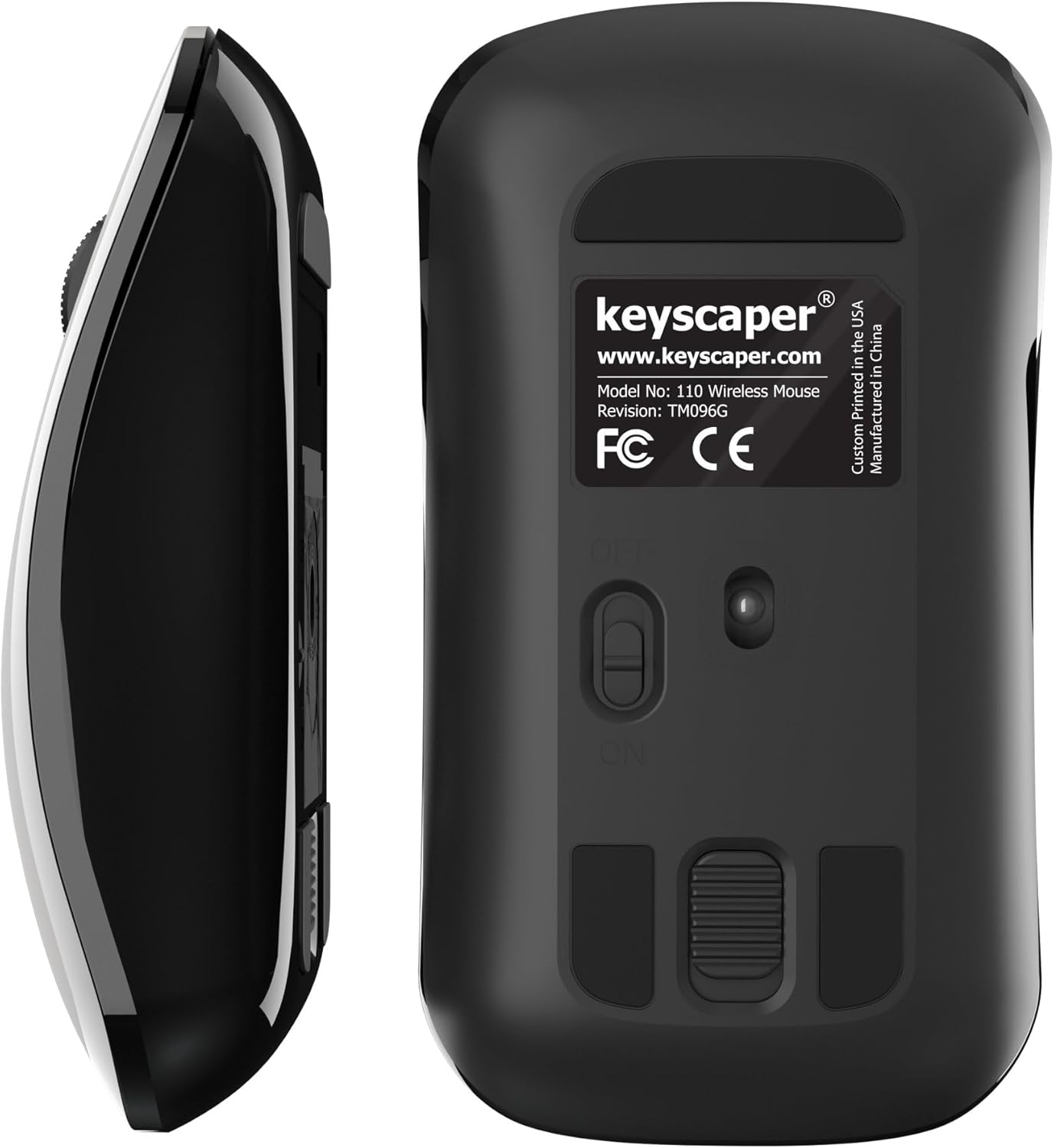
Figure 4: Underside of the mouse
3. Bedryfsinstruksies
3.1 Basiese gebruik
- Links klik: Press the left button for primary actions (selecting, opening).
- Regs klik: Press the right button for secondary actions (context menus).
- Rolwiel: Rol die wiel op of af om deur dokumente te blaai of web pages. Press the scroll wheel for middle-click functionality (e.g., opening links in new tabs).
3.2 Auto-Sleep Function
The mouse is equipped with an auto-sleep feature. If inactive for a period, it will enter a low-power sleep mode to save battery. To wake the mouse, simply move it or click any button.
4. Onderhoud
4.1 Batteryvervanging
When the mouse performance degrades or it stops responding, it's time to replace the AAA batteries. Follow the steps in Section 2.2 for battery installation.
4.2 Skoonmaak
Om optimale werkverrigting te handhaaf, maak jou muis gereeld skoon:
- Ensure the mouse is turned OFF.
- Gebruik 'n sagte, pluisvrye lap liggies dampmet water of 'n sagte skoonmaakoplossing om die buitekant af te vee.
- Vermy dat vog in enige openinge kom.
- Use a dry cotton swab to gently clean the optical sensor on the underside.
5. Probleemoplossing
5.1 Muis reageer nie
- Maak seker dat die muis AAN is.
- Check the batteries. Replace them if they are low or depleted.
- Verify that the USB nano-receiver is securely plugged into a working USB-A port on your computer. Try a different USB port if necessary.
- Move the mouse closer to the USB nano-receiver to rule out range issues.
- Herbegin jou rekenaar.
5.2 Onreëlmatige wyserbeweging
- Clean the optical sensor on the underside of the mouse (refer to Section 4.2).
- Ensure you are using the mouse on a suitable surface. Highly reflective or uneven surfaces may cause issues. A mouse pad is recommended for best performance.
6. Spesifikasies
- Modelnommer: 110WL
- Produk afmetings: 2 x 1 x 0.1 duim
- Item gewig: 4 onse
- Verbindingstegnologie: Radio Frequency (via USB nano-receiver)
- Bewegingsopsporingstegnologie: Opties
- Batterye: 2 AAA-batterye (ingesluit)
- Kleur: Darth Vader (Color Block)
- Vervaardiger: Dongguan Togran Electronic Technology Co, Ltd.
7. Waarborg en Ondersteuning
For warranty information or technical support, please refer to the official Keyscaper webwebwerf of kontak hul kliëntediens. Bewaar u aankoopbewys vir waarborgeise.
This product is designed and printed by Keyscaper in Tualatin, Oregon, USA, and manufactured by Dongguan Togran Electronic Technology Co, Ltd.