
1. Inleiding en Produk Oorview
Thank you for choosing the BE COOL BC50LEF2301 50L Dehumidifier. This appliance is designed to efficiently remove excess moisture from the air in your home or commercial space, improving air quality and preventing issues like mold and mildew. This manual provides essential information for the safe and effective operation, maintenance, and troubleshooting of your dehumidifier.
Key features of your BE COOL BC50LEF2301 dehumidifier include:
- Powerful dehumidification: Removes up to 50 liters of moisture per day.
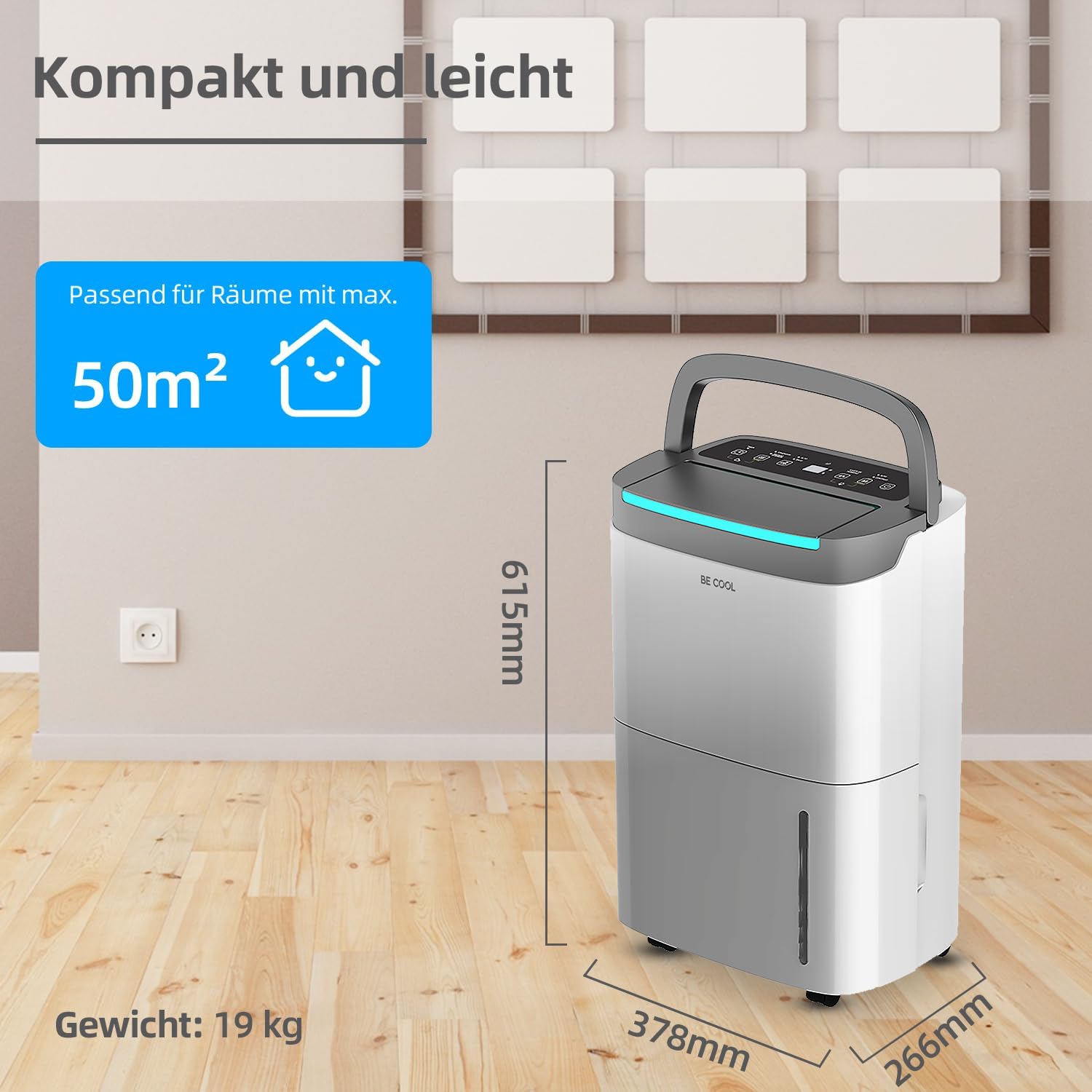
- Suitable for large areas: Effective in rooms up to 125 m³ (50 m²).
- User-friendly touch panel with LED display.
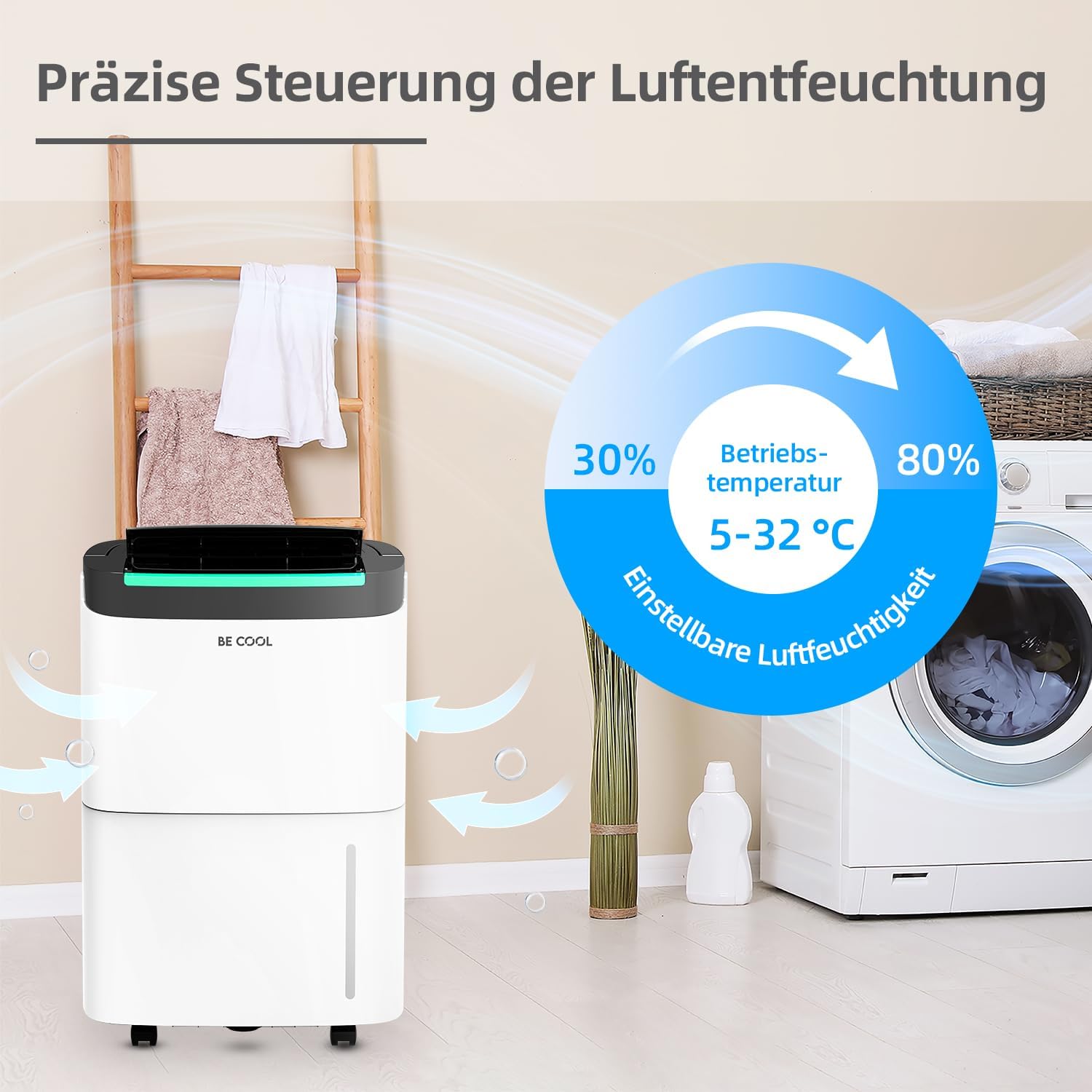
- Adjustable humidity levels from 30% to 80%.
- Omgewingsvriendelike R290 koelmiddel.
- 24-uur timer funksie.
- Outomatiese ontdooi funksie.
- Full water tank alarm and automatic shut-off.
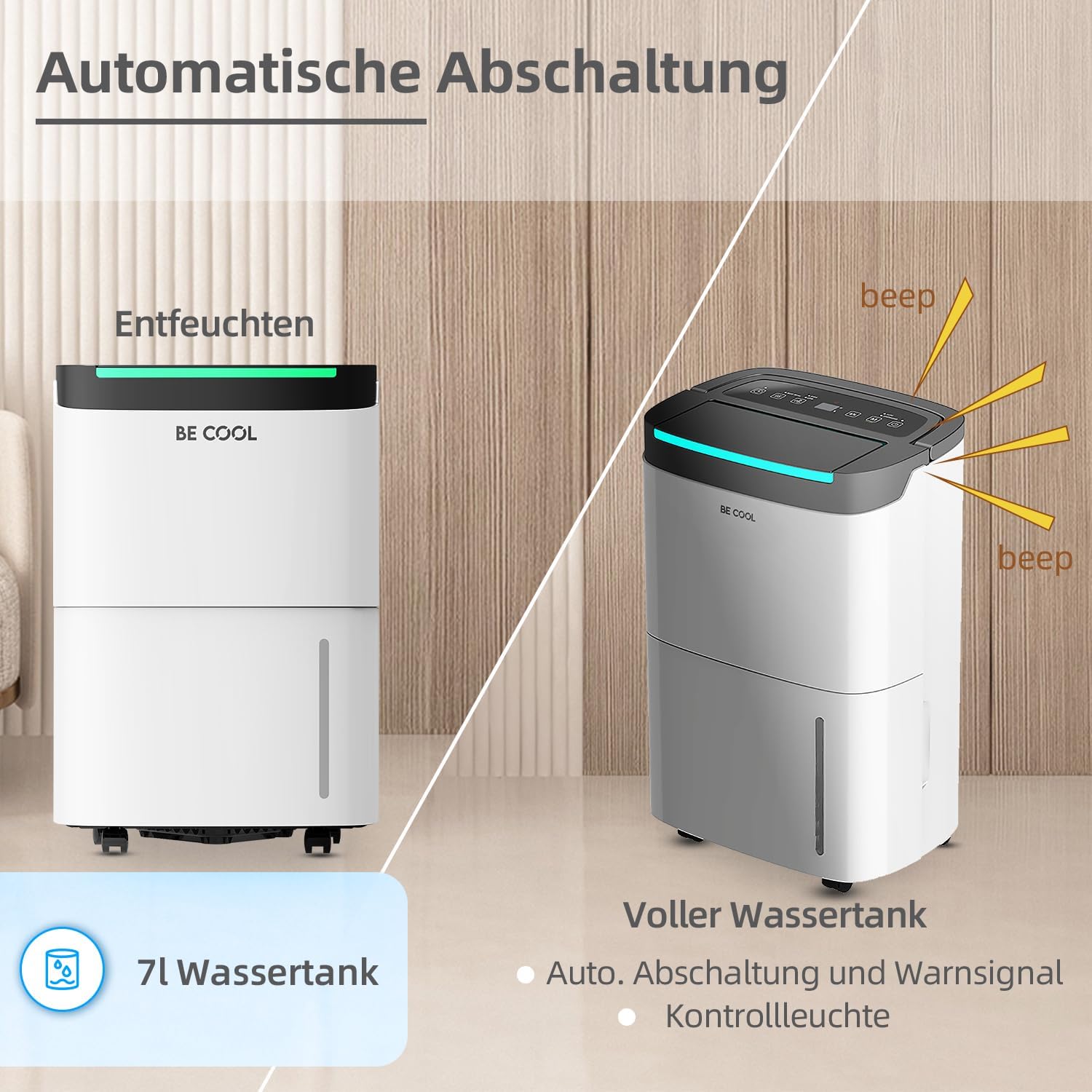
- Verwyderbare watertenk van 7 liter.
- Integrated dust filter.
- Krag outage memory function.
- Equipped with wheels for easy mobility.

2. Veiligheidsinstruksies
Lees asseblief alle veiligheidsinstruksies sorgvuldig deur voordat u die toestel gebruik om beserings of skade te voorkom. Bewaar hierdie handleiding vir toekomstige verwysing.
- Elektriese veiligheid: Maak seker dat die kragtoevoer ooreenstem met die voltage specified on the rating label. Do not operate the unit with a damaged power cord or plug. Do not share the power outlet with other appliances.
- Plasing: Place the dehumidifier on a flat, stable surface. Maintain at least 20 cm (8 inches) clearance around the unit for proper airflow. Do not block air inlets or outlets.
- koelmiddel: This appliance uses R290 refrigerant. Do not puncture the refrigerant circuit. Servicing should only be performed by qualified personnel.
- Watertenk: Always empty the water tank before moving the unit. Do not drink the collected water.
- Kinders en Troeteldiere: Hou kinders en troeteldiere weg van die toestel tydens gebruik.
- Skoonmaak: Ontkoppel altyd die eenheid voordat u skoonmaak of enige onderhoud uitvoer.
- Bedryfsvoorwaardes: Do not operate the unit in extremely high temperatures or in direct sunlight. The recommended operating temperature range is 5-32°C.
3. Produkkomponente
Maak jouself vertroud met die hoofonderdele van jou ontvochtiger:
- Beheerpaneel: Located on the top, with touch buttons and an LED display.
- Luguitlaat: Top front, where dry air is expelled.
- Luginlaat: Rear, where humid air is drawn in.
- Stoffilter: Located behind the air inlet, removable for cleaning.
- Watertenk: Removable tank at the bottom front for collecting condensed water.
- Deurlopende Dreineringsuitlaat: (If applicable) Located at the rear for connecting a drain hose.
- Wiele: Vir maklike beweging van die eenheid.
- Hanteer: Geïntegreerde handvatsel vir draagbaarheid.


4. Opstelling
- Uitpak: Verwyder die ontvochtiger versigtig uit sy verpakking. Bewaar die verpakkingsmateriaal vir toekomstige berging of vervoer.
- Plasing:
- Plaas die eenheid regop op 'n ferm, gelyk oppervlak.
- Ensure there is at least 20 cm (8 inches) of free space around the unit to allow for adequate air circulation.
- Avoid placing the unit near heat sources, in direct sunlight, or in areas prone to splashing water.
- For optimal performance, operate the unit within the recommended temperature range of 5-32°C.
- Kragverbinding: Plug the power cord into a grounded electrical outlet. Ensure the outlet meets the power requirements of the unit.
- Aanvanklike gebruik: After transport, allow the unit to stand upright for at least 2 hours before plugging it in and turning it on. This allows the refrigerant to settle.
5. Bedryfsinstruksies
The BE COOL BC50LEF2301 features an intuitive touch control panel and LED display for easy operation.

5.1 Beheerpaneelfunksies
- Kragknoppie (⏻): Druk om die eenheid AAN of AF te skakel.
- Modusknoppie (M): Cycles through different operating modes (e.g., Auto, Continuous, Drying).
- Humidity Setting (%): Verstel die verlangde humiditeitsvlak van 30% tot 80% in stappe van 5%.
- Waaierspoedknoppie (☰): Selects between two fan speeds (High/Low).
- Timer-knoppie (⏱): Sets the 24-hour timer for automatic power ON or OFF.
- LED skerm: Toon huidige humiditeit, ingestelde humiditeit of timerinstellings.
5.2 Instelling van Gewenste Humiditeit
Druk die Humiditeitsinstellingsknoppie (%) repeatedly to cycle through desired humidity levels. The display will show the selected percentage. The unit will operate until the room humidity reaches the set level, then pause. It will resume operation if the humidity rises above the set level.
5.3 Timer-funksie
The 24-hour timer allows you to set a specific time for the unit to turn ON or OFF automatically.
- Om Outomatiese Afskakeling in te stel: While the unit is ON, press the Timer button. Use the humidity setting buttons (or dedicated timer adjustment buttons if present) to set the desired number of hours (1-24) after which the unit will turn off.
- Om Outomatiese AAN te stel: While the unit is OFF, press the Timer button. Set the desired number of hours (1-24) after which the unit will turn on.
5.4 Water Tank Full Alarm and Auto Shut-off
When the 7-liter water tank is full, the unit will automatically stop operating, and an alarm will sound (beep). The LED display may also indicate a full tank. Empty the water tank and reinsert it correctly to resume operation.
5.5 Deurlopende dreinering
For extended operation without needing to empty the water tank, you can connect a drain hose to the continuous drainage outlet at the rear of the unit. Ensure the hose is sloped downwards to allow gravity drainage into a suitable receptacle or floor drain.
5.6 Ontdooifunksie
The unit is equipped with an automatic defrost function. If frost builds up on the evaporator coils, the unit will temporarily stop dehumidifying and run the fan to melt the frost. Dehumidification will resume automatically once the defrost cycle is complete.

6. Onderhoud
Gereelde onderhoud verseker optimale werkverrigting en verleng die lewensduur van jou ontvochtiger.
6.1 Skoonmaak van die stoffilter
- Skakel die eenheid af en trek die stekker uit die stopcontact.
- Locate the air inlet grille at the rear of the unit.
- Verwyder die stoffilter.
- Clean the filter with a vacuum cleaner or wash it with warm, soapy water. Rinse thoroughly and allow it to air dry completely before reinserting.
- Reinsert the dry filter and close the grille.
Recommendation: Clean the dust filter every two weeks or more frequently depending on usage and air quality.
6.2 Maak die watertenk leeg
- When the water tank is full, the unit will stop operating and alert you.
- Trek die watertenk versigtig uit die voorkant van die eenheid.
- Maak die versamelde water leeg.
- Clean the tank periodically with mild detergent and water to prevent mold growth. Rinse thoroughly.
- Reinsert the empty tank firmly into the unit. Ensure it is correctly seated to allow the unit to resume operation.
6.3 Skoonmaak van die buitekant van die eenheid
Vee die buitekant van die eenheid af met 'n sagte, damp lap. Moenie harde chemikalieë, skuurmiddels of oplosmiddels gebruik nie, aangesien dit die oppervlak kan beskadig.
6.4 Berging
Indien die eenheid vir 'n lang tydperk gestoor word:
- Ontkoppel die eenheid en maak die watertenk leeg.
- Clean the dust filter and the exterior.
- Allow the unit to dry completely for at least 24 hours in a well-ventilated area.
- Bêre die eenheid regop in 'n koel, droë plek, verkieslik in sy oorspronklike verpakking.
7. Probleemoplossing
Voordat u kliëntediens kontak, raadpleeg asseblief die volgende probleemoplossingsgids vir algemene probleme:
| Probleem | Moontlike oorsaak | Oplossing |
|---|---|---|
| Eenheid skakel nie aan nie. | Geen kragtoevoer. Kragkabel nie behoorlik gekoppel nie. Water tank full or not correctly inserted. | Kontroleer die kragaansluiting en stroombreker. Maak seker dat die kragkabel stewig ingeprop is. Empty water tank and reinsert it correctly. |
| Die eenheid loop, maar ontvogtig nie. | Room temperature too low (below 5°C). Lugfilter verstop. Humidity setting is higher than current room humidity. Deure/vensters gaan oop. | Operate unit within recommended temperature range. Maak die lugfilter skoon. Set desired humidity lower than current room humidity. Close doors and windows to isolate the room. |
| Die aanwyser vir die vol watertenk is aan, maar die tenk is nie vol nie. | Water tank not correctly inserted. Wanfunksionering van vlotterskakelaar. | Verwyder en plaas die watertenk stewig terug. Kontak kliëntediens indien die probleem voortduur. |
| Eenheid is raserig. | Eenheid nie op 'n gelyke oppervlak nie. Lugfilter verstop. Probleem met interne komponent. | Plaas die eenheid op 'n plat, stabiele oppervlak. Maak die lugfilter skoon. Kontak kliëntediens. |
| Ryp op spoele. | Kamertemperatuur te laag. | The unit's automatic defrost function should activate. If not, turn off the unit and allow it to defrost naturally. Ensure operating temperature is above 5°C. |
If the problem persists after trying these solutions, please contact BE COOL customer support.
8. Spesifikasies
| Kenmerk | Spesifikasie |
|---|---|
| Handelsmerk | Wees Cool |
| Modelnommer | BC50LEF2301 |
| Ontvochtigingskapasiteit | Approx. 50 Liters/24h |
| Watertenk kapasiteit | 7 liter |
| Krag | 680 Watt |
| Aanbevole kamergrootte | Up to 125 m³ (50 m²) |
| Produkafmetings (L x B x H) | 26.6 x 37.8 x 61.5 cm |
| Item gewig | 19 kilogram |
| Materiaal | Plastiek |
| Koelmiddel | R290 (omgewingsvriendelik) |
| Fan Snelhede | 2 |
| Spesiale kenmerke | Two fan levels, Dust filter, Full water tank alarm, Defrost function, Power outage memory, 24-hour timer, Touch panel, Removable tank, Wheels. |
9. Waarborg en Ondersteuning
This BE COOL dehumidifier comes with a standard manufacturer's warranty. Please refer to the warranty card included with your purchase for specific terms and conditions, including warranty period and coverage details.
For technical assistance, troubleshooting beyond this manual, or warranty claims, please contact BE COOL customer support. Contact information can typically be found on the product packaging, the official BE COOL webwebwerf, of jou aankoopbewys.
When contacting support, please have your model number (BC50LEF2301) and purchase date ready.