
1. Inleiding
Dankie vir die aankoopasing the Claiks Electric Standing Desk. This manual provides essential information for the safe assembly, operation, and maintenance of your new desk. Please read these instructions carefully before use and retain them for future reference.

Image 1.1: The Claiks Electric Standing Desk, illustrating its dimensions (120cm width, 60cm depth, 72-118cm height) and integrated features like storage hooks and cable clips.
2. Veiligheidsinligting
Om veilige werking te verseker en beserings of skade te voorkom, volg asseblief die volgende veiligheidsriglyne:
- Hou kinders en troeteldiere weg van die lessenaar tydens hoogteverstelling.
- Maak seker dat daar geen hindernisse in die pad van die lessenaar se beweging is nie (op of af).
- Moenie die lessenaar oorlaai nie. Die maksimum dravermoë is 80 kg (176.4 lbs).
- Moenie op die lessenaar sit of staan nie.
- Only use the provided power adapter and cable.
- If the desk makes unusual noises or movements, discontinue use immediately and contact customer support.
- Vermy die plasing van vloeistowwe direk op die beheerpaneel of naby elektriese komponente.
3. Pakketinhoud
Before assembly, verify that all components are present and undamaged. If any parts are missing or damaged, please contact Claiks customer support.

Image 3.1: All components included in the Claiks Electric Standing Desk package, laid out for assembly. This includes the tabletop (in two sections), leg frames, motor, control panel, screws, and tools.
Lys van komponente:
- Tabletop (2 sections)
- Leg Frames (2)
- Crossbar/Support Beam
- Motor en Beheerboks
- Beheerpaneel
- Kragadapter en kabel
- Storage Hooks (2)
- Kabelklemme
- Monteringshardeware (skroewe, wassers, inbussleutel)
4. Opstelling en samestelling
Assembly typically requires one person. An electric drill (not included) is recommended for faster and more secure screw fastening, especially for the tabletop.
- Pak komponente uit: Verwyder alle dele versigtig uit die verpakking en lê dit op 'n skoon, sagte oppervlak om skrape te voorkom.
- Monteer beenrame: Attach the feet to the bottom of each leg column using the provided screws.
- Verbind dwarsbalk: Secure the crossbar/support beam between the two leg columns. Ensure all screws are tightened.
- Attach Motor and Control Box: Mount the motor and control box to the designated positions on the frame, typically under the tabletop area. Connect the motor cables to the control box.
- Position Tabletop: Place the tabletop sections upside down on a soft surface. Carefully align the assembled frame onto the tabletop.
- Veilige Tafelblad: Fasten the tabletop to the frame using the provided screws. Ensure the tabletop sections are flush and securely joined.
- Installeer die beheerpaneel: Mount the control panel to the front edge of the tabletop, typically on the right side, and connect its cable to the control box.
- Heg bykomstighede aan: Install the storage hooks and cable clips as desired.
- Koppel krag: Steek die kragadapter in die beheerkas en dan in 'n muursok.
- Initial Calibration (if necessary): Refer to the operating instructions for initial setup or calibration steps if the desk does not respond immediately.
5. Bedryfsinstruksies
Your Claiks Electric Standing Desk features intuitive controls for height adjustment and memory functions.

Image 5.1: The multi-function control panel with LED display, memory buttons (1, 2, 3), and up/down adjustment buttons.
5.1 Hoogteverstelling
- Op/af knoppies: Gebruik die Op (▲) en Af (▼) arrow buttons to adjust the desk height. The desk will move smoothly at a speed of 20 mm/s.
- The adjustable height range is from 72 cm (28.3 inches) to 118 cm (46.5 inches).
- The current height is displayed on the LED screen.
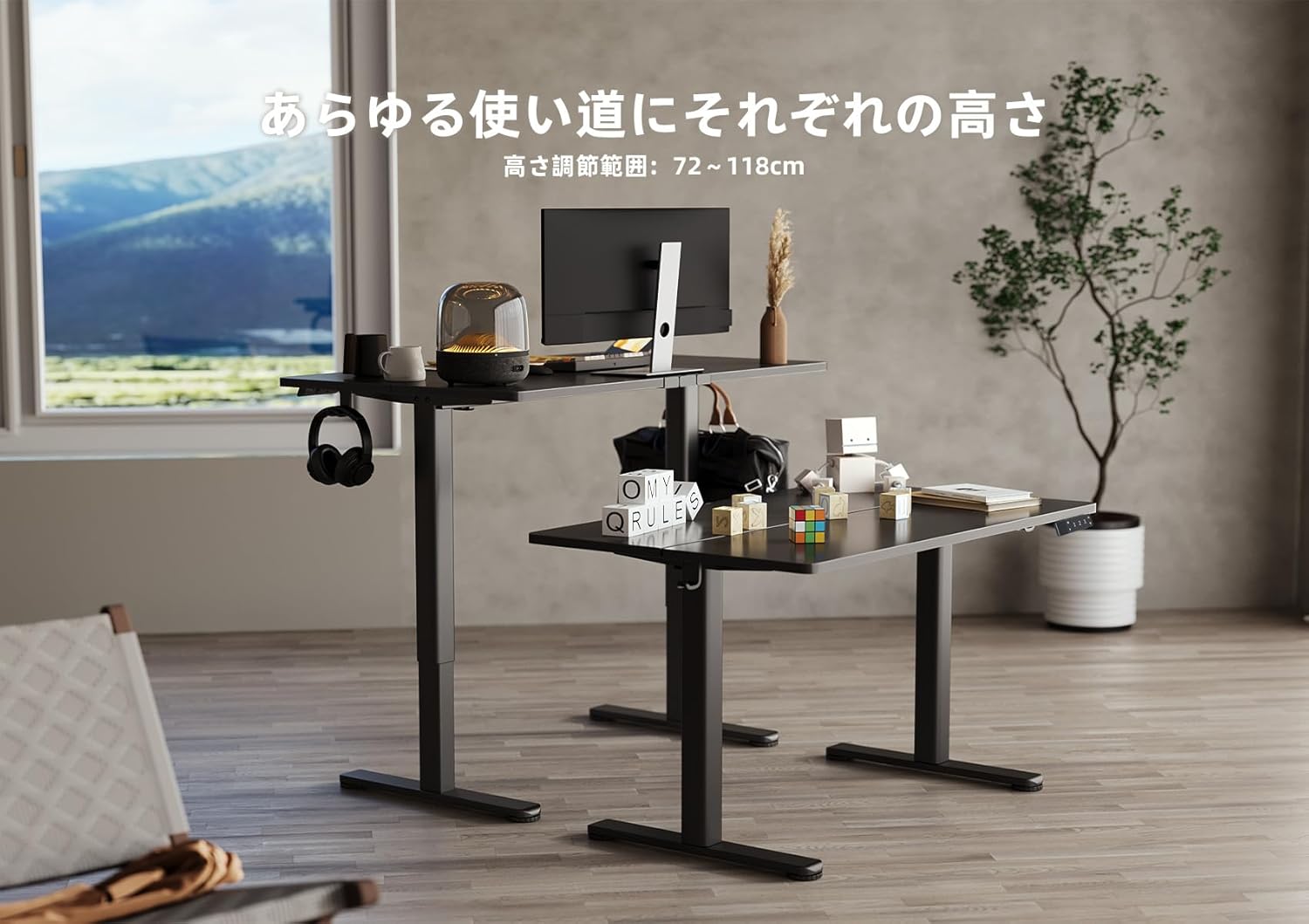
Image 5.2: Two Claiks Electric Standing Desks demonstrating the adjustable height range, suitable for various uses.
5.2 Geheue funksie
The desk can store up to three preferred height settings.
- Stel 'n geheueposisie in: Verstel die lessenaar tot die verlangde hoogte met die Op/Af-knoppies.
- Druk die "M" knoppie. Die LED-skerm sal flikker.
- Within 3 seconds, press one of the number buttons ("1", "2", of "3") to save the current height to that position. The display will show "S-1", "S-2", or "S-3" to confirm.
- Herroep 'n geheueposisie: Simply press the corresponding number button ("1", "2", of "3"Die lessenaar sal outomaties na die gestoorde hoogte beweeg.
6. Onderhoud
Proper maintenance ensures the longevity and optimal performance of your Claiks Electric Standing Desk.
- Skoonmaak: The tabletop is made of melamine resin, which is resistant to water, heat, and dirt. Wipe the surface with a soft, damp lap en sagte skoonmaakmiddel. Vermy skuurmiddels of harde chemikalieë.
- Kabelbestuur: Regularly check and organize cables to prevent tangling or damage, especially during height adjustments. Use the provided cable clips.
- Inspeksie: Kontroleer gereeld alle skroewe en verbindings om te verseker dat hulle styf vas is. Draai weer vas indien nodig.
- Motorversorging: The motor is designed for durability. Avoid obstructing its movement or attempting to disassemble it.
7. Probleemoplossing
As jy probleme met jou lessenaar ondervind, raadpleeg die volgende algemene probleme en oplossings:
| Probleem | Moontlike oorsaak | Oplossing |
|---|---|---|
| Die lessenaar beweeg nie. | Kragkabel ontkoppel; Oorbelasting; Motorfout. | Kontroleer kragverbindings. Verminder gewig op die lessenaar. Ontkoppel vir 10 sekondes en koppel dan weer in om te herstel. |
| Die lessenaar beweeg oneweredig of maak ongewone geraas. | Los verbindings; Obstruksie; Ongelyke gewigsverspreiding. | Check all assembly screws. Ensure no objects are interfering with leg movement. Redistribute weight evenly. |
| Foutkode word op die beheerpaneel vertoon. | Spesifieke stelselfout. | Refer to the specific error code in a more detailed troubleshooting guide (if available) or contact customer support. Often, a power cycle (unplug and replug) can resolve temporary errors. |
If the problem persists after attempting these solutions, please contact Claiks customer support for assistance.
8. Spesifikasies
- Handelsmerk: Claiks
- Modelnommer: P1.01.001.0004.JP
- Produk afmetings: 120 cm (Width) x 60 cm (Depth) x 70 cm (Height, minimum static)
- Verstelbare hoogte reeks: 72 cm - 118 cm (28.3 duim - 46.5 duim)
- Hefspoed: 20 mm/s (0.8 duim/s)
- Maksimum laaikapasiteit: 80 kg (176.4 lbs)
- Item gewig: 20.8 kg
- Tafelblad materiaal: Melamine Resin
- Basis materiaal: Koolstofstaal
- Kleur: Swart
- Spesiale kenmerke: Height Adjustment, Memory Function (3 presets), Compact, Scratch Resistant
- Kamer tipe: Study Room, Home Office

Image 8.1: The Claiks Electric Standing Desk demonstrating its robust 80kg load capacity.

Image 8.2: Illustration of the desk's quiet operation, comparing its 45dB noise level to common sounds.
9. Waarborg en Ondersteuning
Claiks provides a 3-jaar vervaardigerswaarborg for this product. This warranty covers repairs or exchanges for manufacturing defects during the warranty period.
For customer support, repairs, or exchanges, please contact Claiks directly. Our customer support team is available in multiple languages, including English and Japanese, to assist you with any inquiries or issues.
Behou asseblief jou aankoopbewys vir waarborgeise.