
1. Inleiding
This manual provides instructions for the VINABTY MB2199 replacement remote control, designed for use with TREVI LTV 4008 Smart TVs. This remote offers a dedicated replacement solution, ensuring full compatibility and ease of use without the need for complex programming.
2. Opstelling
2.1 Battery installasie
The remote control requires two AAA 1.5V batteries (not included). Follow these steps to install the batteries:
- Vind die battery kompartement deksel op die agterkant van die afstandbeheer.
- Druk die oortjie af en skuif die deksel afwaarts om die kompartement oop te maak.
- Plaas twee AAA-batterye in en maak seker dat die positiewe (+) en negatiewe (-) terminale korrek in lyn is met die merke binne-in die kompartement.
- Skuif die batteryklepdeksel terug in plek totdat dit stewig klik.

Image: Back of the remote control with the battery compartment open, illustrating the correct insertion of two AAA 1.5V batteries.
2.2 Aanvanklike gebruik
No programming or configuration is required for this replacement remote control. Once the batteries are correctly installed, the remote is ready for immediate use with your TREVI LTV 4008 Smart TV.
3. Bedryfsinstruksies
The VINABTY MB2199 remote control features an ergonomic design for comfortable handling and intuitive button layout for easy operation of your television. The transmission distance is approximately 10 meters.

Beeld: Voorkant view of the VINABTY remote control, displaying the layout of all function buttons.
3.1 Key Functions Overview
- Kragknoppie (●): Skakel die TV aan of af.
- Getalknoppies (0-9): Kies kanale direk.
- VOL +/-: Pas die volumevlak aan.
- CH +/-: Verander kanale opeenvolgend.
- Demp-knoppie (🔇): Demp of ontdemp die TV-klank.
- Kieslys-knoppie: Kry toegang tot die TV se hoofkieslys.
- Navigasieknoppies (Op, Af, Links, Regs, ENTER): Navigeer deur spyskaarte en bevestig keuses.
- EXIT-knoppie: Verlaat die huidige kieslys of funksie.
- Bron knoppie: Kies invoerbronne (HDMI, AV, ens.).
- Colored Buttons (Red, Green, Yellow, Cyan): Access specific functions depending on the TV's current mode or application.
- Other buttons provide access to features like Sleep, List, P.Mode, S.Mode, Aspect, Info, Guide, Index, TTX (Teletext), Sub.Pg (Subpage), Reveal, Mix, Cancel, Hold/Refresh, Size/Mouse, Fav (Favorites), Cap (Caption), Subtitle, TV/Radio.
4. Onderhoud
4.1 Skoonmaak
To clean the remote control, use a soft, dry cloth. Do not use liquid cleaners, sprays, or abrasive materials, as these can damage the remote's surface or internal components.
4.2 Batteryvervanging
Replace batteries when the remote control's response becomes sluggish or stops working. Always replace both batteries at the same time with new AAA 1.5V batteries. Do not mix old and new batteries or different types of batteries.
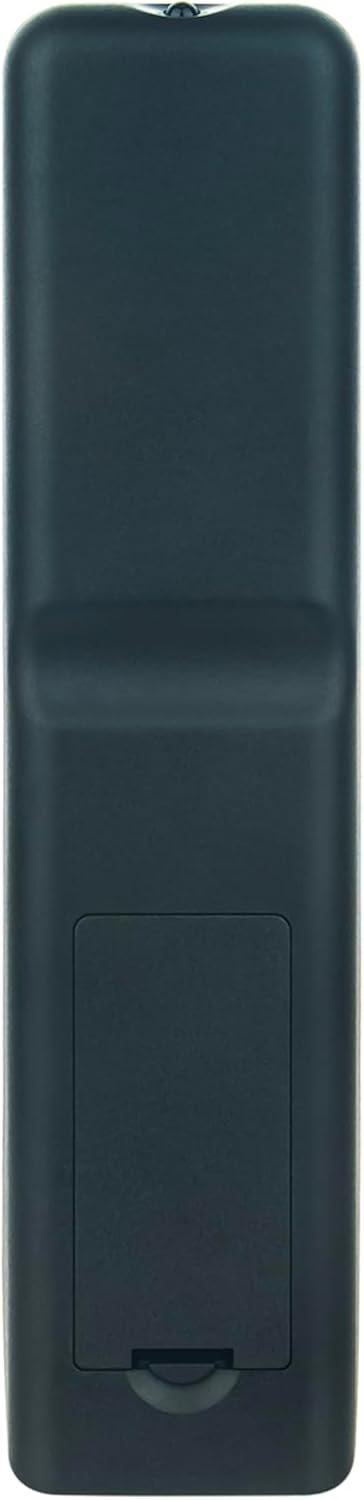
Image: Back of the remote control with the battery compartment closed, showing its sleek design.
5. Probleemoplossing
- Afstandsbediening reageer nie:
- Ensure batteries are installed correctly with the correct polarity.
- Replace old batteries with new AAA 1.5V batteries.
- Check for any obstructions between the remote control and the TV's infrared receiver.
- Ensure you are within the effective operating range (approximately 10 meters) and pointing the remote directly at the TV.
- Beperkte bedryfsreeks:
- Vervang batterye met nuwes.
- Ensure there are no strong light sources (like direct sunlight or bright fluorescent lights) interfering with the infrared signal.
6. Spesifikasies
| Handelsmerk | WINBAARHEID |
| Modelnommer | MB2199 |
| Versoenbare modelle | TREVI LTV 4008 Smart Fernbedienung |
| Verbindingstegnologie | Infrarooi |
| Maksimum reeks | 10 meter |
| Aantal knoppies | 20 |
| Ondersteunde toestelle | Television (up to 18 devices supported, though this remote is dedicated to one TV model) |
| Battery Tipe | 2 x AAA 1.5V (nie ingesluit nie) |
| Materiaal | ABS |
| Kleur | Swart |
| Spesiale kenmerk | Ergonomiese ontwerp |
7. Waarborg en Ondersteuning
For any questions or issues regarding your VINABTY replacement remote control, please contact the seller or manufacturer directly. Refer to your purchase documentation for specific warranty details and customer service contact information.