
Inleiding
Welcome to your new Candy Smart CSTG 28TMV5/1-S Top Load Washing Machine. This manual provides essential information for the safe and efficient operation, installation, and maintenance of your appliance. Please read this manual thoroughly before using the washing machine and keep it for future reference.

Beeld: Voorkant view of the Candy Smart CSTG 28TMV5/1-S Top Load Washing Machine.
Veiligheidsinligting
Om persoonlike beserings of skade aan die toestel te voorkom, moet u altyd die volgende veiligheidsmaatreëls in ag neem:
- Lees alle instruksies voor gebruik.
- Hou kinders en troeteldiere weg van die toestel tydens gebruik.
- Do not operate the washing machine if the power cord is damaged. Contact qualified service personnel.
- Maak seker dat die toestel behoorlik geaard is om elektriese skok te voorkom.
- Moenie items was wat skoongemaak, gewas, geweek of met brandbare of plofbare stowwe bevlek is nie.
- Ontkoppel altyd die toestel voordat u skoonmaak of enige onderhoud uitvoer.
- Do not attempt to repair or replace any part of your washing machine unless specifically recommended in this manual.
Opstelling en installasie
Proper installation is crucial for the performance and longevity of your washing machine. The following items are included in the box:
- Top laai wasmasjien
- Dreineer die slang
- Kragkabel
- Instruksie Handleiding
1. Uitpak
Verwyder alle verpakkingsmateriaal versigtig. Belangrik: Locate and remove the four transit bolts (shipping bolts) from the rear of the machine. These bolts secure the drum during transport and must be removed before operation to prevent severe vibration and damage.

Image: Illustration of transit bolts on the rear of a washing machine, which must be removed before use.
2. plasing
Place the washing machine on a firm, level surface. Ensure there is adequate space around the machine for ventilation and access. Adjust the leveling feet until the machine is stable and does not wobble.

Image: Dimensions of the Candy Smart Top Load Washing Machine (41cm width, 60cm depth, 86cm height).
3. Wateraansluiting
Connect the water inlet hose to a cold water tap. Ensure all connections are tight to prevent leaks. Position the drain hose into a standpipe or laundry tub, ensuring it is securely fastened and allows for proper drainage.
4. Elektriese aansluiting
Steek die kragkabel in 'n geaarde elektriese aansluiting. Moenie verlengkoorde of adapters gebruik nie.
5. Initial Wash Cycle
Before washing clothes, run an empty wash cycle (e.g., a quick wash program) without detergent to clean the drum and internal components.
Bedryfsinstruksies
Your Candy Smart washing machine is designed for ease of use. Familiarize yourself with the control panel and its functions.
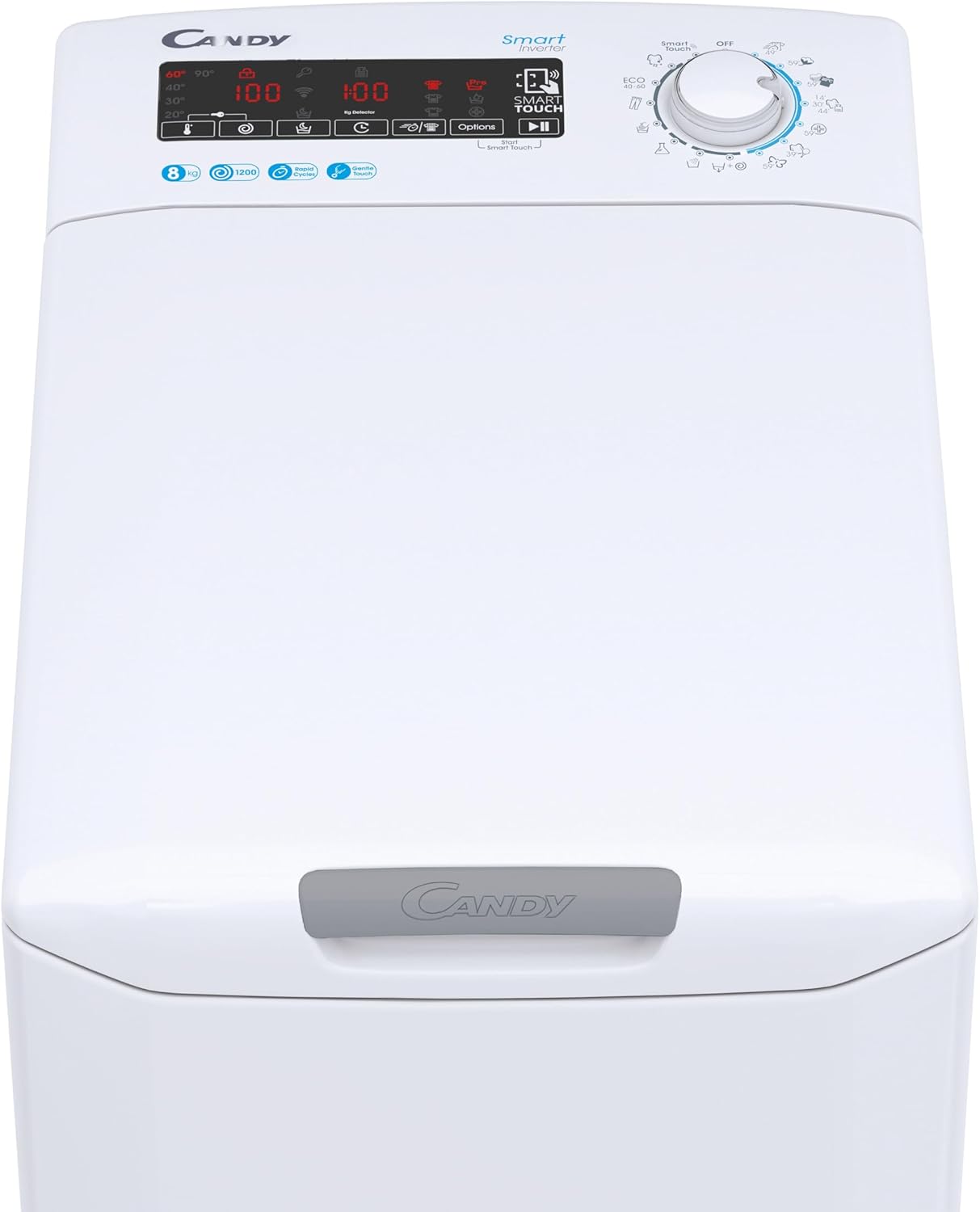
Beeld: Gedetailleerd view of the control panel, showing the digital display and program selector.
1. Laai Wasgoed
Open the top lid using the Gentle Opening mechanism. Load laundry into the drum, ensuring not to exceed the 8 kg capacity. Overloading can affect wash performance and damage the machine.
2. Voeg skoonmaakmiddel by
Add the appropriate amount of detergent and fabric softener to their respective compartments in the dispenser drawer. Refer to your detergent packaging for recommended dosages.
3. Kies 'n program
Turn the program selector dial to choose one of the 17 available wash cycles. The digital display will show the default settings for the selected program. Available programs include:
- Perfect Cotton 59'
- Colors and Mixed 59'
- Delicates 59'
- Sport Plus 39'
- Rapid cycles (14', 30', 44')
- Hygienic Cycle
Additional cycles can be accessed via the Candy Simply-Fi App using NFC technology.
4. Adjusting Options
Use the tactile buttons on the digital display to adjust options such as spin speed (up to 1200 RPM), temperature, or to activate the 24-hour delayed start function. The KG Detector automatically adjusts water and energy consumption based on the load size.
5. Begin die siklus
Press the Start/Pause button to begin the wash cycle. The machine will lock the lid and start filling with water.
6. Smart Features (NFC & Voice Assistant)
Your washing machine is equipped with NFC technology and voice assistant compatibility. Download the Candy Simply-Fi App to your smartphone. Follow the in-app instructions to connect your device and access additional programs, diagnostics, and remote control features.


Image: Icons illustrating NFC connectivity and smart control via a smartphone app.
Onderhoud
Gereelde onderhoud verseker optimale werkverrigting en verleng die lewensduur van jou wasmasjien.
1. Skoonmaak van die buitekant
Vee die buite-oppervlaktes af met 'n sagte, damp lap. Moenie skuur skoonmaakmiddels of oplosmiddels gebruik nie.
2. Skoonmaak van die wasmiddeldispenser
Periodically remove and clean the detergent dispenser drawer to prevent residue buildup. Rinse it under running water and reinsert.
3. Skoonmaak van die dreineerpompfilter
The drain pump filter should be cleaned regularly to prevent blockages. Refer to the detailed instructions in the full manual for safe access and cleaning procedures. Always drain residual water before opening the filter cover.
4. Trom skoonmaak
Run a maintenance wash cycle (e.g., a hot wash with a specialized washing machine cleaner) periodically to prevent odors and mold buildup in the drum.
Probleemoplossing
If you encounter issues with your washing machine, consult the following common troubleshooting tips:
| Probleem | Moontlike oorsaak | Oplossing |
|---|---|---|
| Masjien begin nie | Power cord unplugged, door not closed properly, program not selected, delayed start active. | Check power connection, ensure lid is fully closed, select a program, check for delayed start setting. |
| Geen watervulling nie | Waterkraan toe, toevoerslang geknik, waterdruk te laag. | Maak die waterkraan oop, maak die slang reg, kontroleer die watertoevoer. |
| Water dreineer nie | Dreineerslang geknik of geblokkeer, dreineerpompfilter verstop. | Check and clear drain hose, clean drain pump filter. |
| Oormatige vibrasie/geraas | Transportskroewe nie verwyder nie, masjien nie gelyk nie, ongelyke lading. | Ensure transit bolts are removed. Level the machine using adjustable feet. Redistribute laundry inside the drum. |
| Swak wasresultate | Overloading, incorrect detergent dosage, wrong program selected. | Reduce load size, adjust detergent amount, select appropriate wash program. |
For error codes displayed on the digital screen or more complex issues, refer to the full user manual available via the Candy Simply-Fi App or the manufacturer's webwebwerf.
Spesifikasies
Key technical specifications for the Candy Smart CSTG 28TMV5/1-S Washing Machine:
| Kenmerk | Spesifikasie |
|---|---|
| Modelnommer | 31019930 |
| Handelsmerk | Lekkergoed |
| Kapasiteit | 8 kilogram |
| Maksimum spinspoed | 1200 RPM |
| Laai tipe | Toplading |
| Afmetings (D x B x H) | 60 cm x 41 cm x 86 cm |
| Gewig | 58 kilogram |
| Kleur | Wit |
| Tipe beheer | Tactile Digital Display |
| Spesiale kenmerke | 17 Programs, Gentle Touch Opening, Inverter Motor, Mix Power System+, NFC Technology, Voice Assistant, KG Detector, 24H Delayed Start |
| Materiaal | Plastiek |
| Geraasvlak (spin) | 77 dB |
Waarborg en Ondersteuning
Your Candy Smart CSTG 28TMV5/1-S Washing Machine comes with a manufacturer's warranty. Please refer to the warranty card included with your purchase or visit the official Candy webwebwerf vir gedetailleerde bepalings en voorwaardes.
For technical assistance, spare parts, or service requests, please contact Candy customer support. Contact information can typically be found on the manufacturer's webwebwerf of in die volledige produkdokumentasie.
Aanlyn hulpbronne: For the most up-to-date information, FAQs, and digital copies of manuals, visit the official Lekkergoedhandelsmerkwinkel or the main Candy webwebwerf.