
1. Inleiding
Thank you for choosing the Baseus PocketGo Portable Air Pump. This compact and efficient device is designed for convenient inflation of various items such as air mattresses, inflatable toys, and more. Please read this manual carefully before use to ensure proper operation and maintenance.
2. Produk verbyview
2.1 Pakketinhoud
- Baseus PocketGo Portable Air Pump
- USB-C-laaikabel
- Various Inflation Nozzles/Adapters

Figure 2.1: Baseus PocketGo Portable Air Pump and its accessories, including the main unit, USB-C cable, and multiple inflation nozzles.
2.2 Toestelkomponente
- Inflasiepoort: Where air is expelled.
- Kragknoppie: To turn the device on/off and control inflation.
- USB-C-laaipoort: Vir die herlaai van die interne battery.
- Aanwyserlig: Shows battery status and operation mode.
- Lanyardlus: Vir maklike dra.
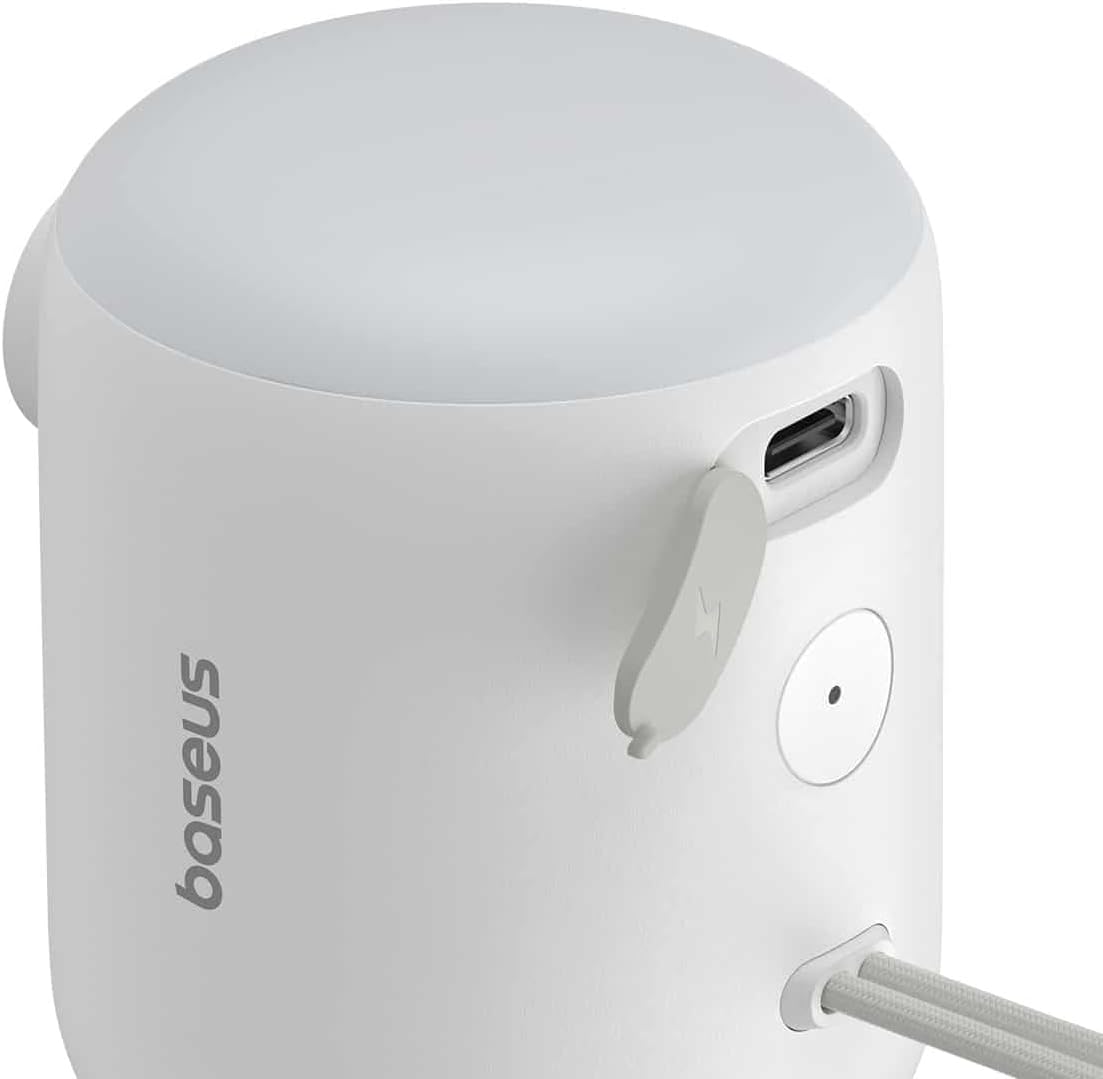
Figuur 2.2: Gedetailleerd view of the Baseus PocketGo, highlighting the USB-C charging port and the power button.
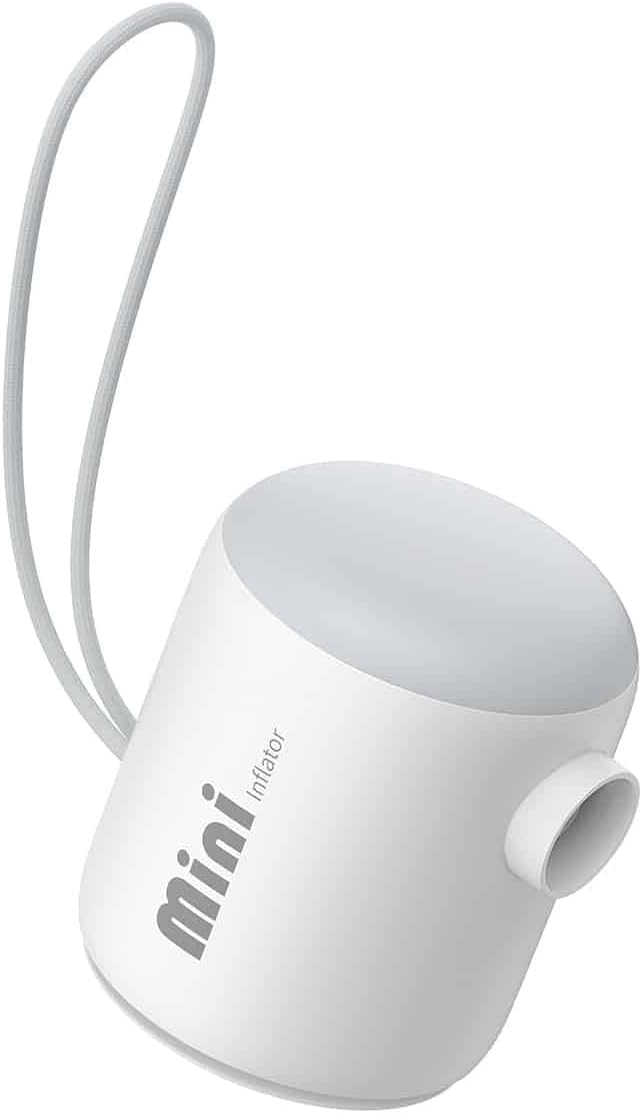
Figuur 2.3: Voorkant view of the Baseus PocketGo Portable Air Pump, showing its compact design and integrated lanyard.
3. Opstelling
3.1 Laai die toestel
- Connect the provided USB-C charging cable to the charging port on the device.
- Koppel die ander kant van die kabel aan 'n standaard USB-kragadapter (nie ingesluit nie) of 'n rekenaar se USB-poort.
- The indicator light will show the charging status. A full charge is indicated when the light changes color or turns off (refer to specific light behavior in the quick start guide if available).
3.2 Aanheg van spuitstukke
- Kies die toepaslike spuitstuk vir die item wat jy wil opblaas.
- Firmly insert the chosen nozzle into the inflation port of the air pump. Ensure it is securely seated to prevent air leakage during operation.
4. Bedryfsinstruksies
4.1 Inflasieproses
- Maak seker dat die toestel voldoende gelaai is.
- Attach the correct nozzle to the air pump.
- Insert the nozzle into the inflation valve of the item you want to inflate.
- Press and hold the power button to turn on the pump. The pump will begin to inflate the item.
- Monitor the inflation process. Once the item is inflated to the desired firmness, release the power button to stop the pump.
- Remove the nozzle from the item and then from the pump.

Figure 4.1: The Baseus PocketGo in use, inflating an air mattress, demonstrating its practical application.
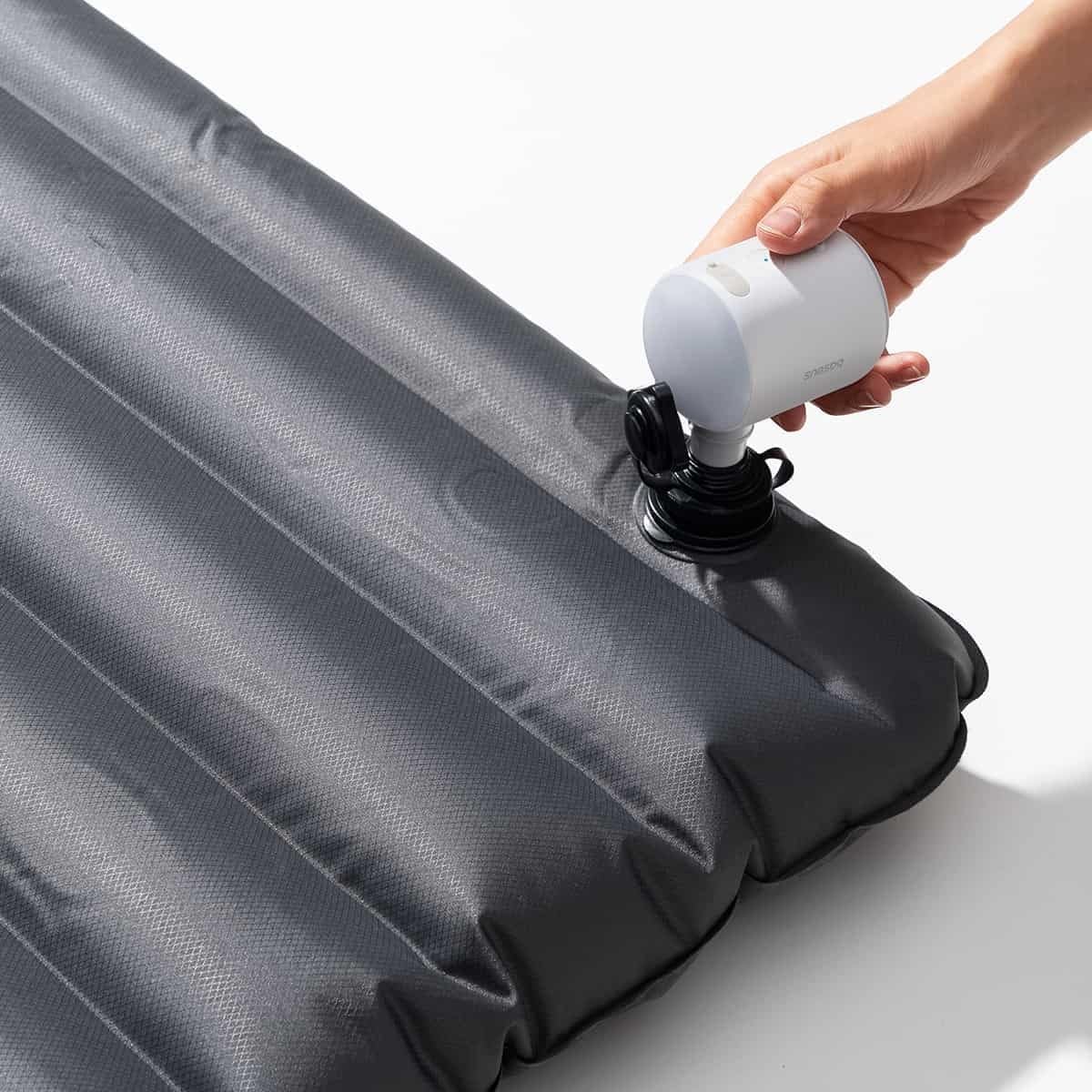
Figure 4.2: Another perspective of the Baseus PocketGo inflating an air mattress, showing the compact size and ease of handling.
4.2 Draagbaarheid
The compact design and integrated lanyard allow for easy transport. It can be conveniently attached to a backpack or carried in a bag.

Figure 4.3: The Baseus PocketGo attached to a backpack, illustrating its portability and convenient carrying options.
5. Onderhoud
- Skoonmaak: Wipe the exterior of the pump with a soft, dry cloth. Do not use harsh chemicals or abrasive cleaners.
- Berging: Store the pump in a cool, dry place away from direct sunlight and extreme temperatures. Ensure it is fully charged before long-term storage to preserve battery life.
- Batterysorg: To maximize battery lifespan, avoid completely draining the battery frequently. Recharge the device when the battery indicator suggests low power.
6. Probleemoplossing
- Toestel skakel nie aan nie:
- Ensure the battery is charged. Connect to a power source and try again.
- Check if the power button is being pressed correctly. - Pump is running but no air is coming out/weak airflow:
- Check if the nozzle is securely attached to the pump and the item being inflated.
- Ensure the inflation port is not blocked.
- Verify the item's valve is open and not obstructed. - Toestel stop onverwags:
- Die battery is dalk laag. Laai die toestel weer.
- The device might have overheated. Allow it to cool down before resuming operation.
7. Spesifikasies

Figuur 7.1: Onder view of the Baseus PocketGo, displaying product specifications and compliance markings.
| Kenmerk | Detail |
|---|---|
| Handelsmerk | Baseus |
| Modelnommer | C11157700221-00 |
| Produk afmetings | 10 x 5 x 1.27 cm |
| Gewig | 282 gram |
| Invoer Voltage | 5V (from image) |
| Gegradeerde krag | 45W Max (from image) |
| Battery kapasiteit | 1600mAh / 5.9Wh (from image) |
| Kleur | White (as per product title) |
8. Waarborg en Ondersteuning
For warranty information and customer support, please refer to the documentation included with your purchase or visit the official Baseus webwebwerf. Bewaar u bewys van aankoop vir waarborgeise.
Vervaardiger: Baseus