
1. Inleiding
Thank you for choosing the JONR VC10 Pro Cordless Vacuum Cleaner. This manual provides essential information for the safe and efficient use, maintenance, and troubleshooting of your new appliance. Please read this manual thoroughly before first use and keep it for future reference.
The JONR VC10 Pro is designed for versatile cleaning, featuring powerful suction, an automatic cleaning station, and a long-lasting battery for a convenient cleaning experience.

Image 1.1: JONR VC10 Pro Cordless Vacuum Cleaner with its automatic cleaning station.
2. Veiligheidsinstruksies
Om die risiko van brand, elektriese skok of besering te verminder, volg altyd basiese veiligheidsmaatreëls wanneer u 'n elektriese toestel gebruik.
- Lees alle instruksies voordat u die toestel gebruik.
- Moet nie buite of op nat oppervlaktes gebruik nie.
- Moenie toelaat dat dit as speelding gebruik word nie. Noukeurige aandag is nodig wanneer dit deur of naby kinders gebruik word.
- Gebruik slegs soos beskryf in hierdie handleiding. Gebruik slegs die vervaardiger se aanbevole aanhegsels.
- Moet nie met beskadigde koord of prop gebruik nie. Indien toestel nie werk soos dit moet nie, laat val, beskadig is, buite gelaat is of in water laat val het, stuur dit terug na 'n dienssentrum.
- Moenie aan koord trek of dra nie, gebruik koord as 'n handvatsel, maak 'n deur op koord toe, of trek koord om skerp kante of hoeke. Moenie die toestel oor die koord laat loop nie. Hou koord weg van verhitte oppervlaktes.
- Moenie die prop uittrek deur aan die koord te trek nie. Om die prop te ontkoppel, gryp die prop vas, nie die koord nie.
- Moenie prop of toestel met nat hande hanteer nie.
- Moenie enige voorwerp in openinge sit nie. Moet nie gebruik met enige opening geblokkeer nie; hou vry van stof, pluis, hare en enigiets wat lugvloei kan verminder.
- Hou hare, los klere, vingers en alle liggaamsdele weg van openinge en bewegende dele.
- Moenie iets optel wat brand of rook nie, soos sigarette, vuurhoutjies of warm as.
- Moet nie gebruik om vlambare of brandbare vloeistowwe, soos petrol, op te tel of in gebiede te gebruik waar hulle teenwoordig kan wees nie.
- Moenie giftige materiaal optel nie (bv. chloorbleikmiddel, ammoniakskoonmaker, dreinreiniger).
- Moet nie gebruik sonder die stofbeker en/of filters in plek nie.
- Skakel alle kontroles af voordat u die prop ontkoppel.
- Wees ekstra versigtig wanneer jy op trappe skoonmaak.
- Moenie gebruik om harde of skerp voorwerpe soos glas, spykers, skroewe, muntstukke, ens. op te tel nie.
- Prevent unintentional starting. Ensure the switch is in the OFF position before connecting to battery pack, picking up or carrying the appliance.
- Herlaai slegs met die laaier wat deur die vervaardiger gespesifiseer word.
3. Produk verbyview
Familiarize yourself with the components of your JONR VC10 Pro Cordless Vacuum Cleaner.
Hoofkomponente:
- Hoofstofsuiereenheid (met motor en stofhouer)
- Verlengstaf
- V-shaped Floor Brush
- Automatic Cleaning Station
- Kragadapter
4. Opstelling en samestelling
4.1 Montering van die stofsuier
- Insert the extension wand into the main vacuum unit until it clicks into place.
- Attach the V-shaped floor brush to the other end of the extension wand until it clicks securely.
- Maak seker dat alle verbindings stewig is voor gebruik.
4.2 Setting up the Automatic Cleaning Station
- Place the cleaning station on a flat, stable surface near a power outlet.
- Connect the power adapter to the cleaning station and plug it into a wall outlet.
- The station is now ready for charging and automatic dustbin emptying.
4.3 Aanvanklike laai
Before first use, fully charge the vacuum cleaner. Place the main vacuum unit onto the automatic cleaning station. The charging indicator will illuminate. A full charge takes approximately 4-5 hours.
5. Bedryfsinstruksies
5.1 Aan/Af- en Suigmodusse
Press the power button on the main unit to turn the vacuum cleaner on or off. The vacuum features 3 suction speed settings. Press the mode button to cycle through the different suction levels (Low, Medium, High) to suit your cleaning needs.

Image 5.1: The JONR VC10 Pro offers up to 27,000 Pa of suction power for effective cleaning.
5.2 Skoonmaak van verskillende oppervlaktes
The V-shaped floor brush is designed for effective cleaning on various floor types.
- Harde vloere: Use any suction mode. The soft bristles effectively capture dust and debris without scratching.
- Matte: For optimal cleaning on carpets, especially for pet hair, use Medium or High suction mode. The V-shaped brush helps prevent hair tangles.
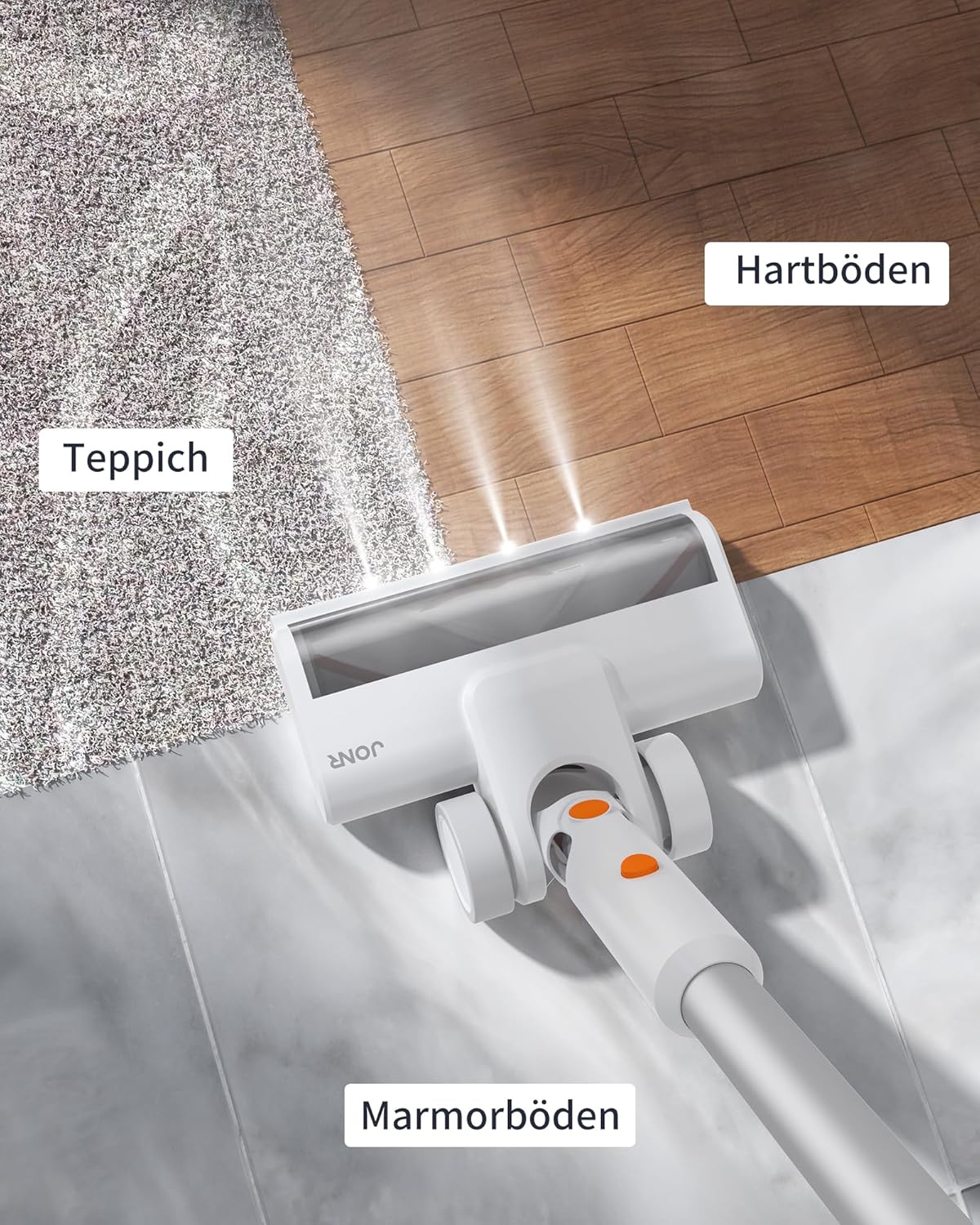
Image 5.2: The floor brush is suitable for various surfaces including carpet, hard floors, and marble.
5.3 Using the Automatic Cleaning Station
After cleaning, place the main vacuum unit onto the automatic cleaning station. The station will automatically empty the vacuum's dustbin into a disposable dust bag within the station. This feature minimizes contact with dust and debris.

Image 5.3: The automatic cleaning station empties the vacuum's dustbin, providing a hands-free experience.
5.4 Batterylooptyd
The JONR VC10 Pro is equipped with a 2500 mAh battery, providing up to 60 minutes of runtime on a single charge, depending on the selected suction mode and usage conditions.
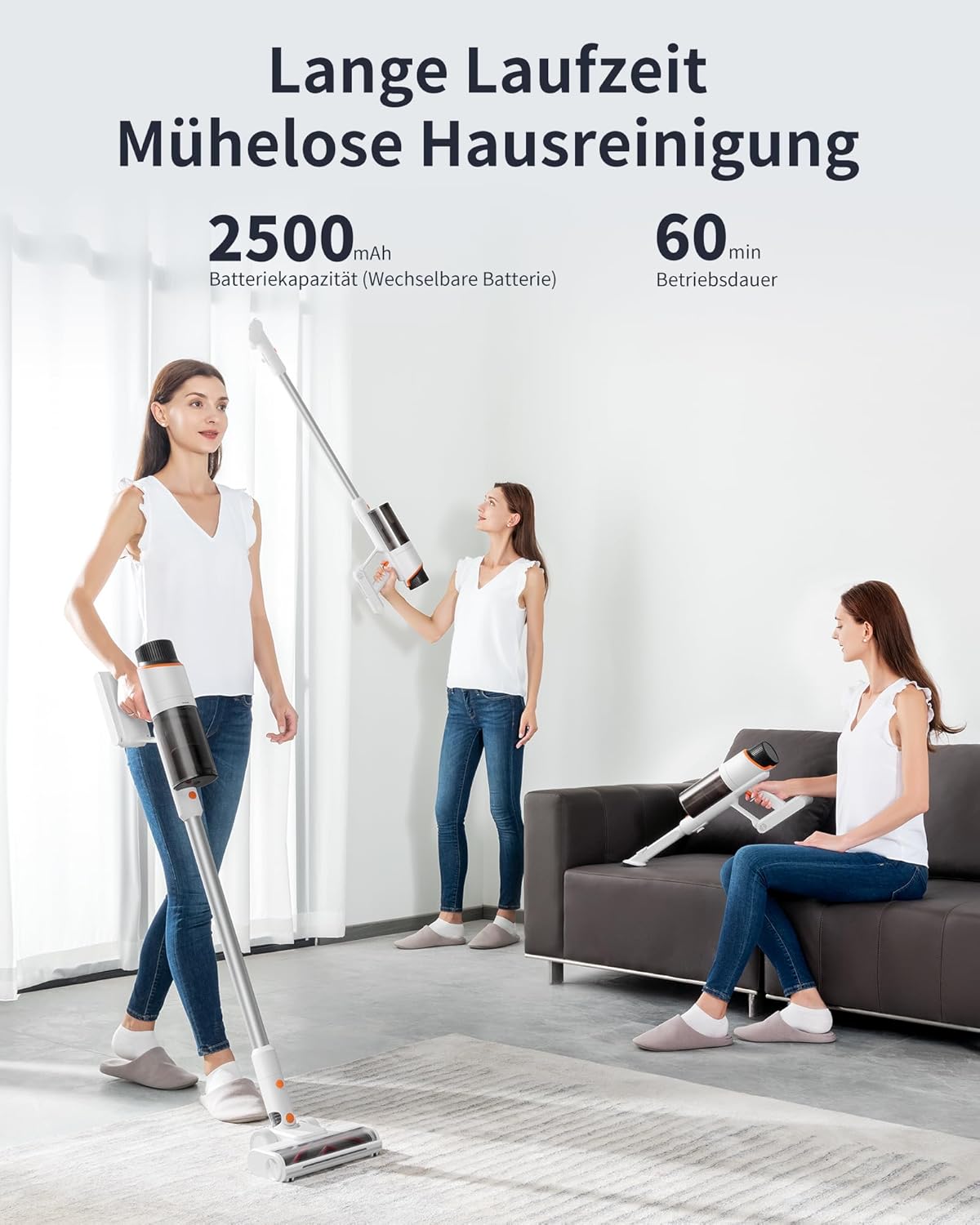
Image 5.4: The 2500 mAh battery provides up to 60 minutes of continuous operation.
6. Onderhoud
Gereelde onderhoud verseker optimale werkverrigting en verleng die lewensduur van jou stofsuier.
6.1 Emptying the Dustbin (Manual)
While the automatic cleaning station handles most emptying, you can manually empty the dustbin if needed. Detach the dustbin from the main unit, open the bottom flap, and empty contents into a waste bin. Close the flap securely.
6.2 Skoonmaak van die filter
The dustbin and filter are washable. Regularly remove the filter from the dustbin and rinse both under running water. Ensure they are completely dry before reassembling and using the vacuum cleaner. Do not use the vacuum with a wet filter.
6.3 Skoonmaak van die vloerborsel
The V-shaped floor brush is designed to minimize hair tangles. However, occasional cleaning may be required. Detach the brush from the extension wand. Use scissors or a cleaning tool to remove any tangled hair or debris from the brush roll. Reattach the brush securely.

Image 6.1: The unique V-shaped floor brush design helps prevent hair tangles.
6.4 Replacing the Dust Bag in the Cleaning Station
The automatic cleaning station uses disposable dust bags. When the indicator light on the station signals that the dust bag is full, open the compartment, carefully remove the full bag, and replace it with a new one. Dispose of the full bag responsibly.

Image 6.2: The automatic cleaning station utilizes disposable dust bags for hygienic disposal of collected debris.
7. Probleemoplossing
If you encounter issues with your JONR VC10 Pro, refer to the following common problems and solutions.
| Probleem | Moontlike oorsaak | Oplossing |
|---|---|---|
| Vakuum skakel nie aan nie | Die battery is leeg Kragknoppie nie korrek gedruk nie | Laai die battery ten volle Maak seker dat die kragknoppie stewig ingedruk word |
| Lae suigkrag | Asblik is vol Filter is verstop Brush roll or wand is blocked | Maak die asblik leeg Maak die filter skoon of vervang dit Check and clear any blockages in the brush roll or wand |
| Borselrol draai nie | Hare of puin verstrengel in kwas Brush roll is detached | Maak die kwasrol skoon Ensure the brush roll is correctly installed |
| Automatic emptying not working | Dust bag in station is full Vacuum not correctly docked Blockage in station's suction path | Vervang die stofsak Ensure vacuum is fully seated on the station Check for and clear any blockages in the station |
Indien die probleem voortduur nadat u hierdie oplossings probeer het, kontak asseblief kliëntediens.
8. Spesifikasies
| Kenmerk | Spesifikasie |
|---|---|
| Model | VC10 Pro |
| Handelsmerk | JONR |
| Suigkrag | Tot 27,000 Pa |
| Battery kapasiteit | 2500 mAh |
| Looptyd | Tot 60 minute |
| Vullishouer kapasiteit | 2.5 liter |
| Aantal snelhede | 3 |
| Spesiale kenmerke | Automatic cord rewind (Note: This feature is listed in product specs but typically applies to corded vacuums. For a cordless model, it likely refers to the automatic emptying function or a mislabeling in source data.) |
| Filter tipe | Sikloon |
| Afmetings (Pakket) | 73.5 x 37 x 29 cm |
| Gewig (Pakket) | 9.38 kg |
9. Waarborg en Ondersteuning
Your JONR VC10 Pro Cordless Vacuum Cleaner comes with a standard manufacturer's warranty. Please refer to the warranty card included in your product packaging for specific terms and conditions, including warranty period and coverage.
For technical support, troubleshooting assistance, or to inquire about replacement parts, please contact JONR customer service through the retailer where the product was purchased or visit the official JONR webwebwerf vir kontakinligting.