
1. Inleiding
Thank you for choosing the Baseus Bowie E5x True Wireless Stereo (TWS) Earphones. These earphones are designed to provide a high-quality audio experience with convenient wireless connectivity. This manual will guide you through the setup, operation, and maintenance of your new earphones.

Figure 1: Baseus Bowie E5x TWS Earphones and Charging Case with Retail Packaging
2. Pakketinhoud
Kontroleer asseblief die inhoud van die pakket om seker te maak dat alle items teenwoordig is:
- Baseus Bowie E5x TWS Earphones (Left and Right)
- Laaikas
- USB-C-laaikabel
- Gebruikershandleiding (hierdie dokument)

Figure 2: Baseus Bowie E5x Charging Case and USB-C Charging Cable
3. Produk verbyview
Familiarize yourself with the components of your Baseus Bowie E5x earphones:
- Oordopjes: Linker (L) en regter (R) oordopjes met aanraakbeheerareas en laaikontakte.
- Laaikas: Used for charging the earbuds and for storage. Features a USB-C charging port and LED indicators.
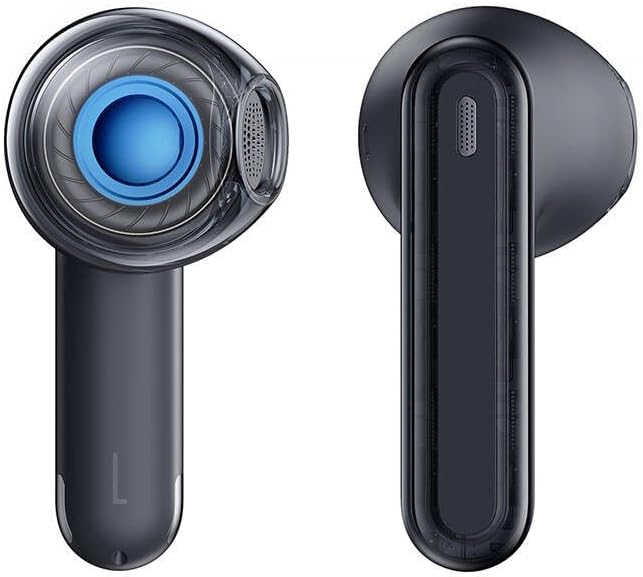
Figure 3: Left and Right Baseus Bowie E5x Earbuds
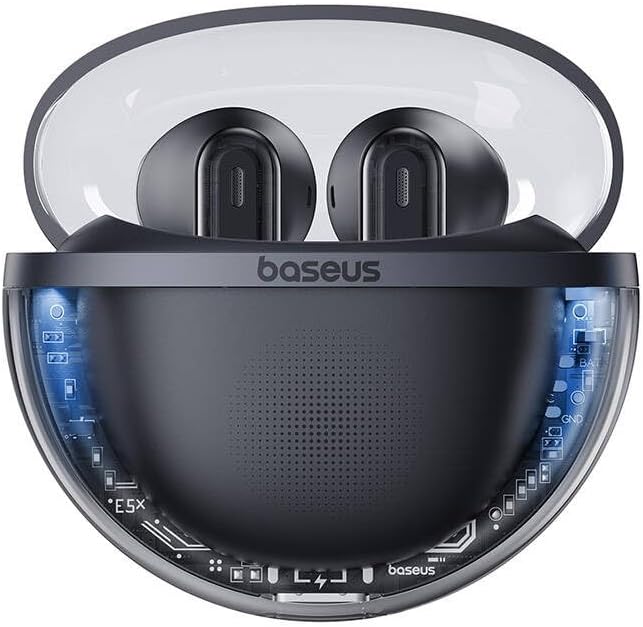
Figure 4: Baseus Bowie E5x Charging Case with Earbuds Inserted
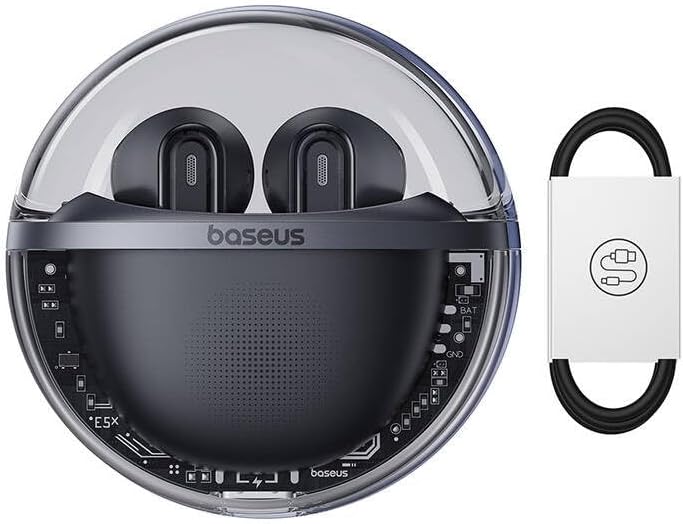
Figure 5: Close-up of an Earbud's Speaker
4. Opstelling
4.1 Laai die oorfone en houer
- Aanvanklike heffing: Before first use, fully charge the charging case and earbuds. Place the earbuds into the charging case.
- Laai die saak: Connect the provided USB-C cable to the charging port on the case and the other end to a USB power adapter (not included). The LED indicator on the case will show charging status.
- Laai die oordopjes: When placed in the charging case, the earbuds will automatically begin charging. The case's indicator lights will show the charging status of the earbuds.
4.2 Bluetooth -koppeling
- Krag aan: Open the charging case. The earbuds will automatically power on and enter pairing mode (indicated by flashing LED lights on the earbuds).
- Aktiveer Bluetooth: Aktiveer Bluetooth op jou toestel (slimfoon, tablet, rekenaar).
- Kies Toestel: In your device's Bluetooth settings, search for available devices and select "Baseus Bowie E5x".
- Koppel: Once selected, the earbuds will connect to your device. A voice prompt or steady LED light will confirm successful pairing.
- Herkoppel weer: Na die aanvanklike paring sal die oordopjes outomaties aan die laaste gekoppelde toestel koppel wanneer dit uit die houer gehaal word, mits Bluetooth op die toestel geaktiveer is.
5. Bedryfsinstruksies
The Baseus Bowie E5x earphones feature intuitive touch controls:
| Funksie | Aksie (Linker/Regter Oordop) |
|---|---|
| Krag aan | Open charging case / Long press touch area (if off) |
| Krag af | Place earbuds into charging case and close lid / Disconnect Bluetooth and wait |
| Speel / Pouse | Double tap touch area |
| Volgende Snit | Drie -tik regter -oordop |
| Vorige Snit | Drievoudige kraan met linker oortjie |
| Beantwoord/beëindig oproep | Double tap touch area |
| Verwerp oproep | Druk lank aanraakarea vir 2 sekondes |
| Aktiveer stemassistent | Druk lank aanraakarea vir 3 sekondes |
| Switch to Gaming Mode (Low Latency) | Specific gesture (refer to product packaging or Baseus app for exact control) |
Let wel: Specific touch controls for features like volume adjustment or gaming mode may vary. Refer to the official Baseus app or product packaging for the most accurate and customizable controls.
6. Onderhoud
To ensure the longevity and optimal performance of your earphones, follow these maintenance tips:
- Skoonmaak: Maak die oorfone en laaikas gereeld skoon met 'n sagte, droë, pluisvrye lap. Moenie harde chemikalieë of skuurmiddels gebruik nie.
- Laai kontakte: Maak seker dat die laaikontakte op beide die oordopjes en binne-in die houer skoon en vry van puin is om behoorlike laai te verseker.
- Berging: Wanneer dit nie gebruik word nie, bêre die oorfone in hul laaikassie om hulle teen stof en skade te beskerm.
- Vermy uiterste toestande: Do not expose the earphones to extreme temperatures, humidity, or liquids.
7. Probleemoplossing
If you encounter issues with your Baseus Bowie E5x earphones, try the following solutions:
- Geen klank:
- Maak seker dat die oorfone gelaai is.
- Check if Bluetooth is enabled on your device and connected to "Baseus Bowie E5x".
- Verstel die volume op beide jou toestel en die oorfone.
- Probeer om die oorfone weer met jou toestel te koppel.
- Oordopjes koppel nie met mekaar nie:
- Plaas albei oordopjes terug in die laaikas, maak die deksel toe, wag 'n paar sekondes en maak dan die deksel weer oop.
- Maak seker dat beide oorfone voldoende gelaai is.
- Laai kwessies:
- Kontroleer die USB-C-kabel en kragadapter.
- Maak die laaikontakte op die oordopjes en binne-in die houer skoon.
- Maak seker dat die laaikas self gelaai is.
- Connection Drops/Unstable:
- Beweeg nader aan jou gekoppelde toestel.
- Vermy omgewings met sterk elektromagnetiese interferensie.
- Ontkoppel en koppel die Bluetooth-verbinding weer.
If the issue persists, consult the Baseus official website or customer support for further assistance.
8. Spesifikasies
| Kenmerk | Detail |
|---|---|
| Handelsmerk | Baseus |
| Model | Bowie E5x |
| Kleur | Swart |
| Komponente ingesluit | 1 package (Earphones, Charging Case, USB-C Cable, Manual) |
| Konnektiwiteit | True Wireless Stereo (TWS) |
| Laaipoort | USB-C |
Let wel: Spesifikasies is onderhewig aan verandering sonder vooraf kennisgewing.
9. Waarborg en Ondersteuning
Baseus products come with a manufacturer's warranty. Please refer to the warranty card included in your package or visit the official Baseus webwebwerf vir gedetailleerde waarborgbepalings en -voorwaardes spesifiek vir u streek.
For technical support, troubleshooting, or service inquiries, please contact Baseus customer support through their official webwebwerf of die kontakinligting wat op u produkverpakking verskaf word.
Amptelik Webwebwerf: www.baseus.com